Step 1.
city boundary is important for 911 dispatch.
city boundary change over time, address is so.
Historical address was used in police's historical record, had old city name.
Over time same place have new address as city boundary expanding.
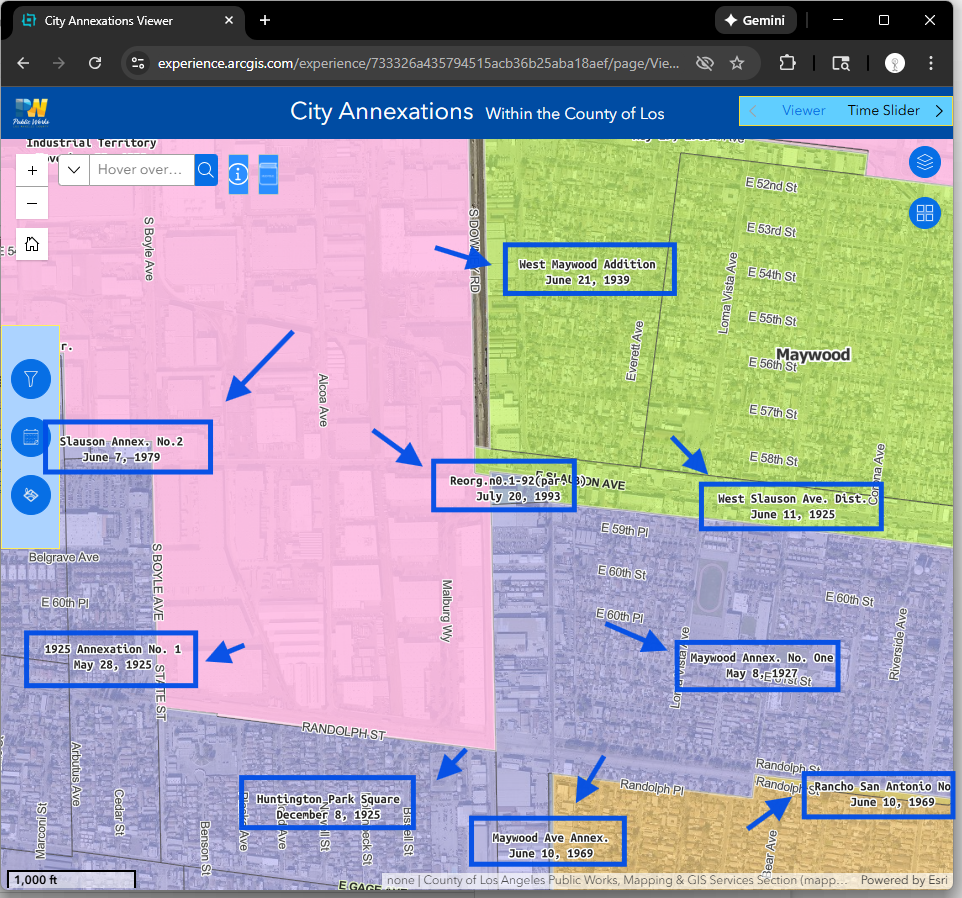
To understand how the city boundary changed over time, you could use this tools
https://experience.arcgis.com/experience/733326a435794515acb36b25aba18aef/page/Viewer#widget_25=active_datasource_id:dataSource_1,center:-13159661.3415418%2C4026725.2051648595%2C102100,scale:49709.612470915694,level:12.623456555957807,viewpoint:%7B%22rotation%22%3A0%2C%22scale%22%3A49709.612470915694%2C%22targetGeometry%22%3A%7B%22spatialReference%22%3A%7B%22latestWkid%22%3A3857%2C%22wkid%22%3A102100%7D%2C%22x%22%3A-13159661.3415418%2C%22y%22%3A4026725.2051648595%7D%7D
Step 2.
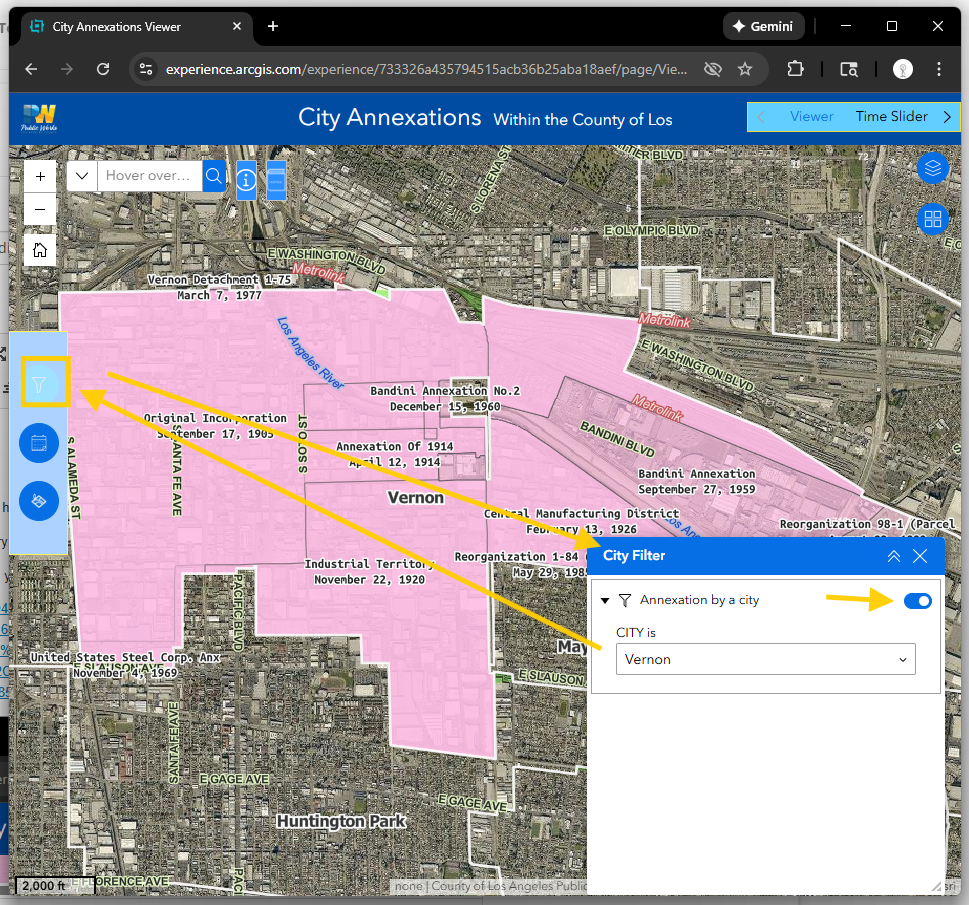
use city filter, you would see only 1 city a time,
Step 3.
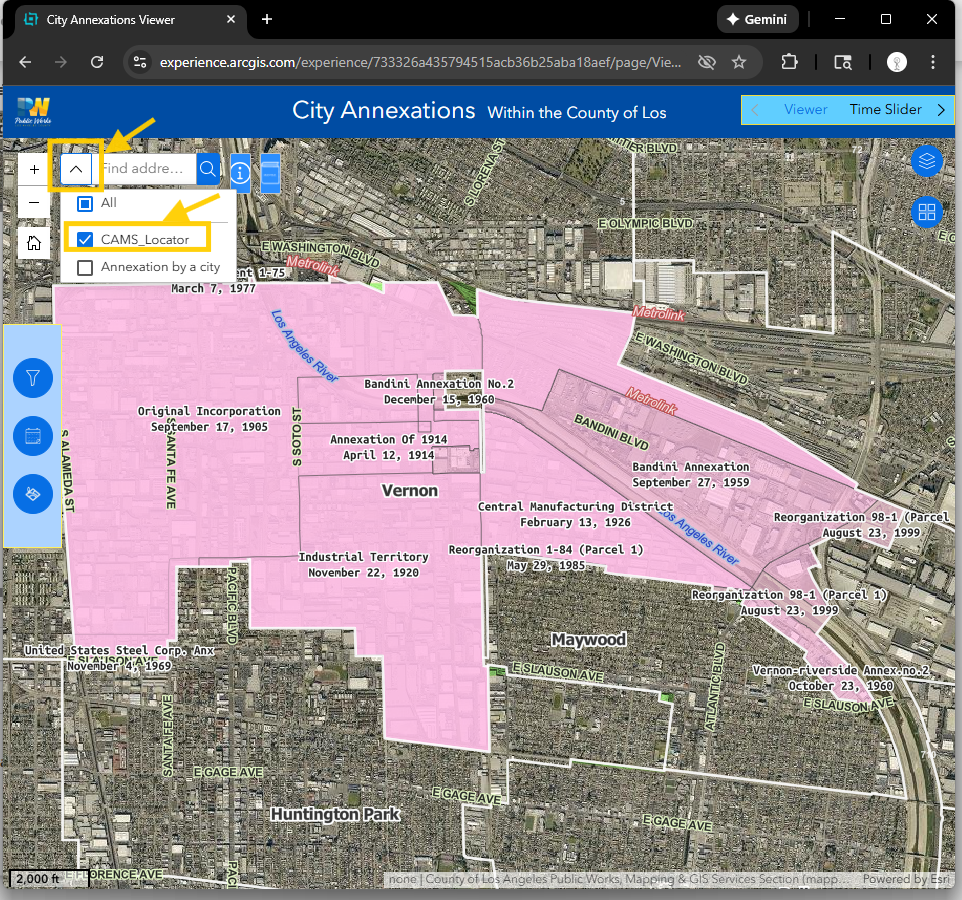
select CAMS locator, which have only parcel address, street address, some of government POI (no private business)
Step 4.
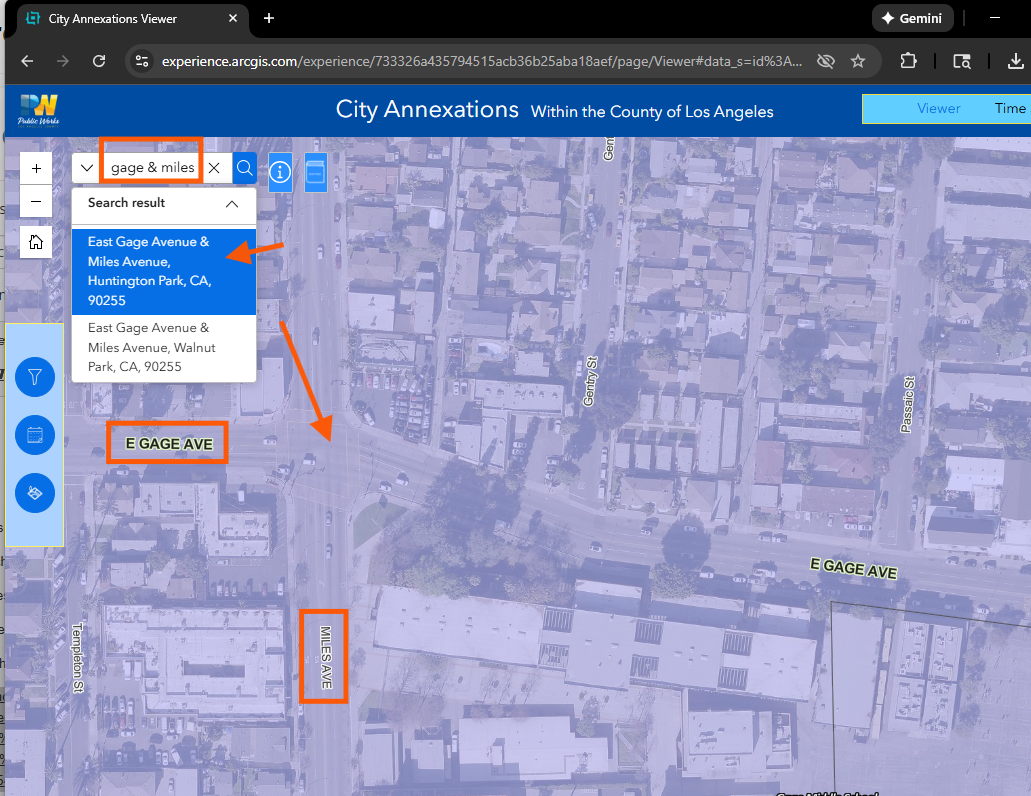
search cross street, esri's default street connector is "&", "and", "at"
Step 5.
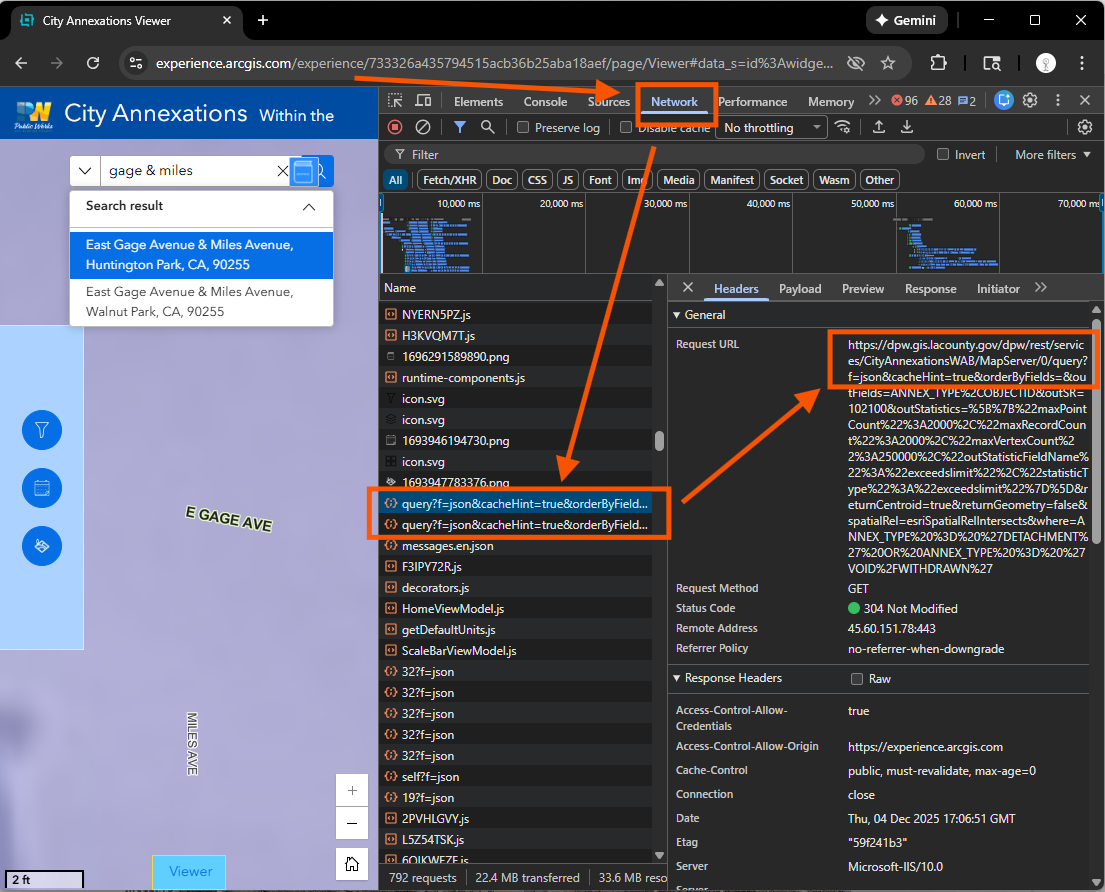
how to find this annexation layer? where this layer is coming from?
this layer's api source is here( see red arrow)
https://dpw.gis.lacounty.gov/dpw/rest/services/CityAnnexationsWAB/MapServer/
Step 6.
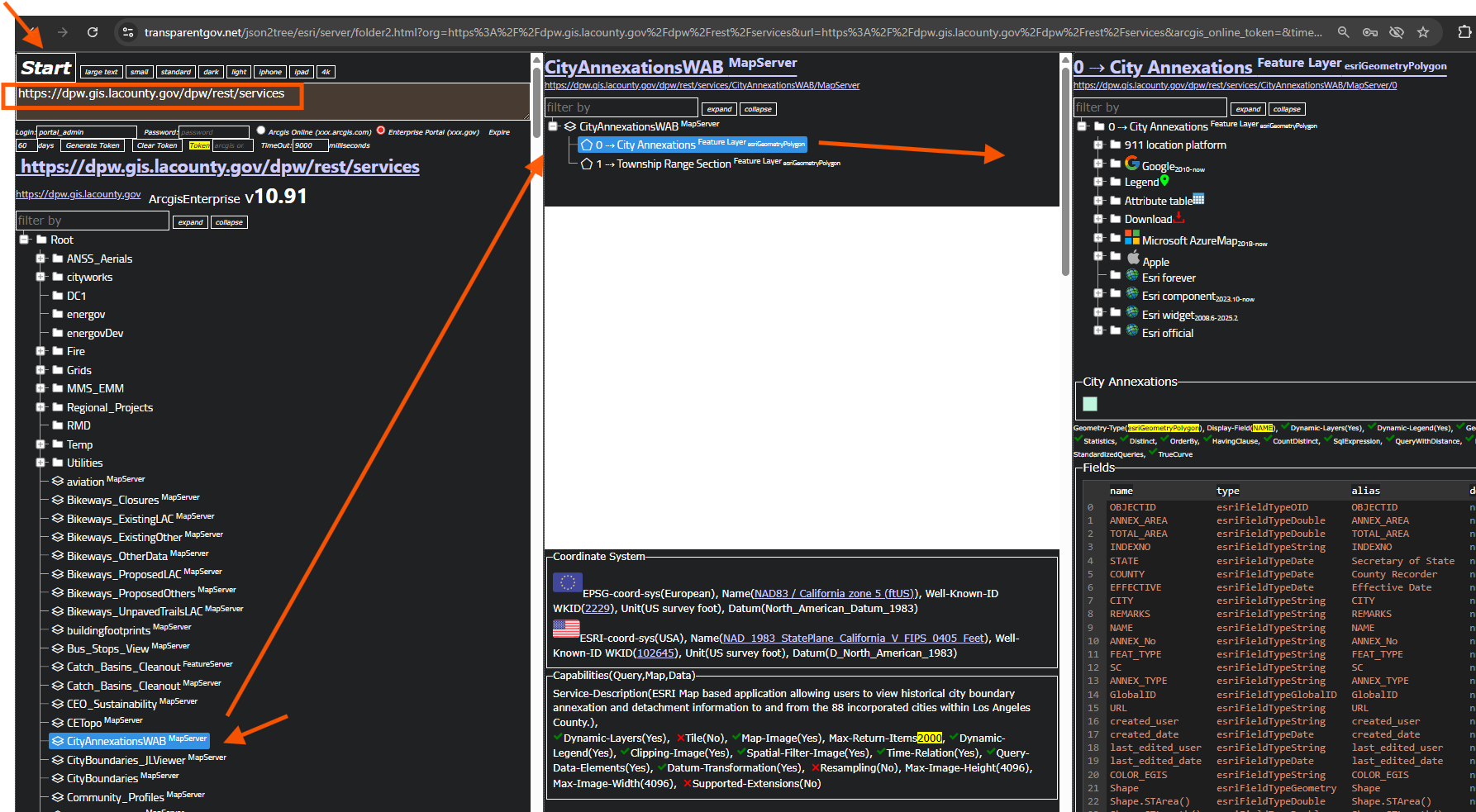
https://dpw.gis.lacounty.gov/dpw/rest/services
copy paste here, click start button
https://transparentgov.net/json2tree/esri/server/folder2.html?org=https%3A%2F%2Fdpw.gis.lacounty.gov%2Fdpw%2Frest%2Fservices&url=https%3A%2F%2Fdpw.gis.lacounty.gov%2Fdpw%2Frest%2Fservices&arcgis_online_token=&timeout=9000&select_folder=27&select_layer=0&select_folder_text=CityAnnexationsWAB+%3Csup%3EMapServer%3C%2Fsup%3E&select_layer_text=0+%26%23x21E2%3B+City+Annexations+%3Csup%3EFeature+Layer%3Csub%3E+esriGeometryPolygon%3C%2Fsub%3E%3C%2Fsup%3E
Step 7.
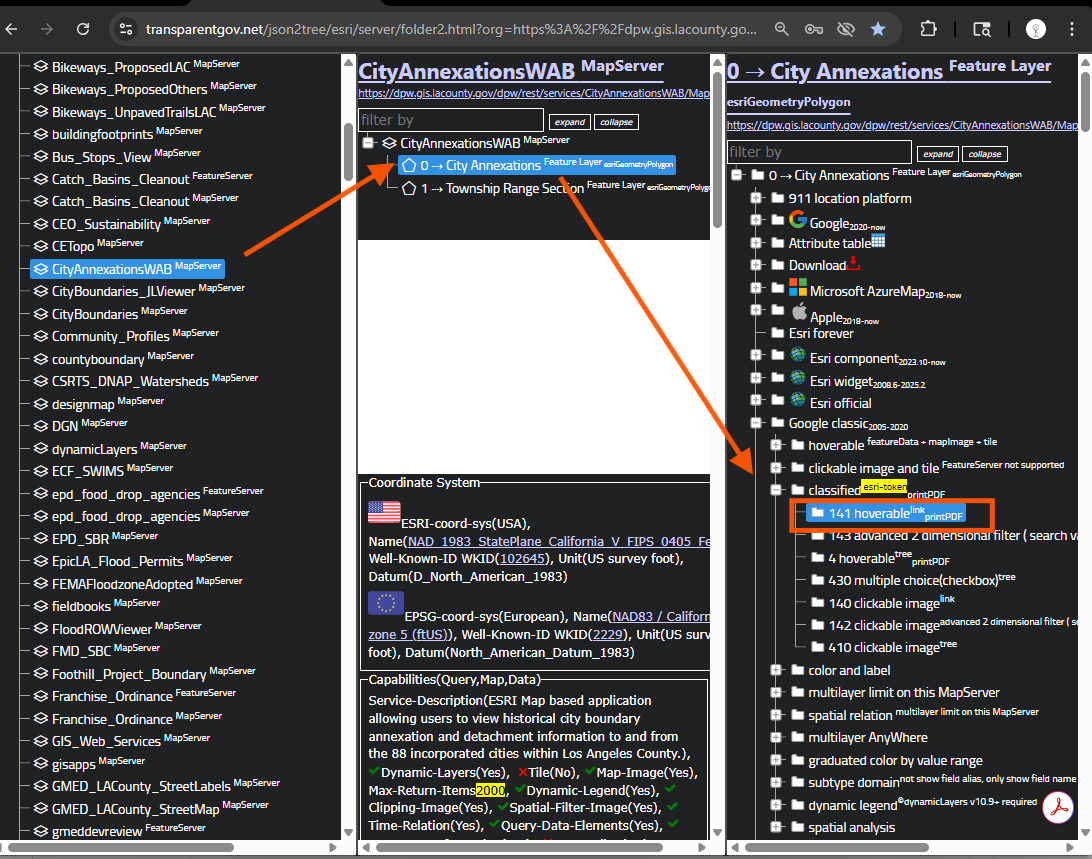
What can you do with this layer? with esri's tool at top, you can only view it, very limited.
But here, you can do unlimited things with this layer, just choose the right model number.
You can download 1 city, handful city, entire,
you can collect poi for 1 city, even only for 1 annexation,
you can do unlimited job with this layer,
today, I only show you 1 function, that is only show 1 city at a time, which is done in previous step
use model 141
https://transparentgov.net/json2tree/esri/server/folder2.html?org=https%3A%2F%2Fdpw.gis.lacounty.gov%2Fdpw%2Frest%2Fservices&url=https%3A%2F%2Fdpw.gis.lacounty.gov%2Fdpw%2Frest%2Fservices&arcgis_online_token=&timeout=9000&select_folder=27&select_layer=0&select_folder_text=CityAnnexationsWAB+%3Csup%3EMapServer%3C%2Fsup%3E&select_layer_text=0+%26%23x21E2%3B+City+Annexations+%3Csup%3EFeature+Layer%3Csub%3E+esriGeometryPolygon%3C%2Fsub%3E%3C%2Fsup%3E
use model 141
Step 8.
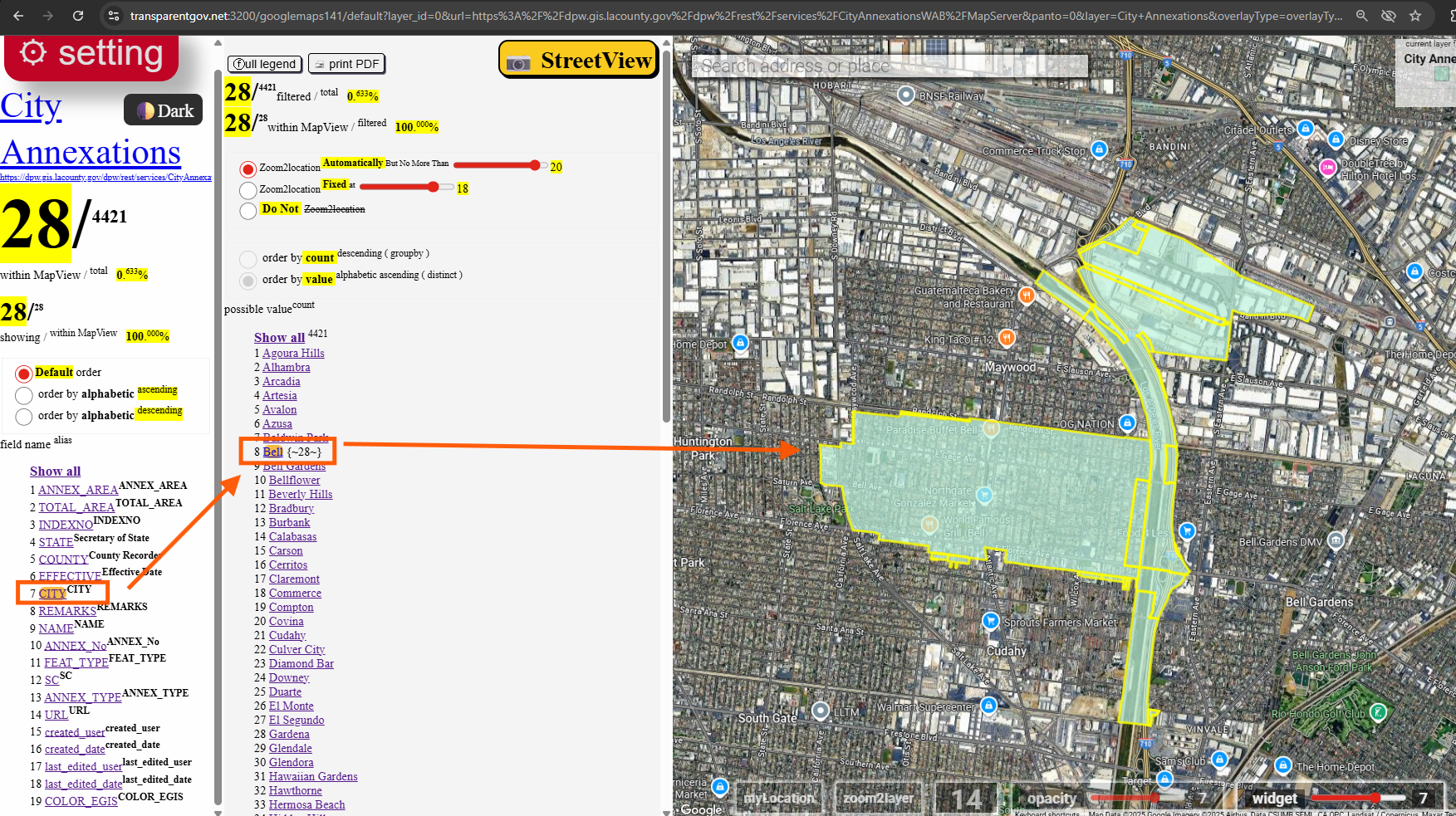
use model 141,
you can click city, then select bell, now only show 1 city at a time
https://transparentgov.net:3200/googlemaps141/default?layer_id=0&url=https%3A%2F%2Fdpw.gis.lacounty.gov%2Fdpw%2Frest%2Fservices%2FCityAnnexationsWAB%2FMapServer&panto=0&layer=City+Annexations&overlayType=overlayType_image¢er_lat=33.981091699864656¢er_long=-118.17184699820885¢er_zoom=14&select_field=6&select_fieldvalue=7&distinctorgroupby=distinct&orderbycountorvalue=orderby_value
Step 9.
Step 10.
Step 11.
Step 12.
Step 13.
Step 14.
Step 15.
Step 16.
Step 17.
Step 18.
Step 19.
Step 20.