Add Google Maps to ArcMap and Pro
https://socalgis.org/2020/12/02/add-google-maps-to-arcmap-and-pro/
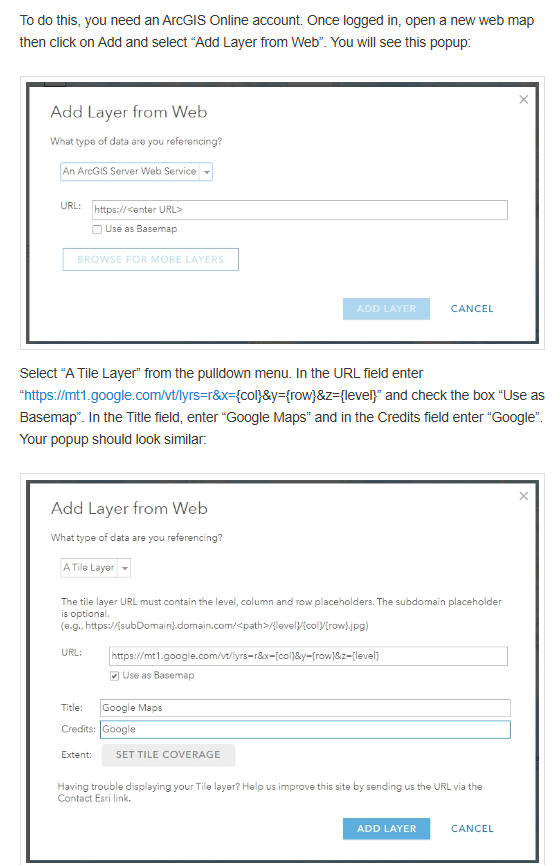
Step 1.
Arcgis online add new item, which is a new layer
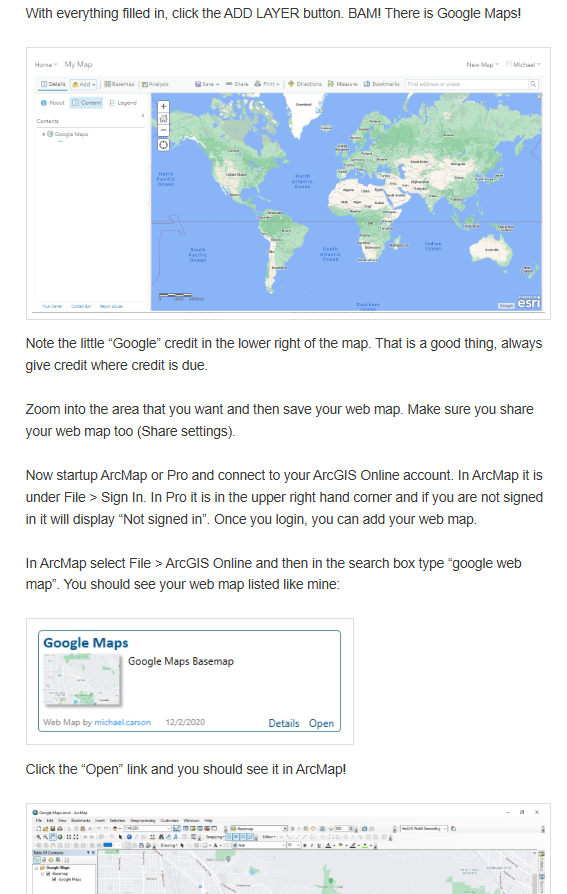
Step 2.
ArcMap search for new added layer
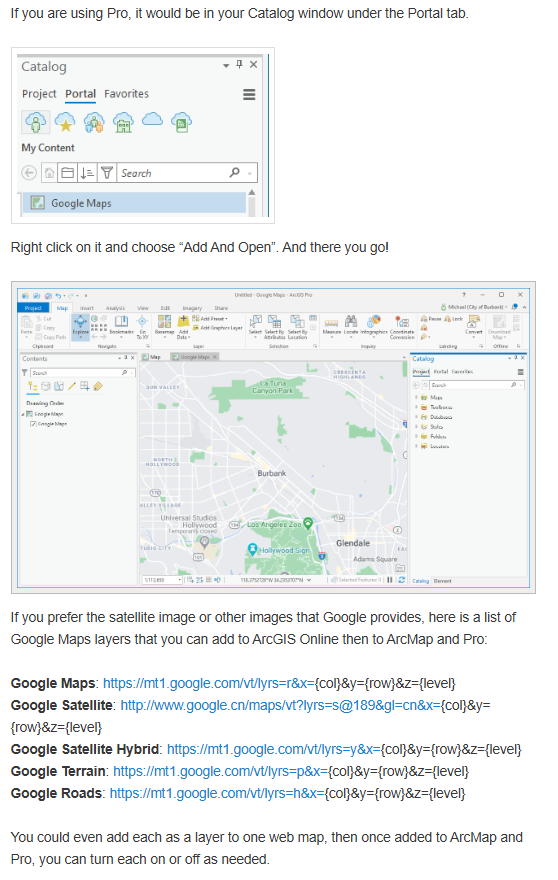
Step 3.
ArcPro search for new addes layer
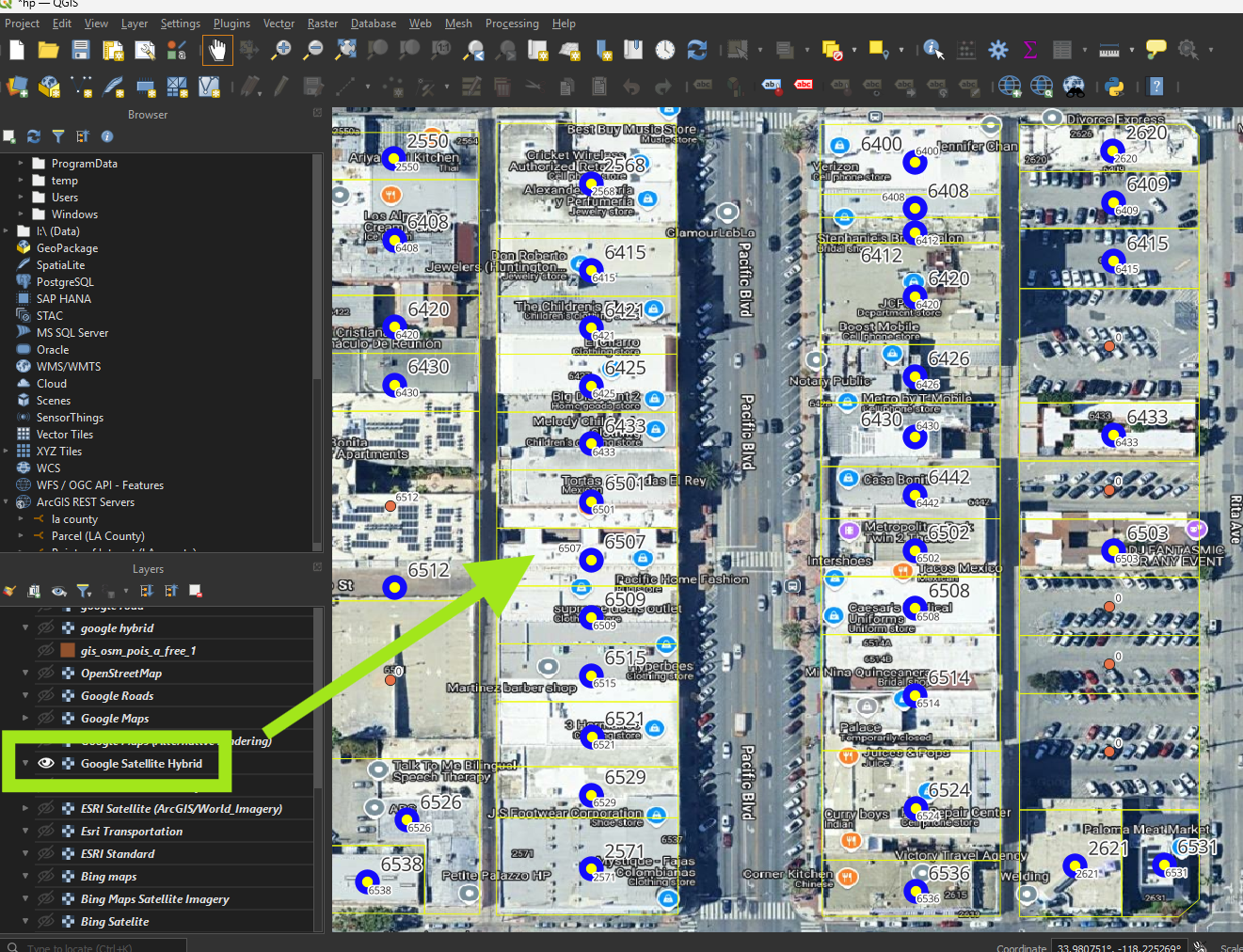
ESRI map
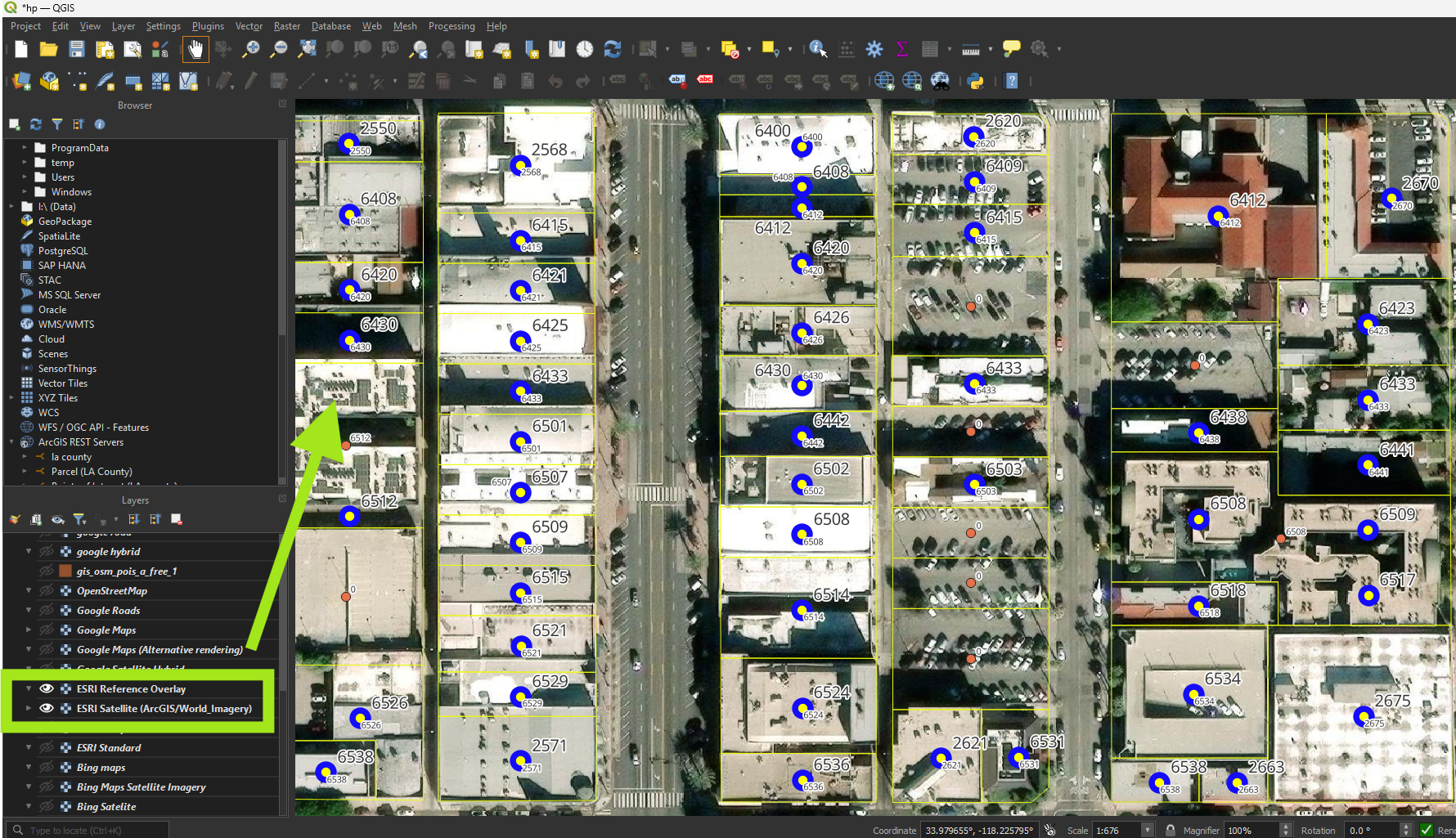
You can use following google map tile URL
NAME: GE Hybrid
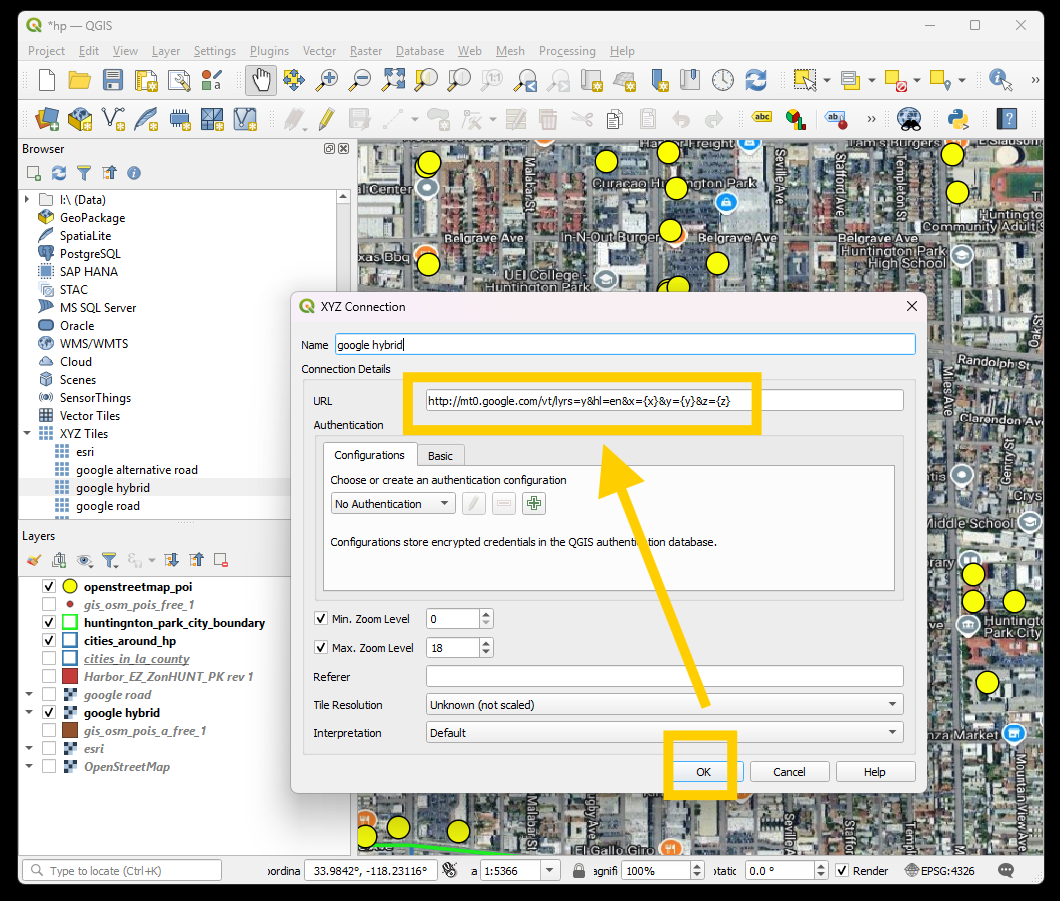
URL: http://mt0.google.com/vt/lyrs=y&hl=en&x={x}&y={y}&z={z}
NAME: GE Roadmap
URL: http://mt0.google.com/vt/lyrs=m&hl=en&x={x}&y={y}&z={z}
NAME: GE Terrain
URL: http://mt0.google.com/vt/lyrs=p&hl=en&x={x}&y={y}&z={z}
NAME: GE Altered roadmap
URL: http://mt0.google.com/vt/lyrs=r&hl=en&x={x}&y={y}&z={z}
NAME: GE Satellite only
URL: http://mt0.google.com/vt/lyrs=s&hl=en&x={x}&y={y}&z={z}
NAME: GE Terrain only
URL: http://mt0.google.com/vt/lyrs=t&hl=en&x={x}&y={y}&z={z}
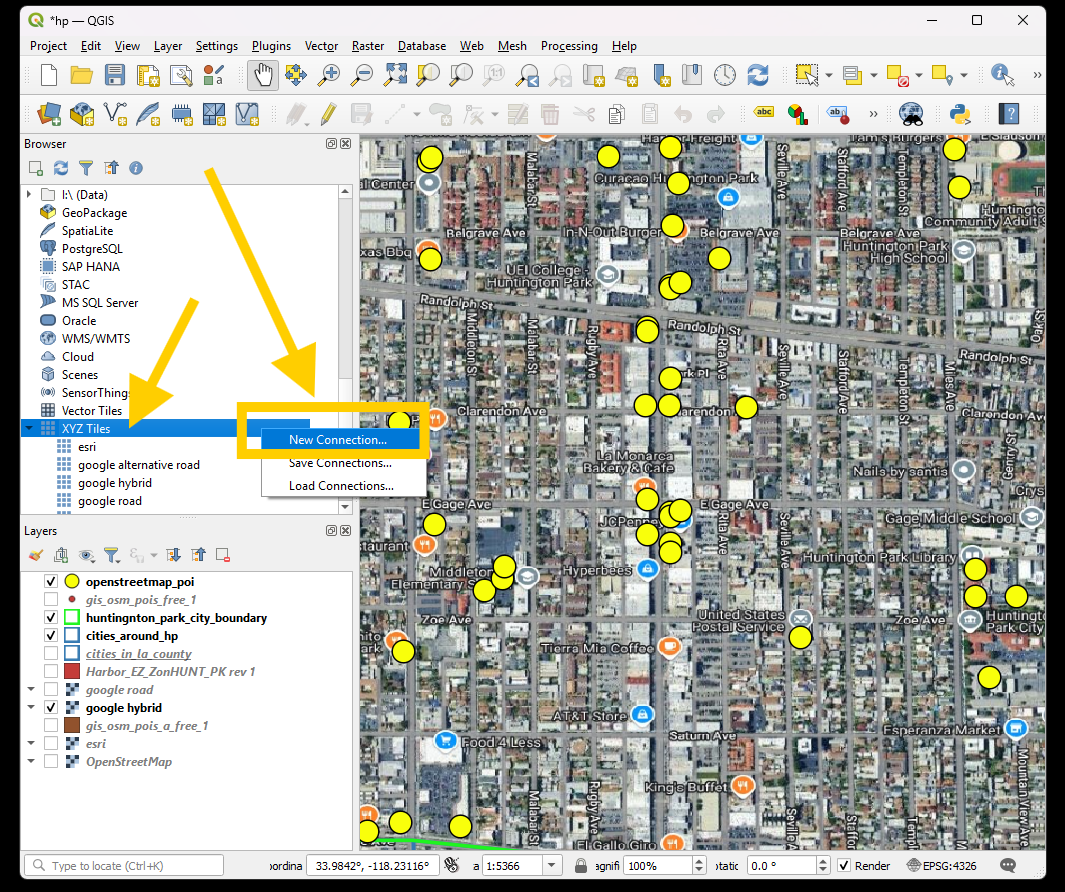
Step 1.
add new google map connection
Step 2.
add google map url
Step 3.
Now I have yellow point is open street map point of interest. While google map as background. As you can see, google map has a lots more point than yellow open street map point.
That prove the concept, google map by far is the best map to find the business place.
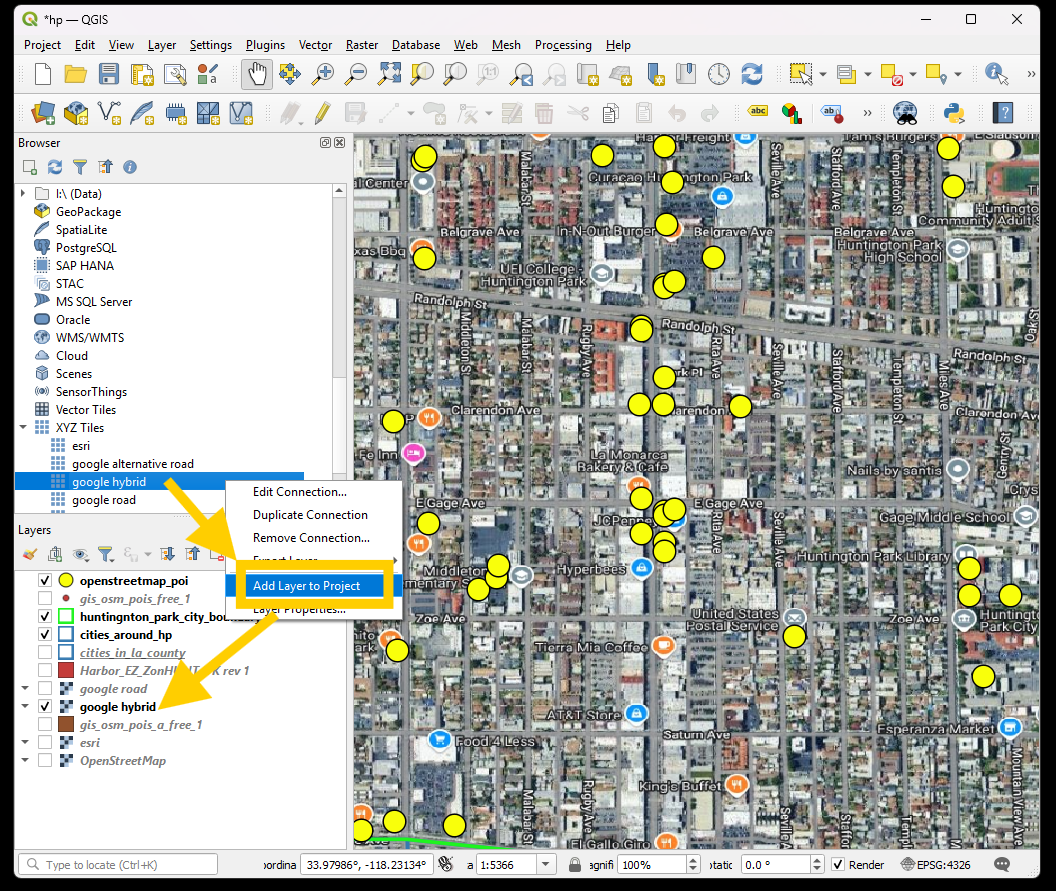
Step 4.
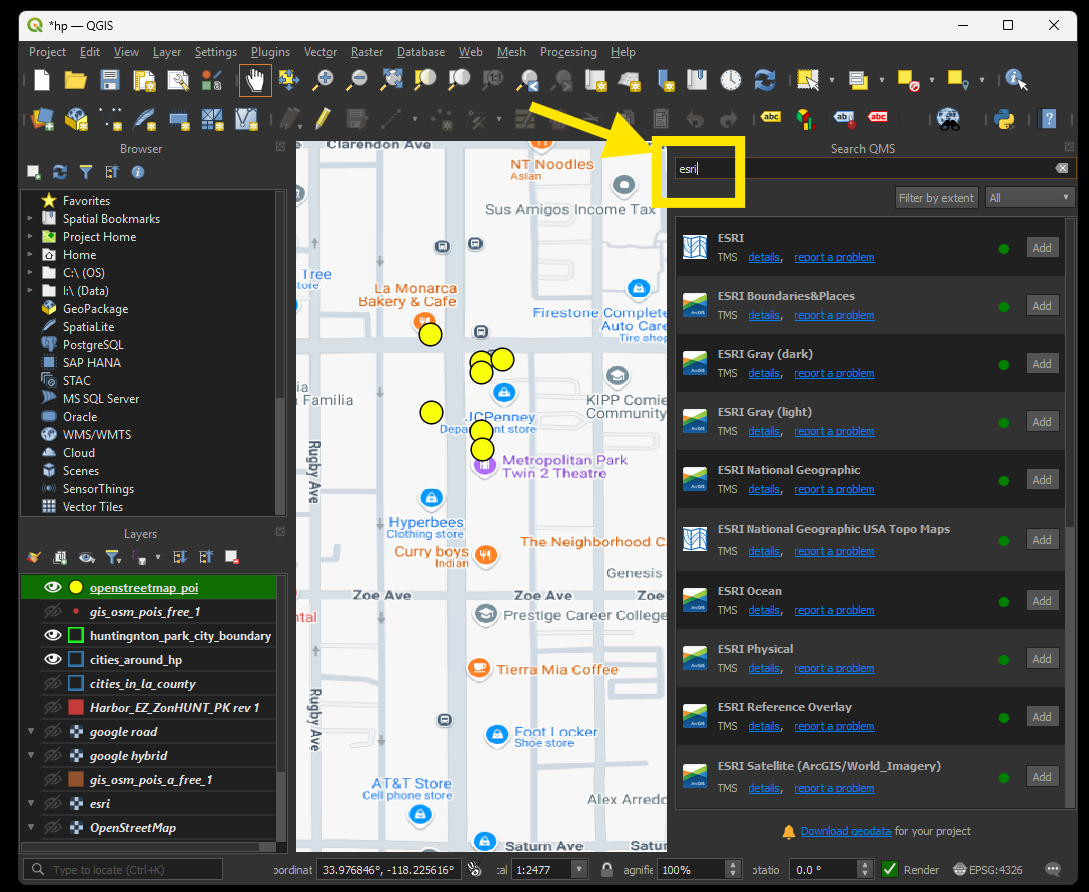
Alternatively you can quickly add ESRI map and google map as base map use quick map service plugin
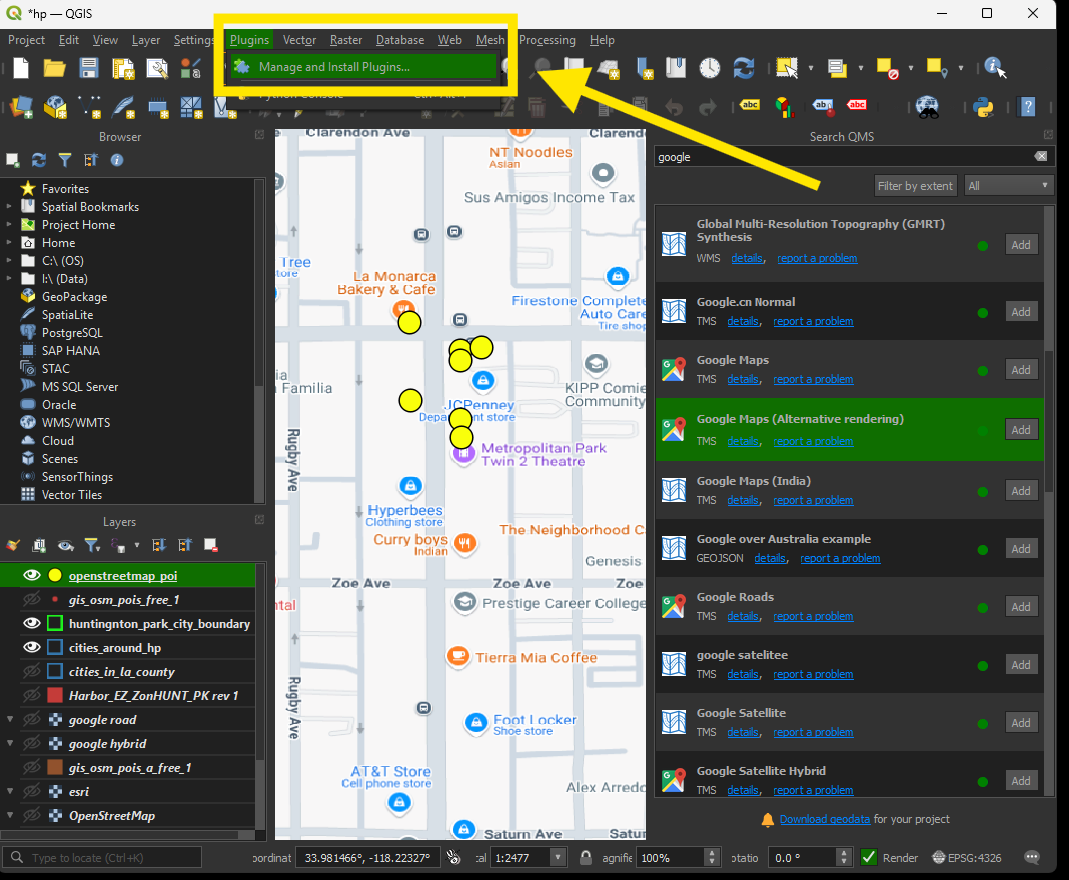
Step 5.
search for quick map services plugin, install it
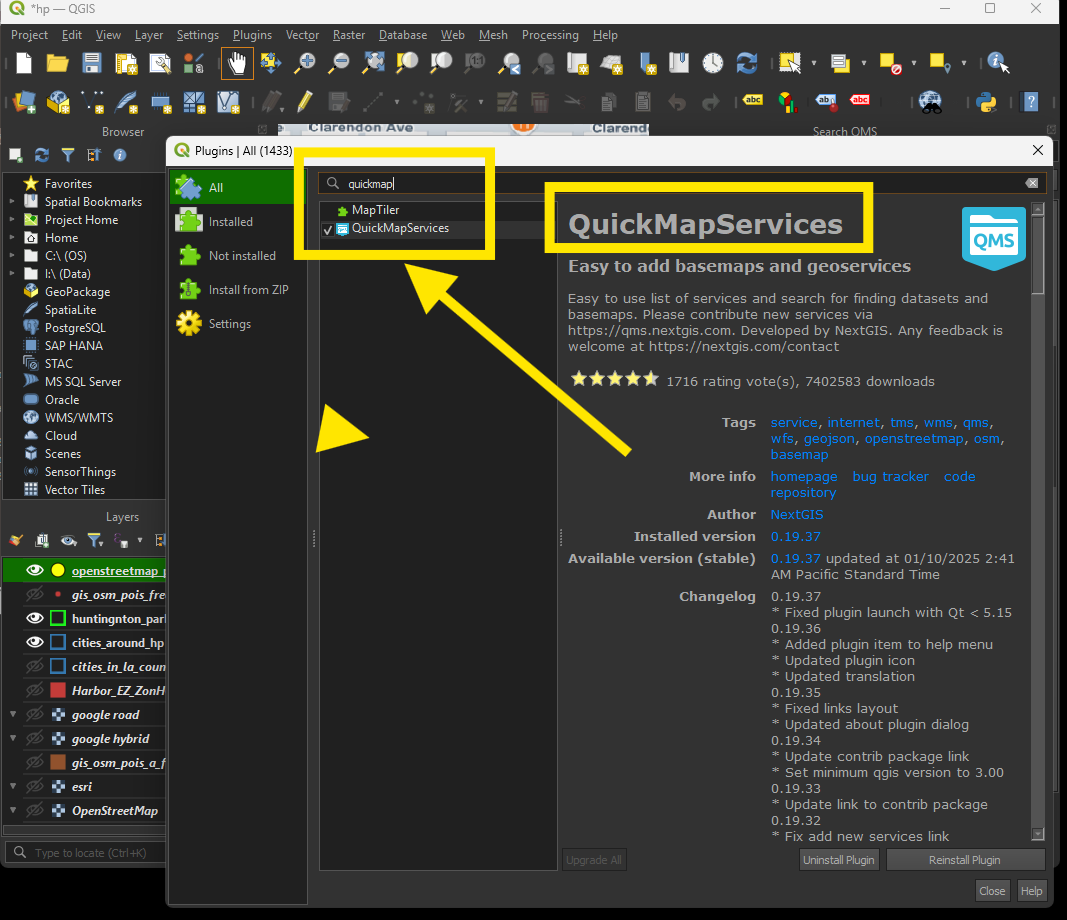
Step 6.
after install plugin, open it
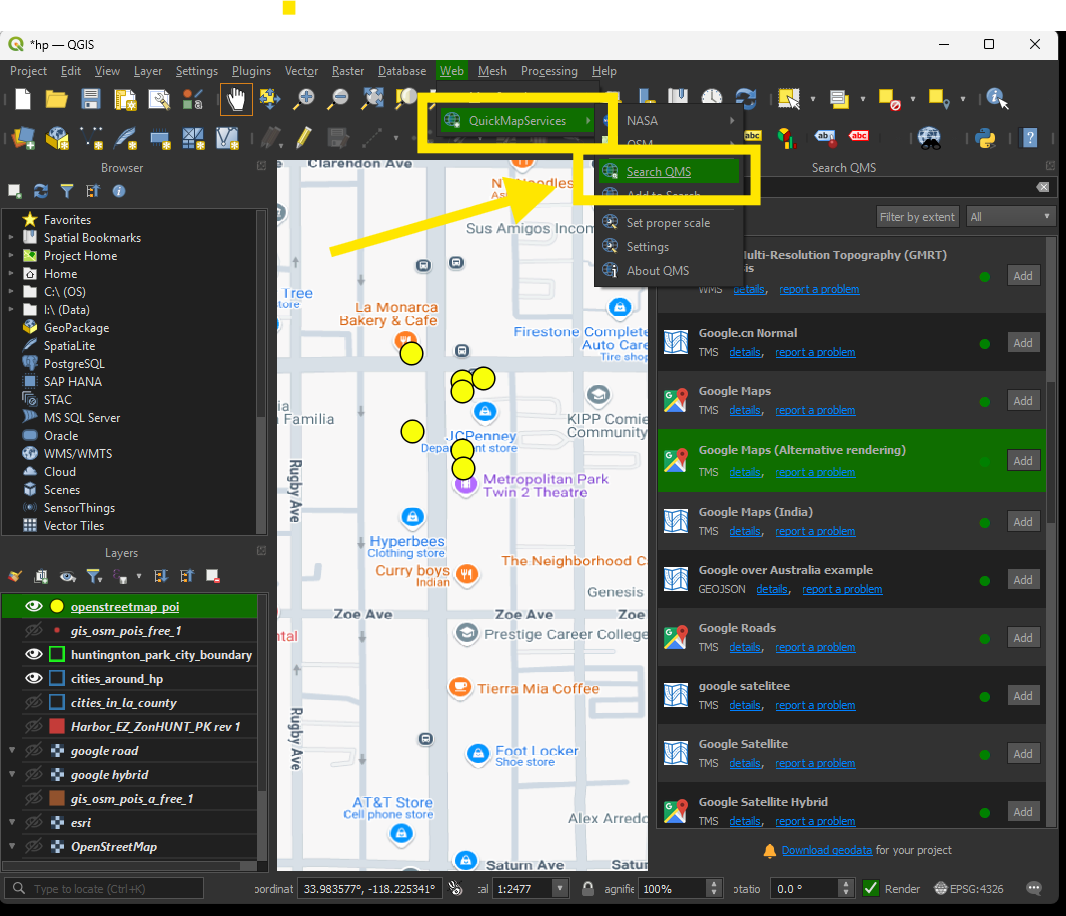
Step 7.
search for google or esri map
Step 8.
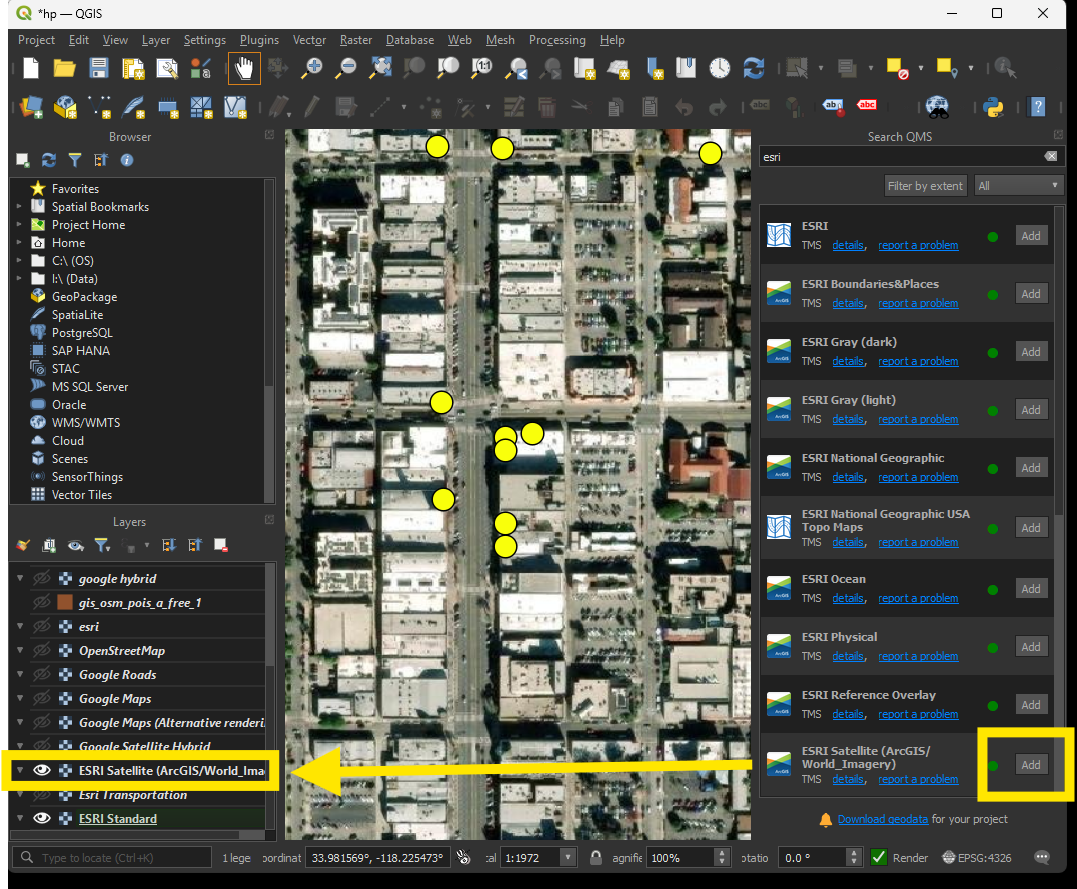
Add esri satellite to map project, you can see that esri map don't have any business name.
Step 9.
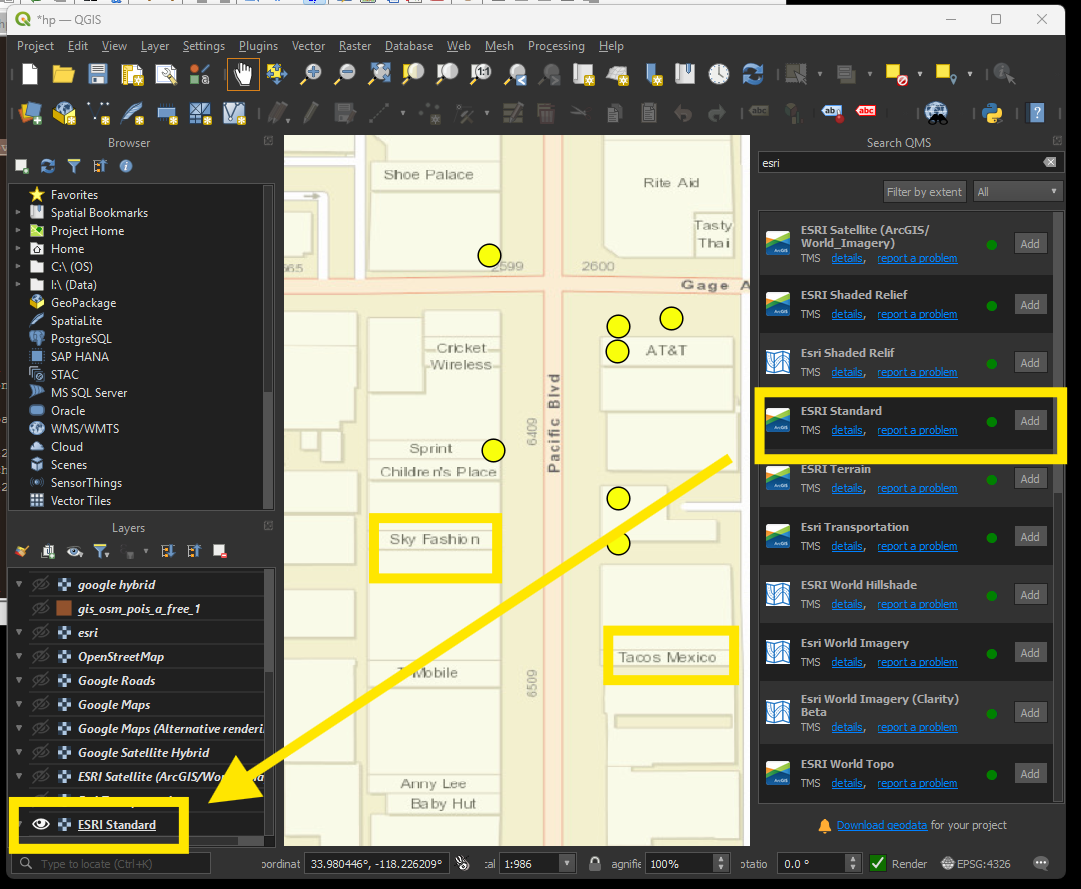
Even ESRI standard map, has very little business name, after I compare it with google map, I found ESRI's business name is very old, lots of business is no longer appear on google maps.
Step 10.
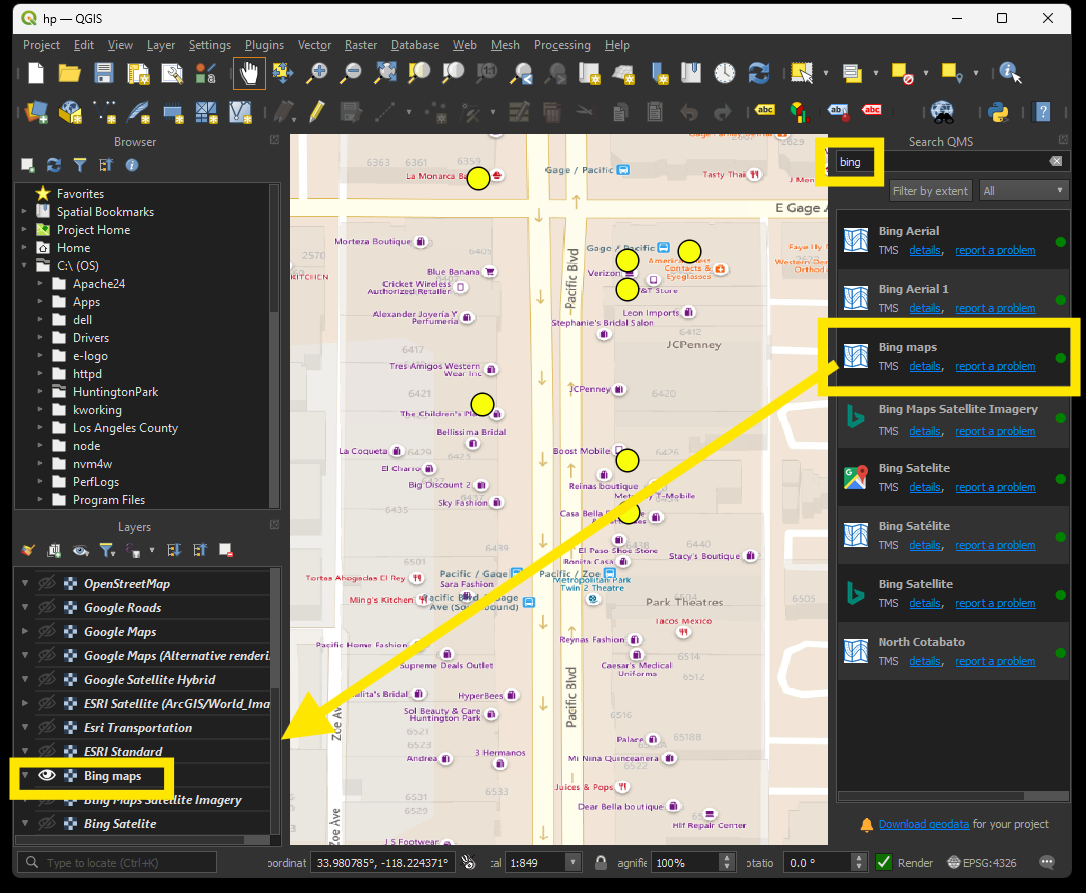
Microsoft Bing map is better than ESRI map, Bing map has more business name than ESRI