Step 1.
Think about each police officer could type street name in police car several times per day.
24x7 dispatch team could type street name tens of times per team member per day.
If all of them type full street name all time, will be result in more typing, more works, slower response time, for nothing better.
3 letter street name will result in faster response time, less typing, less work, increase overall efficency, speed, performance
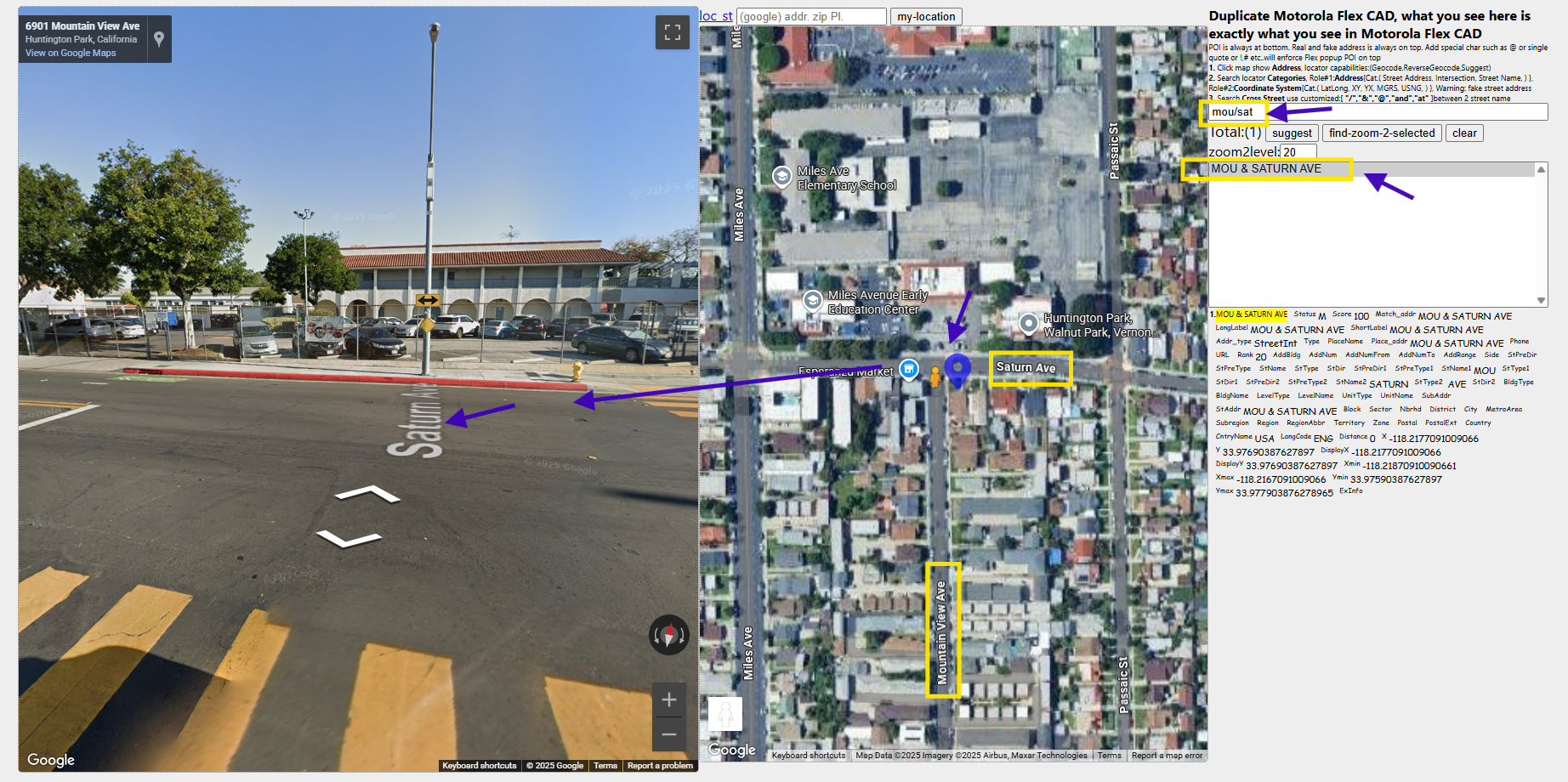
Here is sample for 3 letter street name search,
saturn ave & mountain view ave can be find by type mou/sat
Step 2.
Unfortunately, as of 2025, ESRI's ArcPro locator even the latest version ArcPro v3.6 does not have a check box or button to let you choose to either use full street name or 3 letter street name abbreviation.
Esri's stock pro locator require you type full street name on first street, otherwise, 3 letter street name would not work.
the reason is understandable,
Esri's stock locator is for whole US address, if allow 3 letter, will results in too much duplicate street name, cause confusion.
Second, stock locator is not specialized for police, instead it is for general use,
Step 3.
Before they make a magic checkbox, let you choose full street name or 3 letter street name abbreviation, (they may never want to make it, due to the reason I mentioned earlier)
You can make the stock locator specialized for 911 in several possible solution.
I will review each one to find out what is good what is concern
Step 4.
Intuitively, you can add 3 letter after full street name,
I have been test it, it works in all geographic interface tool.
But the concern is command line tool would not recoganize the 3 letter.
also Saturn ave becomes Saturn Sat ave
cause mis-leading, after a real world test, this method is not used.
Step 5.
use 3 letter street name for backbone for street search
Then use custom output fields to carry full street name.
This method will be reviewed
Step 6.
use alternative street name table,
let alternative street name table host 3 letter street name,
This method will be reviewed
Step 7.
create a duplicate street layer with only 3 letter street name,
joint this 3 letter layer with original full name layer,
Then each street will have 2 overlapped line, one line have 3 letter street name, one line have full name.
This method will be reviewed
Step 8.
use composite locator, top locator with full street name, bottom locator with 3 letter street name.
When it can't find 3 letter in top locator, it will automatically search in bottom locator, where it will find it.
This method will be reviewed
Step 9.
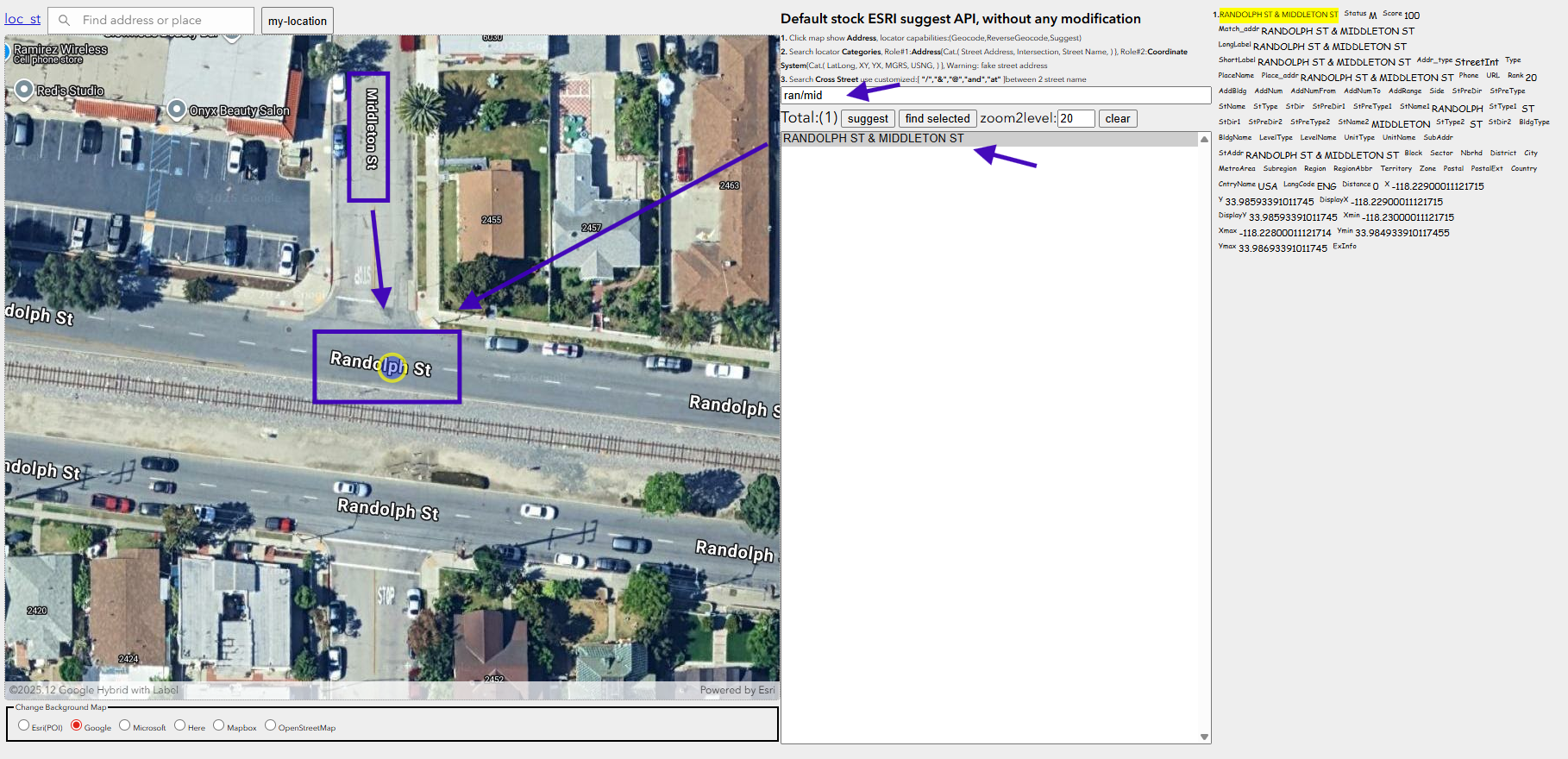
if you type 3 letter street name, mid/ran
it smart enough to find middleton street / randolph street intersection
means esri's stock locator has been specialized for police use
I will review how can you make this happen from stock locator.
Step 10.
Step 11.
Step 12.
Step 13.
Step 14.
Step 15.