Step 1.
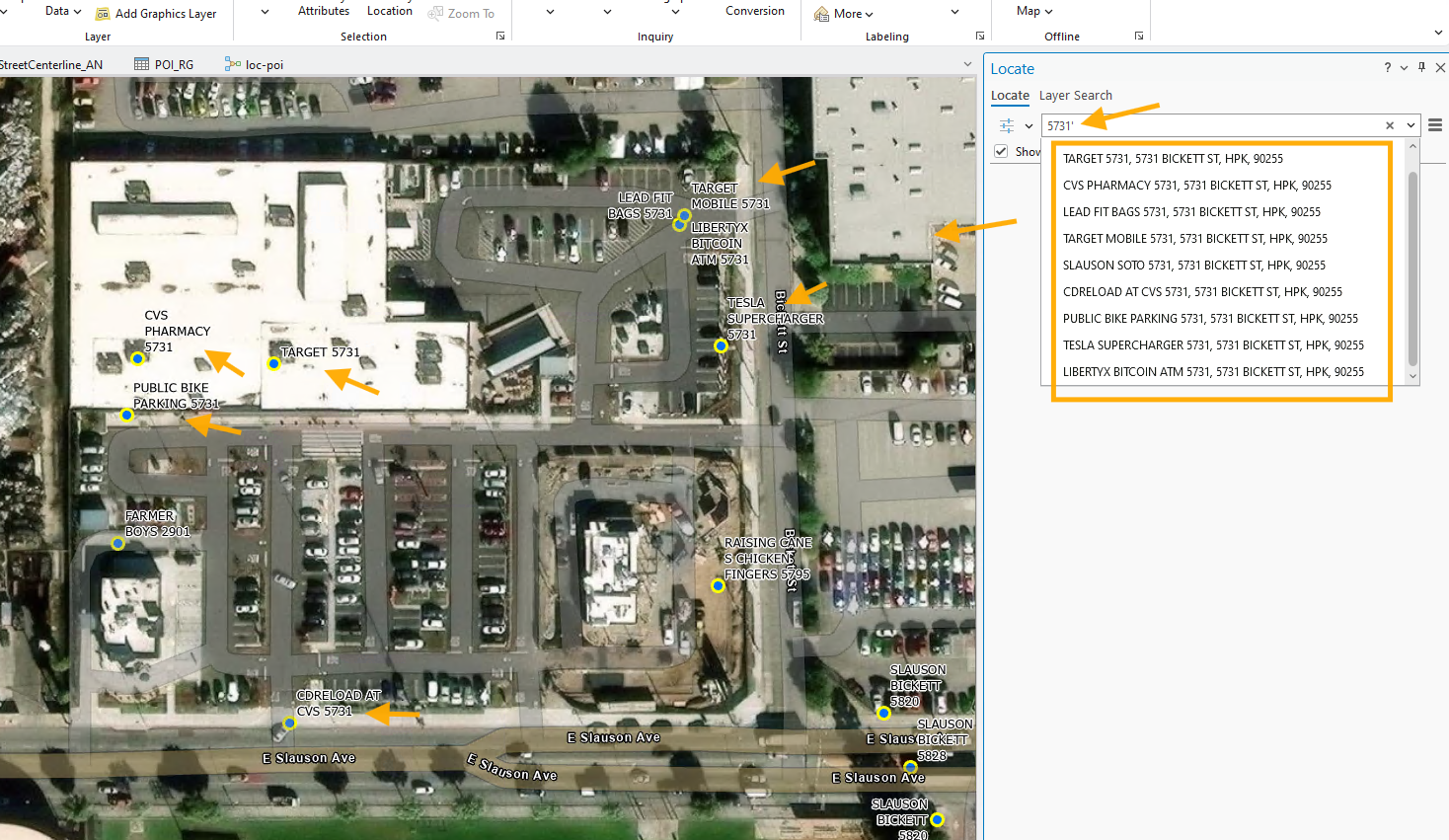
esri's stock locator show every business no matter it is big or small in search result. See picture.
In this picture, major business is "target", small business have CVS inside of target, mobile, tesla etc.....
All of 9 business have same adddress 5731 bickett st
Step 2.
When you search 5731, stock locator list all 9 business, which is fine for general public use.
When you search on google map, you want to see all business, no matter big or small, esri's stock locator designed for that by default.
However, for police use, too many same address business can be a problem.
Police officer seat in a car on mobile device type "5731", it popup 9 options 9 business,
He have to look each to look for "target",
Why? because most of caller will call from major business, in this case, major business is "target".
Even they call from "CVS inside target", from "tesla" on parking lot, from "target mobile" inside target, police still record this case with major business "target"
For all business have the same address, police are only interested in major business, ignore minor ones.
But if these small business have different address, then police want them.
For same address, police only want to see major one.
Step 3.
For same address, police only want to see major one.
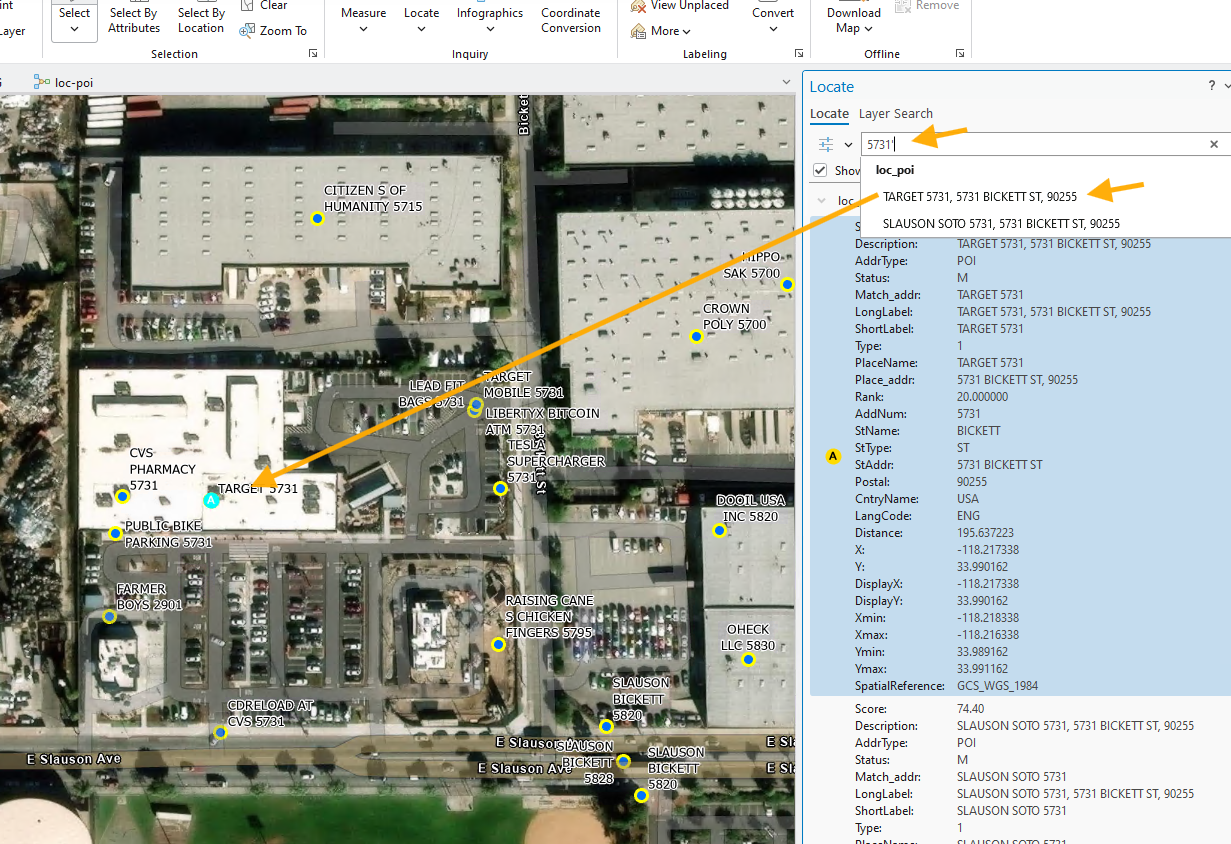
police want to see only "target" when type 5731,
this is what police like to see, less options let police quickly select the right one and go.
Timing is important, convenience is important for police in car as well as 911 dispatch team.
Step 4.
Stock locator will be specialized for police use by hidding minor business. Only show major bussiness.
There are many method to do that. I will review how to use POI category to filter out minor business.
Step 5.
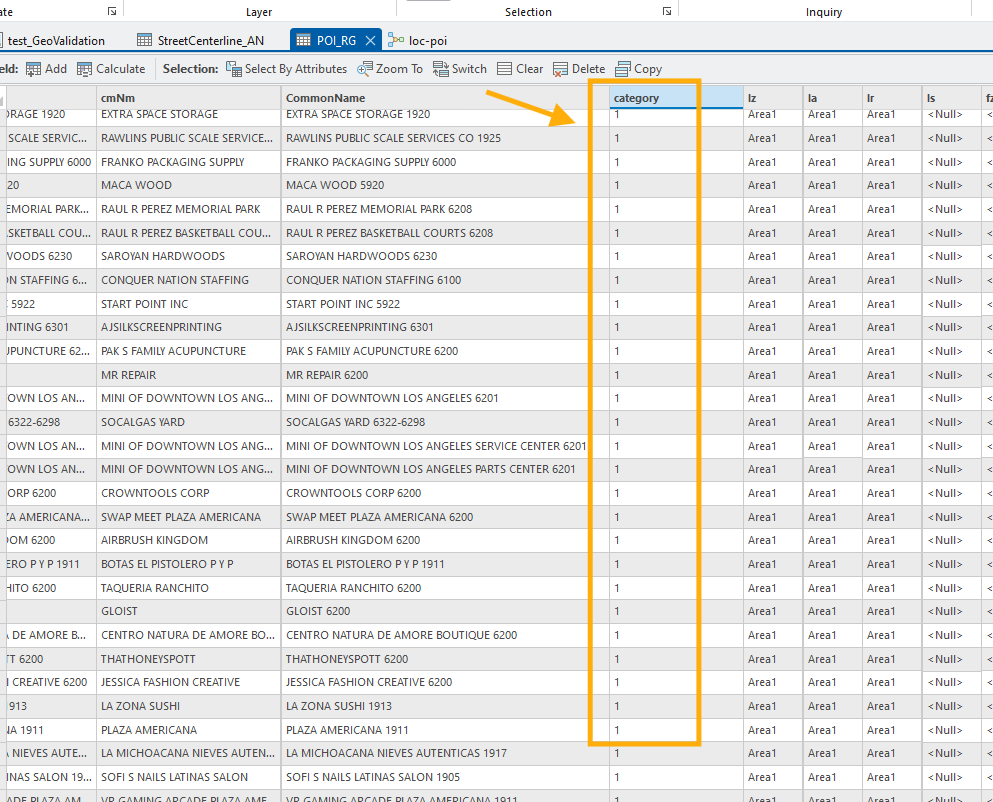
POI layer, add a new column "category". if category is 1, means major business, we want them to popup in search result.
If category is 2, means minor business, we do not want them to popup in search result.
Step 6.
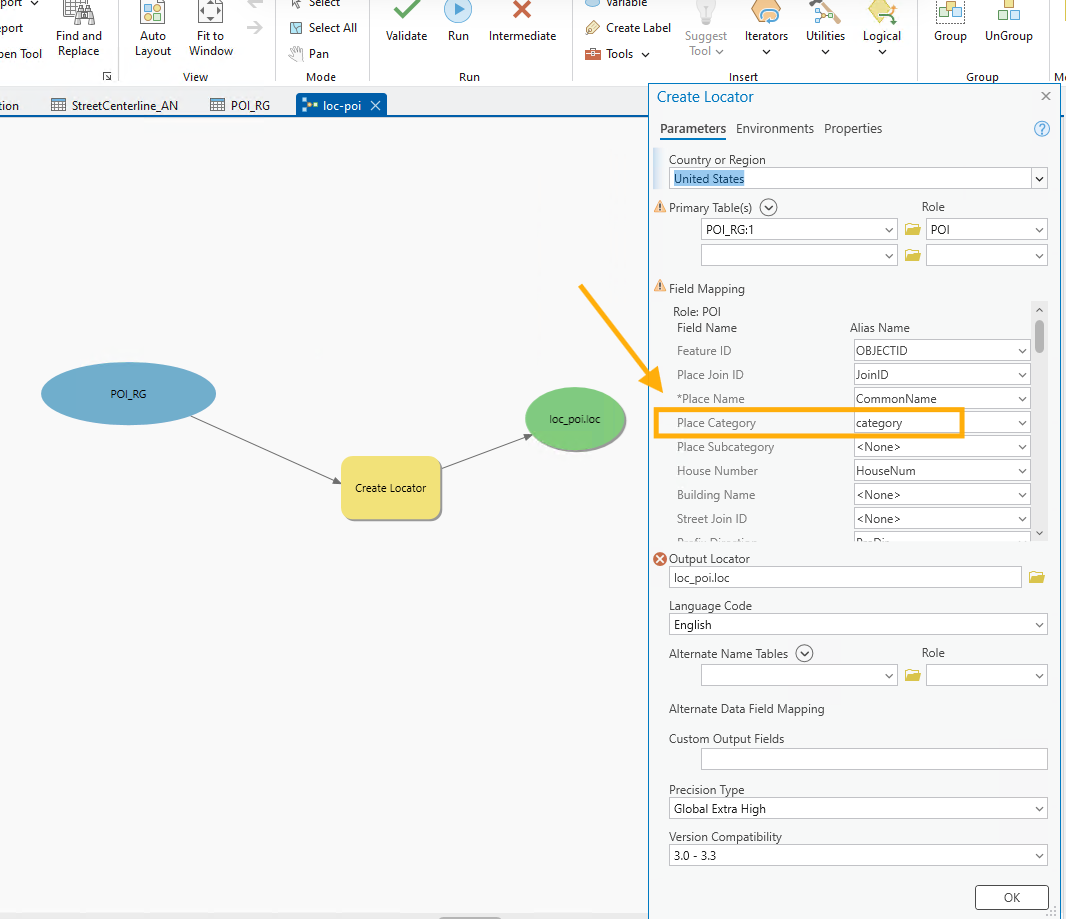
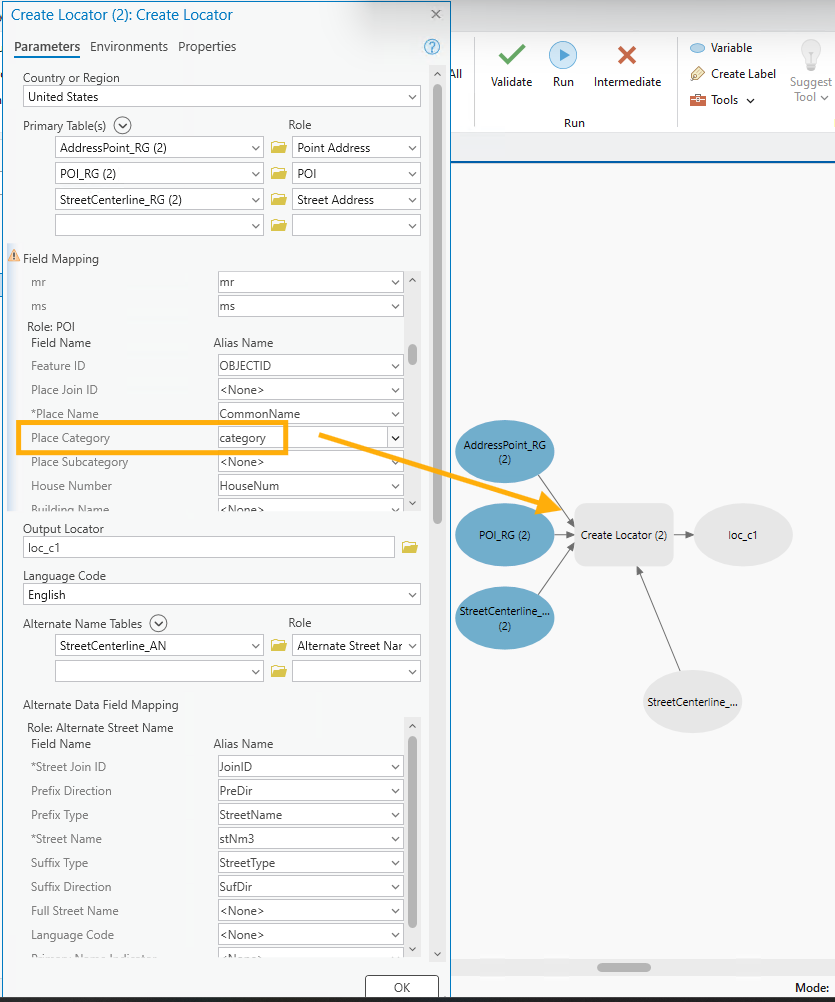
specify category column as place category see here
Step 7.
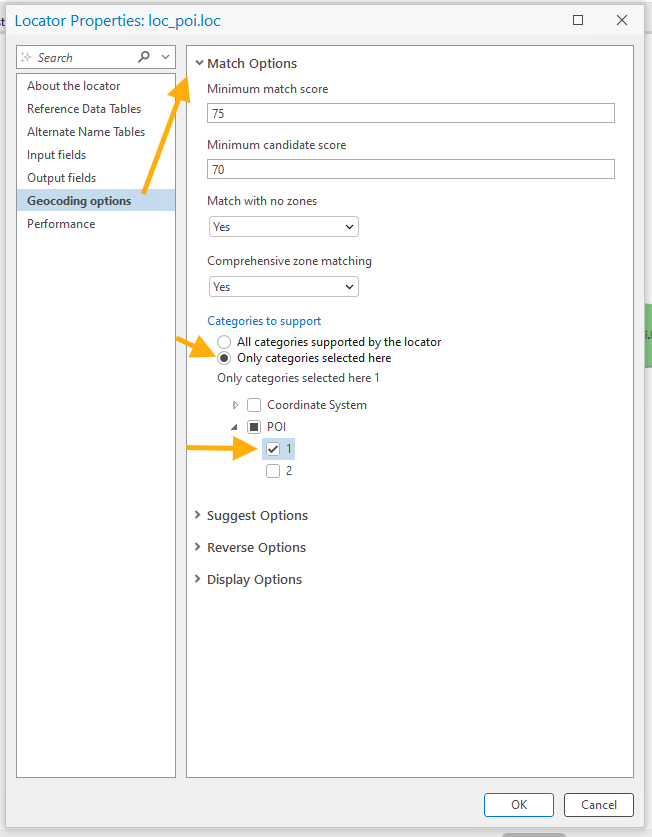
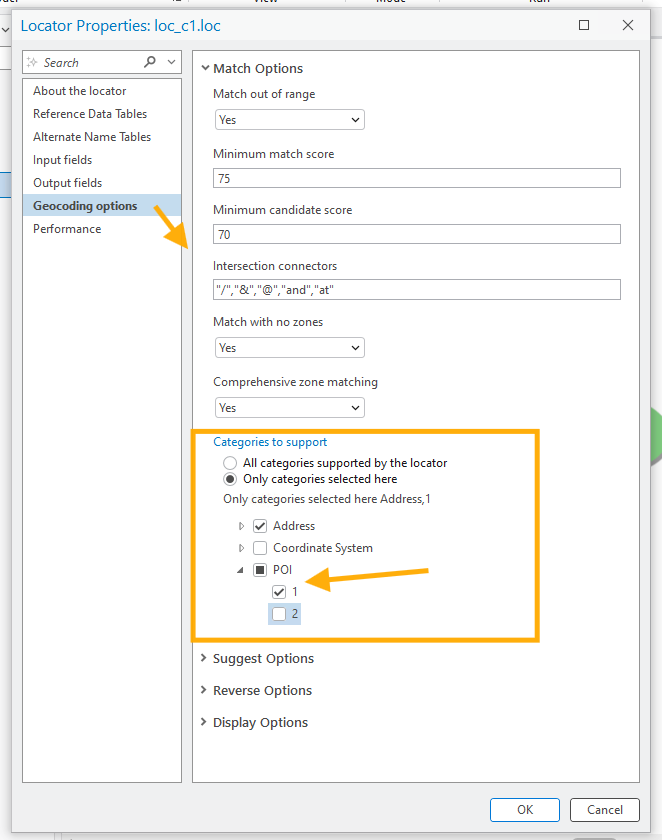
only show category is 1, ignor 2
Step 8.
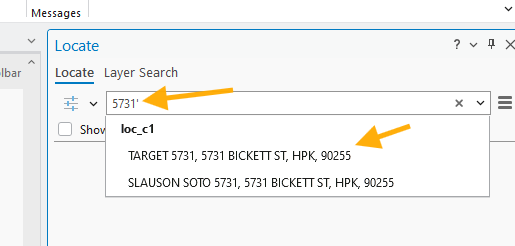
other 8 minor small business is no longer popup in search result, only major bussiness "target" popup in result.
Because of less options, police officer is less likely make mistake to select the wrong one.
This specialized for police use make operation faster, increased performance and quality.
Step 9.
arrow category setting cause locator lose color, means invalid, error
the reason is because I newl add "category" column, while this model variable POI_RG(2) is still old, does not have "category" yet.
When you map category field, cause error
Step 10.
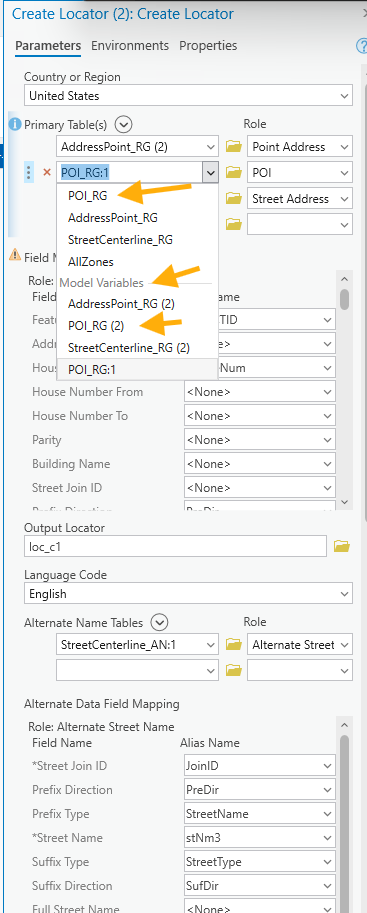
The quick fix is to not use model variable, instead use actual layer, let it refresh all fields again
Note, you have to map this layer again, some field did not automatically mapped. Manually map this layer again.
Step 11.
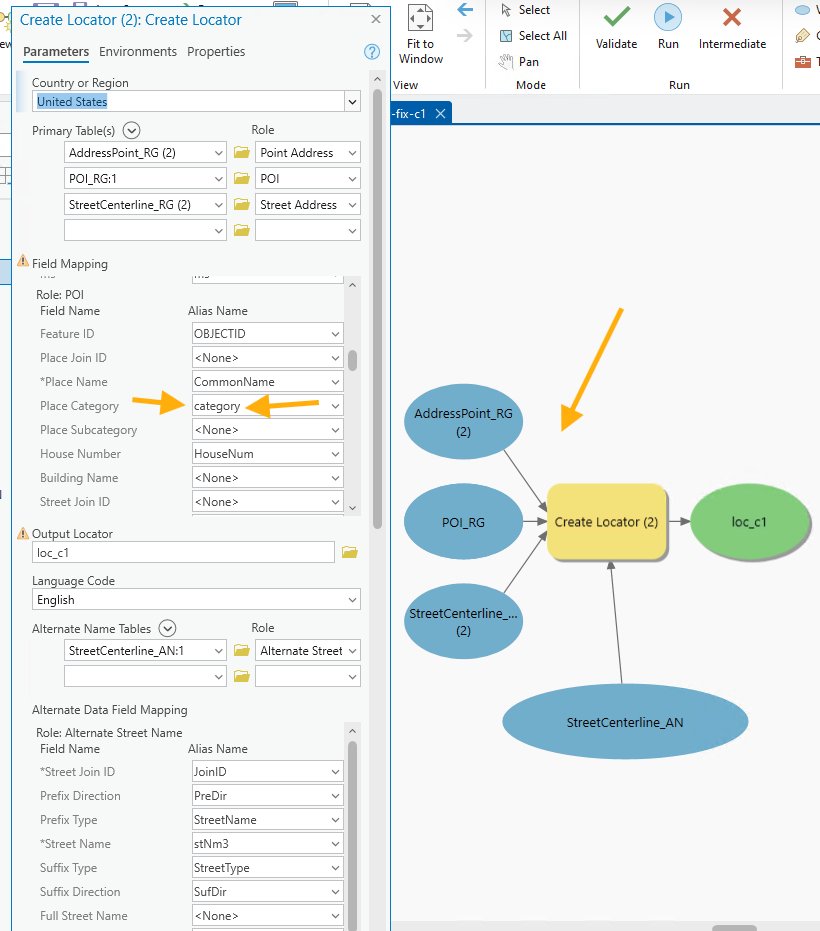
you have to map this layer again, some field did not automatically mapped. Manually map this layer again.
color is back, valid again, error fixed.
Step 12.
POI category, only select 1, 2 will be hidden
Step 13.
test result, 5731 will only show target, other 8 minor bussiness did not pop up which is what I wanted.
Step 14.
Step 15.