Step 1.
Address is changing over time, can be multiple reasons, city annexations could be one of them
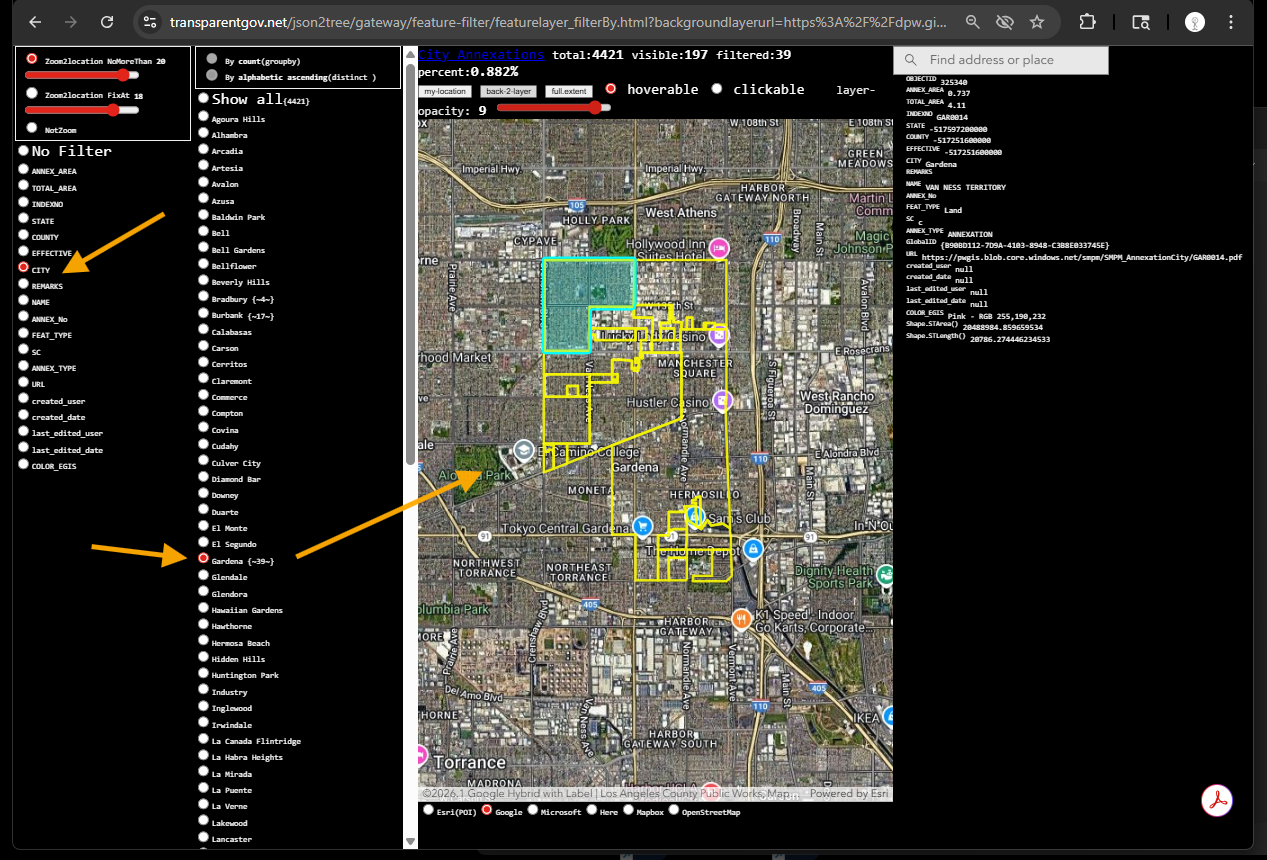
LA county's city annexations look up by city name is here
https://transparentgov.net/json2tree/gateway/feature-filter/featurelayer_filterBy.html?backgroundlayerurl=https%3A%2F%2Fdpw.gis.lacounty.gov%2Fdpw%2Frest%2Fservices%2FCityAnnexationsWAB%2FMapServer%2F0&_center_lat=33.904563092769884&_center_long=-118.25848380099832&_center_zoom=13&panto=0&layer=City+Annexations&select_field=6&select_fieldvalue=27&distinctorgroupby=distinct&orderbycountorvalue=orderby_value&clickorhover=hover&overlayOpacity=9
Step 2.
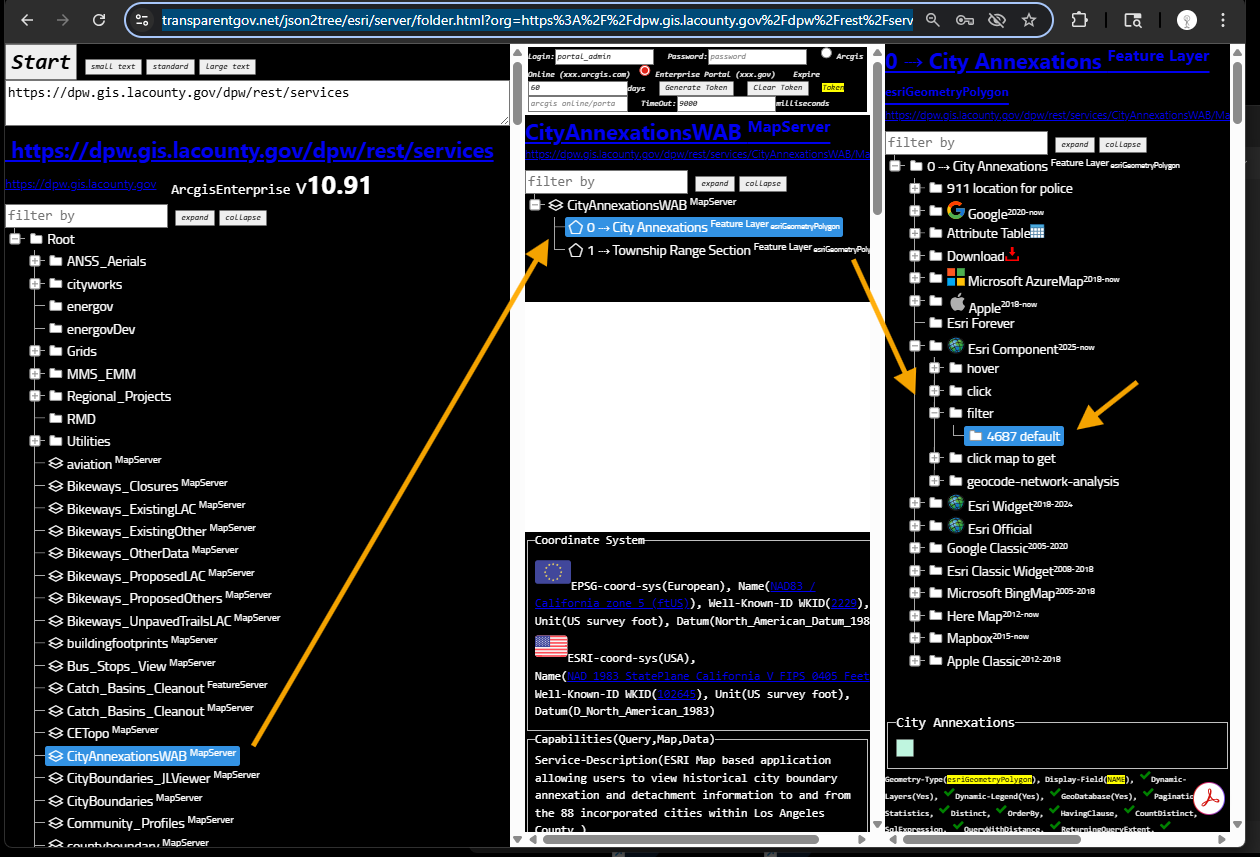
use model 4687
https://transparentgov.net/json2tree/esri/server/folder.html?org=https%3A%2F%2Fdpw.gis.lacounty.gov%2Fdpw%2Frest%2Fservices&url=https%3A%2F%2Fdpw.gis.lacounty.gov%2Fdpw%2Frest%2Fservices&arcgis_online_token=&timeout=9000&select_folder=23&select_layer=0&select_folder_text=CityAnnexationsWAB+%3Csup%3EMapServer%3C%2Fsup%3E&select_layer_text=0+%26%23x21E2%3B+City+Annexations+%3Csup%3EFeature+Layer%3Csub%3E+esriGeometryPolygon%3C%2Fsub%3E%3C%2Fsup%3E
Step 3.
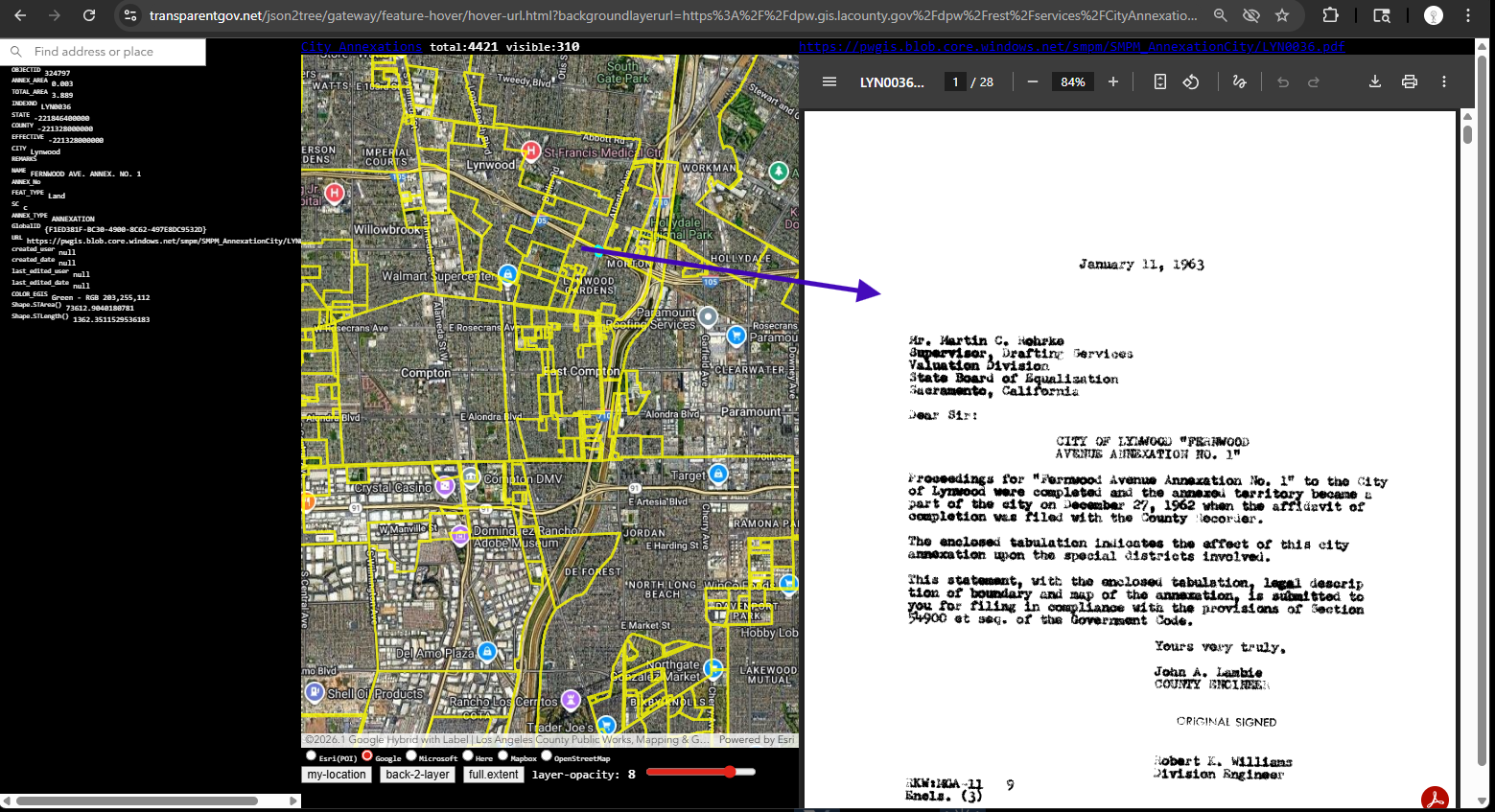
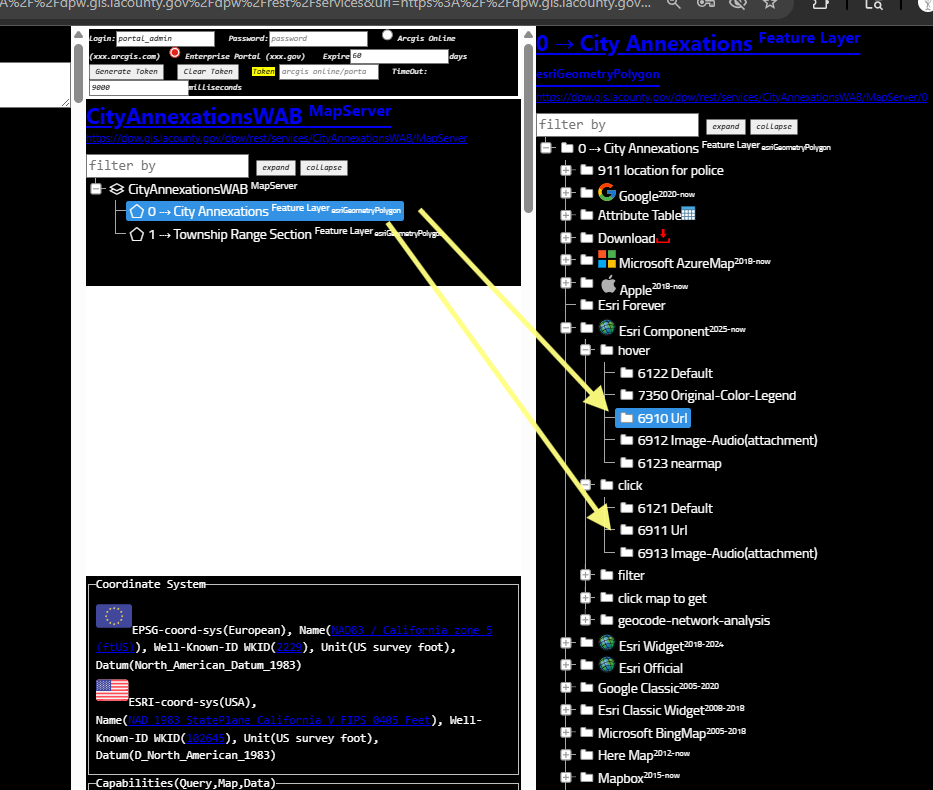
model 6910 let you quickly look details of historical PDF document by hover each polygon
model 6911 let you quickly look details of historical PDF document by click each polygon
https://transparentgov.net/json2tree/gateway/feature-hover/hover-url.html?backgroundlayerurl=https%3A%2F%2Fdpw.gis.lacounty.gov%2Fdpw%2Frest%2Fservices%2FCityAnnexationsWAB%2FMapServer%2F0&_center_lat=33.89119794721134&_center_long=-118.19972354453623&_center_zoom=13&panto=0&layer=City+Annexations
Step 4.
model 6910 let you quickly look details of historical PDF document by hover each polygon
model 6911 let you quickly look details of historical PDF document by click each polygon
Step 5.
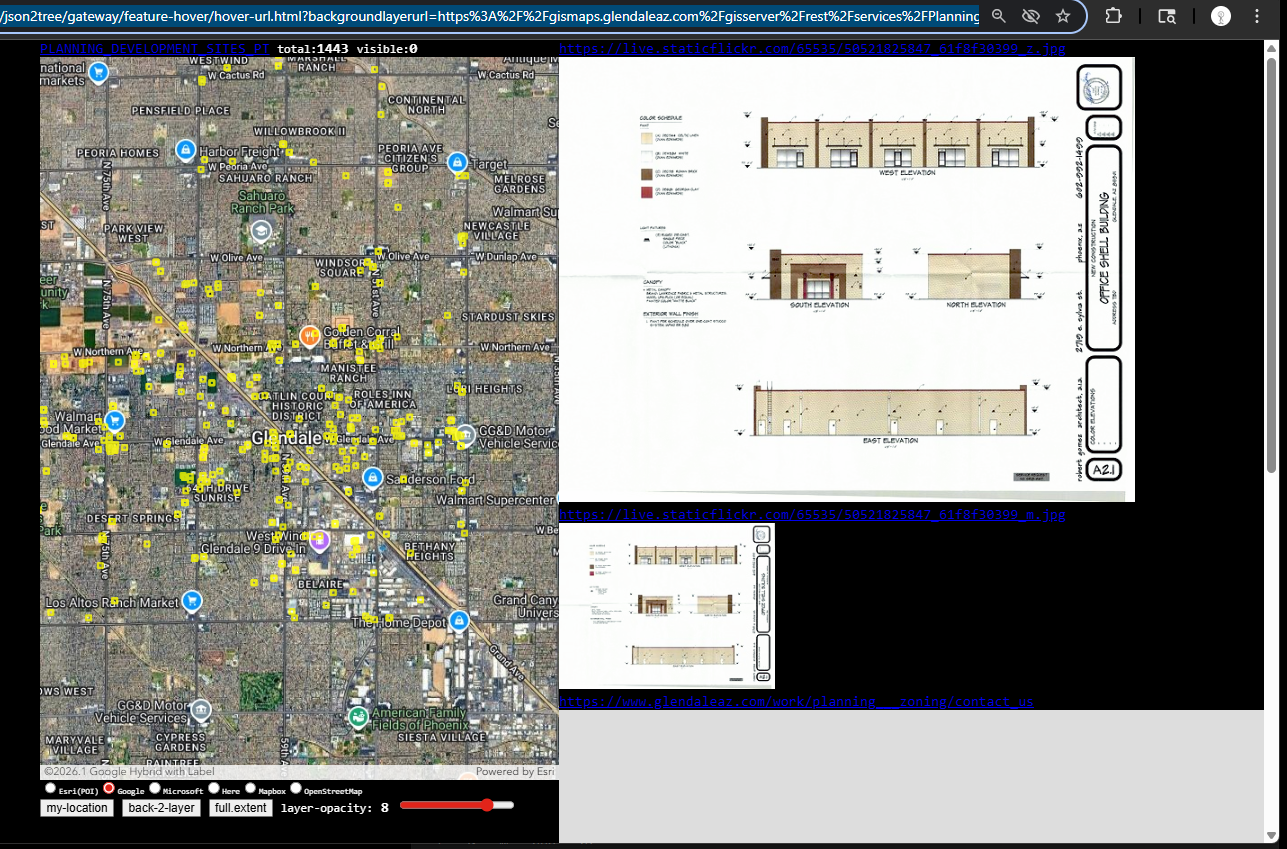
No only works for LA county, it works for any city in any country, it is a special tools to let you quickly check URL attribute, whatever it is a PDF, or a image file, or a entire website, it works the same way.
here is another sample from City of Glendale AZ
https://transparentgov.net/json2tree/gateway/feature-hover/hover-url.html?backgroundlayerurl=https%3A%2F%2Fgismaps.glendaleaz.com%2Fgisserver%2Frest%2Fservices%2FPlanning%2FPlanning_Development_Sites%2FMapServer%2F1&_center_lat=33.54172899958772&_center_long=-112.1835600649459&_center_zoom=13&panto=0&layer=PLANNING_DEVELOPMENT_SITES_PT
Step 6.
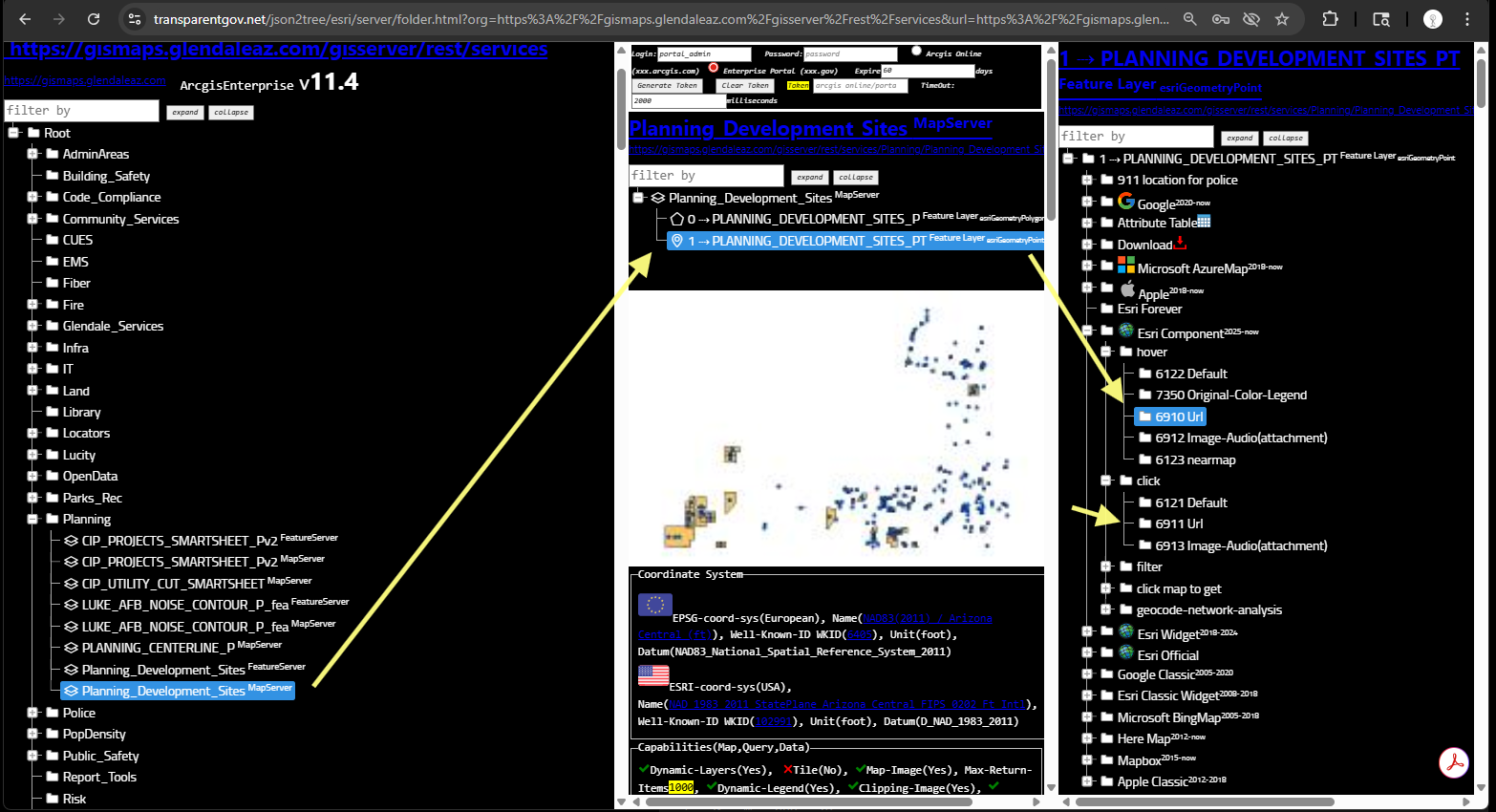
model 6910 let you quickly look details of URL attribute by hover each polygon
model 6911 let you quickly look details ofURL attribute document by click each polygon
No only works for LA county, it works for any city in any country, it is a special tools to let you quickly check URL attribute, whatever it is a PDF, or a image file, or a entire website, it works the same way.
here is another sample from City of Glendale AZ
https://transparentgov.net/json2tree/esri/server/folder.html?org=https%3A%2F%2Fgismaps.glendaleaz.com%2Fgisserver%2Frest%2Fservices&url=https%3A%2F%2Fgismaps.glendaleaz.com%2Fgisserver%2Frest%2Fservices&arcgis_online_token=&select_folder=162&select_layer=1&select_folder_text=Planning_Development_Sites+%3Csup%3EMapServer%3C%2Fsup%3E&select_layer_text=1+%26%23x21E2%3B+PLANNING_DEVELOPMENT_SITES_PT+%3Csup%3EFeature+Layer%3Csub%3E+esriGeometryPoint%3C%2Fsub%3E%3C%2Fsup%3E
Step 7.
Step 8.
Step 9.
Step 10.
Step 11.
Step 12.
Step 13.
Step 14.
Step 15.