Step 1.
Motorola upgrade only upgrade motorola software. Does not upgrade Arcgis software.
In theory, motorola upgrade should not affect gis service,
since motorola software are physically installed on seperate server with arcgis software.
But reality is after motorola software upgrade, gis service crashed also.
The symptom is CAD software failed to validation cross street.
Step 2.
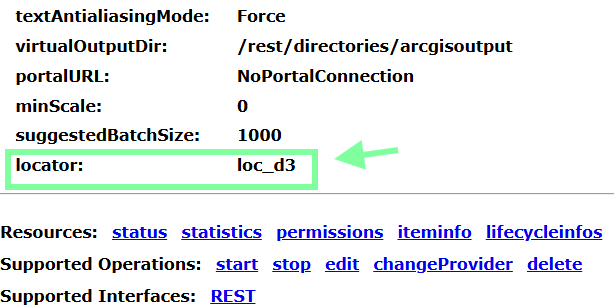
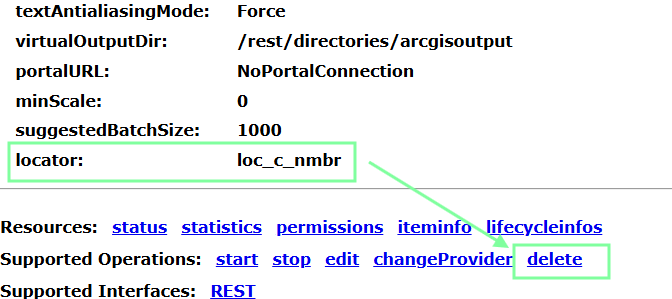
let's first find the locator path, login to arcgis server admin directory,
find the locator, know its path
Step 3.
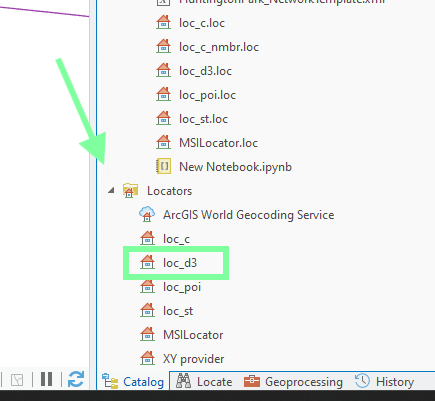
there are multiple locator in arcgis pro, however you know which one is being used on arcgis server,
Step 4.
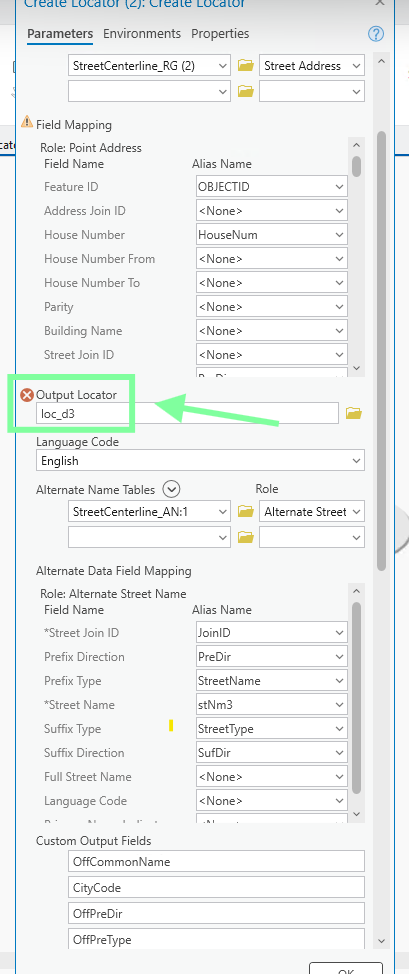
now open this locator in model builder, make sure, it is configured correctly,
specially alternaive name table, it is used for 3 letter cross street validate.
Step 5.
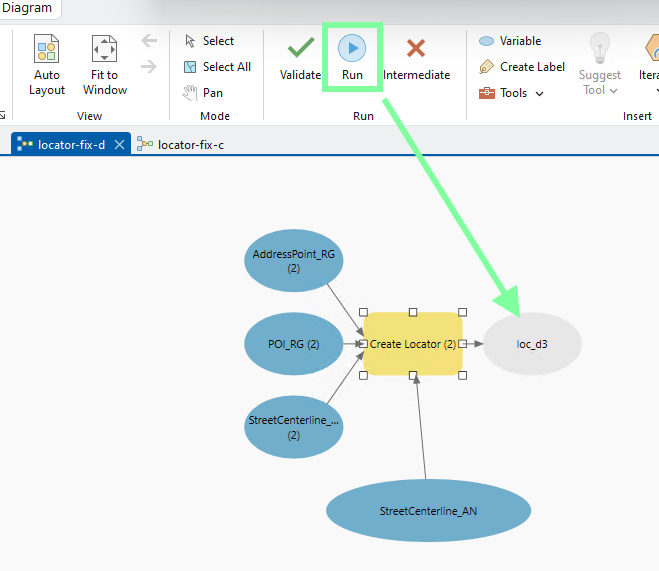
Now use the latest address, poi, street to build again.
Step 6.
now test the new build locator, by select it
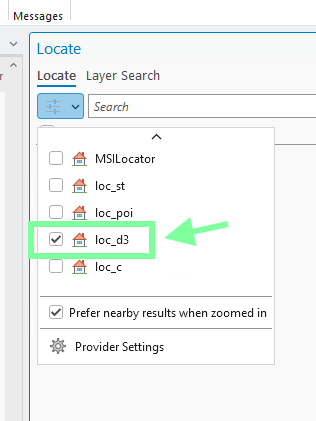
Step 7.
make sure 3 letter cross street validate, this is most used function
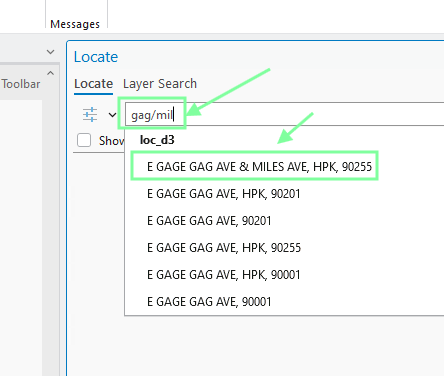
Step 8.
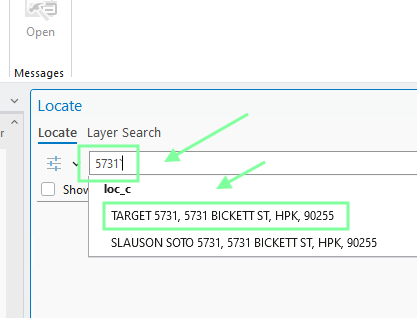
make sure, only keep major business, subside minor
5731 + any char will only show target,
Step 9.
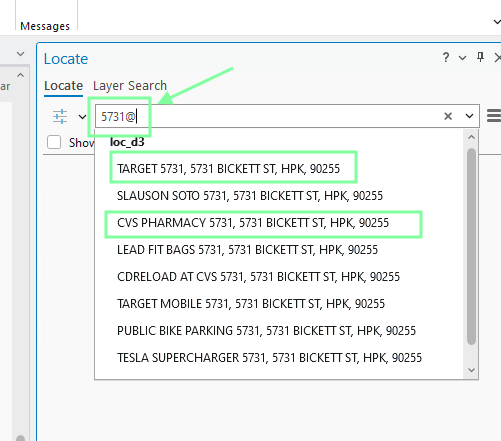
5731 + any char
if you see other CVS phamacy inside target, means, this feature is not turn one.
this sample means, this feature is not turn on
Step 10.
go back to arcgis server admin directory,
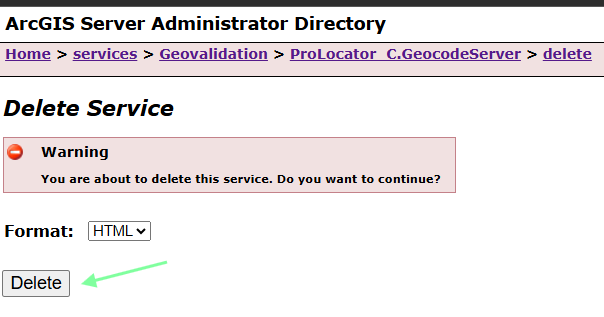
click delete button to delete old locator
Step 11.
Step 12.
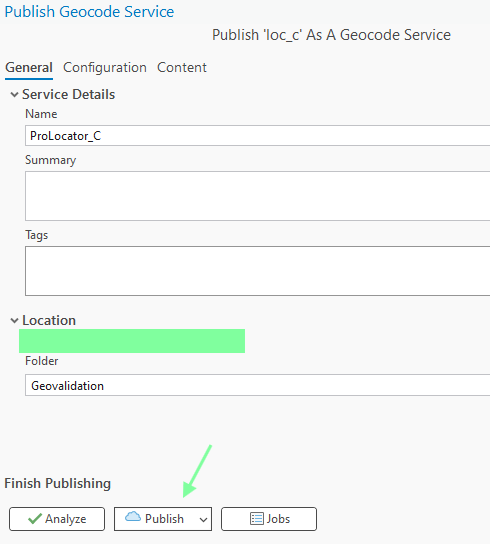
upload locator to server
Step 13.
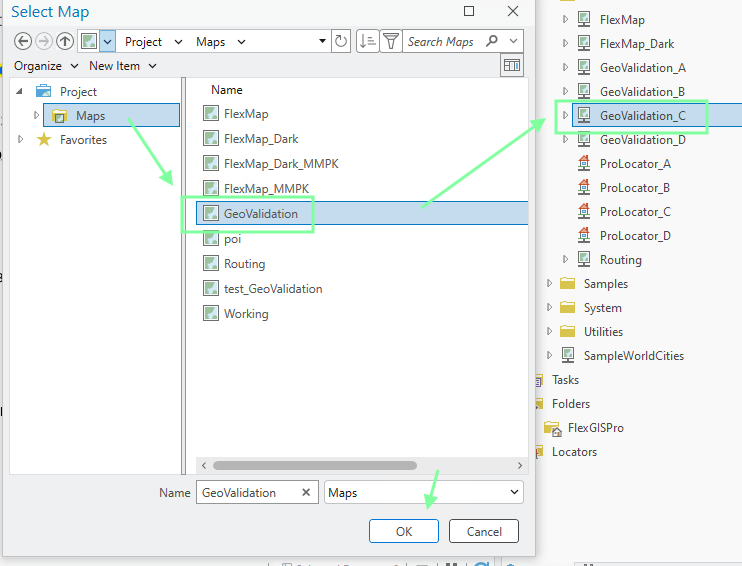
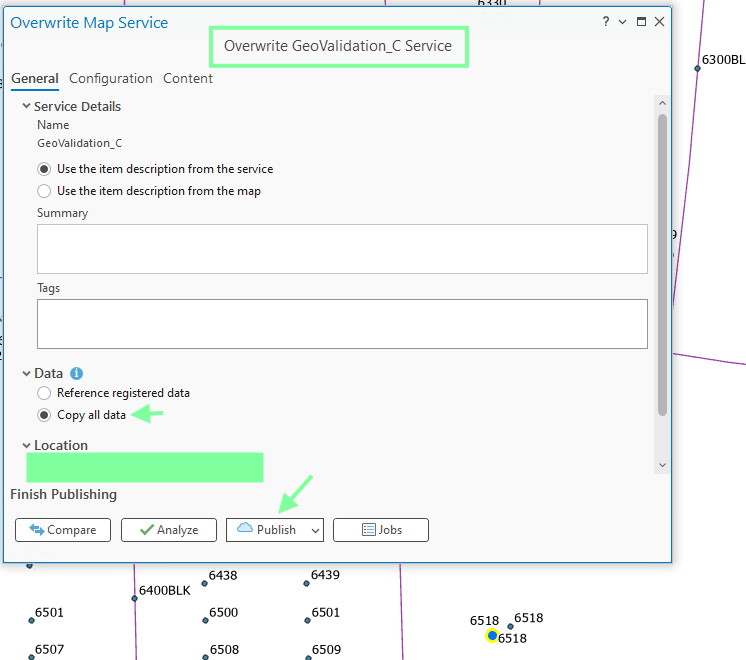
new build locator is done, but do not forget to overwrite map service as well,
if forget, locator will not work correctly.
Step 14.
Step 15.
so far does not fix the problem. Still crash.
The problem must be something. some component sitting between ESRI and motorola.
That middle broker did not get upgrade, that may cause the crash.
SOE component is sitting between ESRI and motorola,
SOE component developed by motorola, in theory, motorola maintain and update SOE component.
Everytime motorola upgrade, they should in theory provide a new version of SOE component.
Failed to upgrade this middle man, may cause crash.
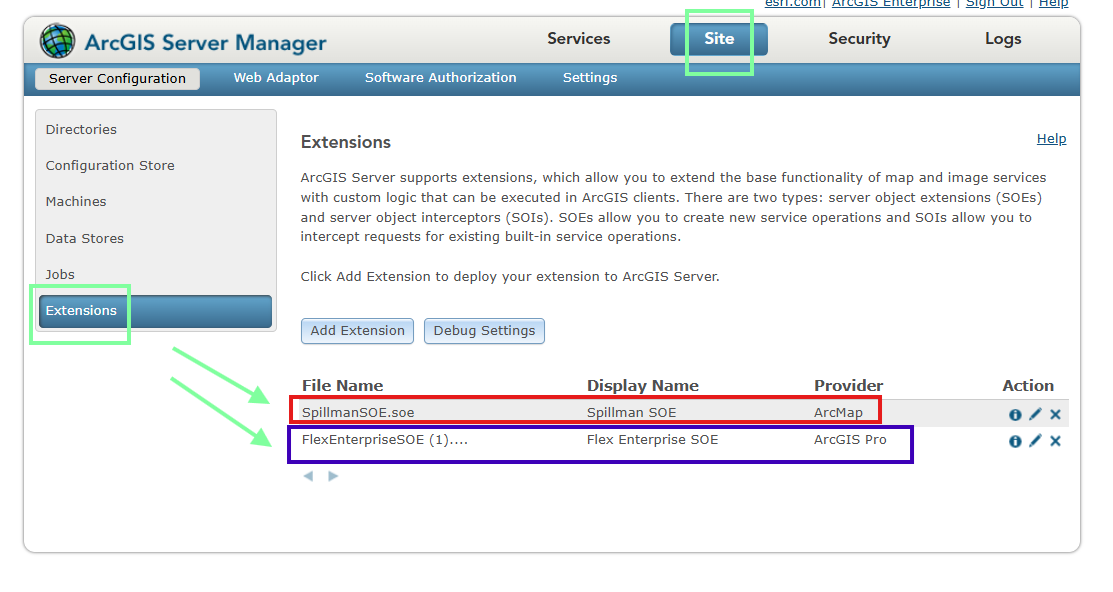
Let's find out where this middle component
logon arcgis server manger,
blue box is arc-pro locator, red box is for arcmap locator.
Step 16.
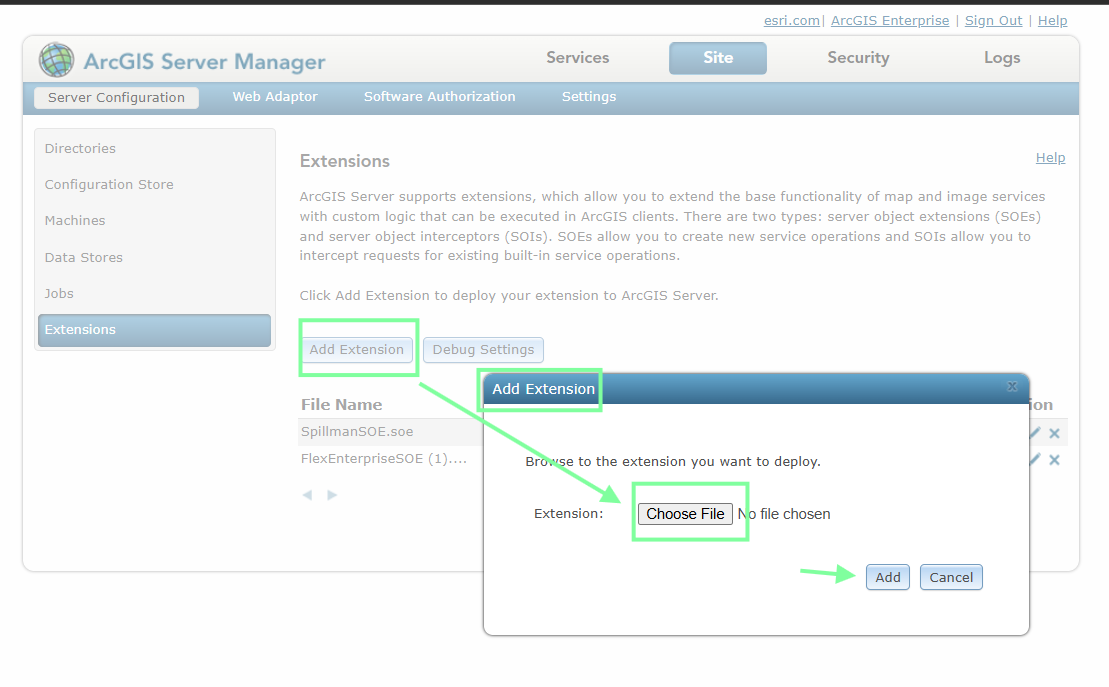
You already have existing blue box SOE, in theory, after motorola upgrade, you should also upgrade this SOE again with newer version. Motorola developed this SOE, they will provide you, all you need to do is click add extension button, upload file, select the SOE component that motorola provide you.
Step 17.
What is this SOE, how it cause problem ? How it works between motorola and ESRI ?
Is there something else also need to be upgrade ?
Step 18.
Step 19.
Step 20.