Step 1.
The problem is:
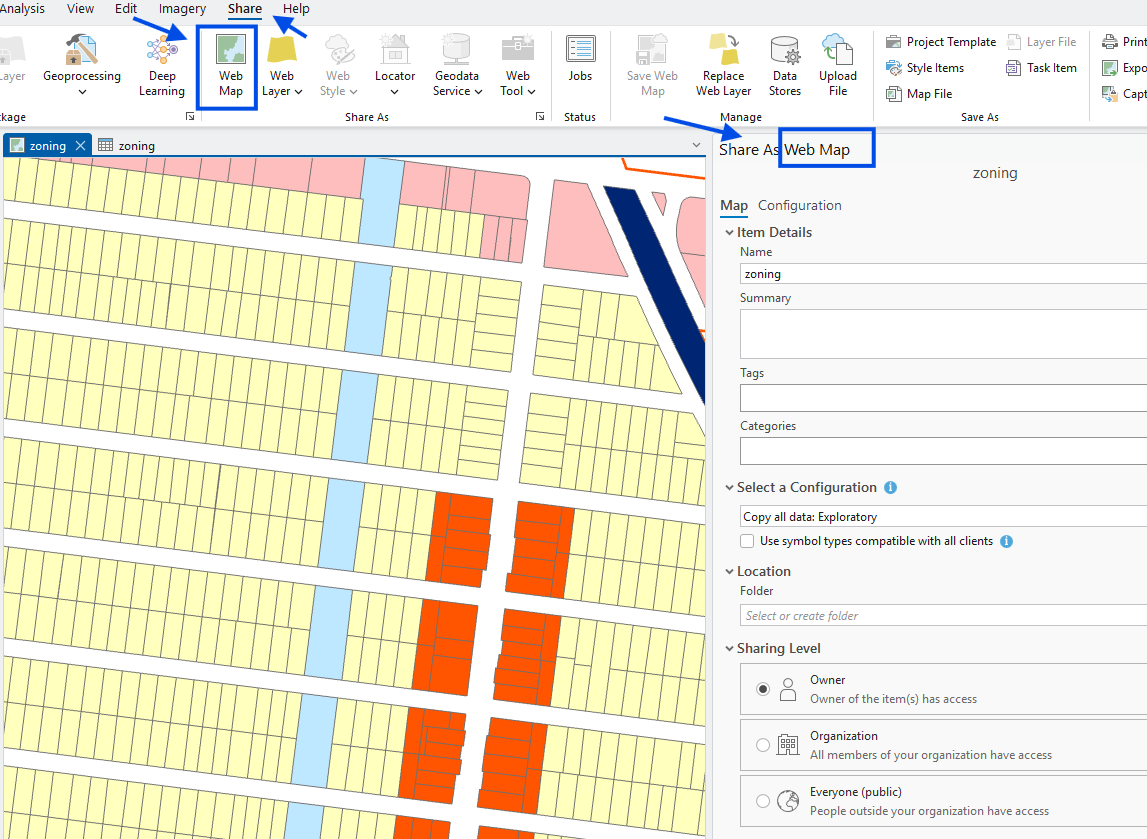
web map is not updatable, once you share a web map,
it is final, not possible to update this web map.
every time you update, you have to create a new web map, a new link,
user can't get the new link each time update.
ideally, no matter how you update map content,
web map link should not change over time.
So user can always find it by book mark it.
Do not publish(share) web map as show here
Step 2.
to keep zoning map link is always same, no change, no matter how many time you update content,
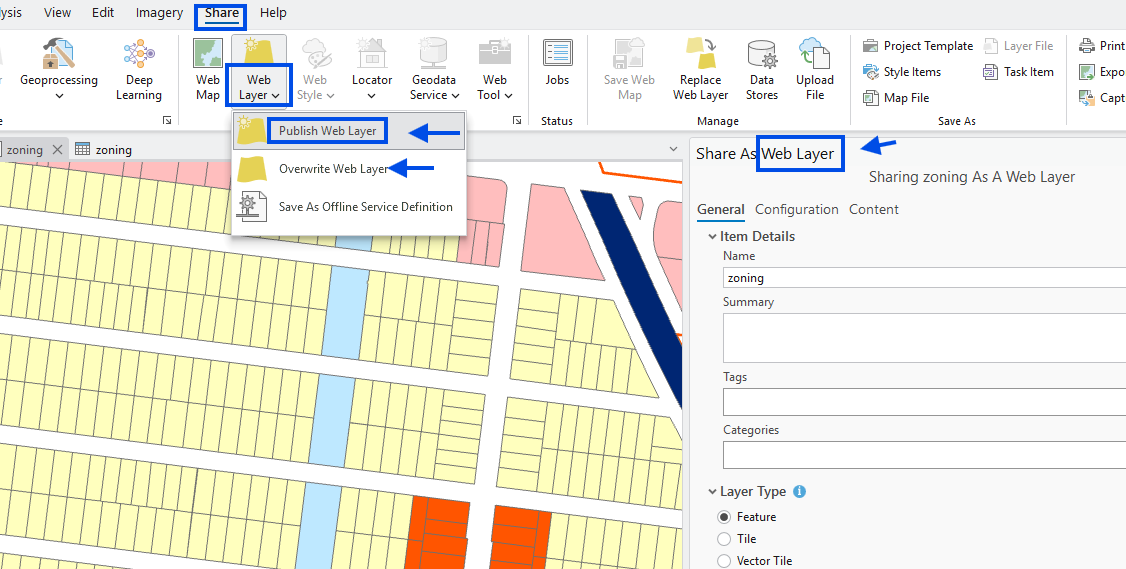
recommend to publish web layer,
next time you can overwrite this same layer.
Step 3.
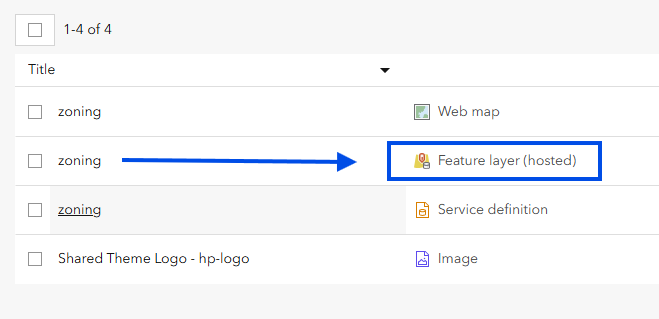
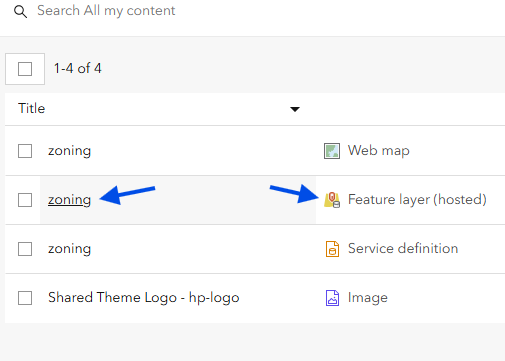
after publish web layer ( not web map), you get a hosted feature layer
Step 4.
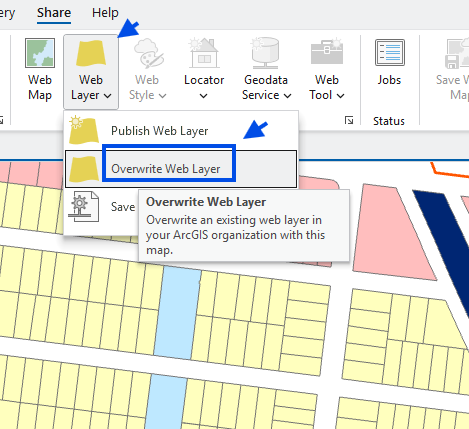
over time, you do some editing, now you want to update arcgis online (web layer)
you can click overwrite web layer
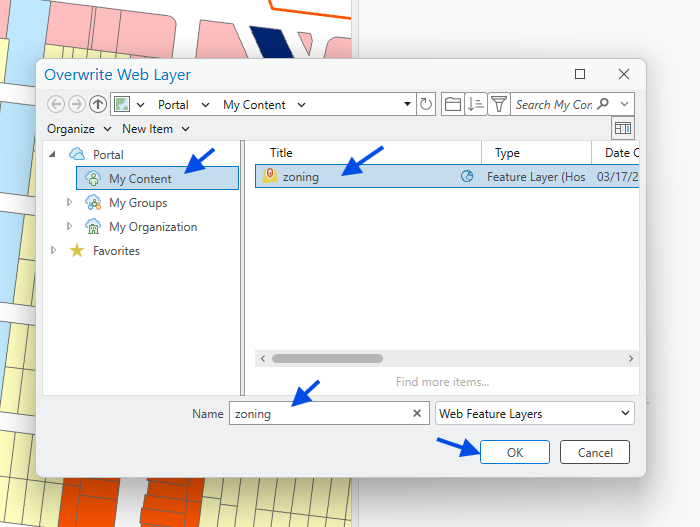
Step 5.
now, select the existing layer, to overwrite
Step 6.
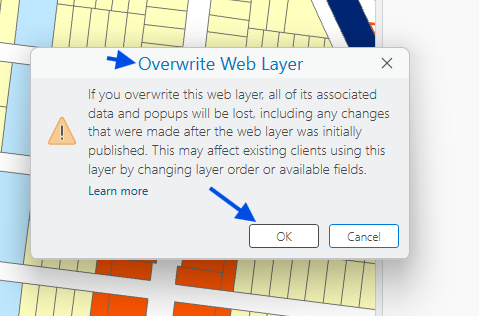
warning click ok
Step 7.
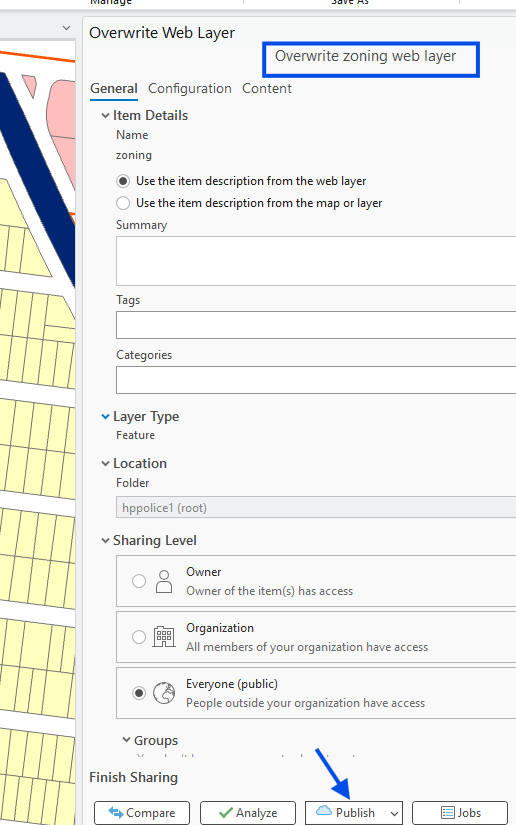
click publish, now your arcgis online (web layer ) get updated.
The web map, based on this web layer will automatically updated.
Step 8.
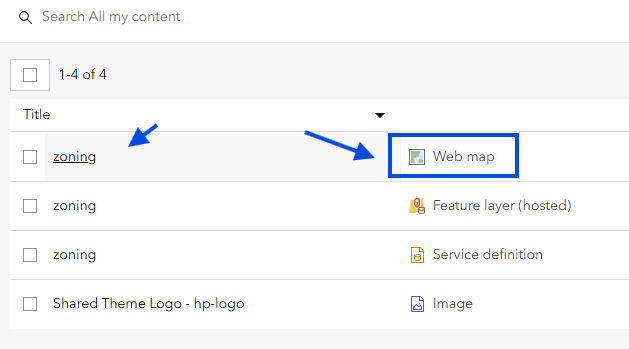
Now I have web layer, but how to create a web map based on this web layer?
Step 9.
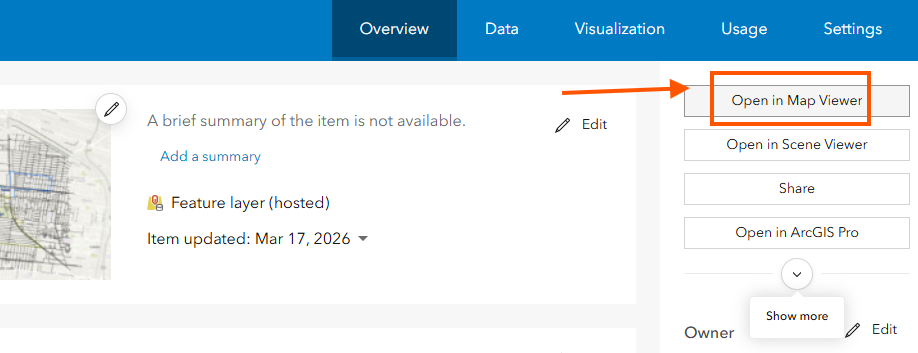
click hosted feature layer, it will open this web layer in a unsaved web map.
If you save this unsaved web map by given a name, you will generate a permanent link for zoning map.
Step 10.
Step 11.
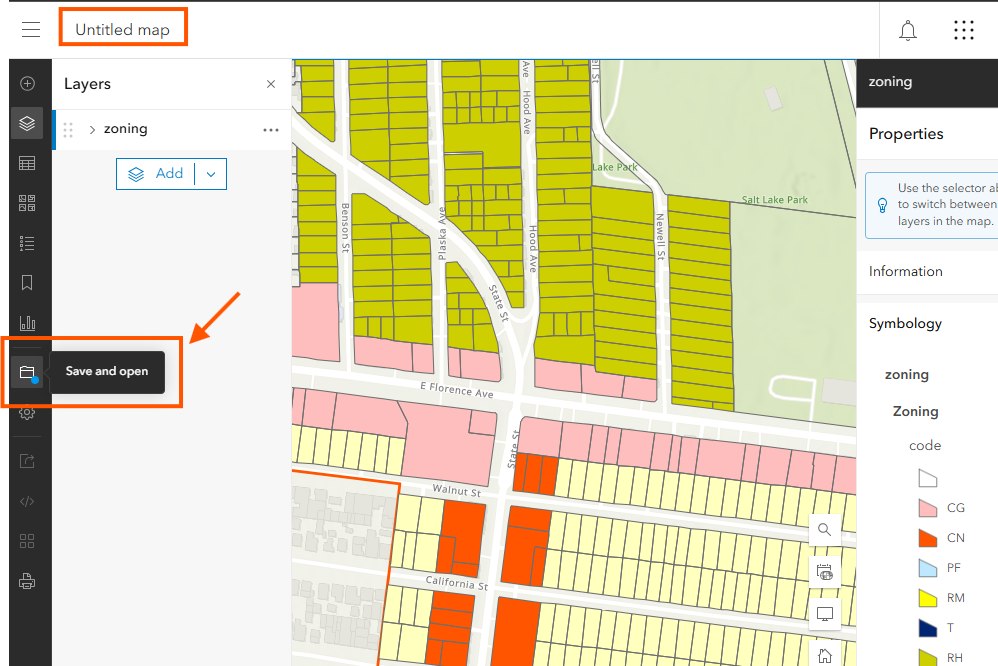
everytime you open a hosted feature layer, it is a unsaved web map.
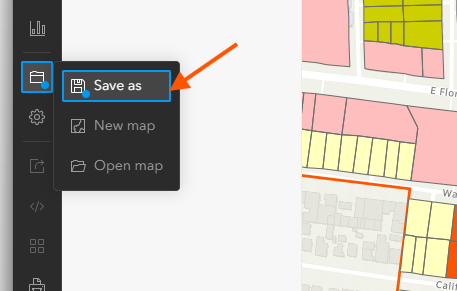
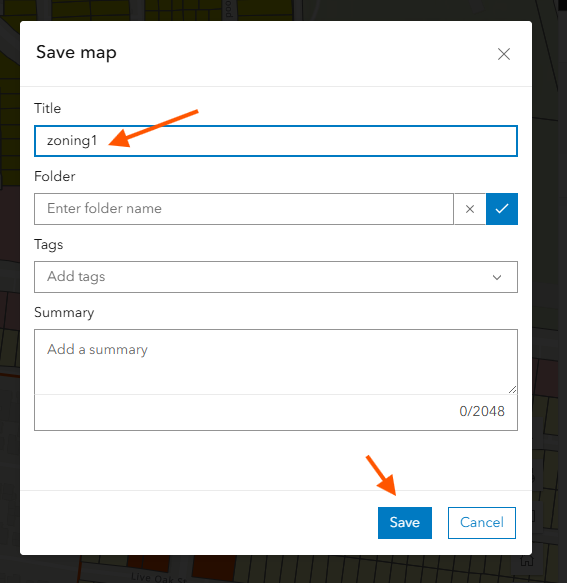
click save button
Step 12.
Step 13.
give a name, to save this web map
Step 14.
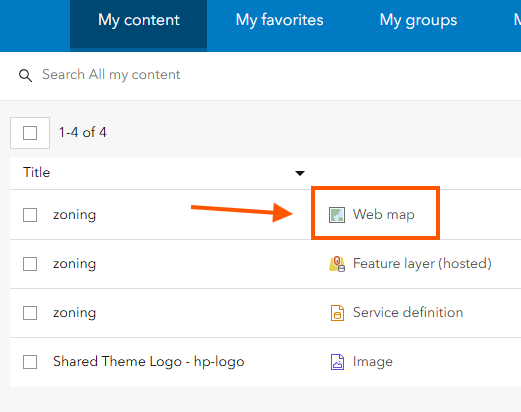
as a result, you get a web map. This is permenant zoning map link
Step 15.
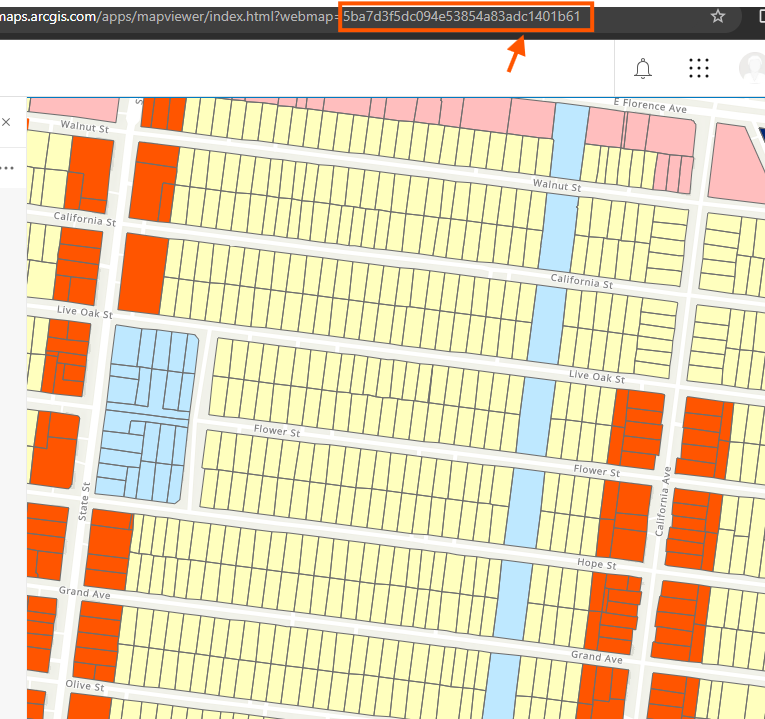
click this web map, this web map id is permenant
you can share this web map with this id to all users,
no matter how many time you update, this link, this web map id will not change.
so user can use this same link for ever, even you constantly update the map content.
Step 16.
Step 17.
Step 18.
Step 19.
Step 20.