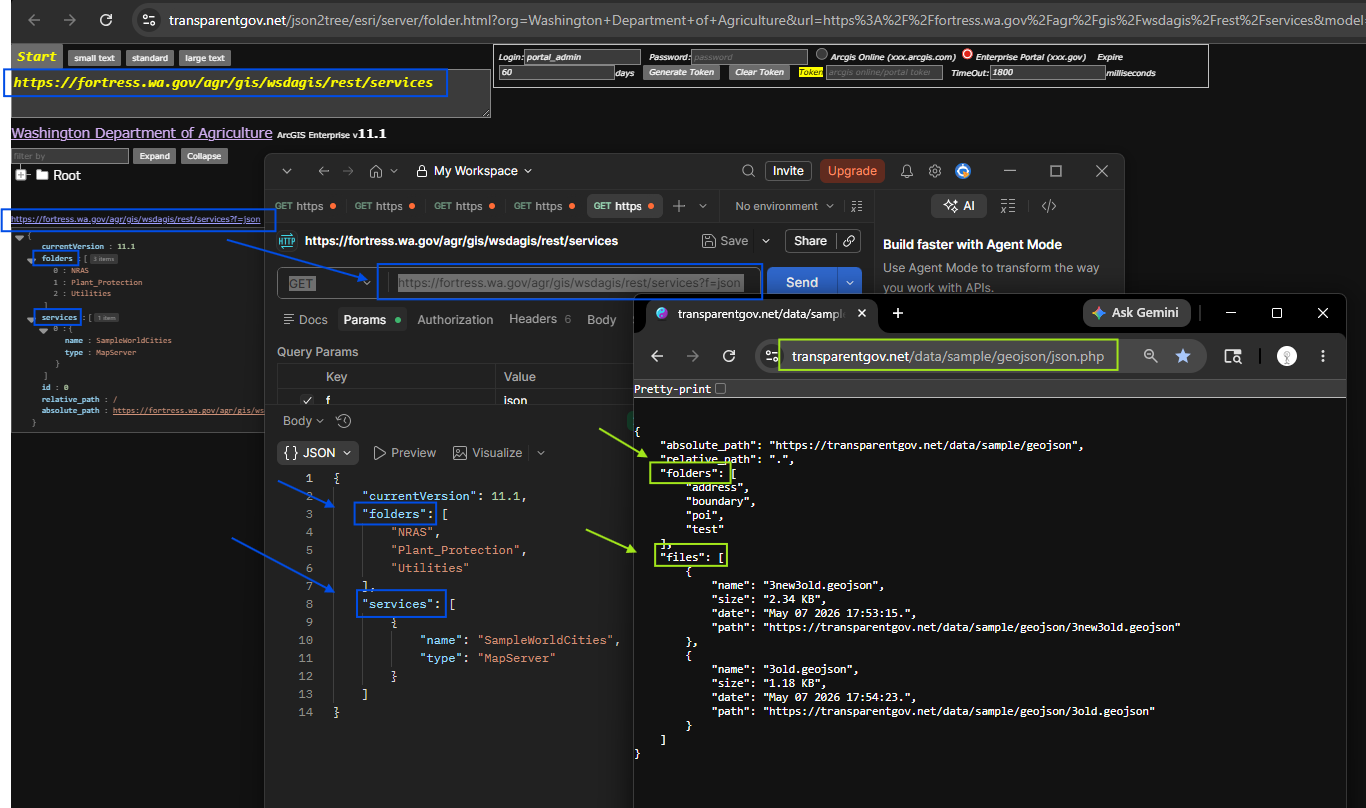
Step 1.
blue is arcgis REST api,
https://fortress.wa.gov/agr/gis/wsdagis/rest/services?f=json
green is geojson REST api
https://transparentgov.net/data/sample/geojson/json.php
Step 2.
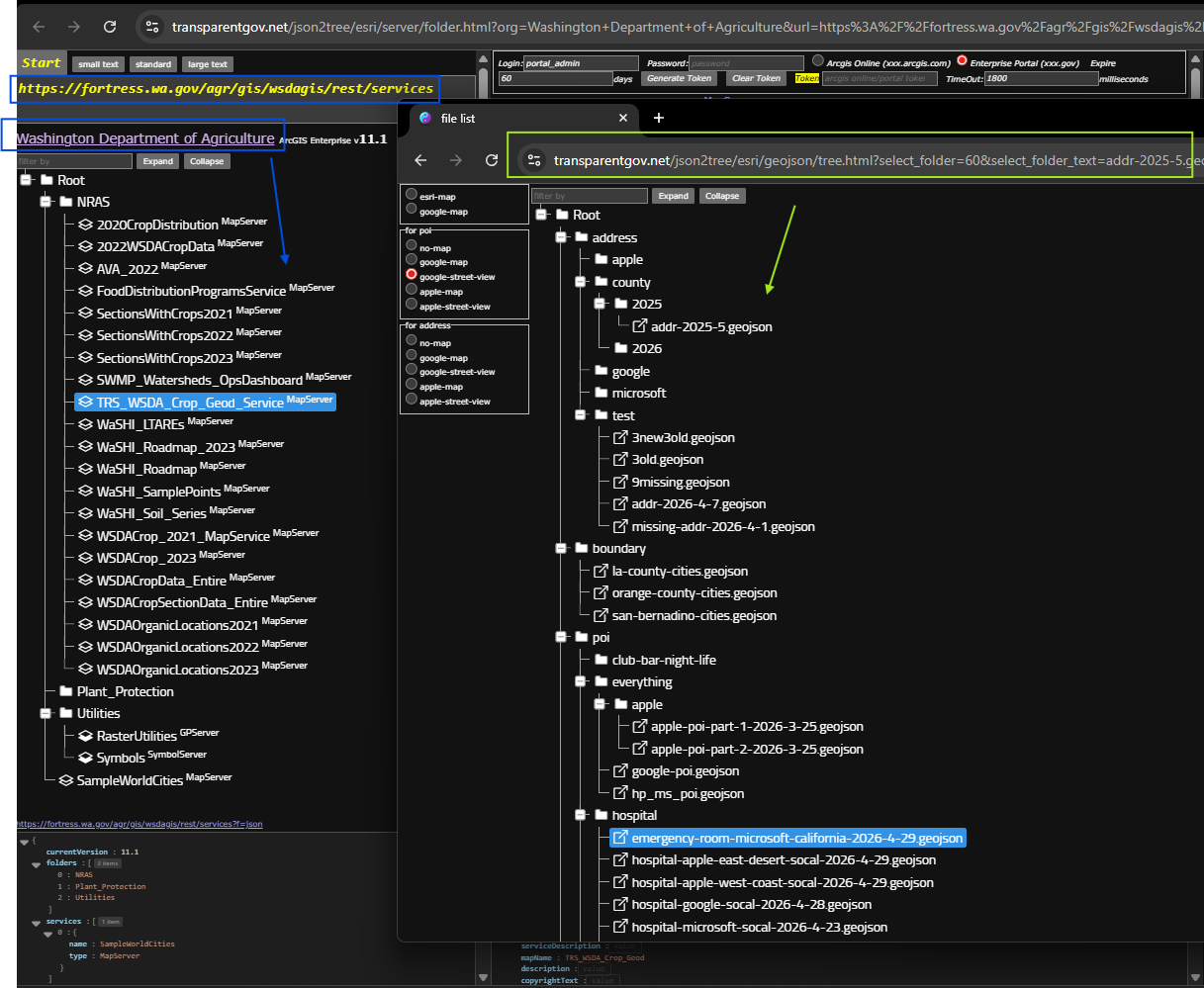
build on geojson REST api, I was be able to build folder structure like arcgis
blue is arcgis REST api,
https://transparentgov.net/json2tree/esri/server/folder.html?org=Washington+Department+of+Agriculture&url=https%3A%2F%2Ffortress.wa.gov%2Fagr%2Fgis%2Fwsdagis%2Frest%2Fservices&model=null&arcgis_online_token=&select_folder=15&select_folder_text=TRS_WSDA_Crop_Geod_Service+%3Csup%3EMapServer%3C%2Fsup%3E&select_layer=
green is geojson REST api
https://transparentgov.net/json2tree/esri/geojson/tree.html?select_folder=60&select_folder_text=addr-2025-5.geojson&select_type=file&select_path=https%3A%2F%2Ftransparentgov.net%2Fdata%2Fsample%2Fgeojson%2Fpoi%2Fhospital%2Femergency-room-microsoft-california-2026-4-29.geojson&select_tree=34&select_tree_text=emergency-room-microsoft-california-2026-4-29.geojson
Step 3.
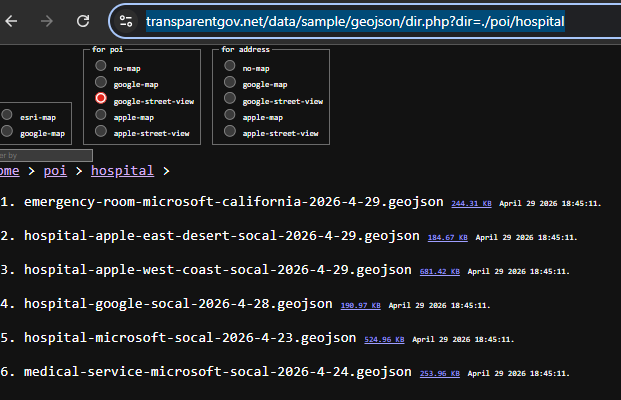
why need geojson REST api,
without REST api, this is direct server code, it is difficult to create tree like directory structure.
Not impossible, but just complicated to do it.
https://transparentgov.net/data/sample/geojson/dir.php?dir=./poi/hospital
Step 4.
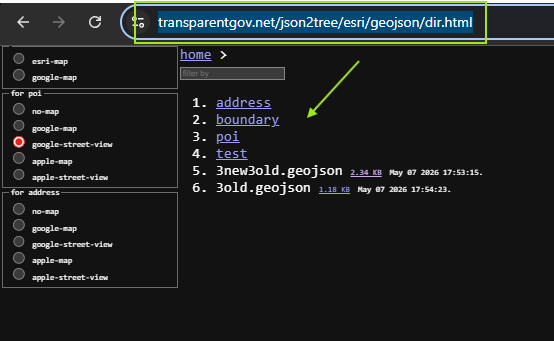
with REST api, I was be able to build non-tree like directory. Just like windows folder directory.
the problem with this style is you can't see whole profile, you can only see one folder at a time.
https://transparentgov.net/json2tree/esri/geojson/dir.html
Step 5.
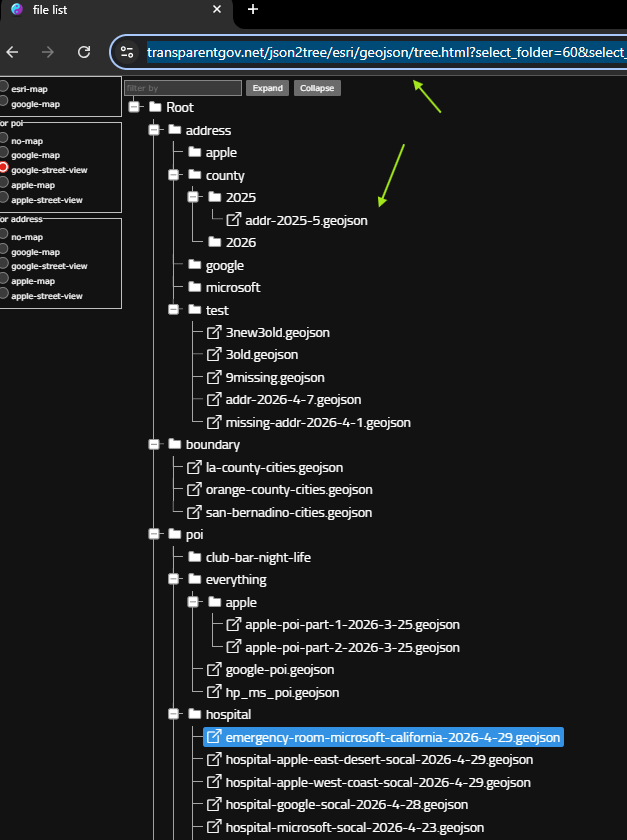
with REST api, I can build tree-like folder structure, it can show you the whole profile of directory folder.
That means, it list all folder and subfolder, all files, show it into a tree-like structure.
https://transparentgov.net/json2tree/esri/geojson/tree.html?select_folder=60&select_folder_text=addr-2025-5.geojson&select_type=file&select_path=https%3A%2F%2Ftransparentgov.net%2Fdata%2Fsample%2Fgeojson%2Fpoi%2Fhospital%2Femergency-room-microsoft-california-2026-4-29.geojson&select_tree=34&select_tree_text=emergency-room-microsoft-california-2026-4-29.geojson
Step 6.
Note: arcgis REST api only have 2 level deep. You can have only 1 level folder.
You can not create a sub-folder under this folder level.
The reason is because arcgis REST api is build on virtual folder.
If the code does not create sub folder, then you can not.
While geojson REST api is build on physical folder on hard drive.
As long as you can create a folder on hard drive, then geojson REST api will detect it and show it
You can create unlimited deep folder and subfolder, and sub-sub-folder, sub-sub-sub-folder..........100 level deep is possible.
Step 7.
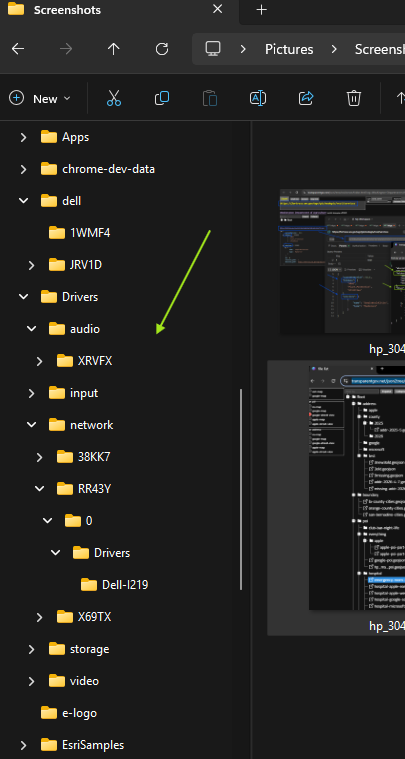
windows operating system folder navigation bar only show you folder name, will not show you files in it.
This is windows navigation bar,
it not show you whole profile, missing files.
while geojson REST api show both folder and files, show you whole profile
Step 8.
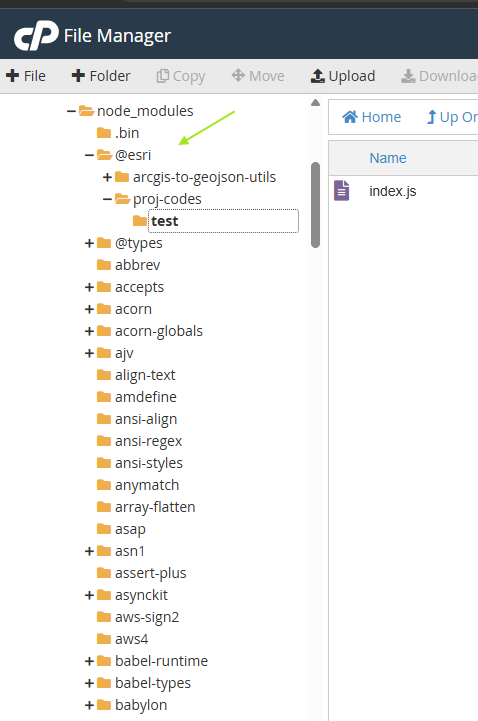
linux operating system folder navigation bar only show you folder name, will not show you files in it.
This is linux navigation bar,
it not show you whole profile, missing files.
while geojson REST api show both folder and files, show you whole profile
Step 9.
Step 10.
Step 11.
Step 12.
Step 13.
Step 14.
Step 15.
Step 16.
Step 17.
Step 18.
Step 19.
Step 20.