Step 1.
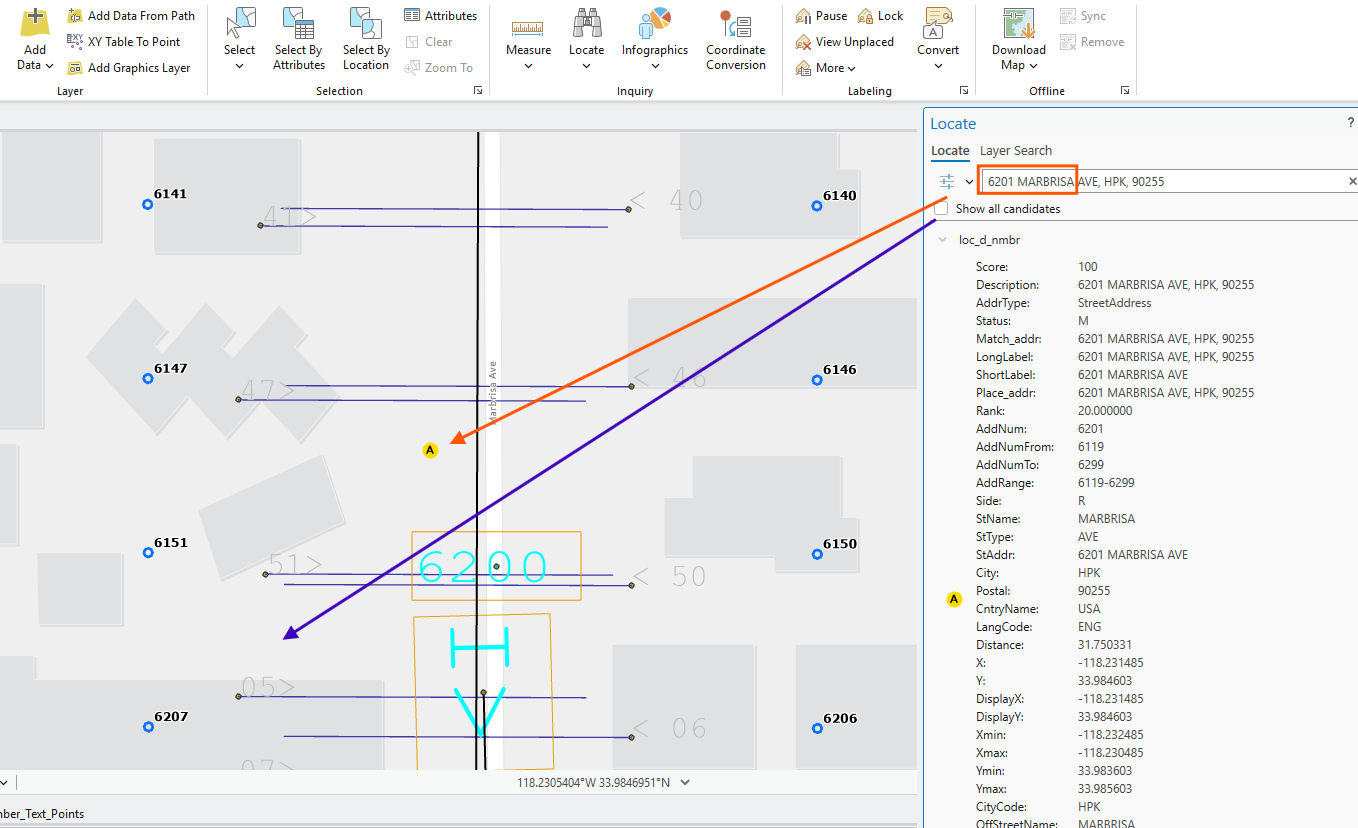
street block range usually are 100.
However, county maintained street center line have block range 200, missing 100 breaker.
This can cause inaccurate location.
if 9ll caller report 6201, it should be in blue arrow
actually it show A as red arrow.
6200 is street range breaker ( microStation ), that county street line does not have.
To improve block range accuracy, these missing block range breaker should be added to county street segment.
Step 2.
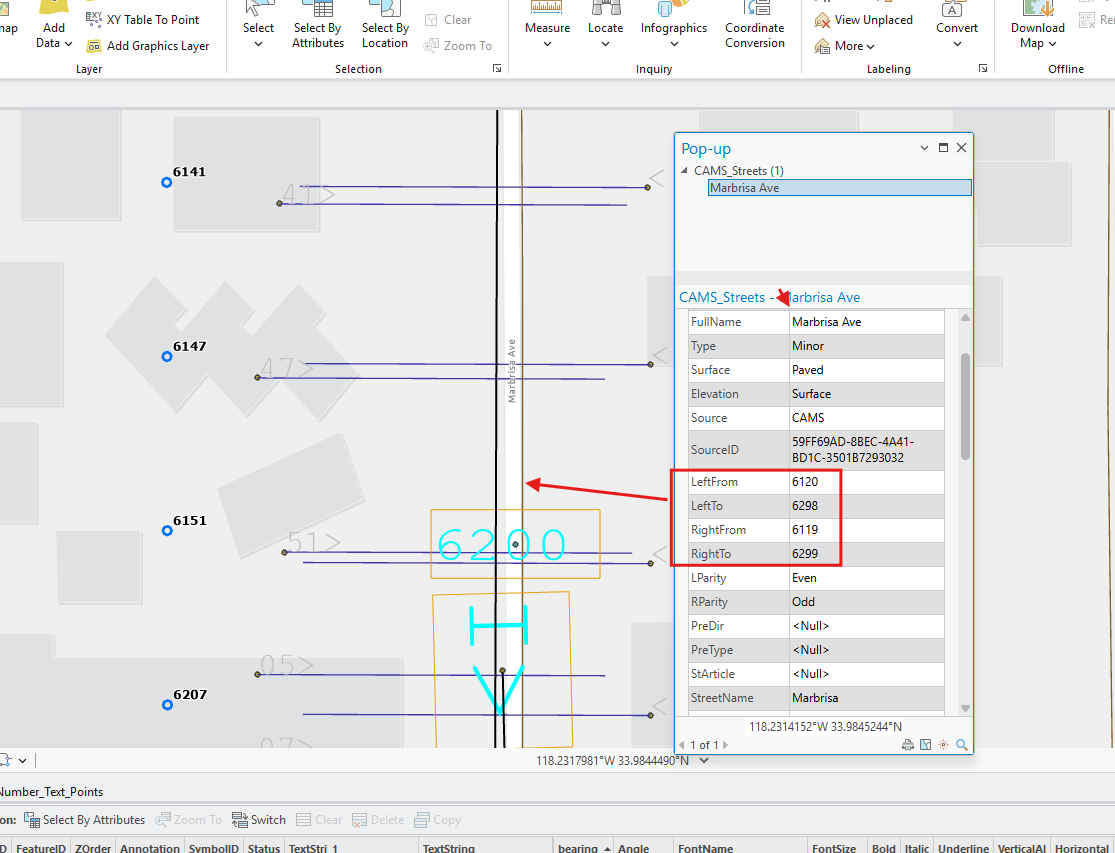
this is county street segment,
block range is from 100 to 300.
this segment should split into 2 part at the 6200 breaker point.
upper segment should have block range 100-200
bottom segment should have 200-300,
Step 3.
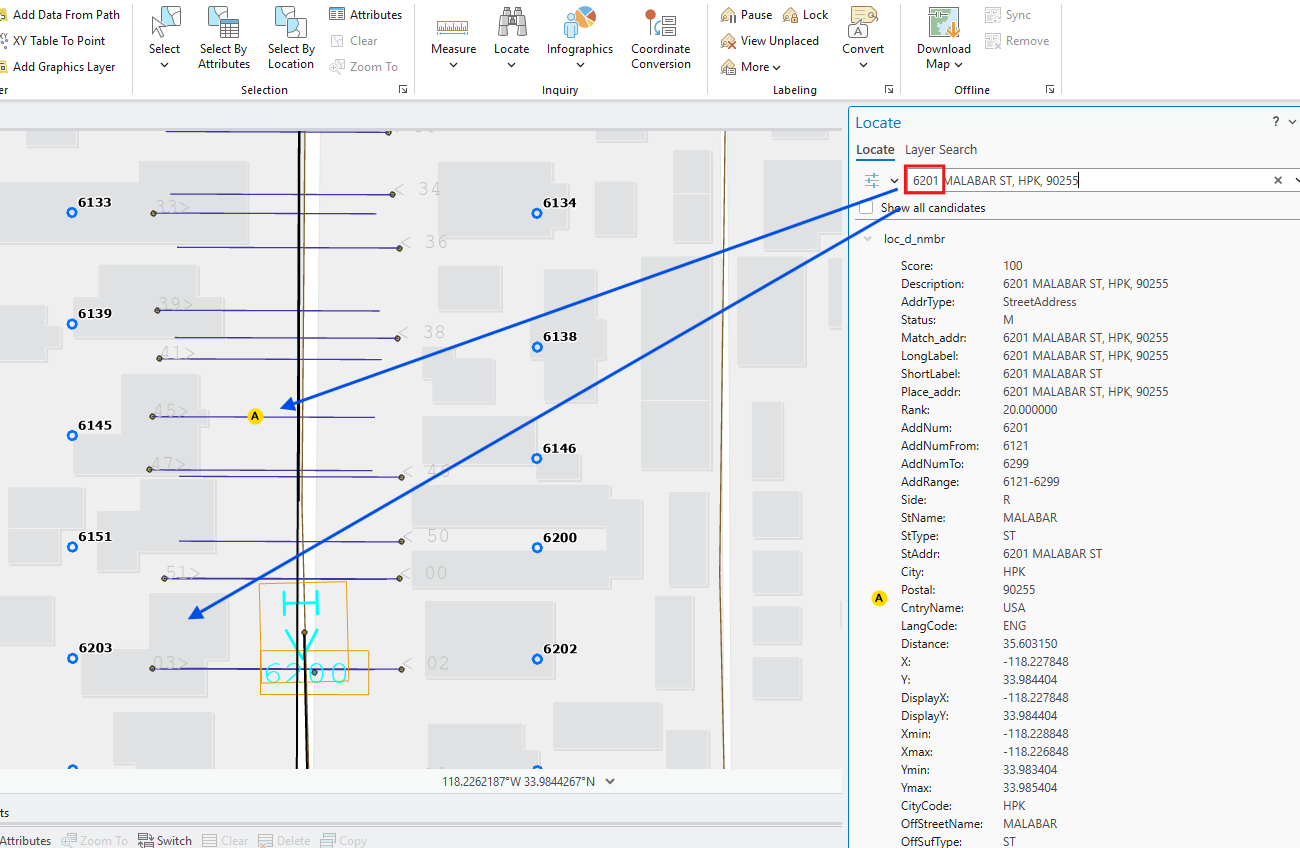
try another sample
locator does not respect address order, it only use existing street range to determine location.
human eye can easily found "A" location for 6201 is obviously wrong.
address is in order, it should be where the bottom blue arrow shows.
locator does not respect address order, it only use street range to determine.
street block range should be fixed for better accuracy.
In this case, 6200 breaker from microStation system should be convert and add to Esri system.
Step 4.
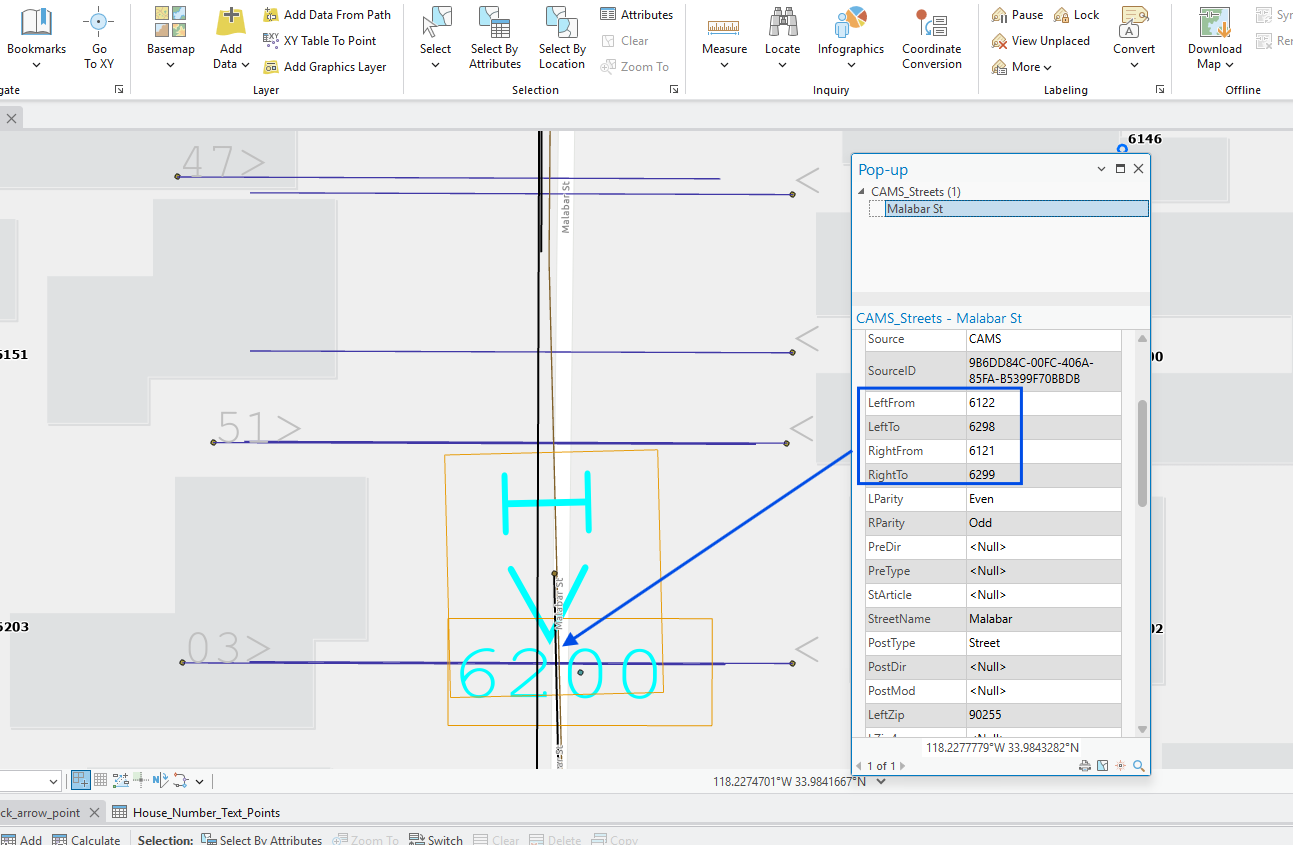
county street range segment is 6100 - 6300,
missing 6200,
this street segment should be split into 2 part, 6100-6200 for upper segment
6200-6300 for bottom
Step 5.
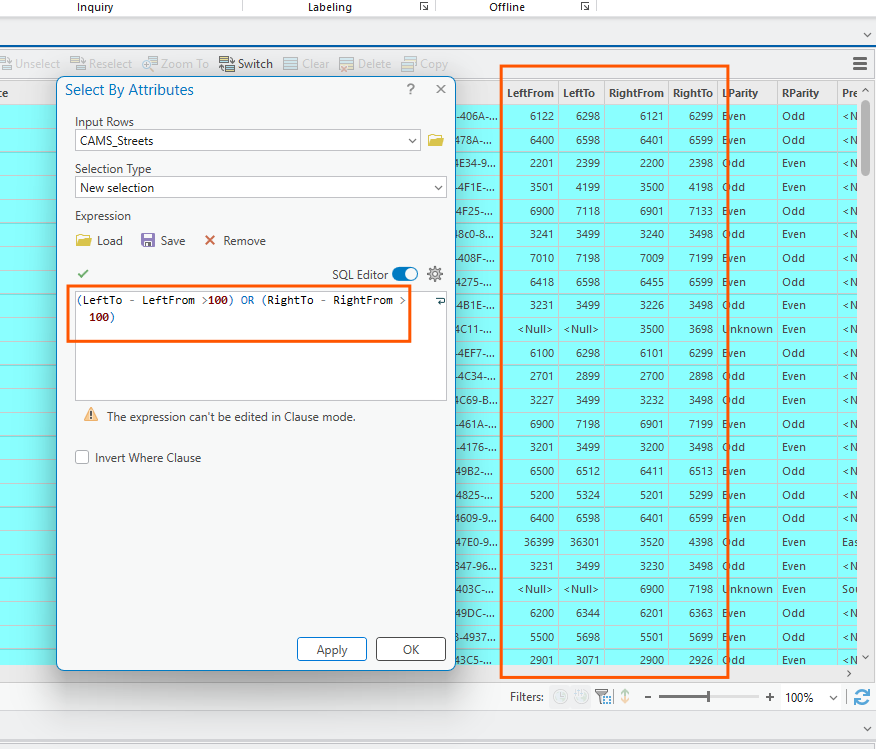
how to find those street segment that missing 100 breaker
Step 6.
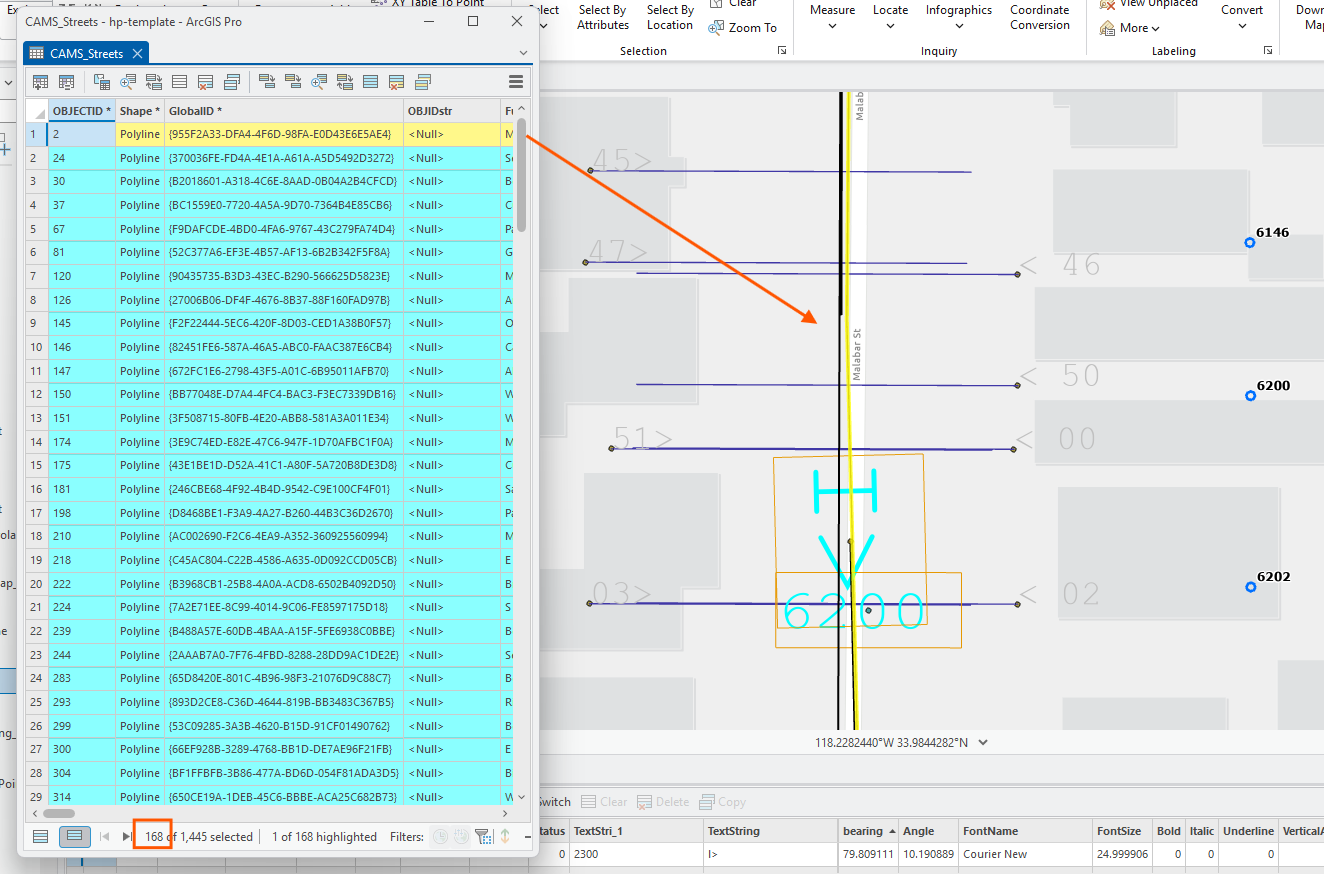
manually fix it by select each one,
Step 7.
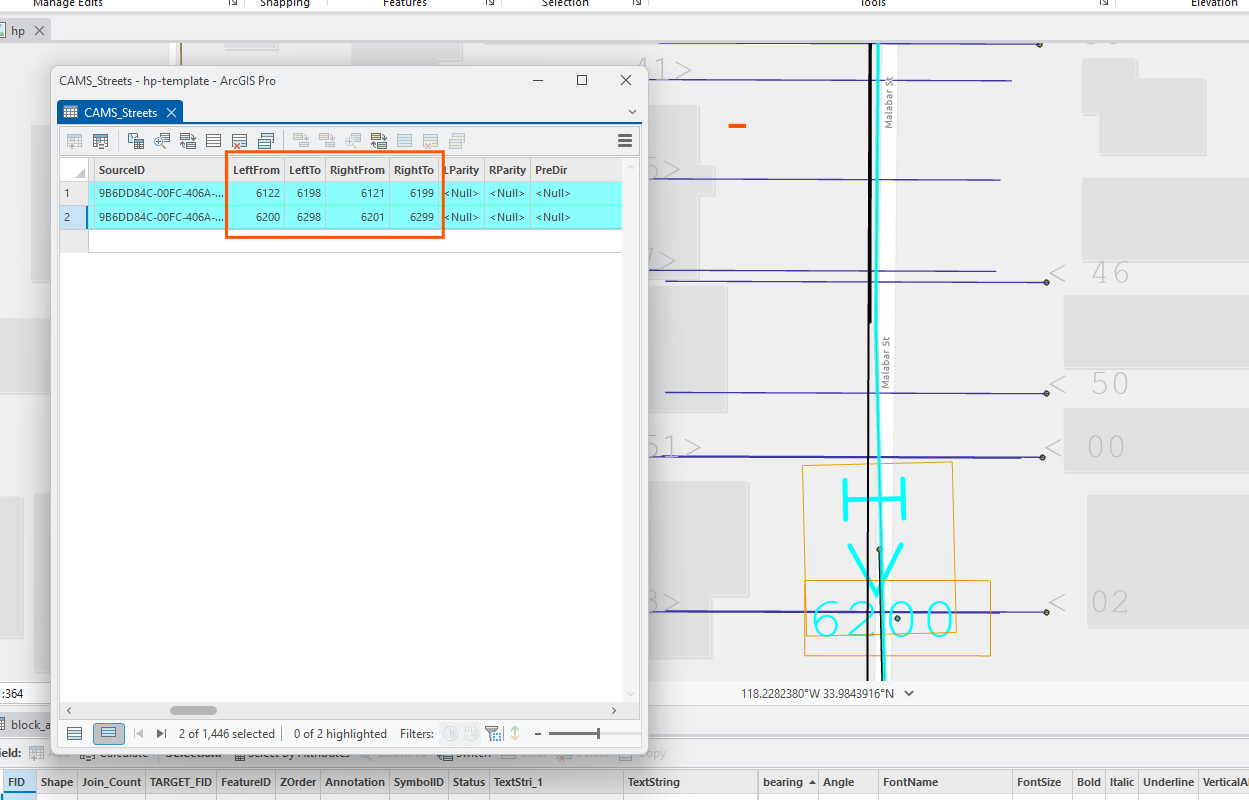
use edit > split tool split this segment into 2 part.
manually edit range
Step 8.
this method is manually fix on original county street line.
For a handful street fix, it works fine.
But for a large amount of street, handreds of thousands fix, should have a better method for that.
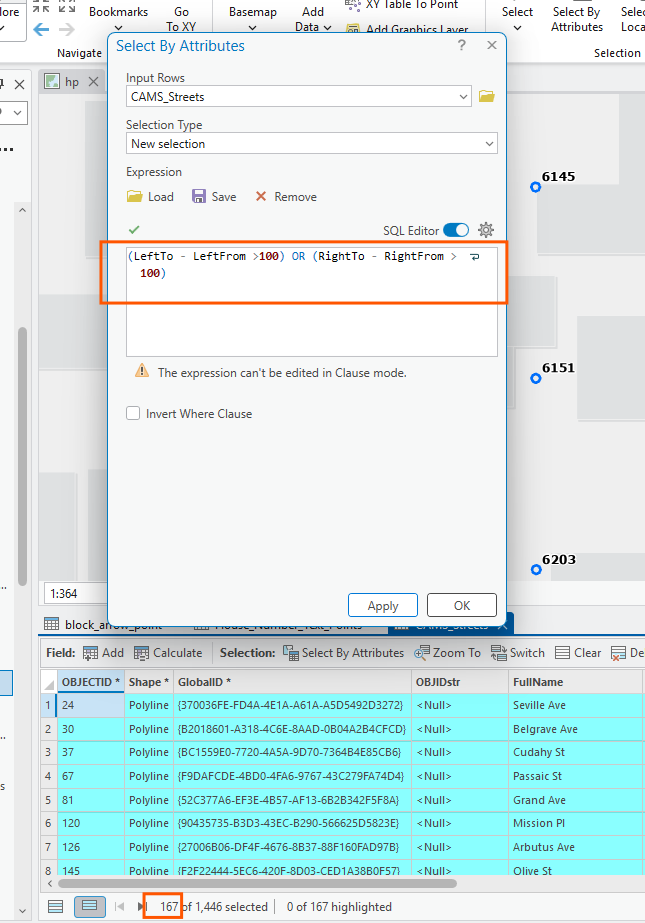
first select them export a seperate layer
Step 9.
this is seperated layer need fix,
after fix, need to put it back to original layer,
in original layer, also need to remove un-fixed, replace by fixed.
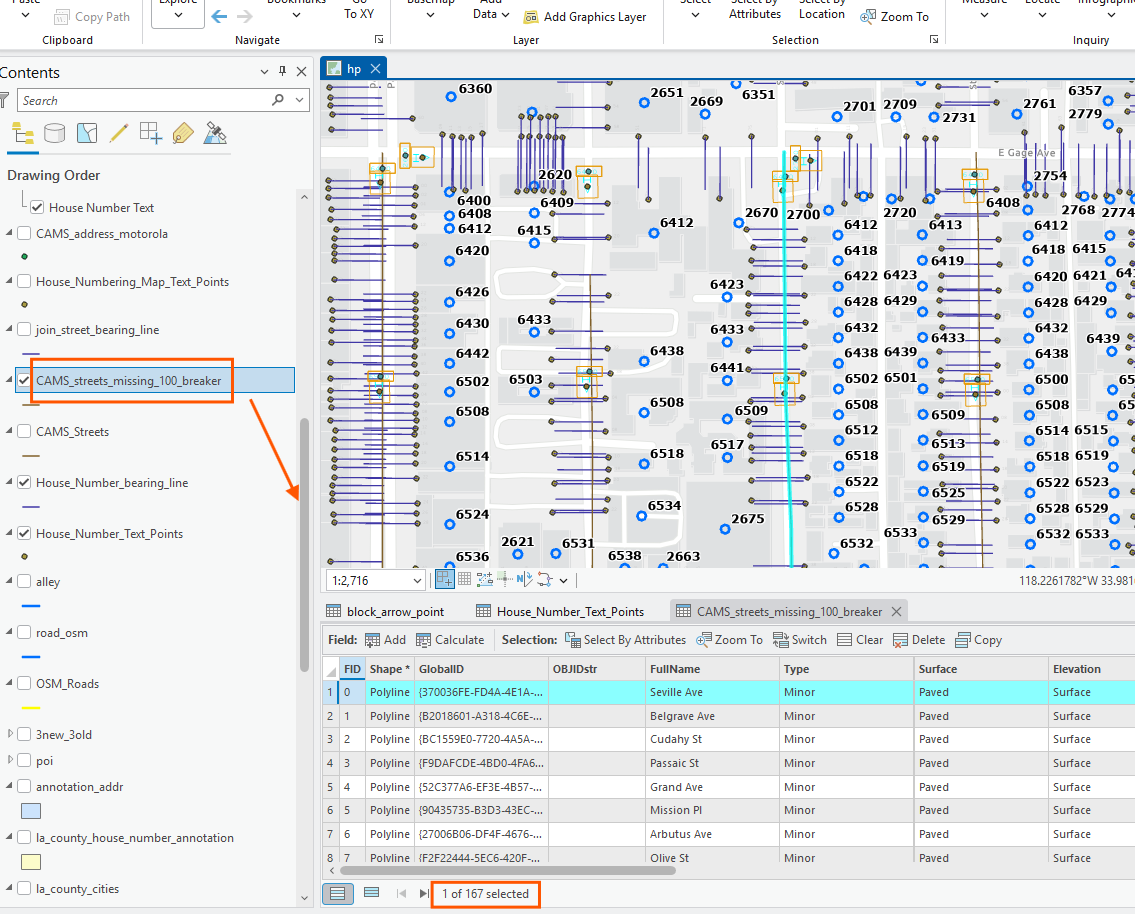
Step 10.
Step 11.
Step 12.
Step 13.
Step 14.
Step 15.
Step 16.
Step 17.
Step 18.
Step 19.
Step 20.
Step 21.
Step 22.
Step 23.
Step 24.
Step 25.
Step 26.
Step 27.
Step 28.
Step 29.