Step 1.
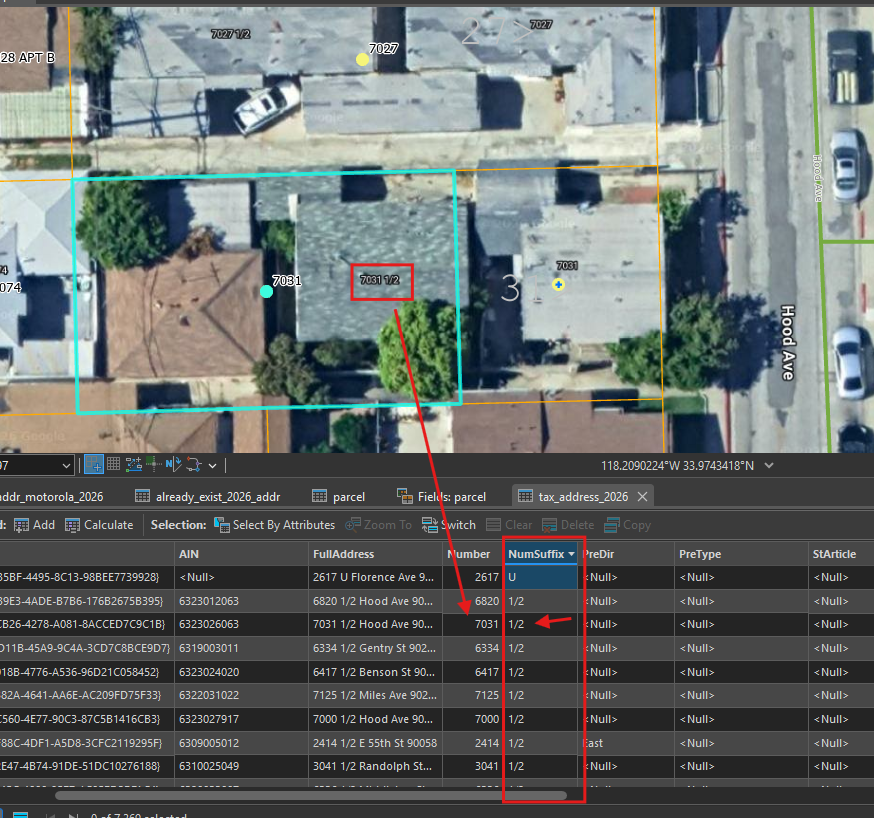
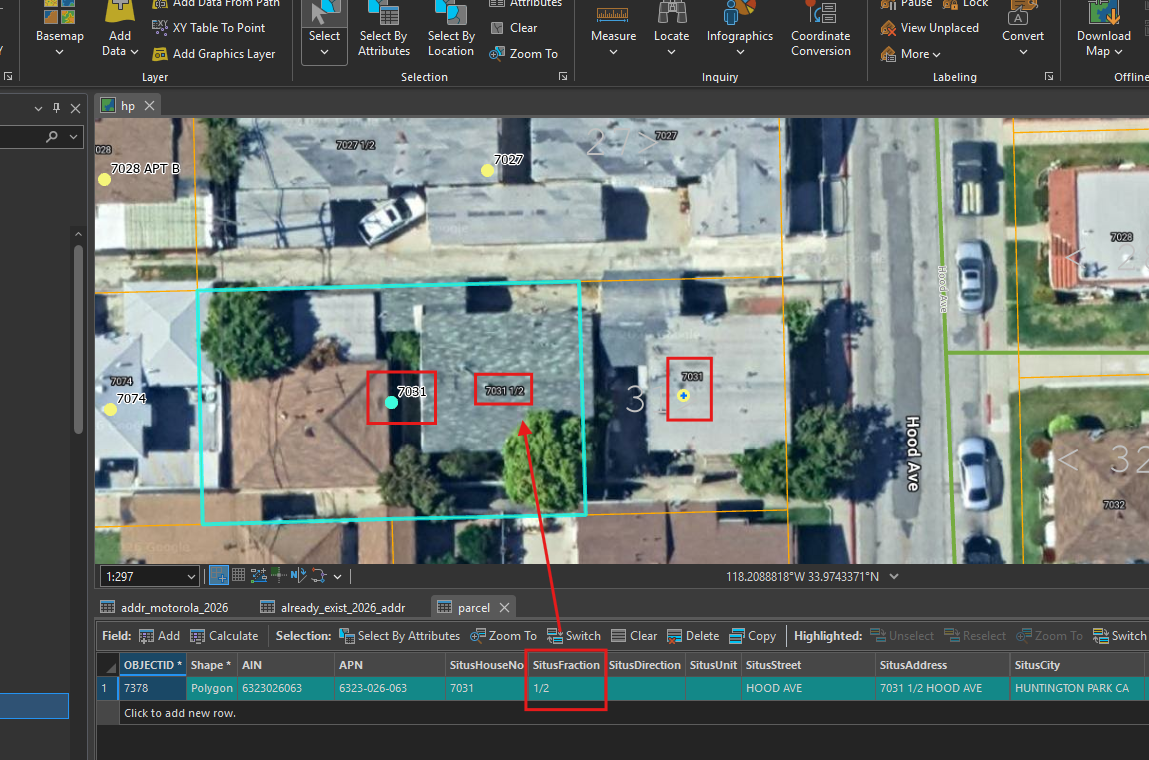
7031 originally is one piece parcel, now it split into 2 parts.
fraction number 1/2 was used for west side part.
without fraction number for east side.
LA county address file, use different field name, NumSuffix
LA county parcel file use different field name, fraction
Step 2.
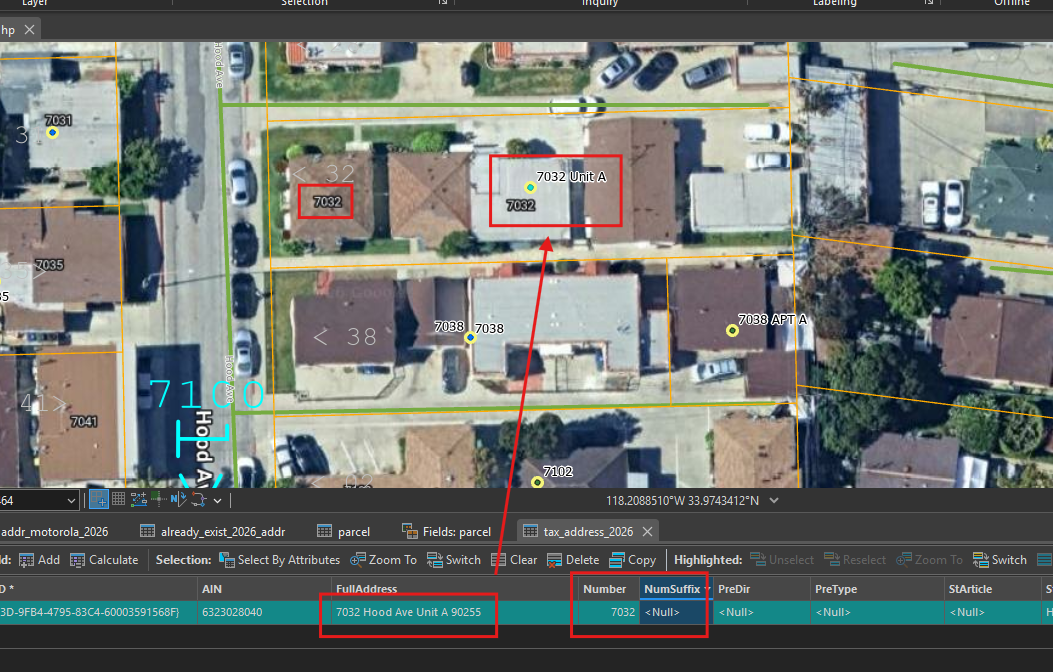
some time it use unit A,B instead of fraction 1/2
Step 3.
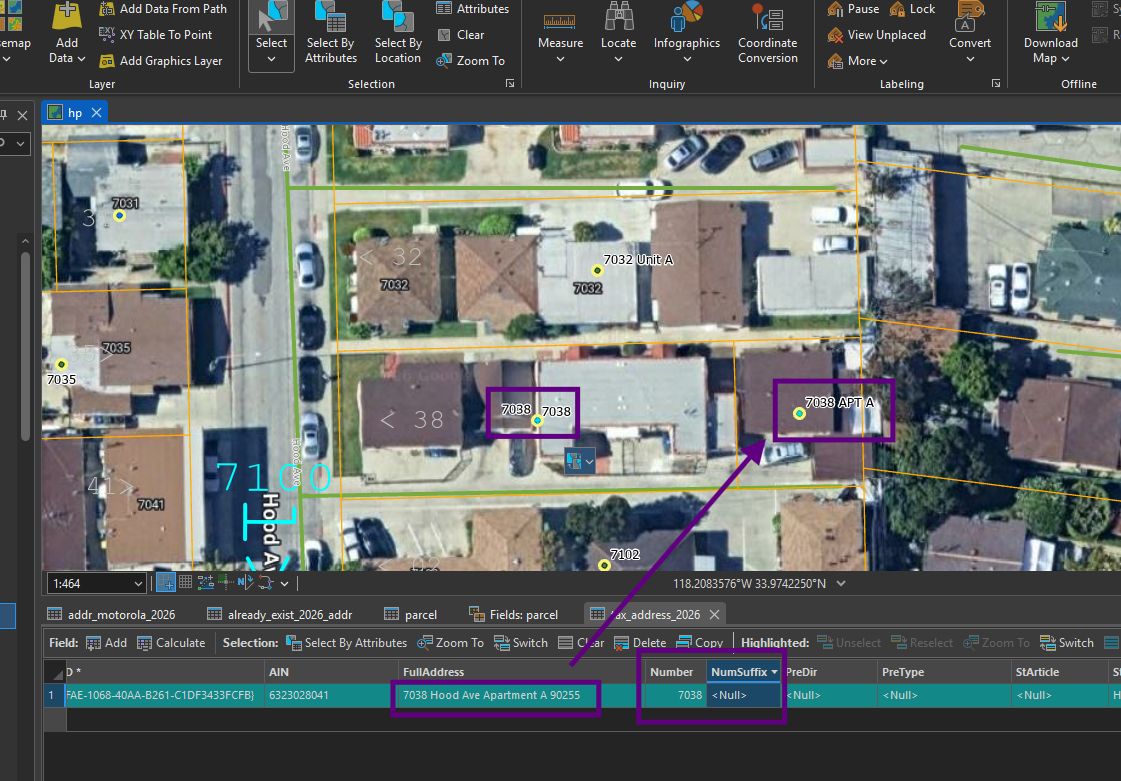
some times it use apt A, instead of unit A
Step 4.
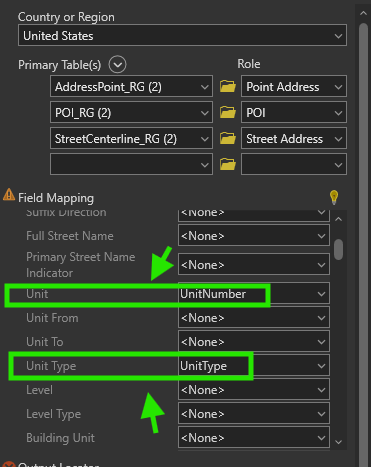
ESRI locator have unit type, unit number field, which can fit style "unit A, apt A"
Step 5.
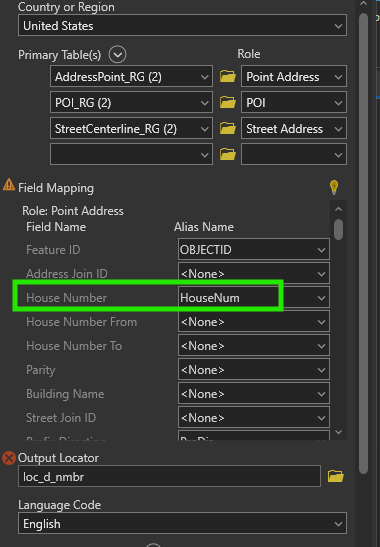
however, ESRI locator does not have street number prefix field, nor street number suffix field,
Step 6.
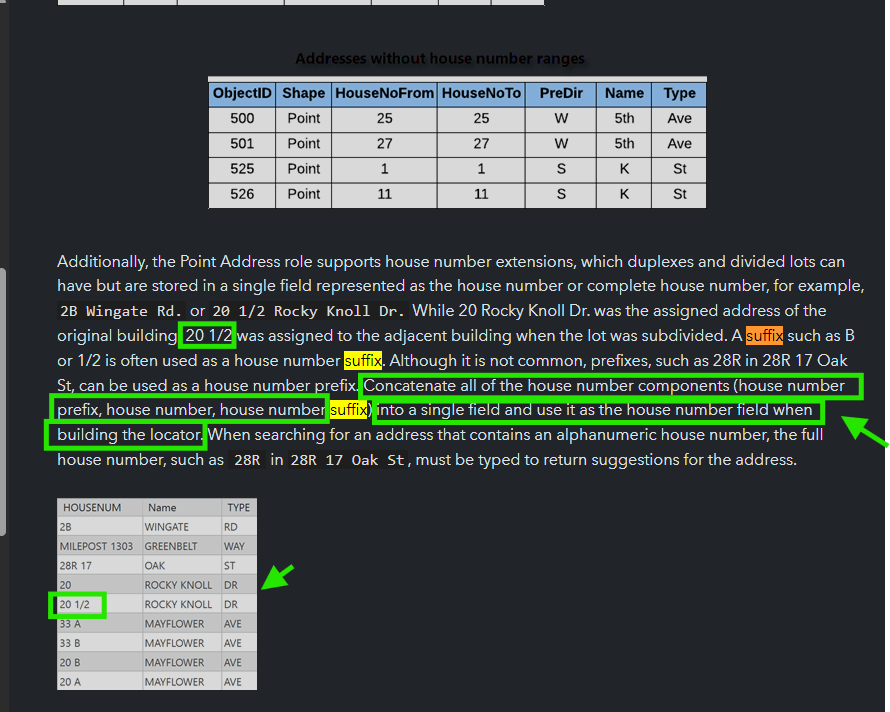
therefor, ESRI recommend you combine street number suffix field into street number field.
https://doc.esri.com/en/arcgis-pro/latest/help/data/geocoding/introduction-to-locator-roles.html?utm_source=chatgpt.com
Step 7.
LA county address isn't consistent due to different year. Some year, they use number suffix fraction 2000 1/2, some year, they use UNIT A, some year they use APT A
For unit A, apt A, ESRI locator can handle it without issue.
For fraction suffix, ESRI locator does not have dedicated field for that, ESRI recommend you combine fraction into street number field.
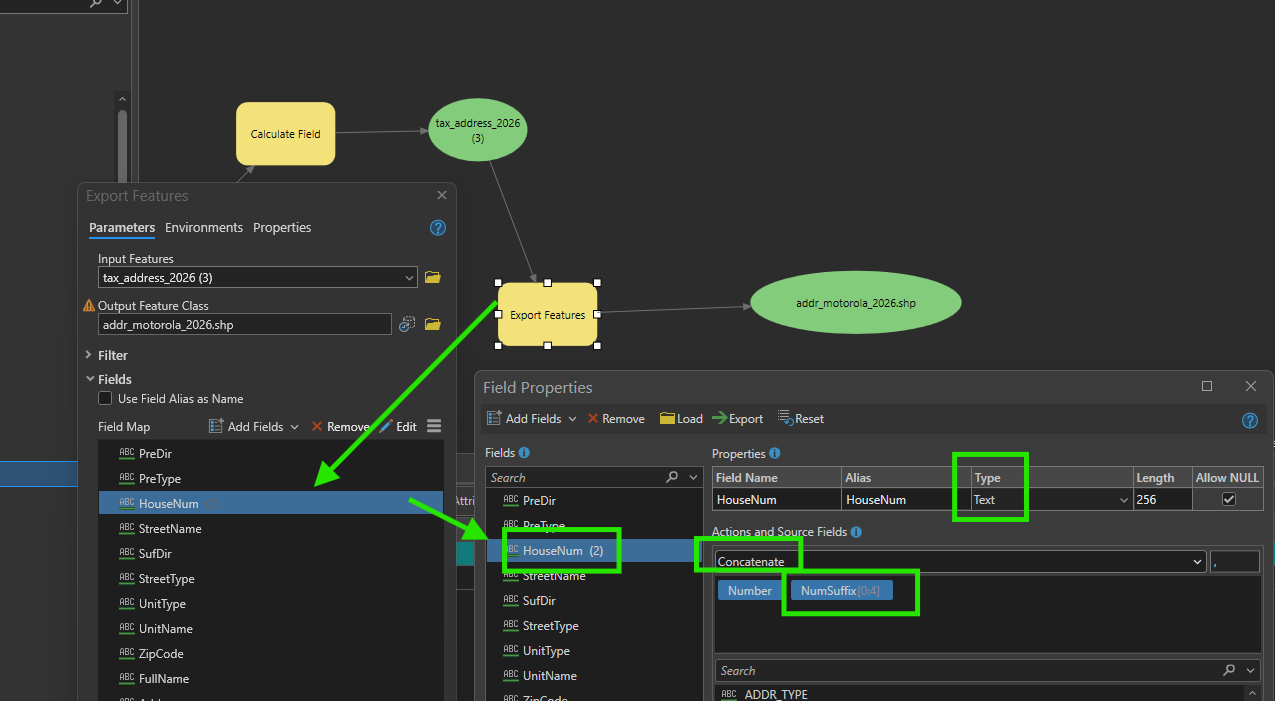
Modify the tool to convert tax address to motorola, add Number suffix
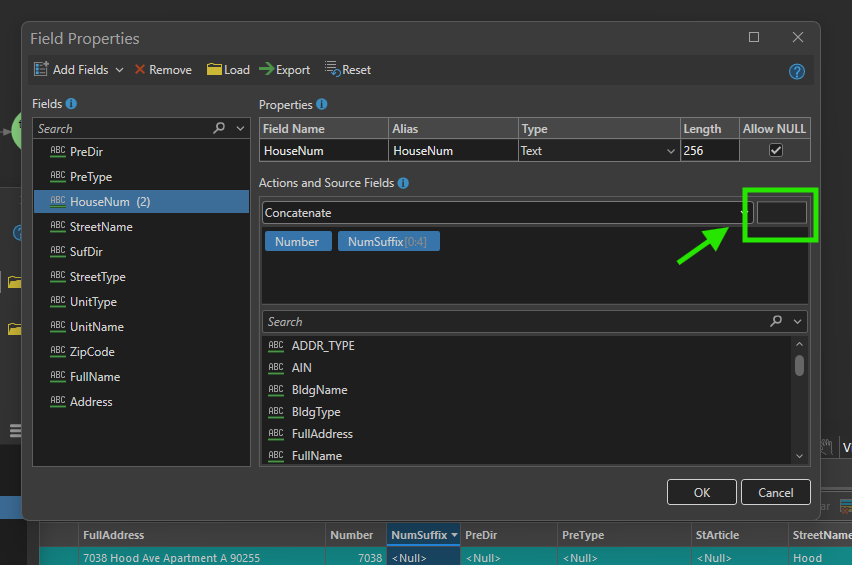
Must change type to text, so you can use concatenate 2 field, combine number + suffix together
Step 8.
when you combine street number + suffix, the default delimiter is comma, however, we should use space instead of comma, replace comma, by empty space as arrow shows.
Step 9.
run this tool again, see result
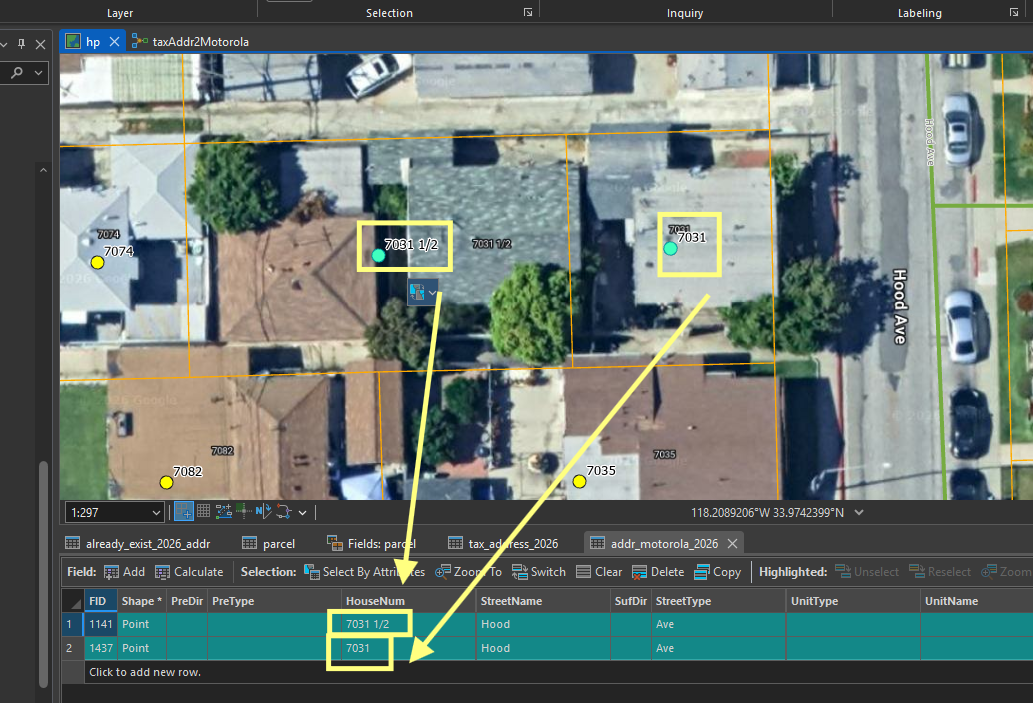
now 3721 1/2 is no longer same as 3721, because I add suffix into street number field.
when police officer type 3721, they will see 2 entry,
1) 3721 1/2
2) 3721
before fix, police officer see 2 same entry both are 3721, because ESRI locator does not support number-suffix field.
Step 10.
For UNIT A, apt A, these have unity type, unity name, ESRI already support. No fix needed.
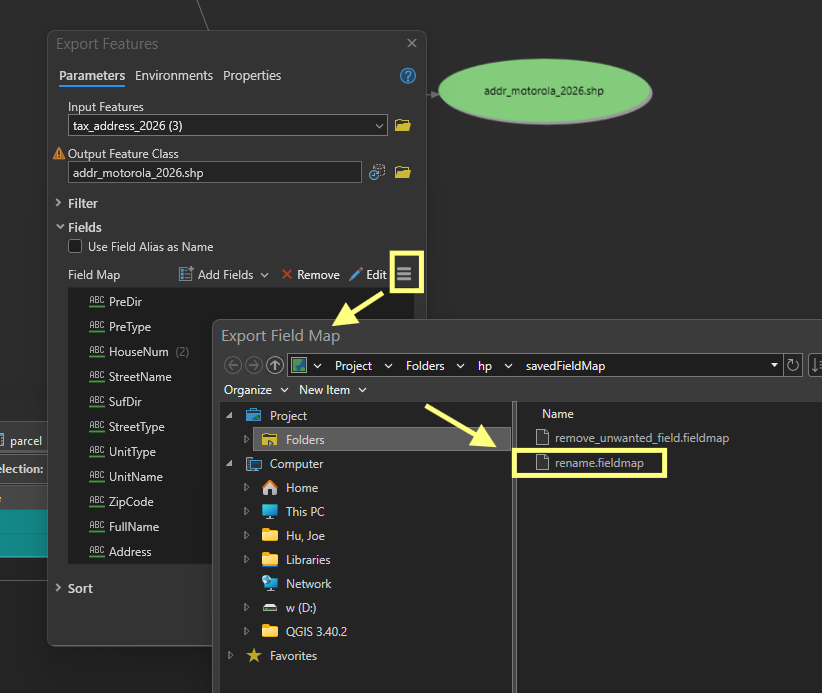
DO not forget to save field map, since I update field map by adding number-suffix
Step 11.
Step 12.
Step 13.
Step 14.
Step 15.
Step 16.
Step 17.
Step 18.
Step 19.
Step 20.
Step 21.
Step 22.
Step 23.
Step 24.
Step 25.
Step 26.
Step 27.
Step 28.
Step 29.