Step 1.
multiple parcel share same address, for example school parking lot and school building 2 parcel but share same address.
For 911 CAD, these kind of address should be just one.
Otherwise will confusing officer which one to choose, some officer choose parking lot, some officer choose school building, parking lot link to some incident, building link to some incident, they should actually combine as school. To avoid inconsistent, duplicate address should be removed from system.
arcgis pro does not have a good tool to do this job.
the work around is
when you load raw address, this tool will automatically figure out which address is duplicate
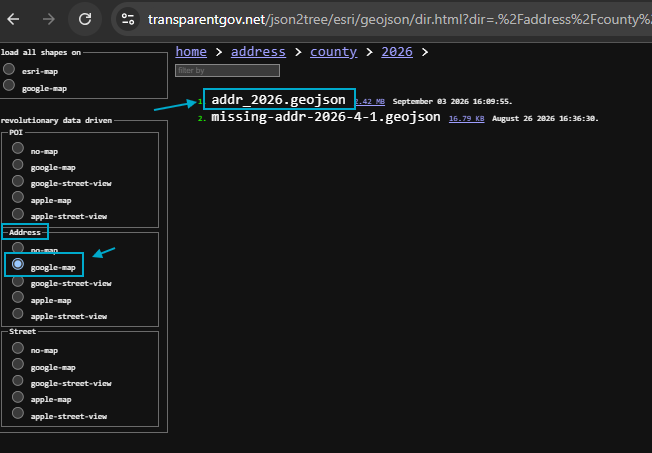
click raw address
https://transparentgov.net/json2tree/esri/geojson/dir.html?dir=.%2Faddress%2Fcounty%2F2026&model=addr-google
Step 2.
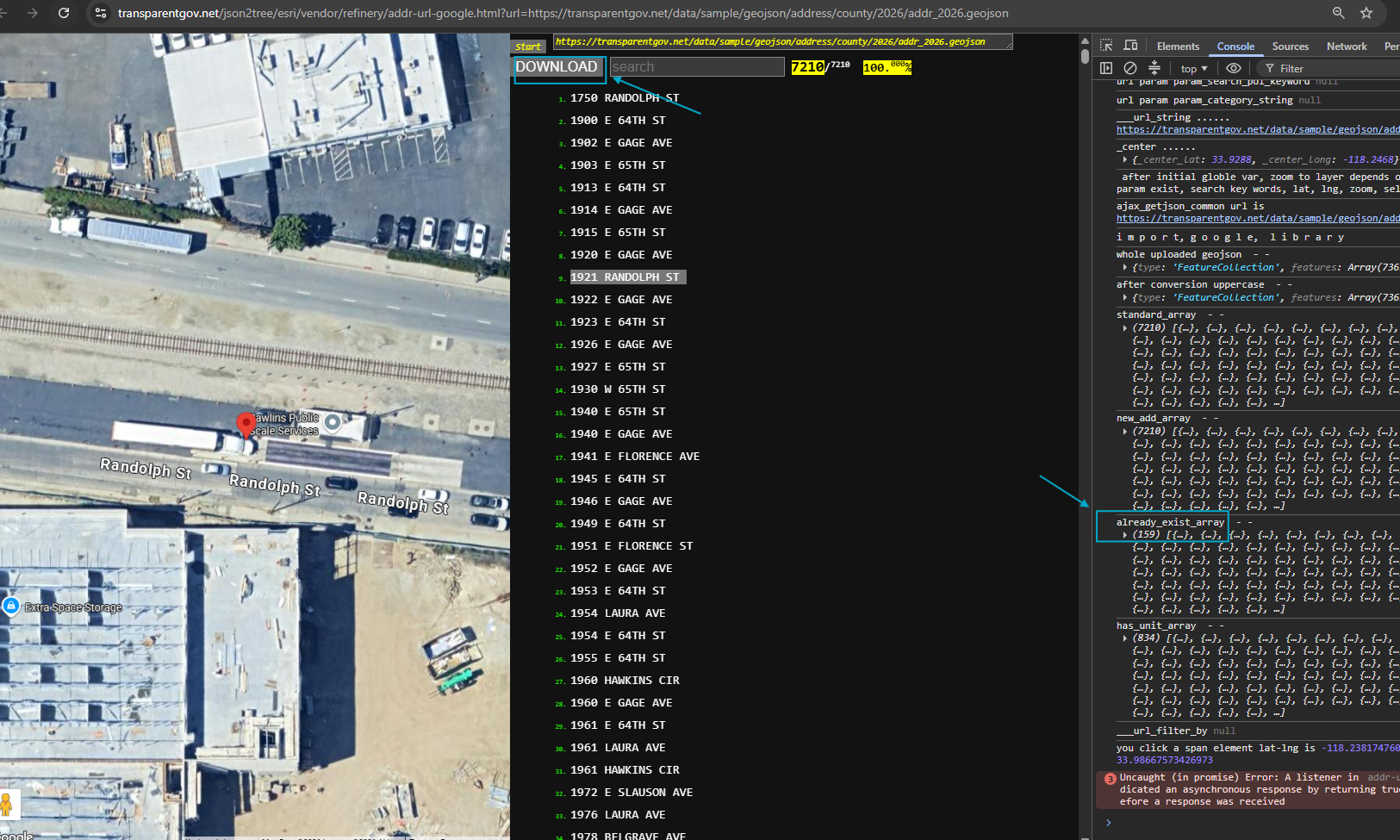
duplicate is 159, you can download it
https://transparentgov.net/json2tree/esri/vendor/refinery/addr-url-google.html?url=https://transparentgov.net/data/sample/geojson/address/county/2026/addr_2026.geojson
Step 3.
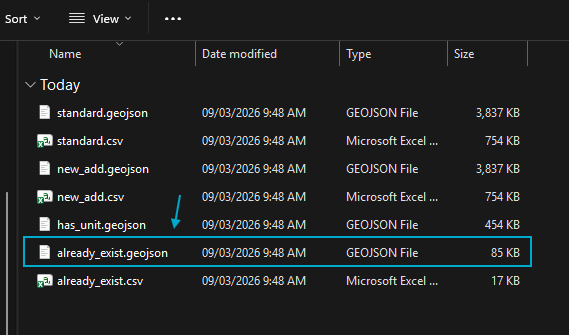
download results
Step 4.
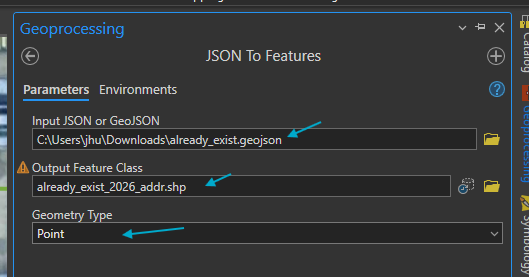
import to arcgis pro, by convert geojson format to shape file
Step 5.
following sample, duplicate address already be automatically removed from system, here is take a look how and why it duplicate. Yellow is original county parcel address ( address generated from parcel data ).
black cross means duplicate detected, already been removed automatically.
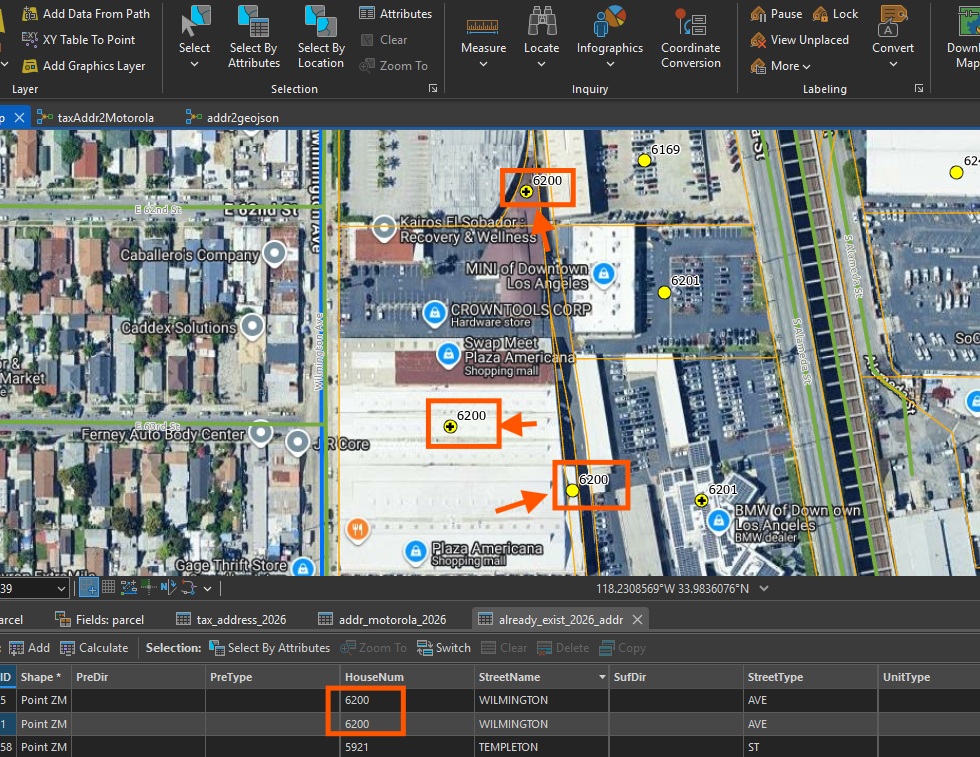
Step 6.
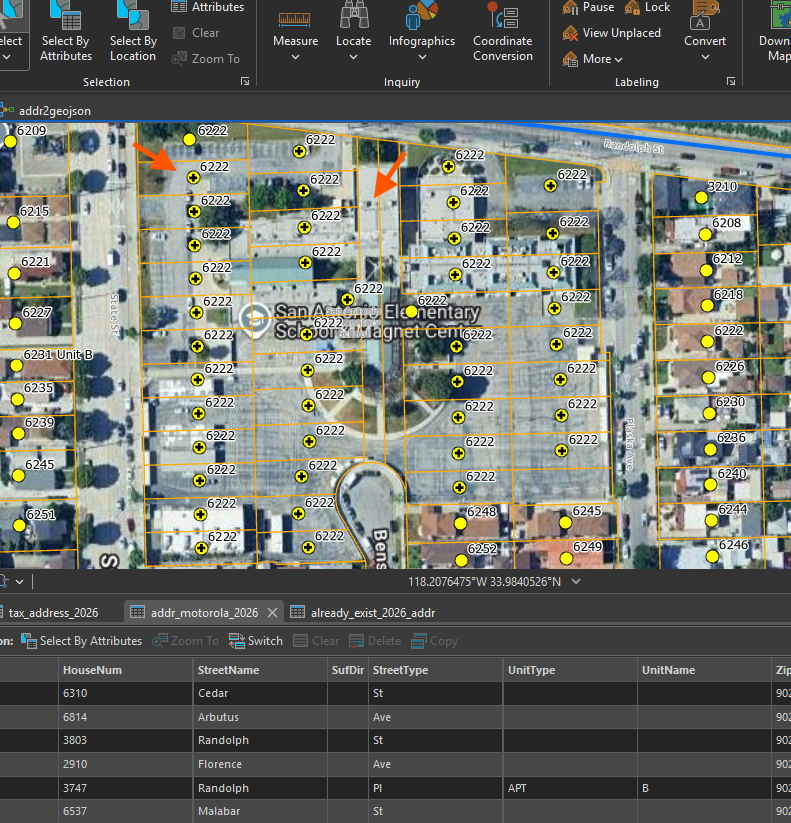
6222, most of them are parking lot for a school
for police use, police only want to see single 1 address, which is 6222 state ave,
they don't want to see 40 same 6222 popup on screen, confusing, don't know which one to choose.
Step 7.
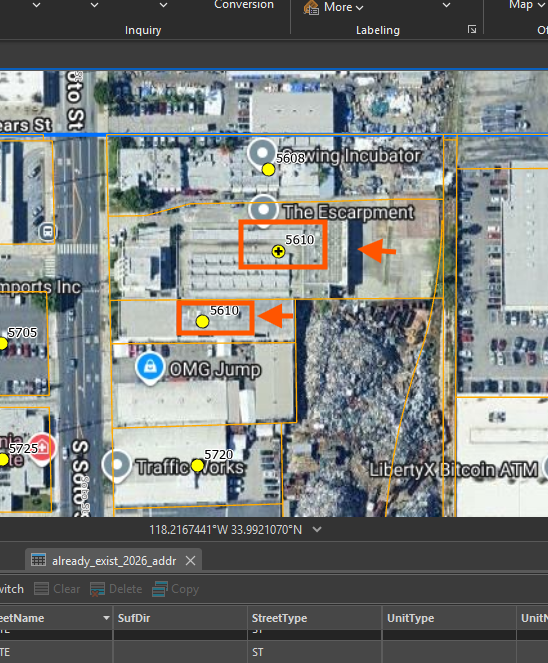
5610, 2 parcel, actually is single building, one address.
Possible reason, is historically, it is 2 parcel, 2 address, now, some one tear down old building on both parcel, they build a single storage building cross both parcel.
In this kind of case, police officer want to see only 1 address,
2 address with same 5610 will confusing officer which one to choose.
Yellow is original parcel address, yellow line is parcel line,
black cross indicate one of them is duplicate
Step 8.
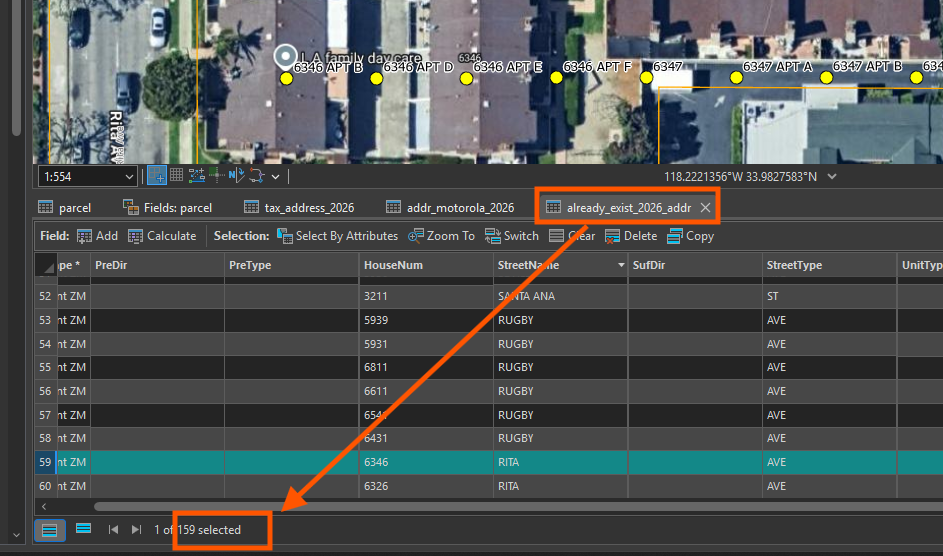
above only show 3 sample,
159 was found duplicated, they already been auto removed
Step 9.
Step 10.
Step 11.
Step 12.
Step 13.
Step 14.
Step 15.
Step 16.
Step 17.
Step 18.
Step 19.
Step 20.
Step 21.
Step 22.
Step 23.
Step 24.
Step 25.
Step 26.
Step 27.
Step 28.
Step 29.