Step 1.
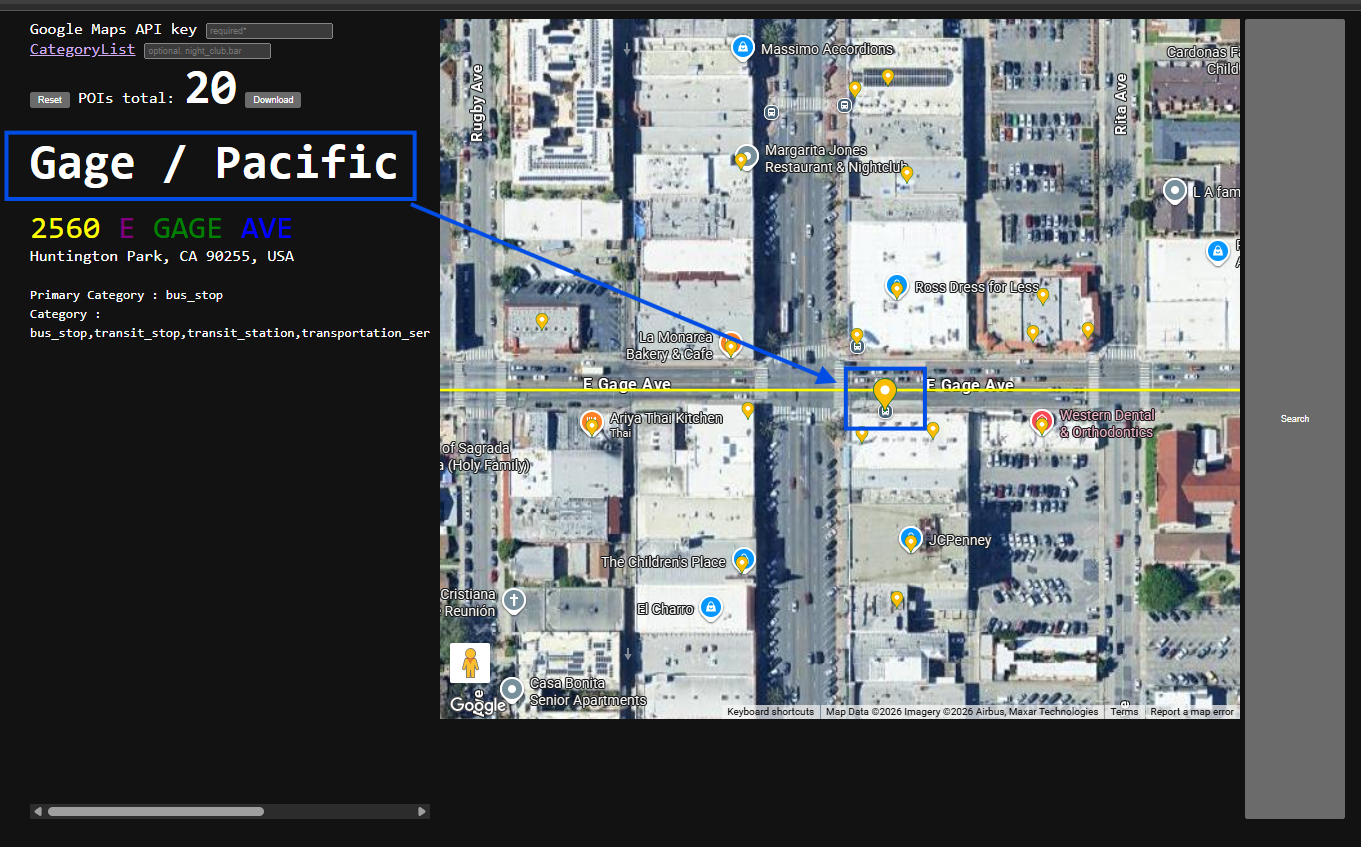
intersection was included in google POI by default
CAD does not need these kind of POI
Step 2.
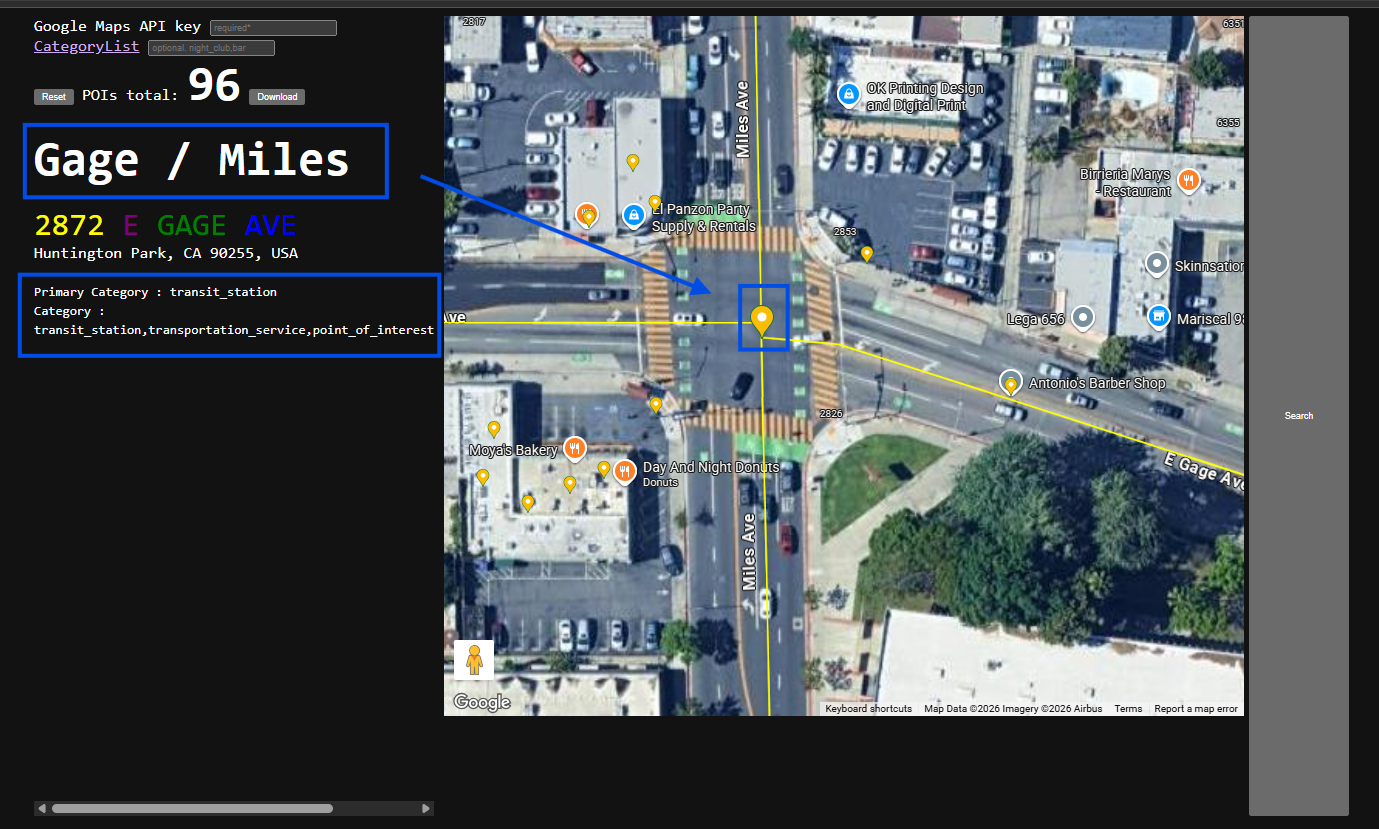
CAD do not need this kind of POI,
Step 3.
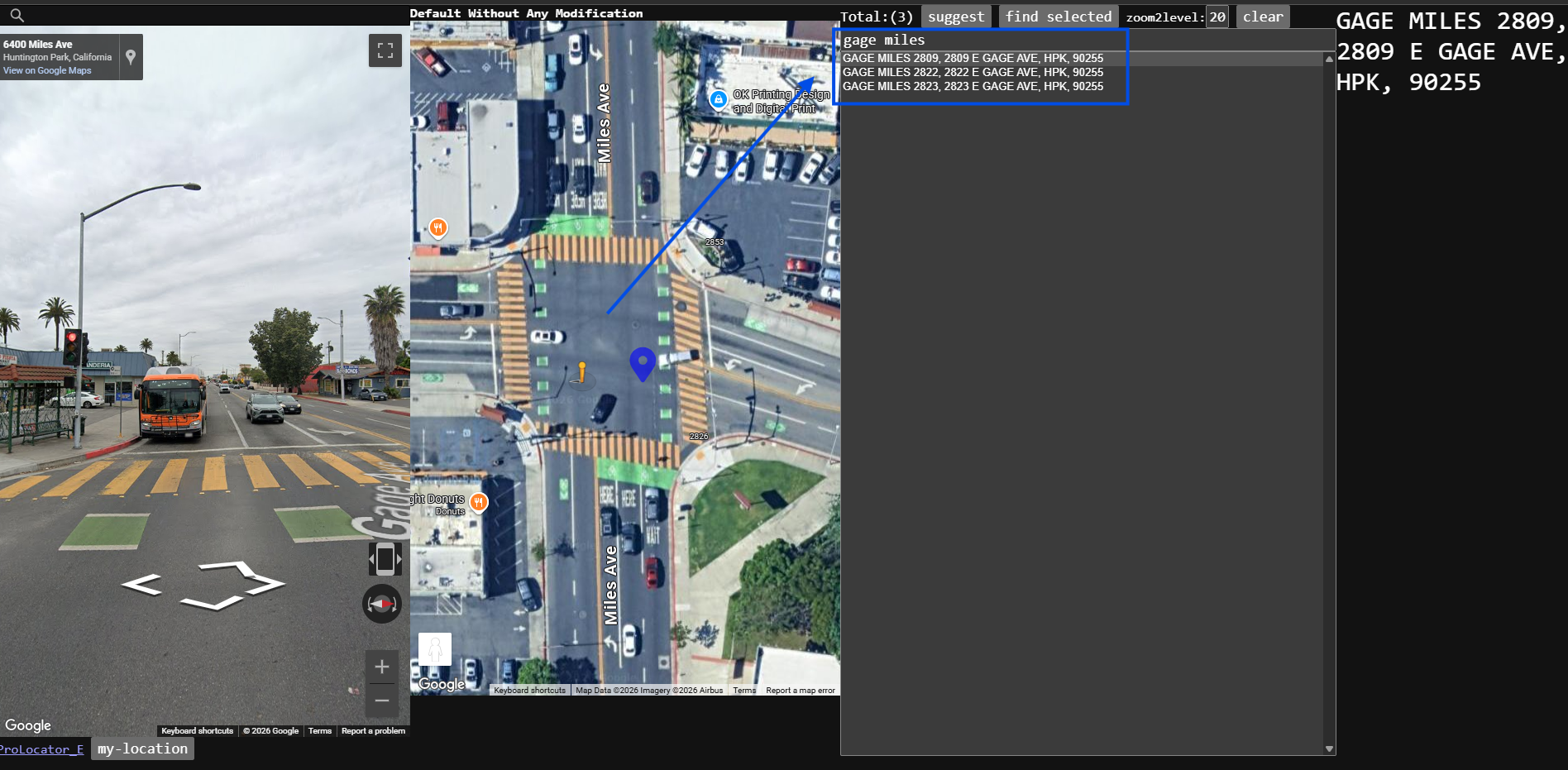
these 3 are intersection POI, street number isn't real it is given by google map.
this is not the way to look for cross street.
Step 4.
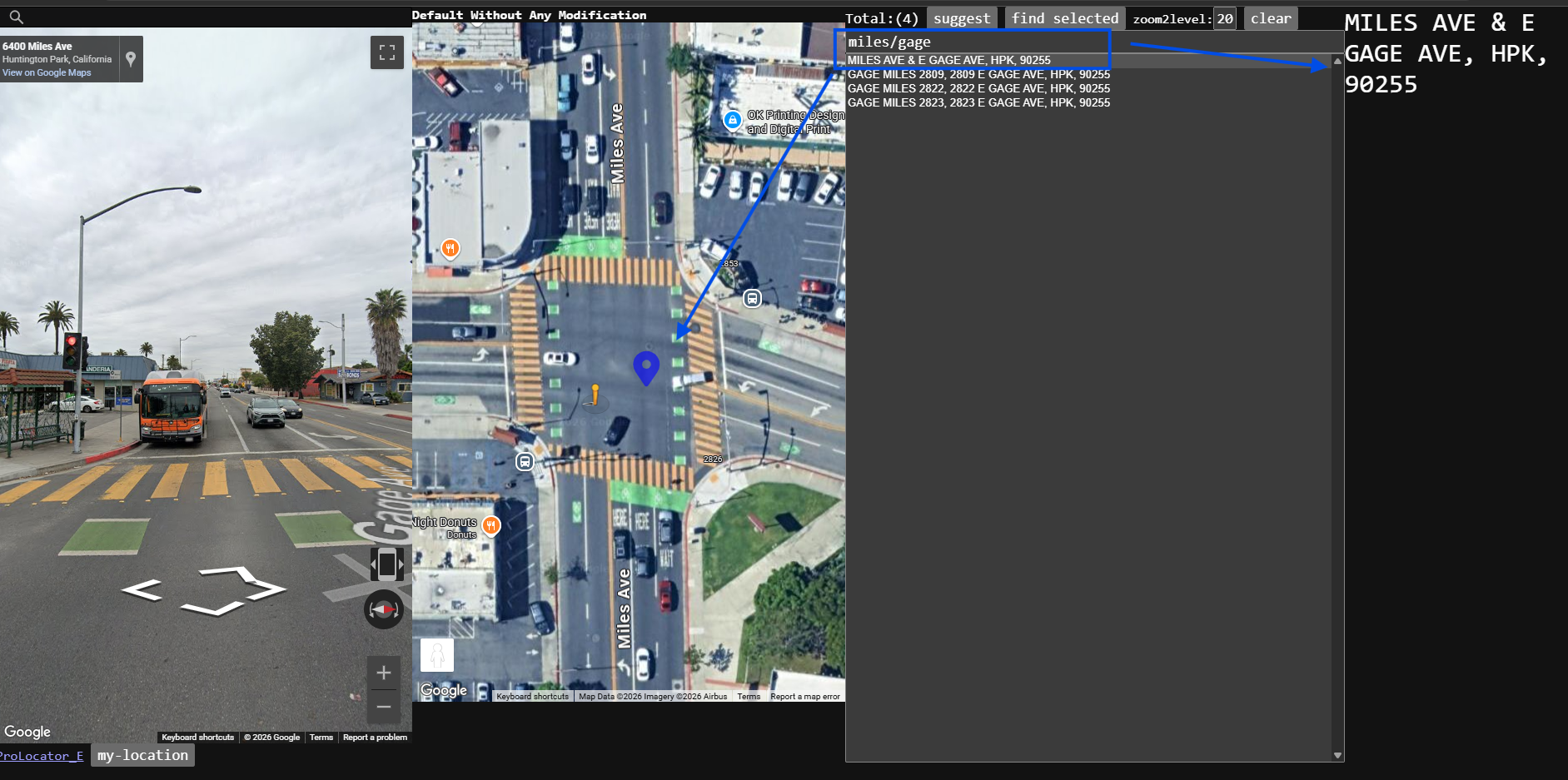
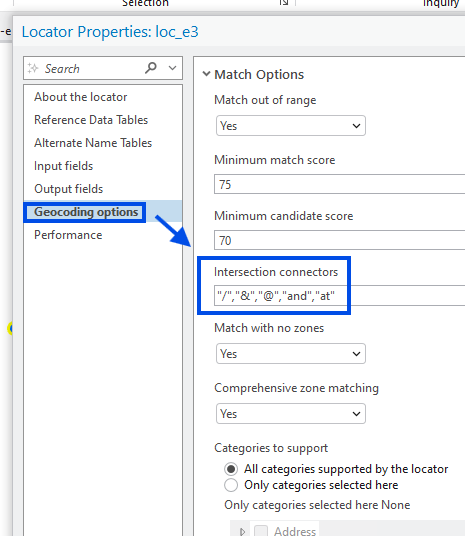
/ is valid cross street seperator, ESRI have a way to let you define seperator.
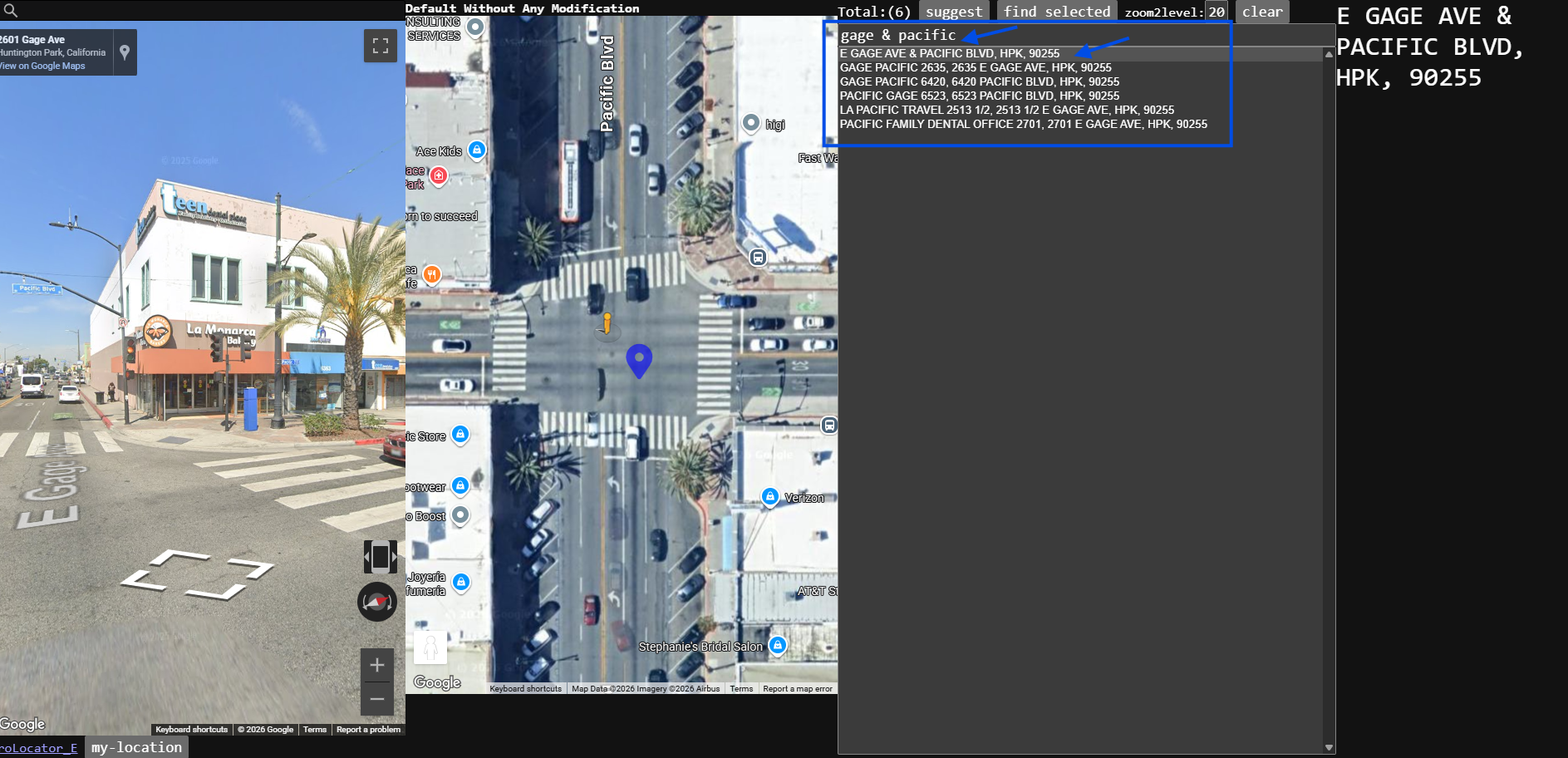
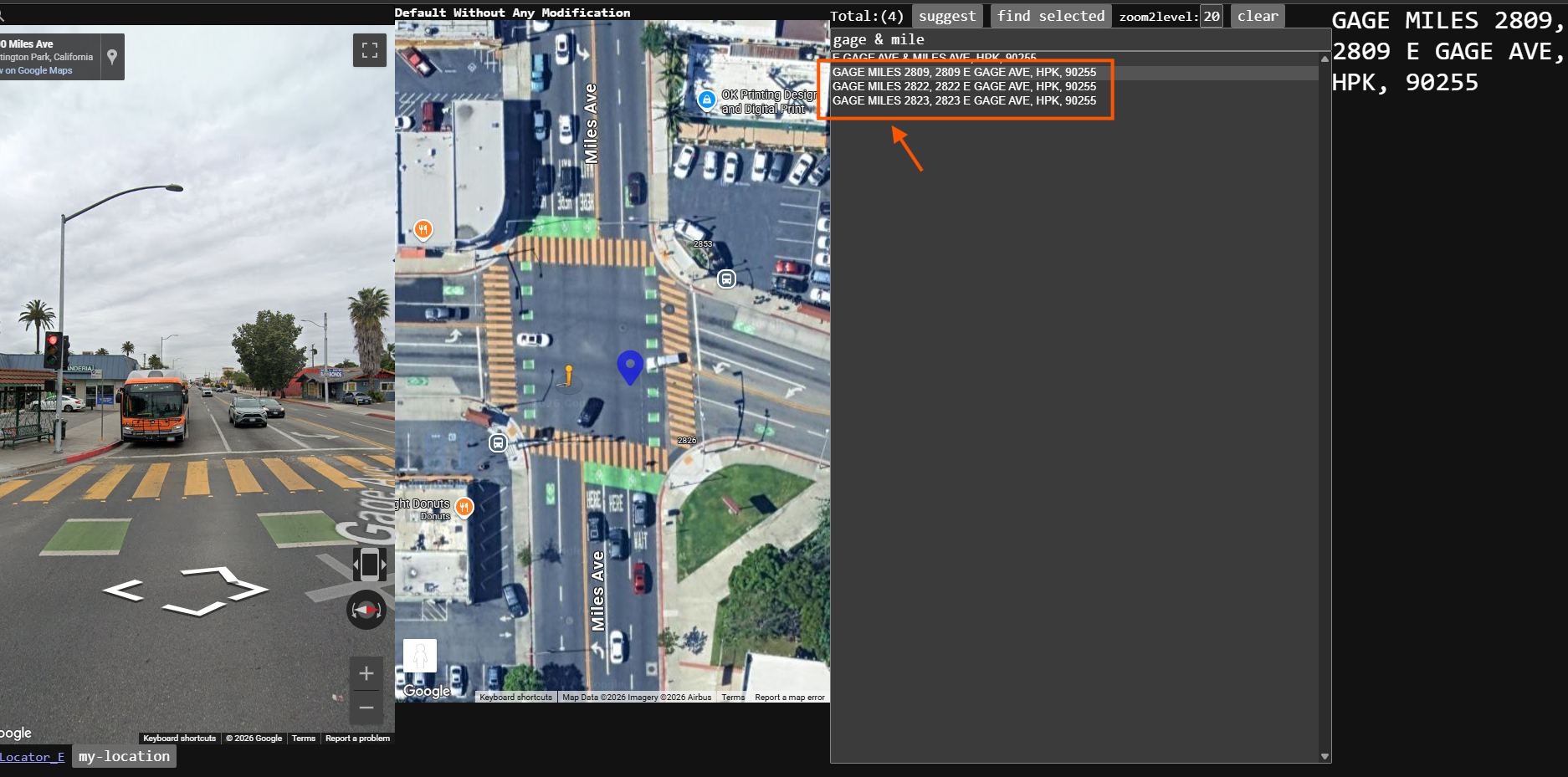
This is the way to look for cross street, but 3 intersection POI popup.
It confuse dispatch, which one to choose.
when search for cross street, should just popup top item, not 4 item
Step 5.
this is how you define valid cross street seperator.
Step 6.
use valid cross street seperator, should popup ONE intersection,
but it popup 3 more options. confusing. street number is fake generated by google POI.
these POI intersection should be removed to avoid confusing which one to choose.
Step 7.
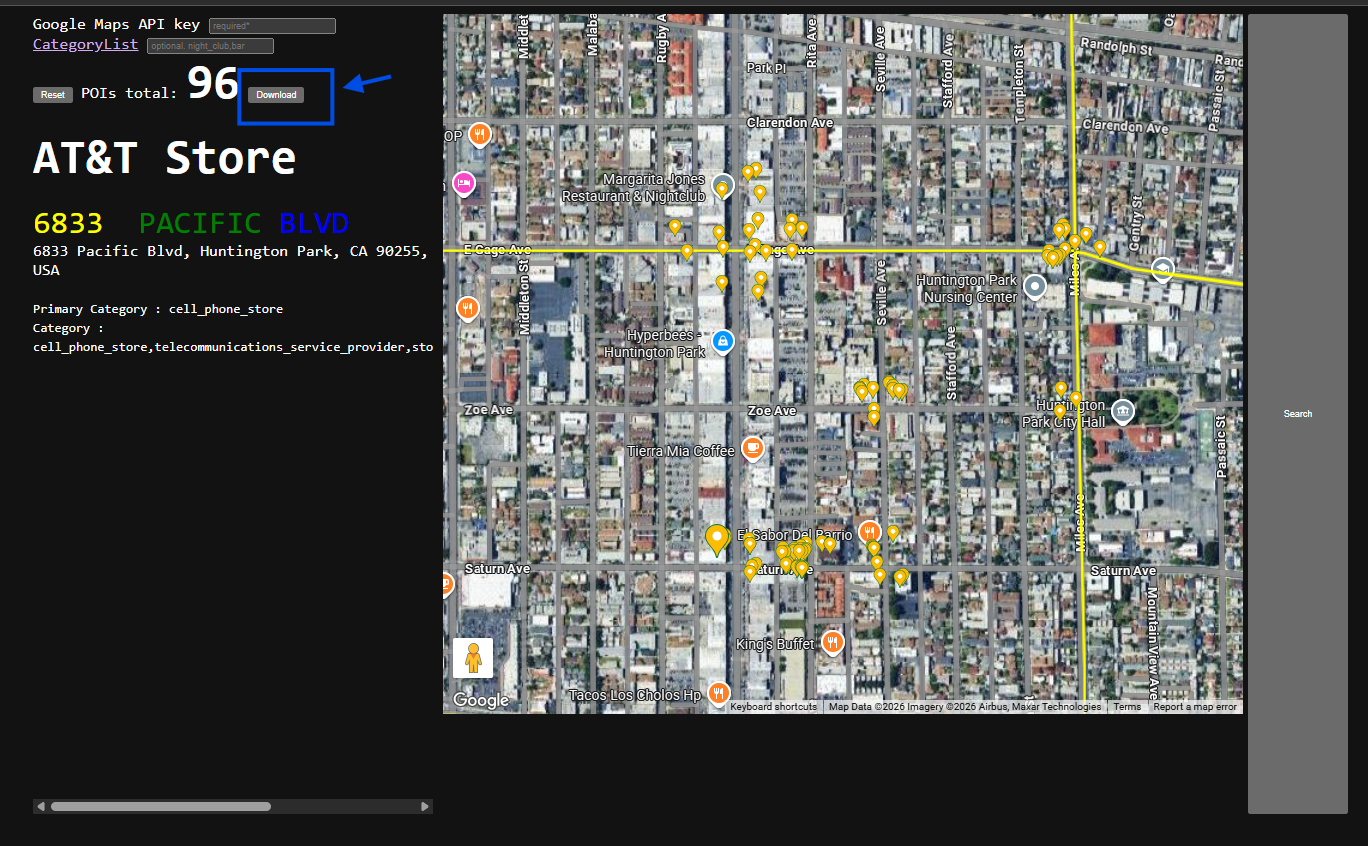
This is how POI intersection get into motorola system.
click download button to download POI
Step 8.
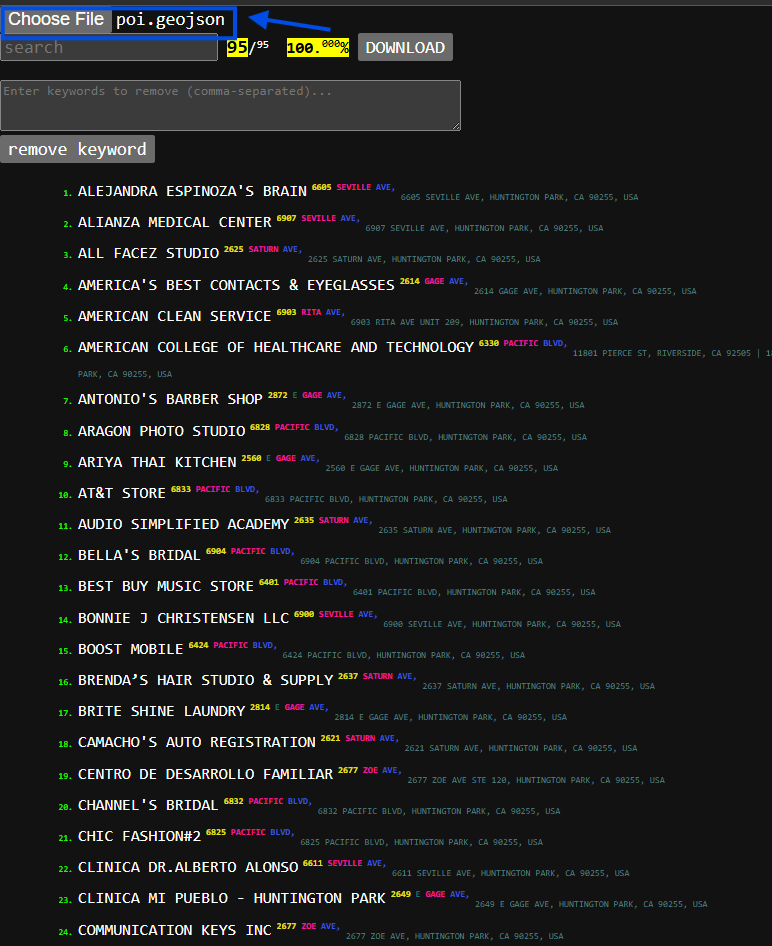
show POI as list by click choose file ( select just downloaded geojson file )
Step 9.
POI intersection mixed with other POI flow into motorola system, which we don't want them.
Note: google POI intersection use " / " as seperator.
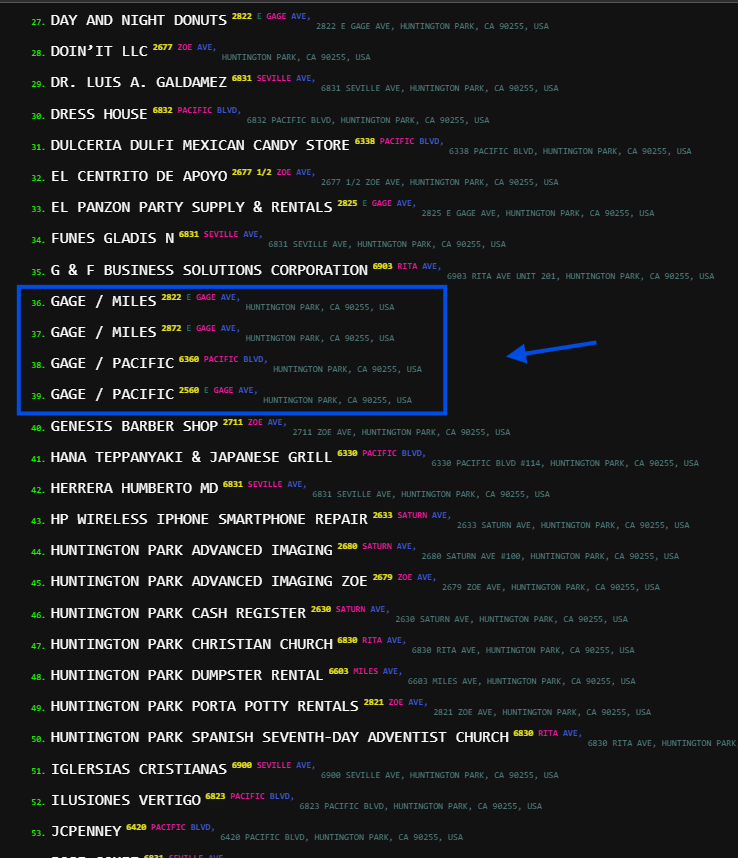
Step 10.
in motorola system, missing " / " seperator, why ?
Step 11.
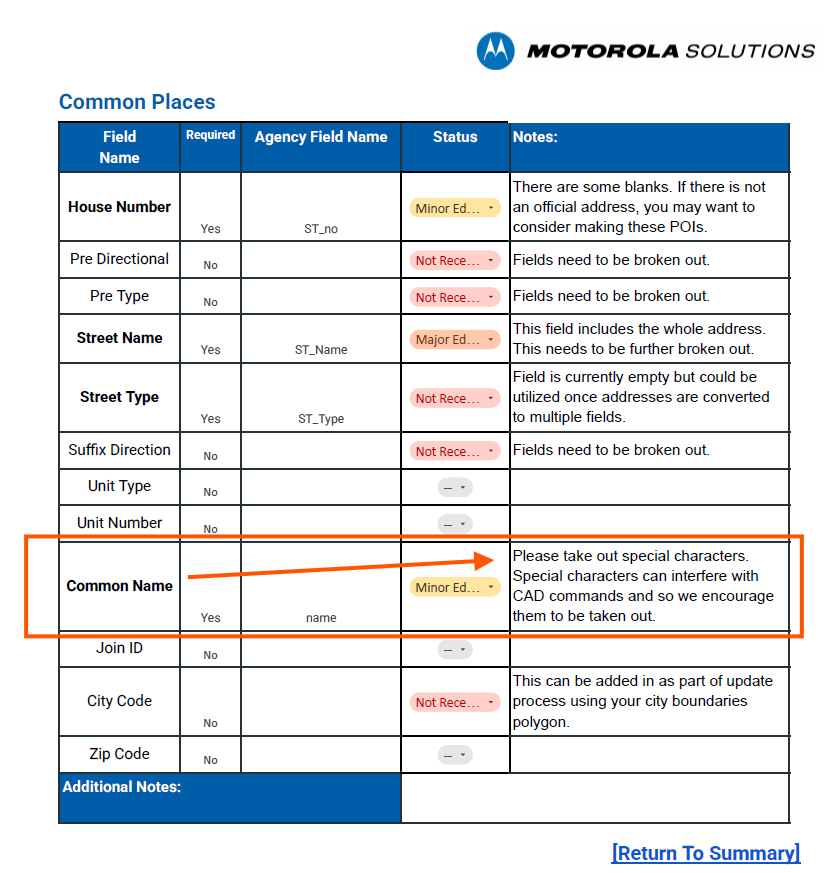
Because special char, &, ', etc.. have another meaning in motorola text command.
When dispatch type "aaa & bbb", special char & will trigger another meaning.
Same for ', /, -
Step 12.
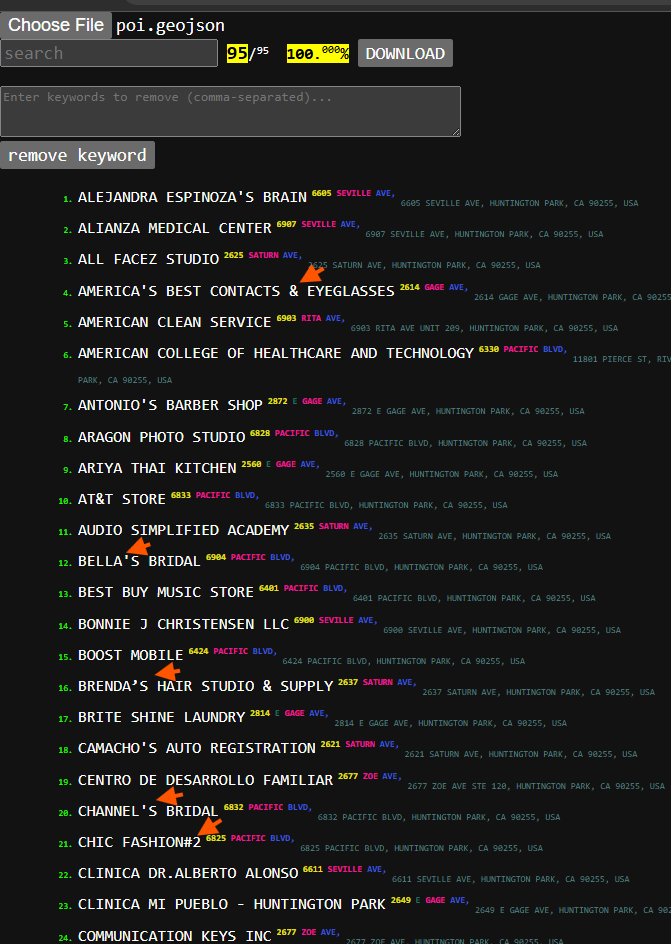
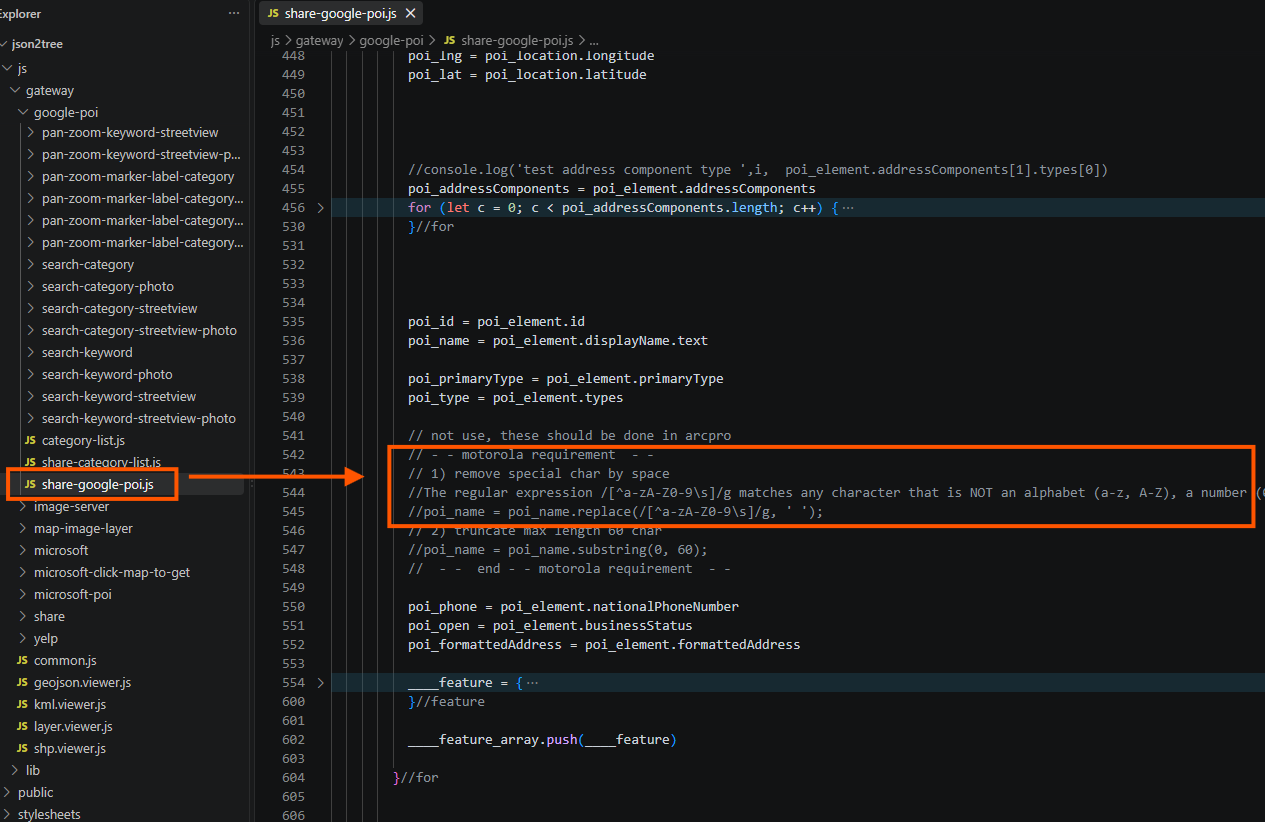
So all special char will be replace by blank space before feed into motorola system.
Step 13.
javascript to replace all special char by blank space
Step 14.
Step 15.
Step 16.
Step 17.
Step 18.
Step 19.
Step 20.
Step 21.
Step 22.
Step 23.
Step 24.
Step 25.
Step 26.
Step 27.
Step 28.
Step 29.