Step 1.
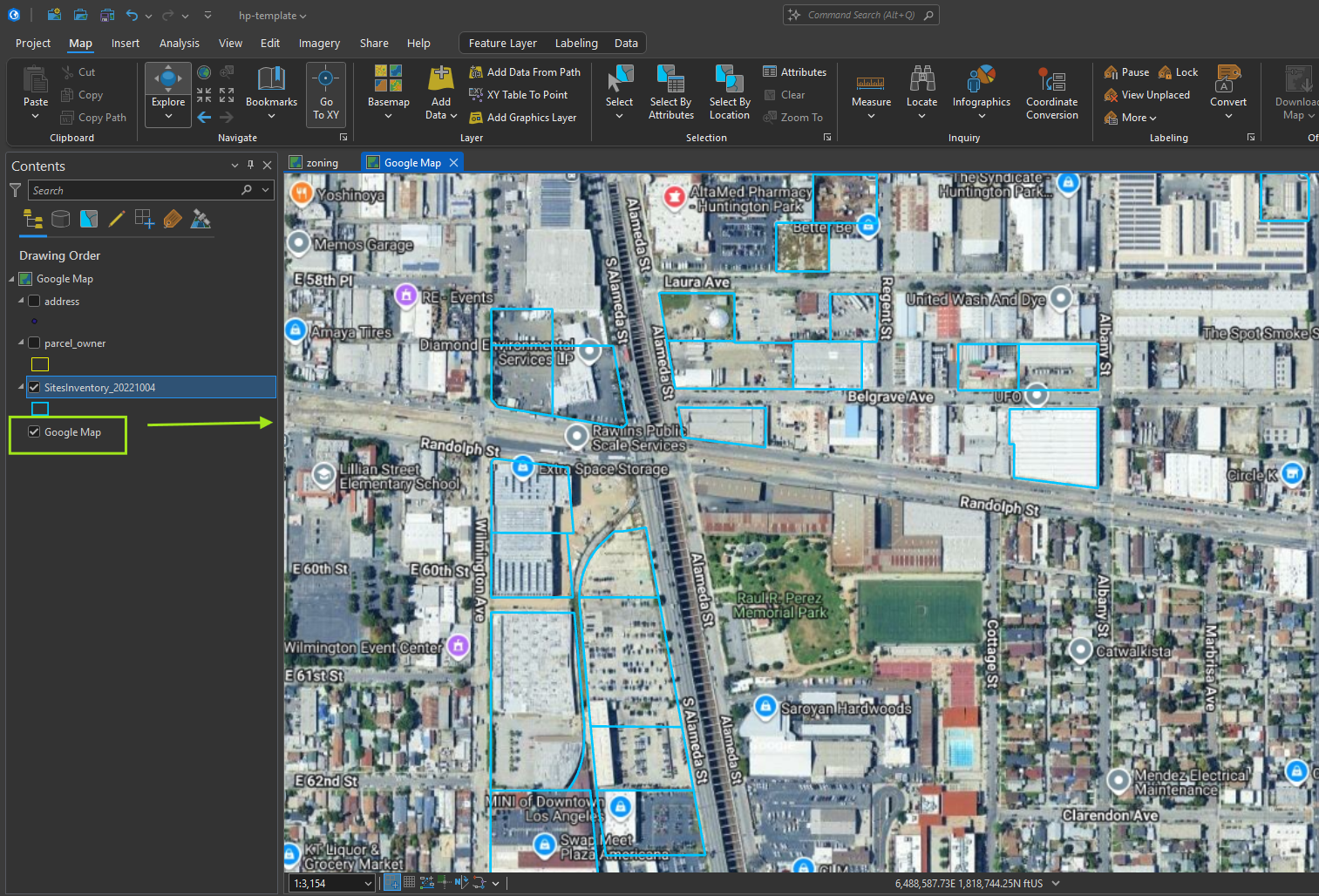
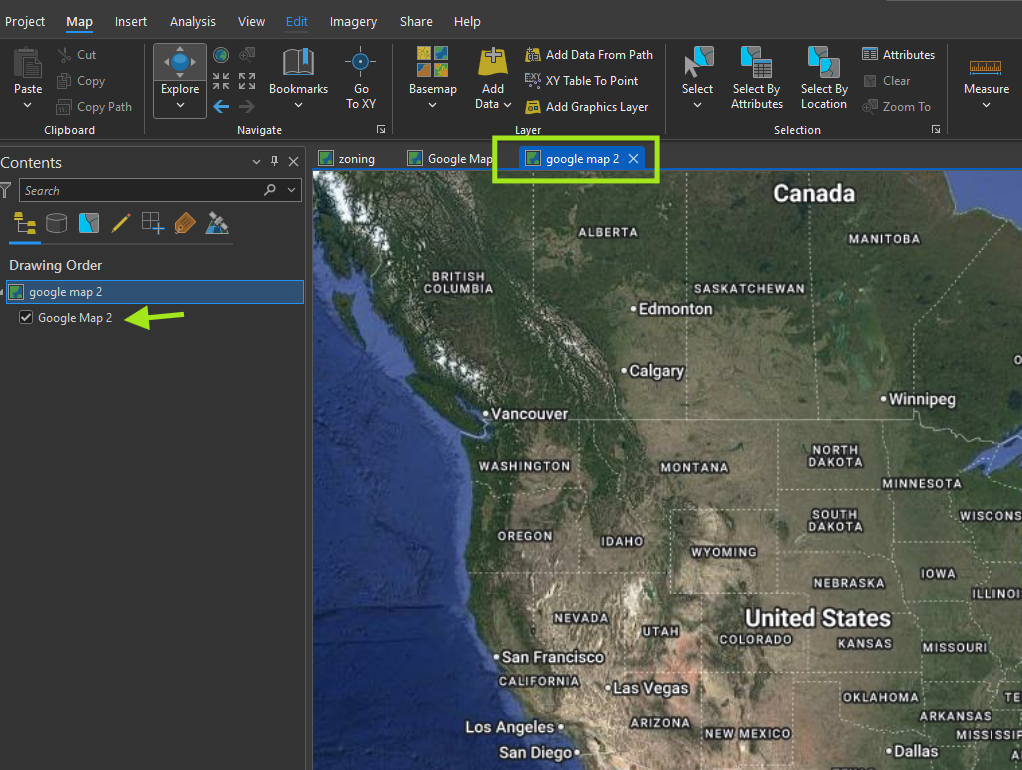
This is final result, use google map in Arcgis Pro
Let's start one step by one step
Step 2.
Login to arcgis online or portal
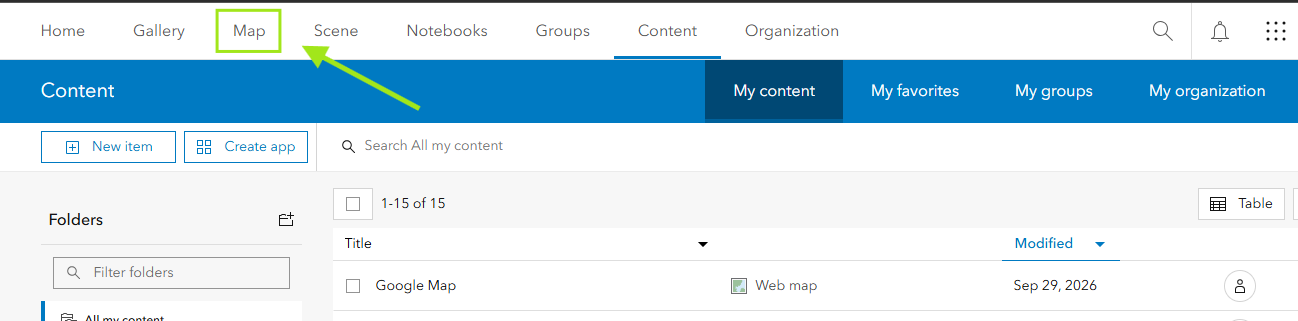
create a new web map, by click map
Step 3.
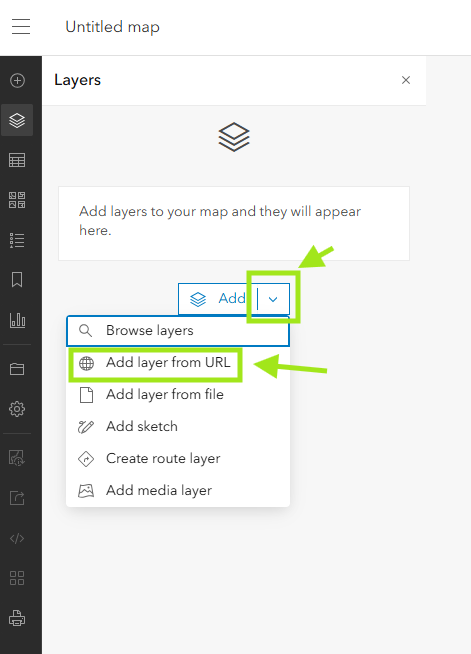
add layer from URL
Step 4.
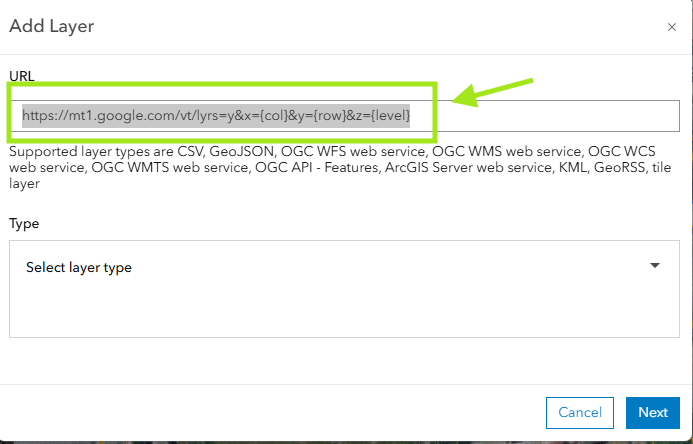
This is google map URL, copy past
https://mt1.google.com/vt/lyrs=y&x={col}&y={row}&z={level}
Step 5.
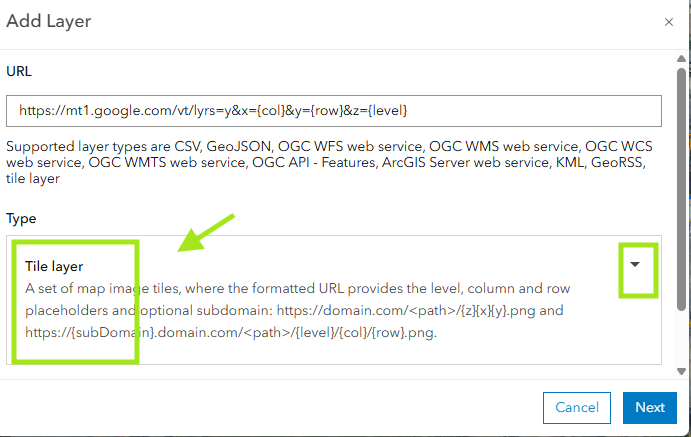
Step 6.
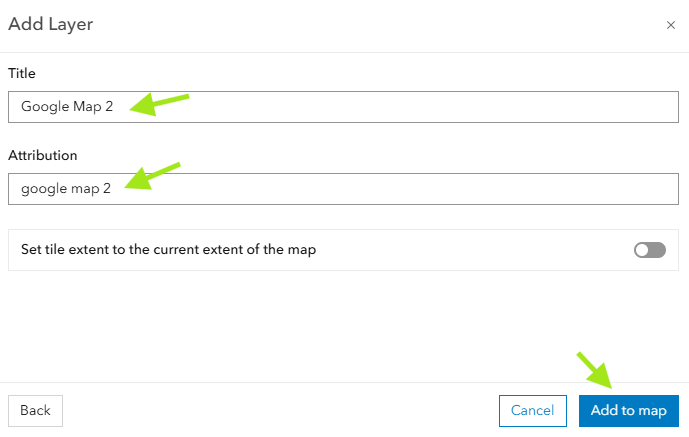
Step 7.
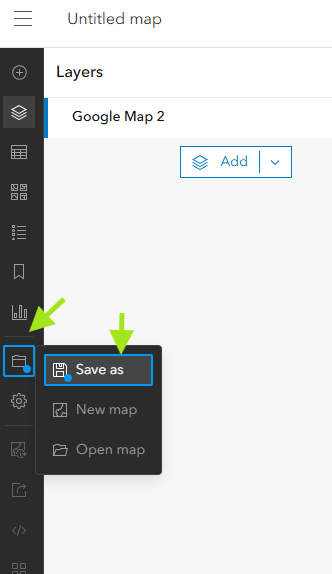
Step 8.
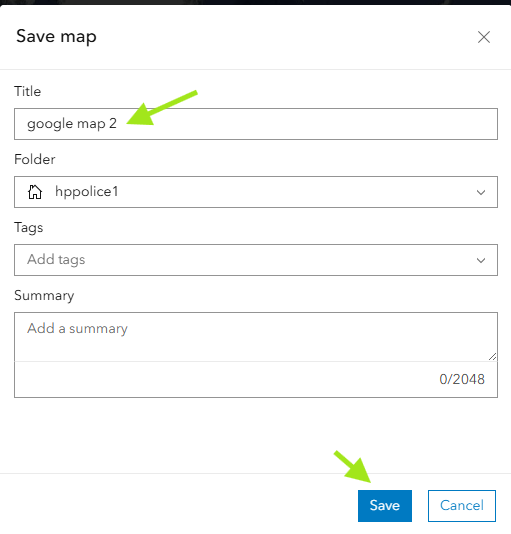
Step 9.
Successfully create a web map which have google map tile layer on arcgis online
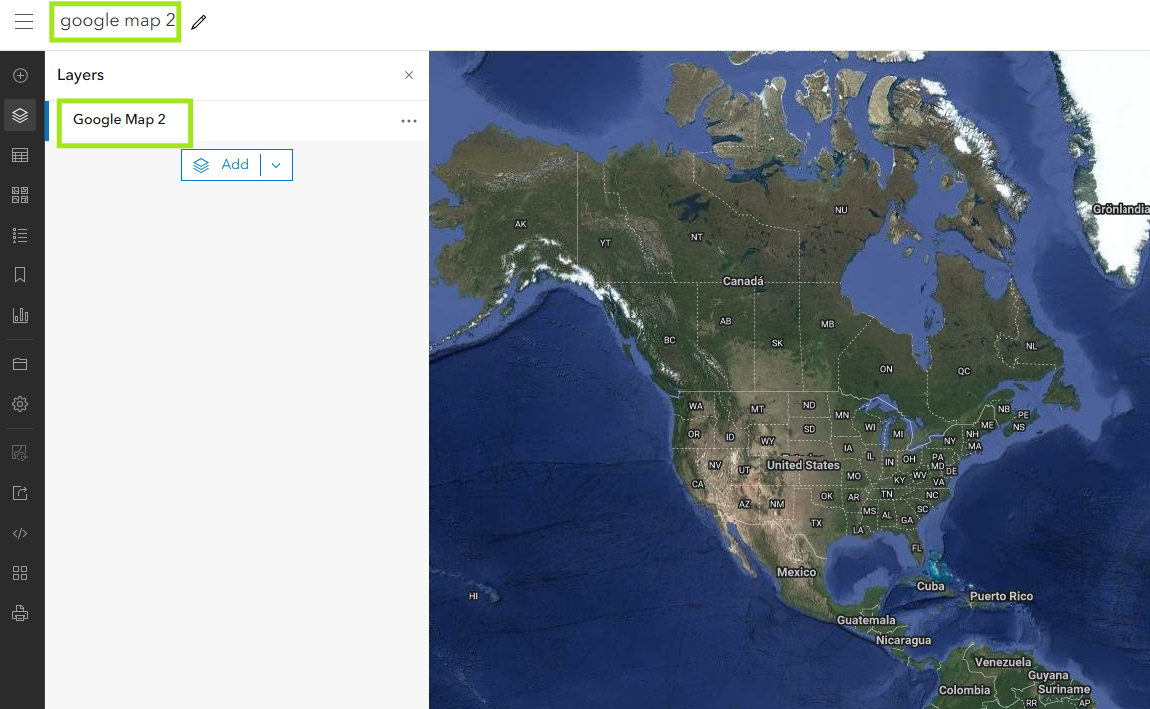
Step 10.
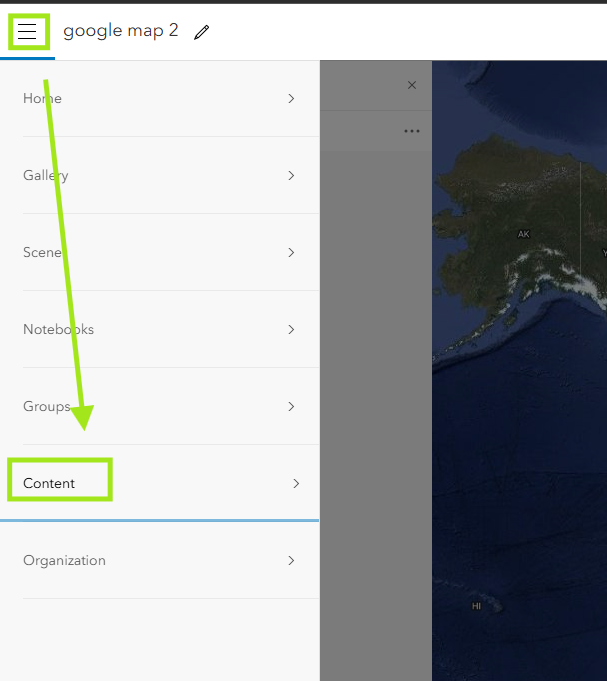
Step 11.
Verify it is there.
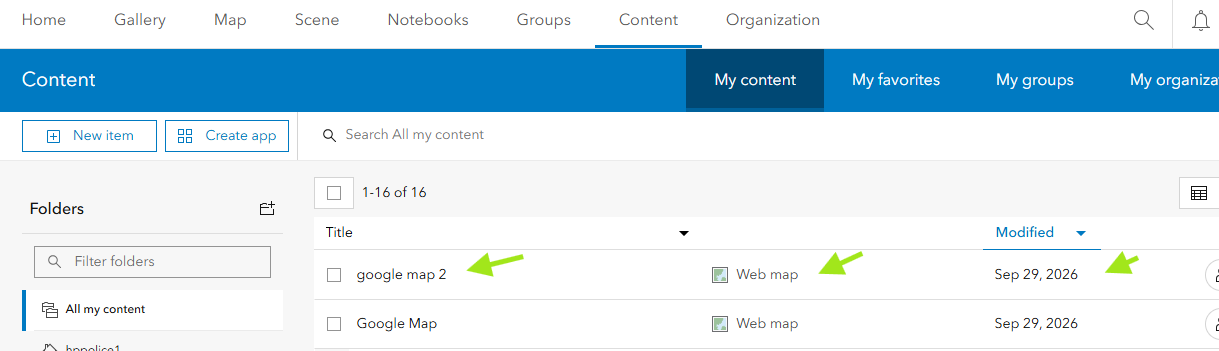
Step 12.
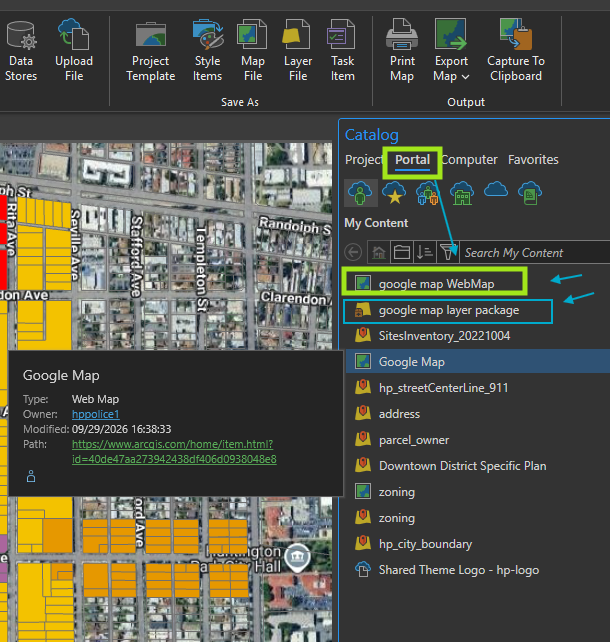
arcgis pro, open portal tab in catalog pan, google map is there
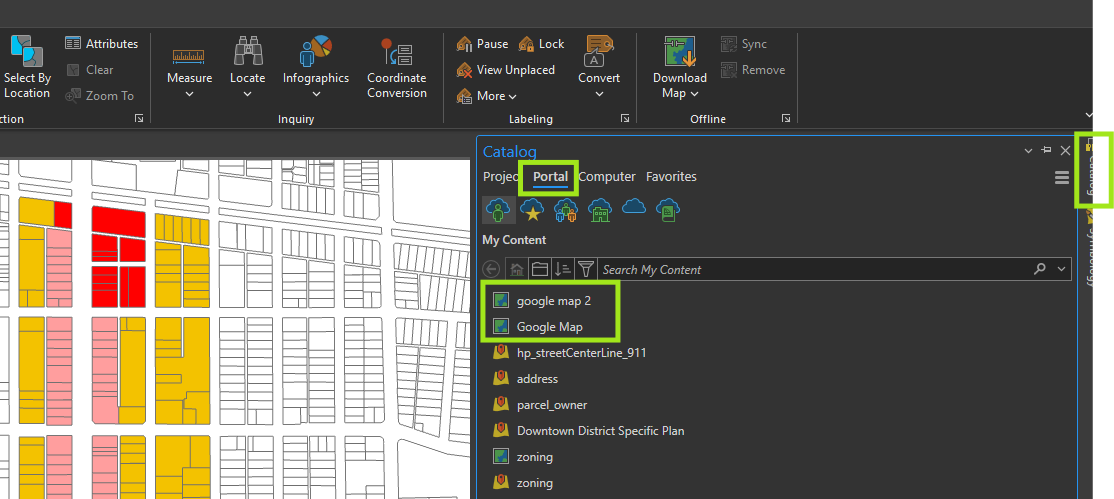
Step 13.
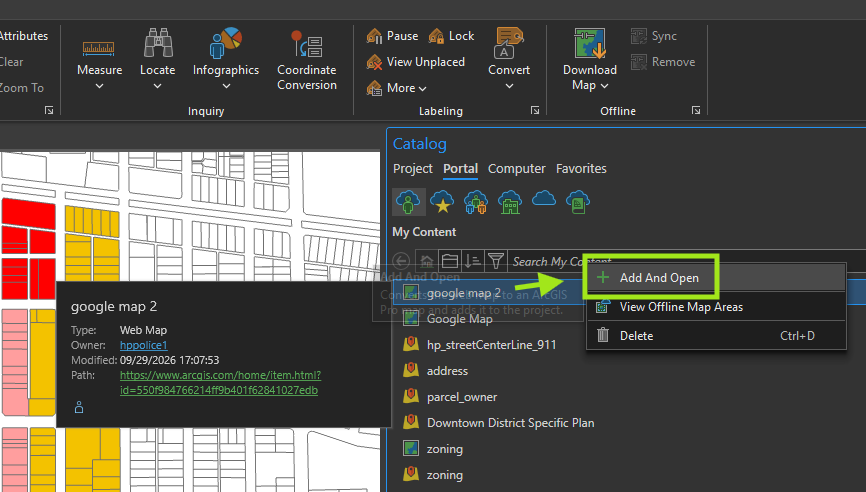
Step 14.
Finish.
Step 15.
See the difference, so far we create and share is webMap, not a layer.
One webMap could have multiple layers.
In arcgis pro, when you open this google webMap, it create a new Map,
you can not add google map as a single layer to your existing map.
Step 16.
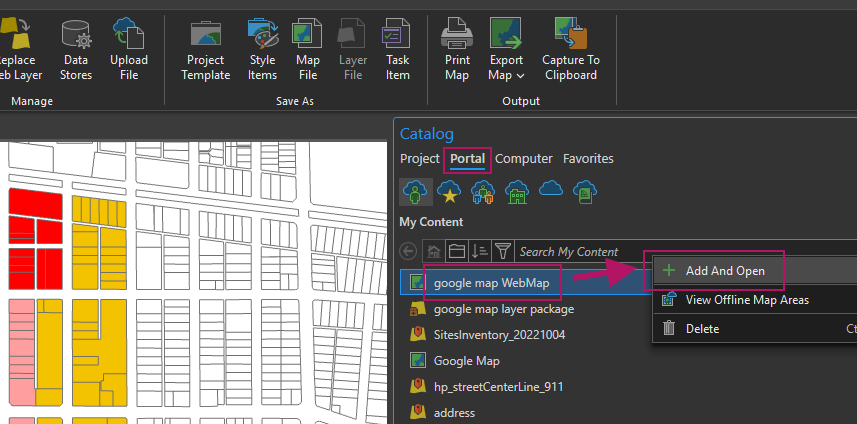
For example I have existing zoning map, I want add google map as base map layer,
if I click google WebMap, click open, it will not work, instead, it create a NEW map, instead of insert a google map as layer to zoning map.
Step 17.
Step 18.
Step 19.
Step 20.
Step 21.
Step 22.
Step 23.
Step 24.
Step 25.
Step 26.
Step 27.
Step 28.
Step 29.