Step 1.
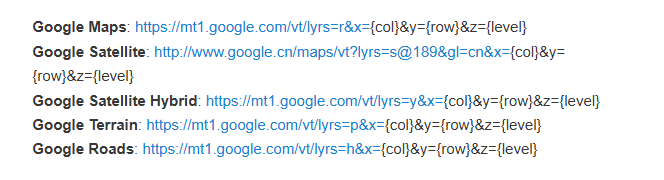
Google Map tile is free to use without API key.
Step 2.
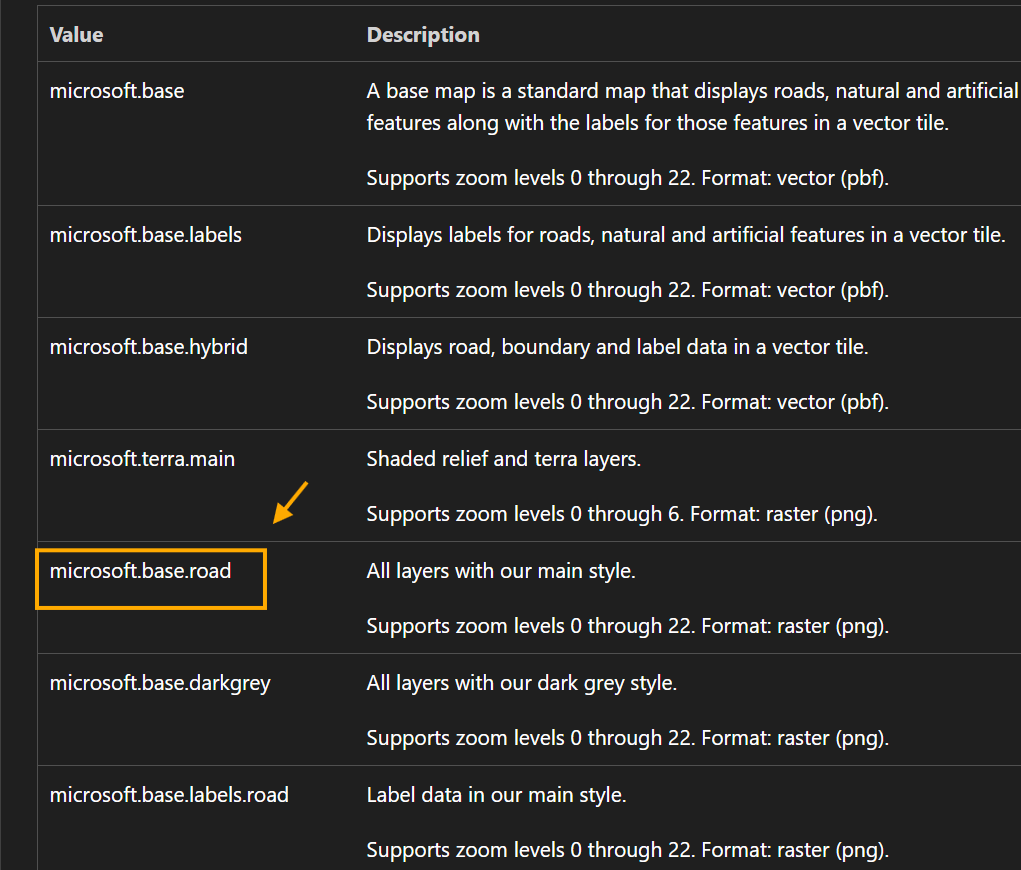
Microsoft map URL format is:
https://atlas.microsoft.com/map/tile?api-version=2024-04-01&tilesetId=microsoft.base.road&x={x}&y={y}&zoom={z}&tileSize=256&subscription-key=
tilesetId=microsoft.base.road
you can change it to other value
https://learn.microsoft.com/en-us/rest/api/maps/render/get-map-tile?view=rest-maps-2026-01-01&viewFallbackFrom=rest-maps-2025-01-01&tabs=HTTP#tilesetid
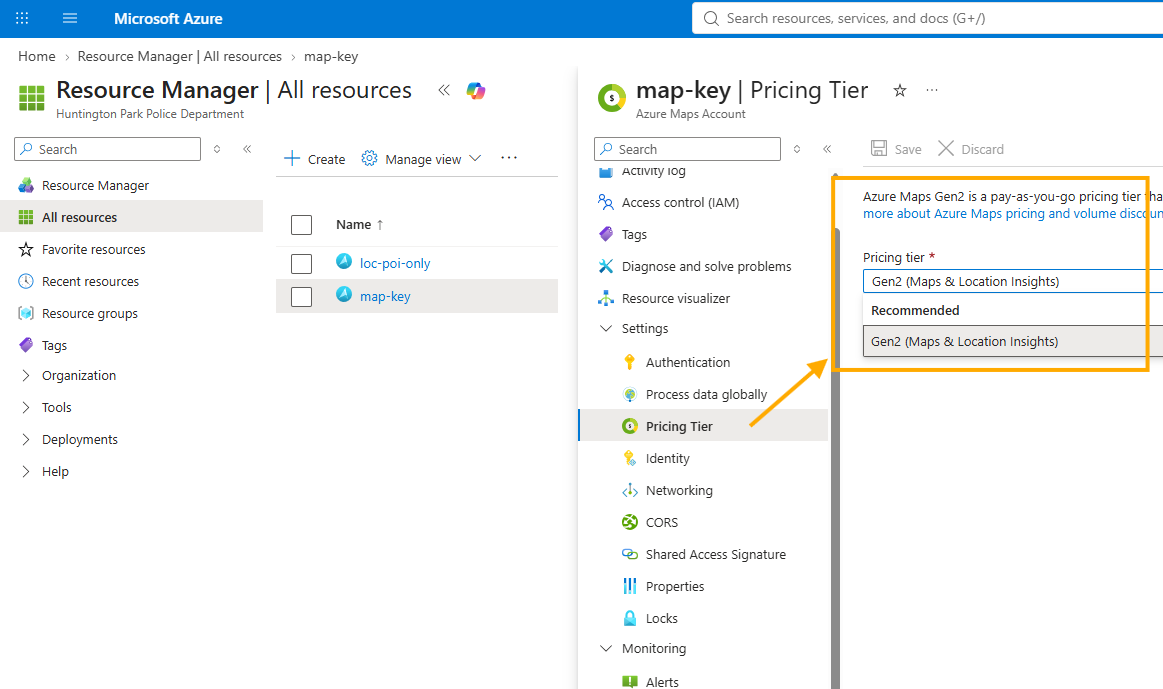
Microsoft azure map api key is paid subscription.
Step 3.
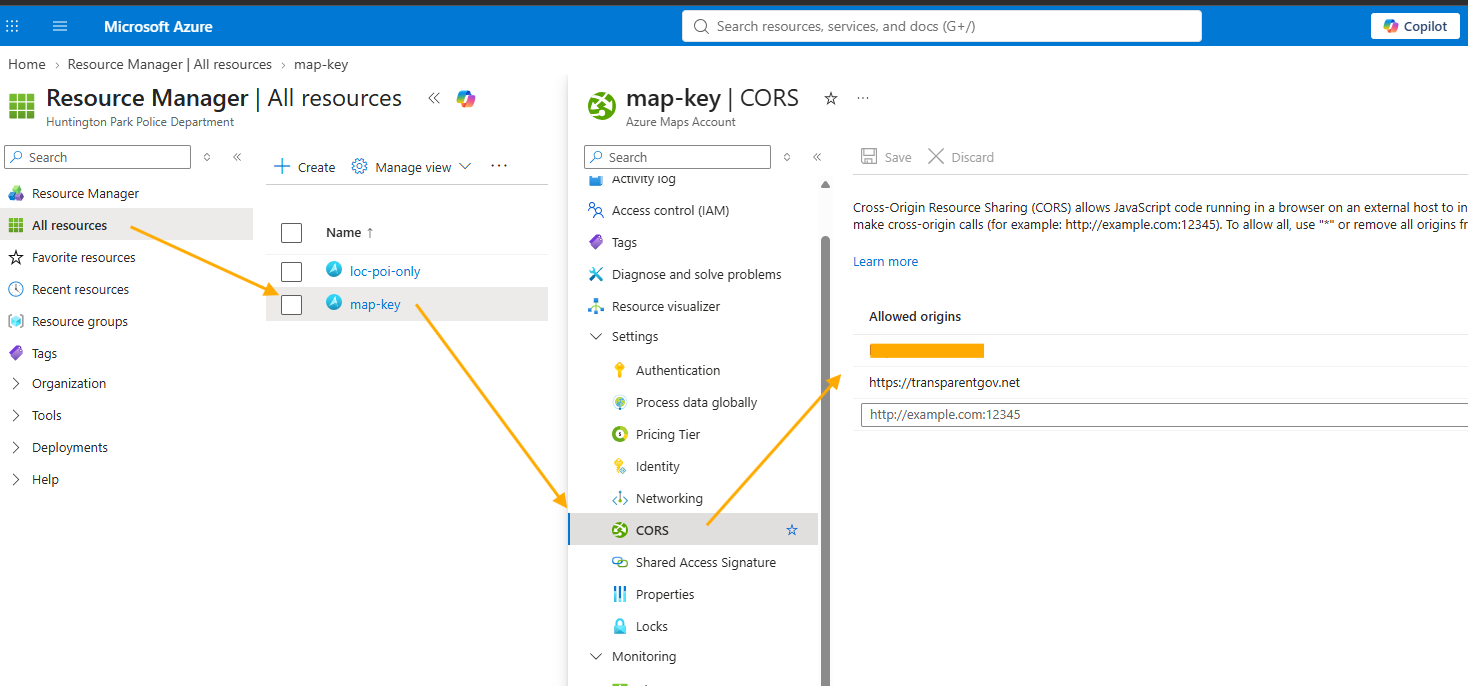
CORS restriction does not block the use in arcgis pro and arcgis online,
even have CORS restriction, you still can use in arcgis pro and arcgis online.
You can use microsoft api key even have CORS restriction in arcgis pro, online.
Step 4.
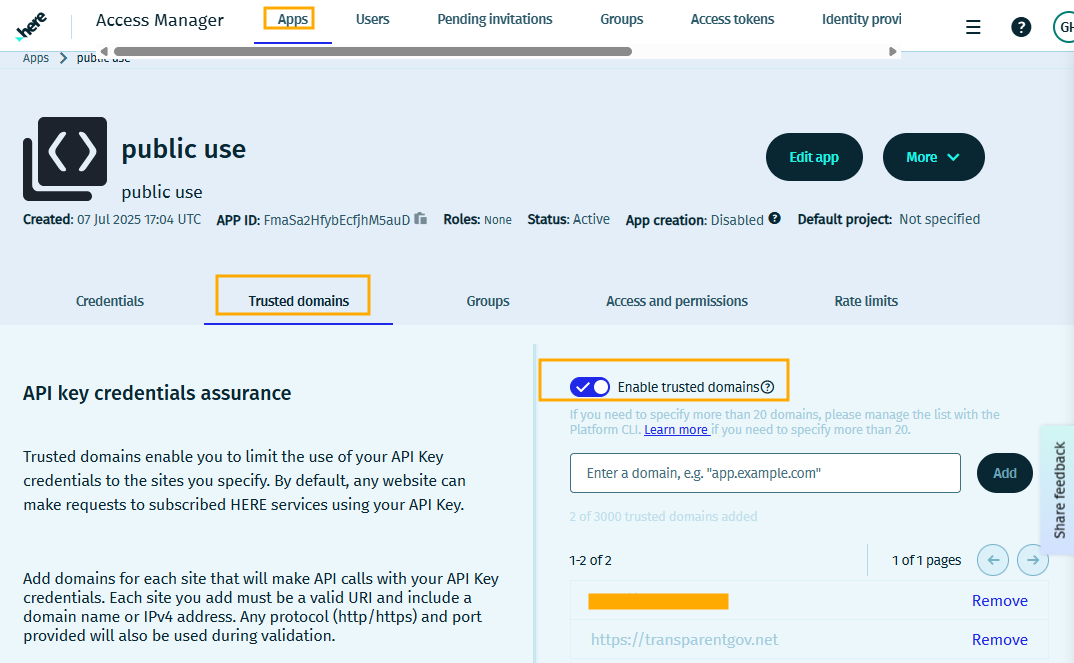
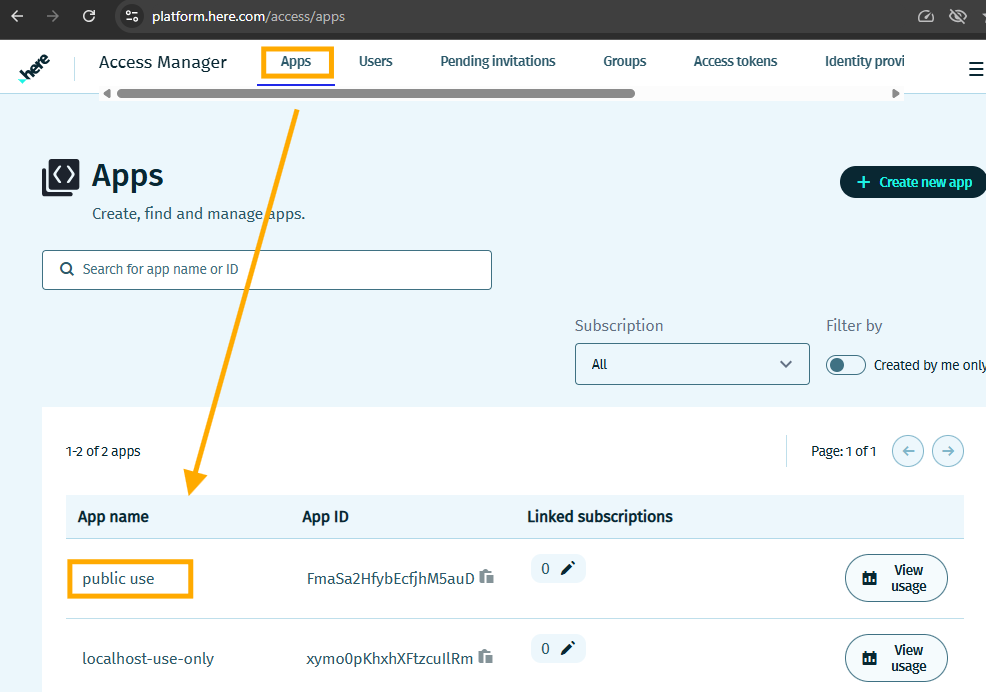
here map api key, if enable trusted domain, then you will not be able to use in arcgis pro and online.
You have to disable trusted domain to use in arcgis pro, online
Step 5.
here map URL format is
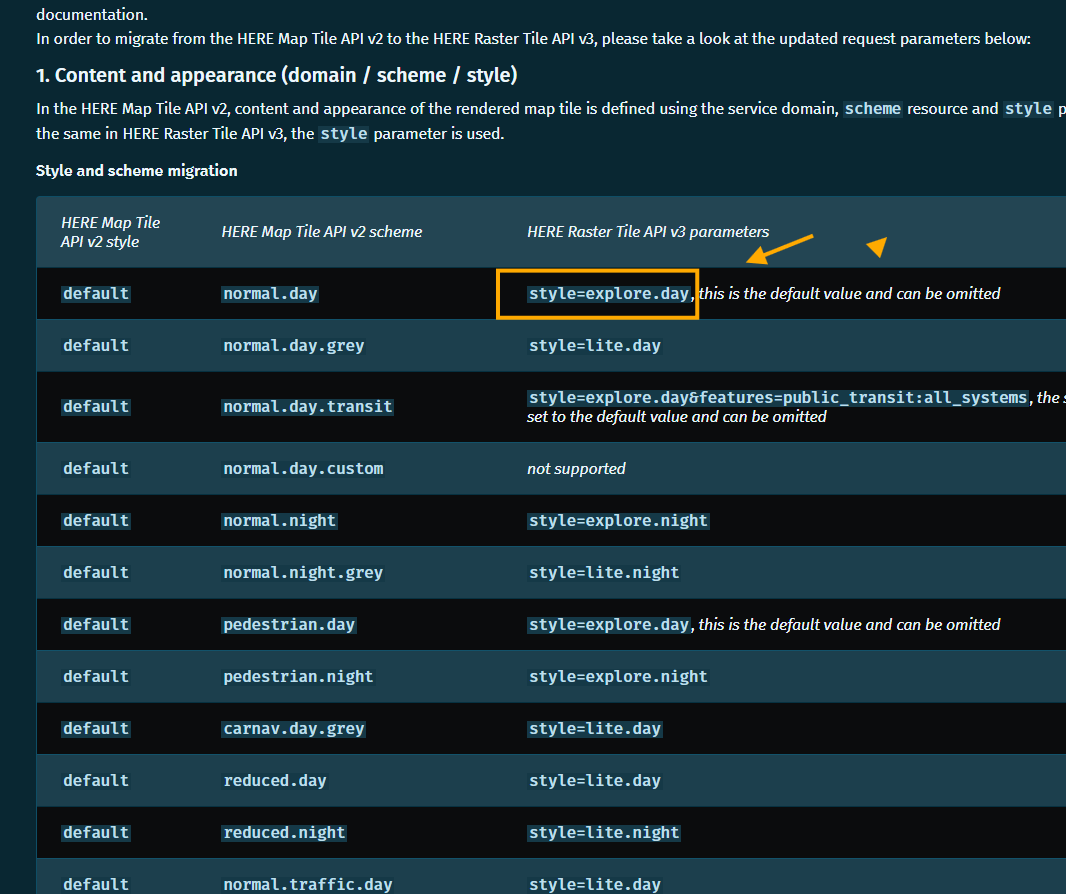
https://maps.hereapi.com/v3/base/mc/{z}/{x}/{y}/jpeg?style=explore.day&apiKey=
style=explore.day
you can replace style value by other value below
Here map, road map
https://docs.here.com/map-rendering/docs/migration-guide-raster-tile-api
Step 6.
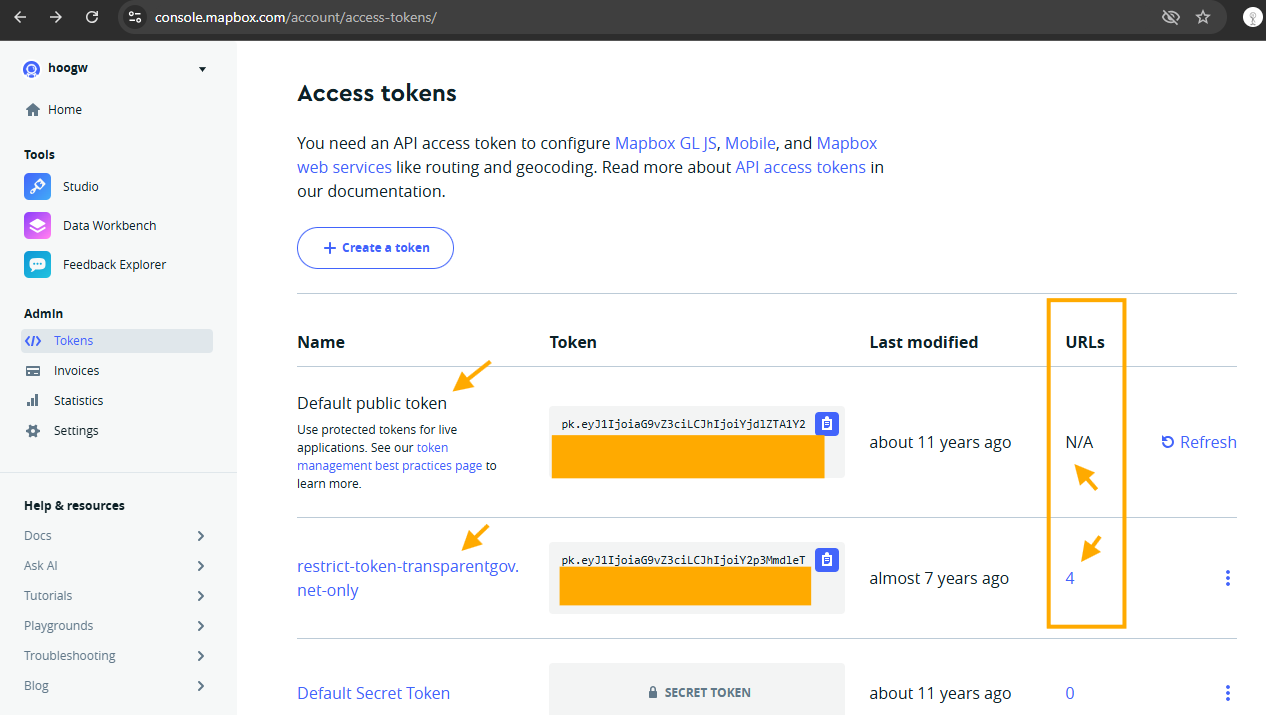
Mapbox is paid, api key must be un-restricted, URL should be N/A
restricted URL is 4, this api key can not be used in arcgis pro and online.
https://api.mapbox.com/styles/v1/mapbox/satellite-streets-v12/tiles/{z}/{x}/{y}?access_token= un-restricted-api-key
Step 7.
Step 8.
Step 9.
Step 10.
Step 11.
Step 12.
Step 13.
Step 14.
Step 15.
Step 16.
Step 17.
Step 18.
Step 19.
Step 20.
Step 21.
Step 22.
Step 23.
Step 24.
Step 25.
Step 26.
Step 27.
Step 28.
Step 29.