Step 1.
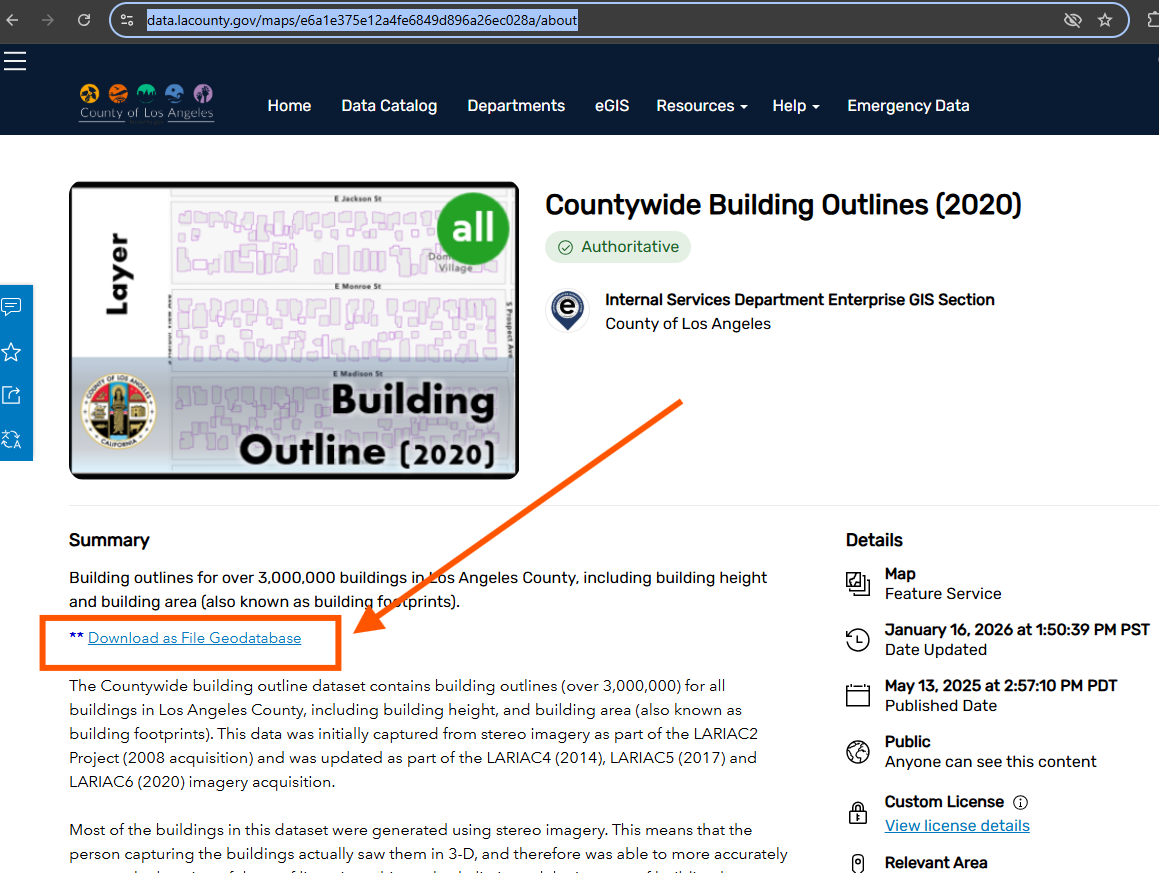
2020 building
click download red arrow
https://data.lacounty.gov/maps/e6a1e375e12a4fe6849d896a26ec028a/about
Step 2.
most of these are building that has been rebuild modifiy roof shape
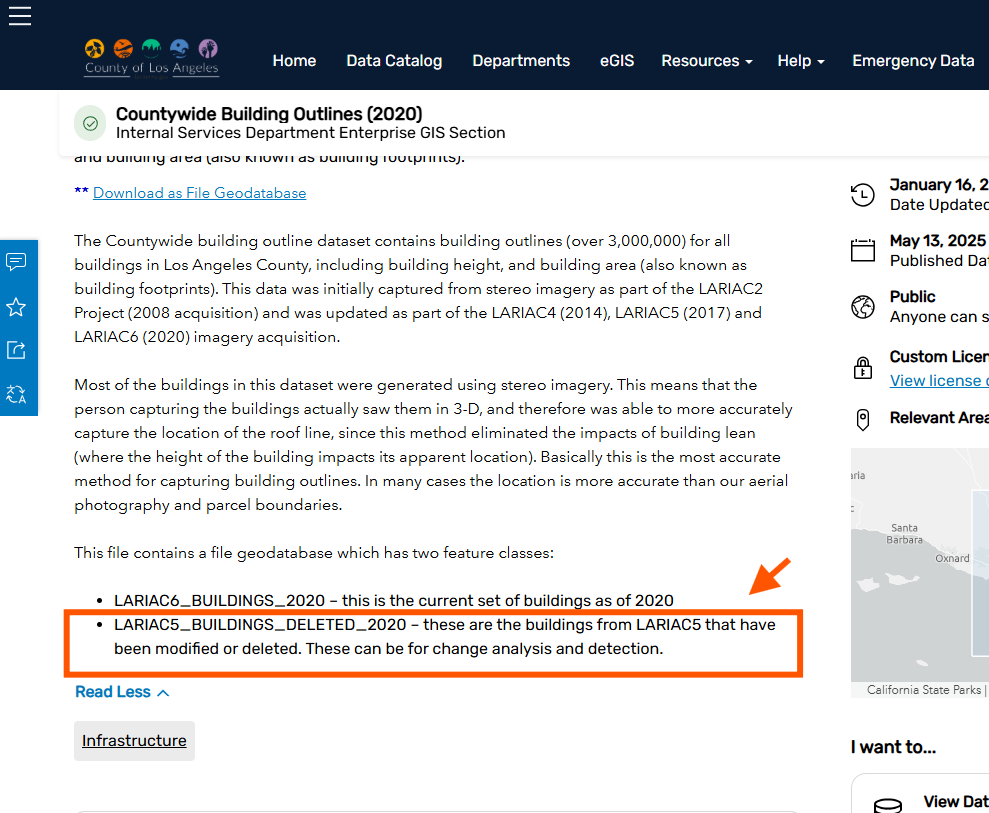
Step 3.
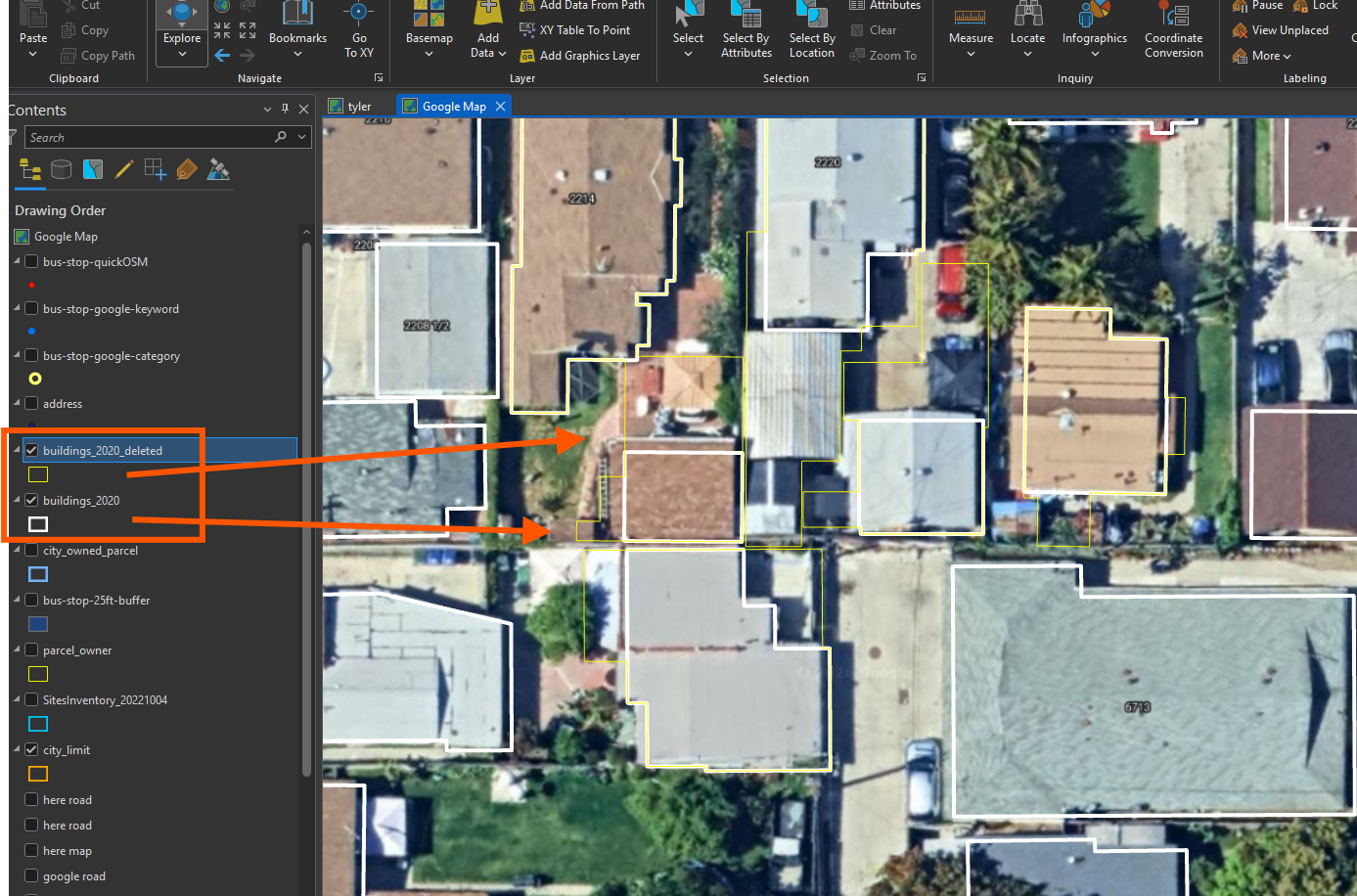
most of these are building that has been rebuild modifiy roof shape
white line is 2020 roof shape,
yellow line is 2017 roof shape.
Step 4.
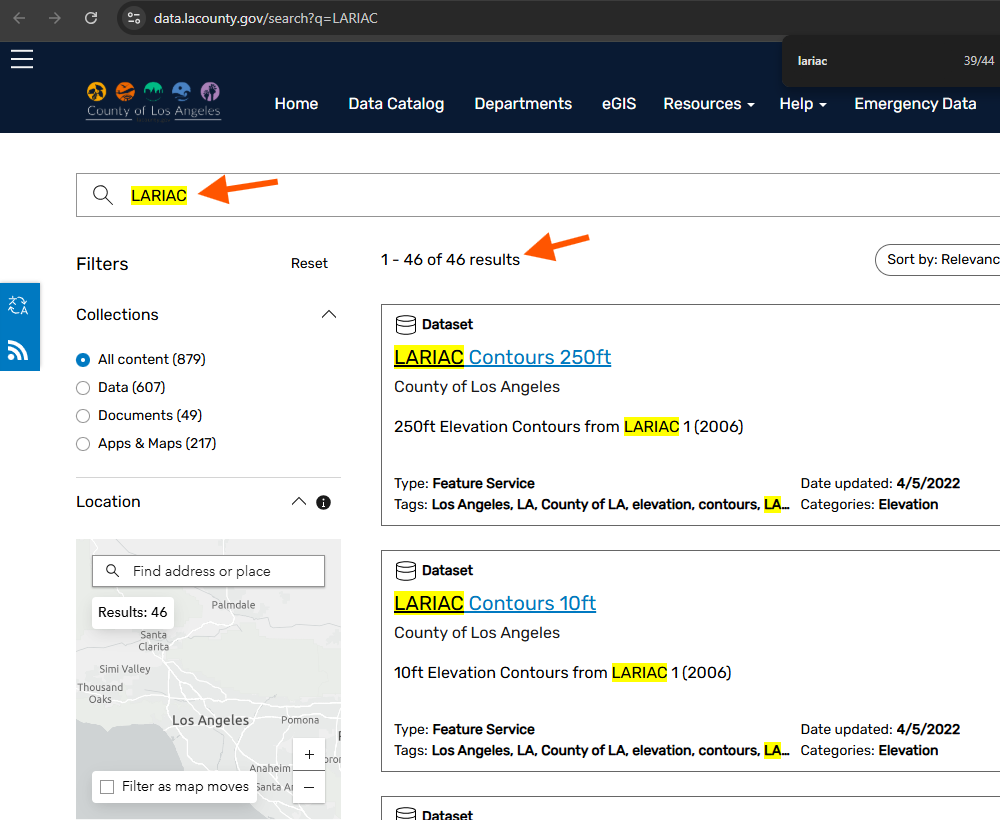
search all other related years
LARIAC4 means 2016
LARIAC5 means 2017
LARIAC6 means 2020
LARIAC7 means 2023
https://data.lacounty.gov/search?q=LARIAC
Step 5.
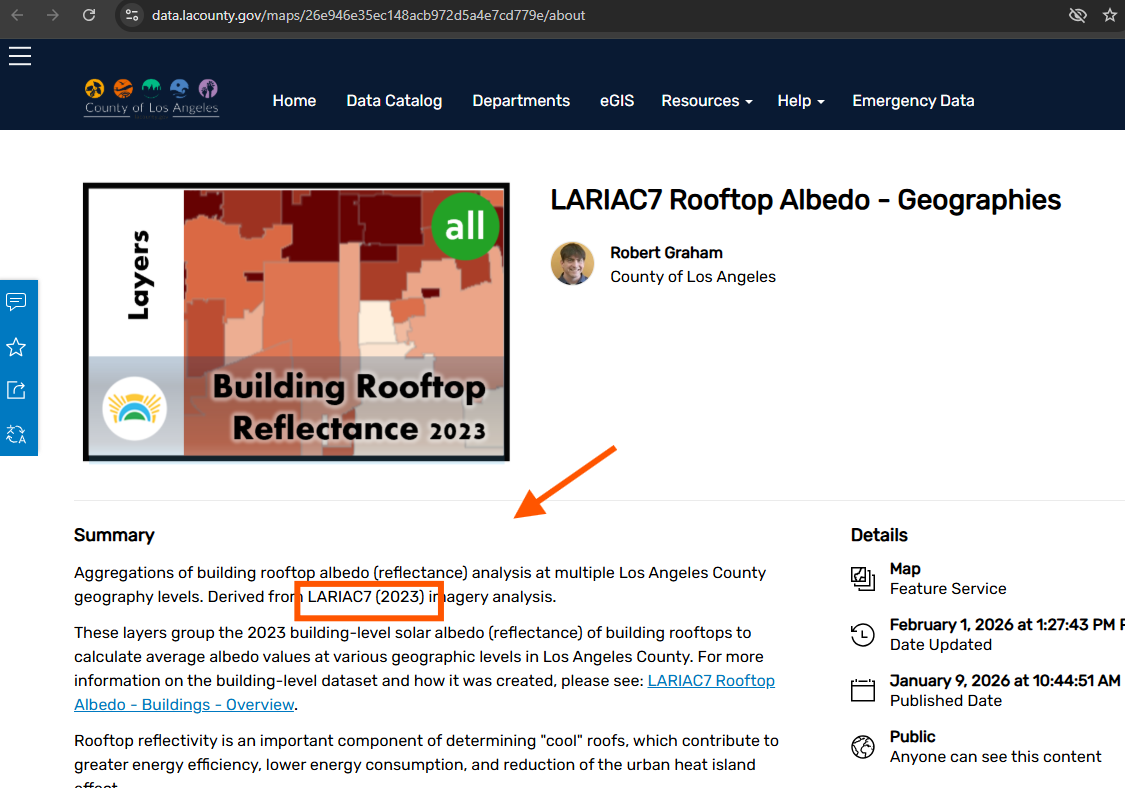
2023 building
there is NO download button
https://data.lacounty.gov/maps/26e946e35ec148acb972d5a4e7cd779e/about
Step 6.
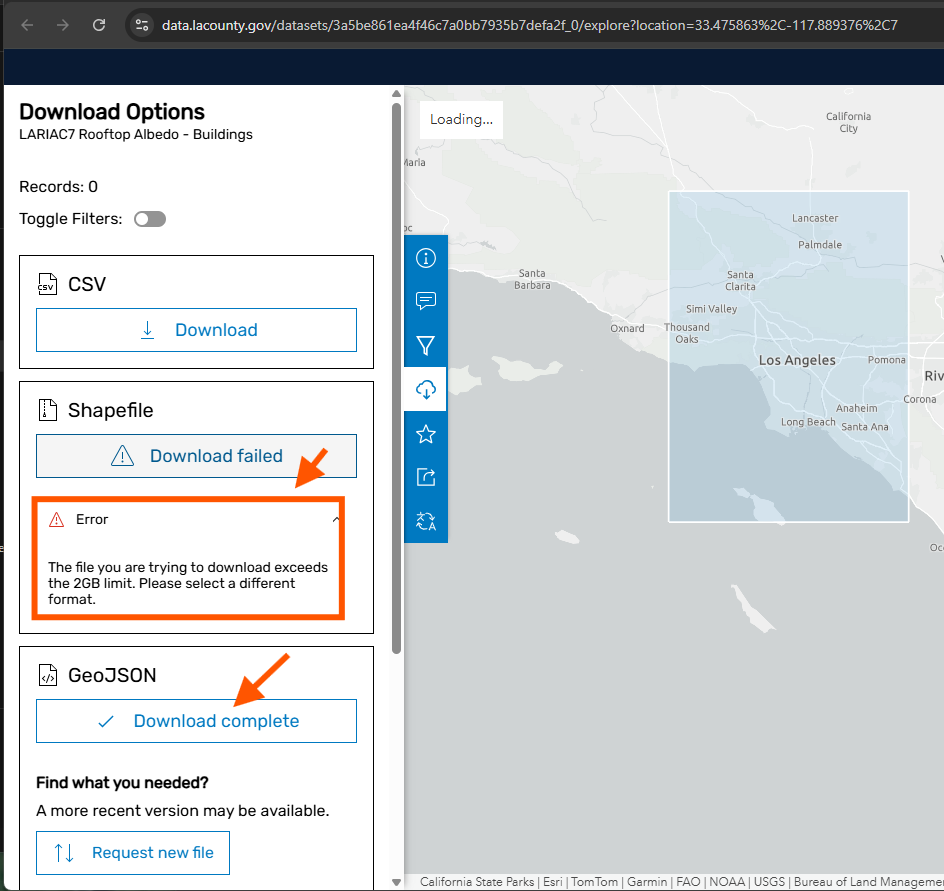
shape file download failed, over 2GB limit, set by ESRI
but GeoJSON download success,
https://data.lacounty.gov/datasets/3a5be861ea4f46c7a0bb7935b7defa2f_0/explore?location=33.475863%2C-117.889376%2C7
Step 7.
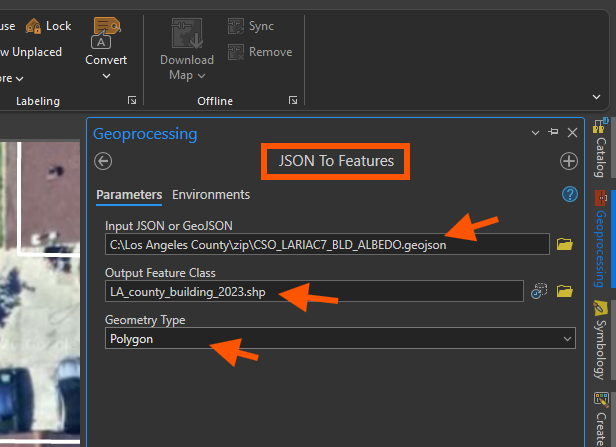
convert GeoJSON to shape file
Step 8.
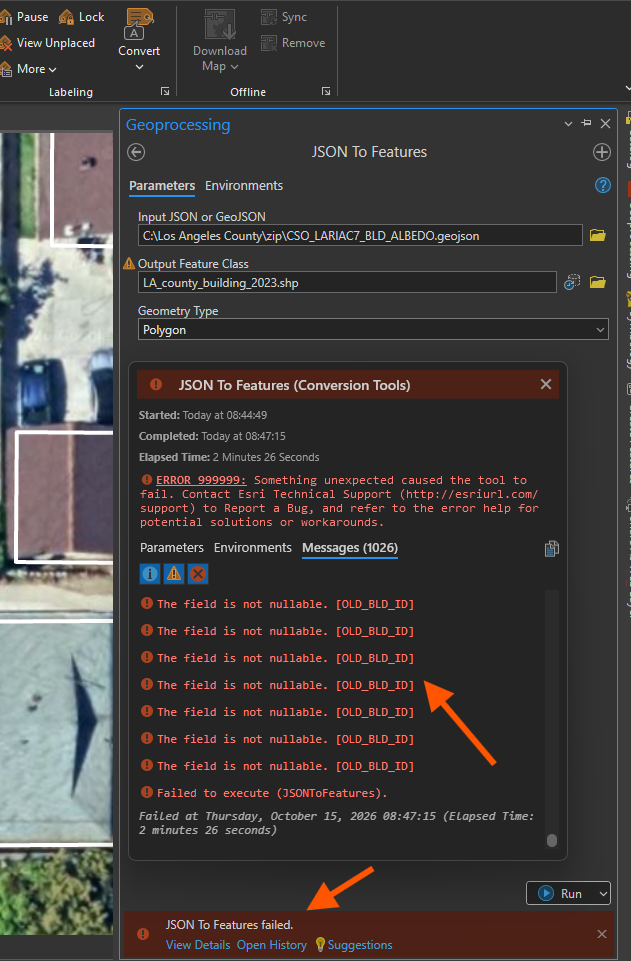
failed,
LA county arcgis online, if they don't provide direct download *.zip link,
basically, any layer over 2GB size, you can't download shape file,
download geojson format is ok, however, you may be failed when try to convert to shape file,
as result, you can't get it into Arcgis PRO.
Step 9.
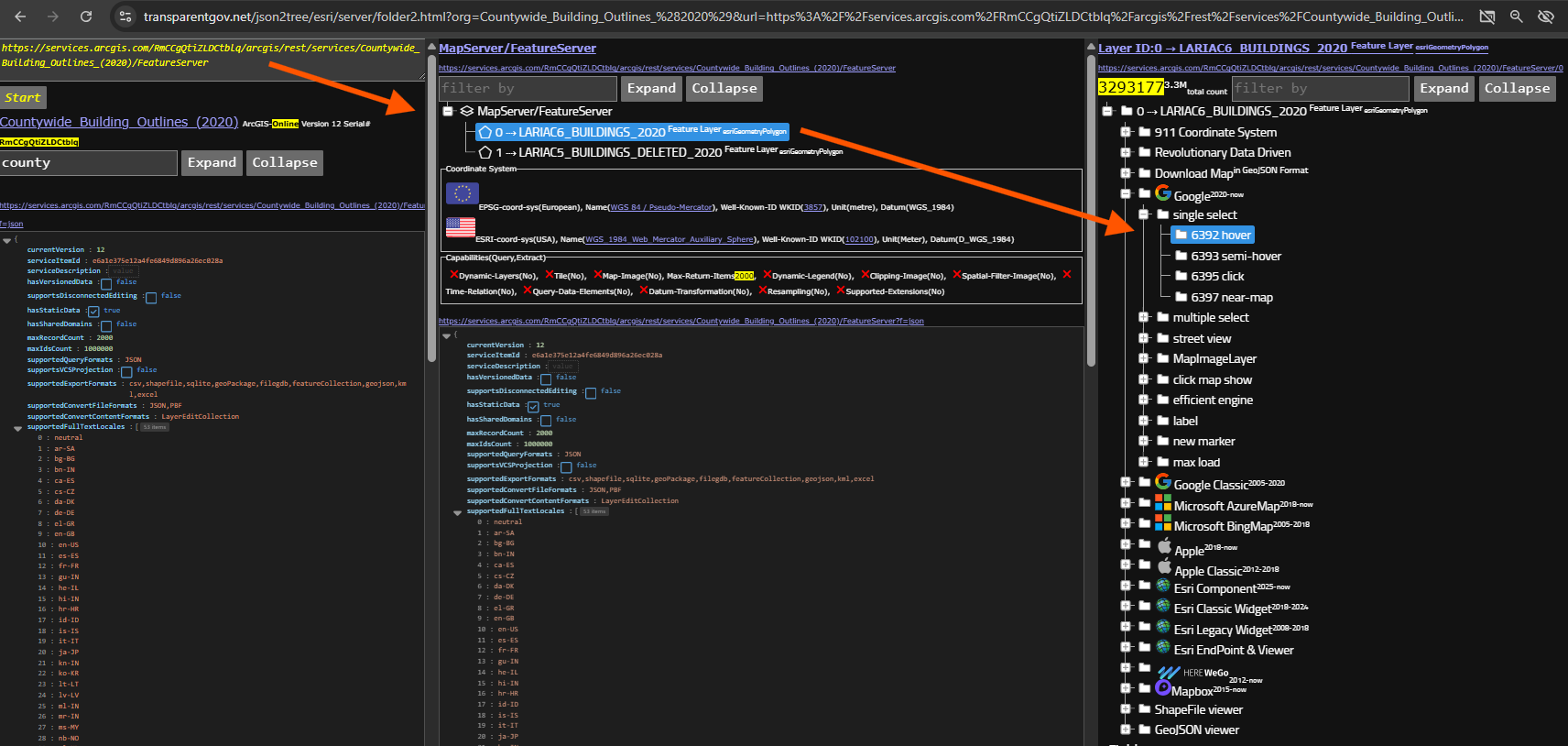
2020 building online
https://transparentgov.net/json2tree/esri/server/folder2.html?org=Countywide_Building_Outlines_%282020%29&url=https%3A%2F%2Fservices.arcgis.com%2FRmCCgQtiZLDCtblq%2Farcgis%2Frest%2Fservices%2FCountywide_Building_Outlines_%282020%29%2FFeatureServer&arcgis_online_token=&timeout=9000&select_folder=638&select_layer=&select_folder_text=Countywide_Building_Outlines_%282020%29+%3Csup%3EFeatureServer%3C%2Fsup%3E&select_layer_text=1+%26%23x21E2%3B+zoning+%3Csup%3EFeature+Layer%3Csub%3E+esriGeometryPolygon%3C%2Fsub%3E%3C%2Fsup%3E
Step 10.
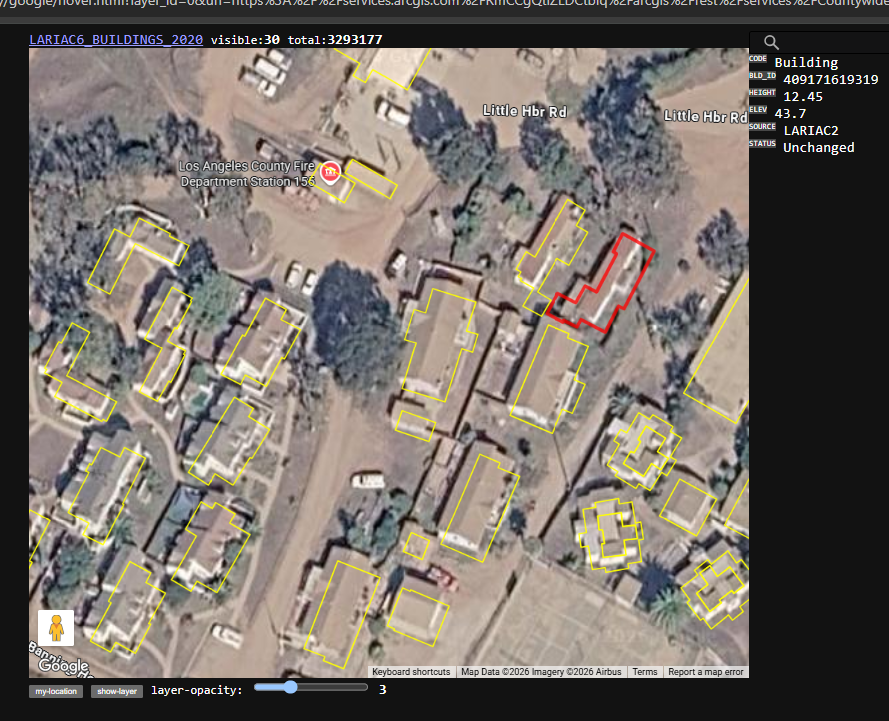
https://transparentgov.net/json2tree/gateway/google/hover.html?layer_id=0&url=https%3A%2F%2Fservices.arcgis.com%2FRmCCgQtiZLDCtblq%2Farcgis%2Frest%2Fservices%2FCountywide_Building_Outlines_%282020%29%2FFeatureServer&layer=LARIAC6_BUILDINGS_2020&panto=0¢er_lat=33.440868704930075¢er_long=-118.50024113320556¢er_zoom=19
Step 11.
Step 12.
Step 13.
Step 14.
Step 15.
Step 16.
Step 17.
Step 18.
Step 19.
Step 20.
Step 21.
Step 22.
Step 23.
Step 24.
Step 25.
Step 26.
Step 27.
Step 28.
Step 29.