Step 1.
Motorola Flex special design:
They merge POI and address layer into the production address layer.
POI + address = address_production
They must have their reason for this design.
When you fix POI layer, don't forget to fix address_production at same time.
For example,
2461 clarendon ave was wrongfully label as middleton school.
It actually is a house.
Step 2.
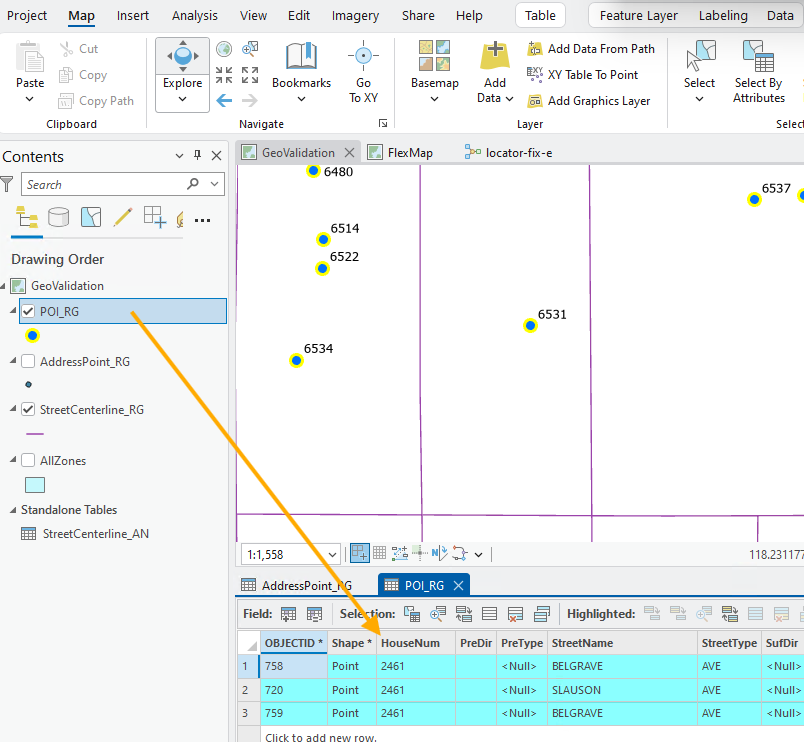
GeoValidation,
I delete this wrong POI named middleton school, no more in POI layer
Step 3.
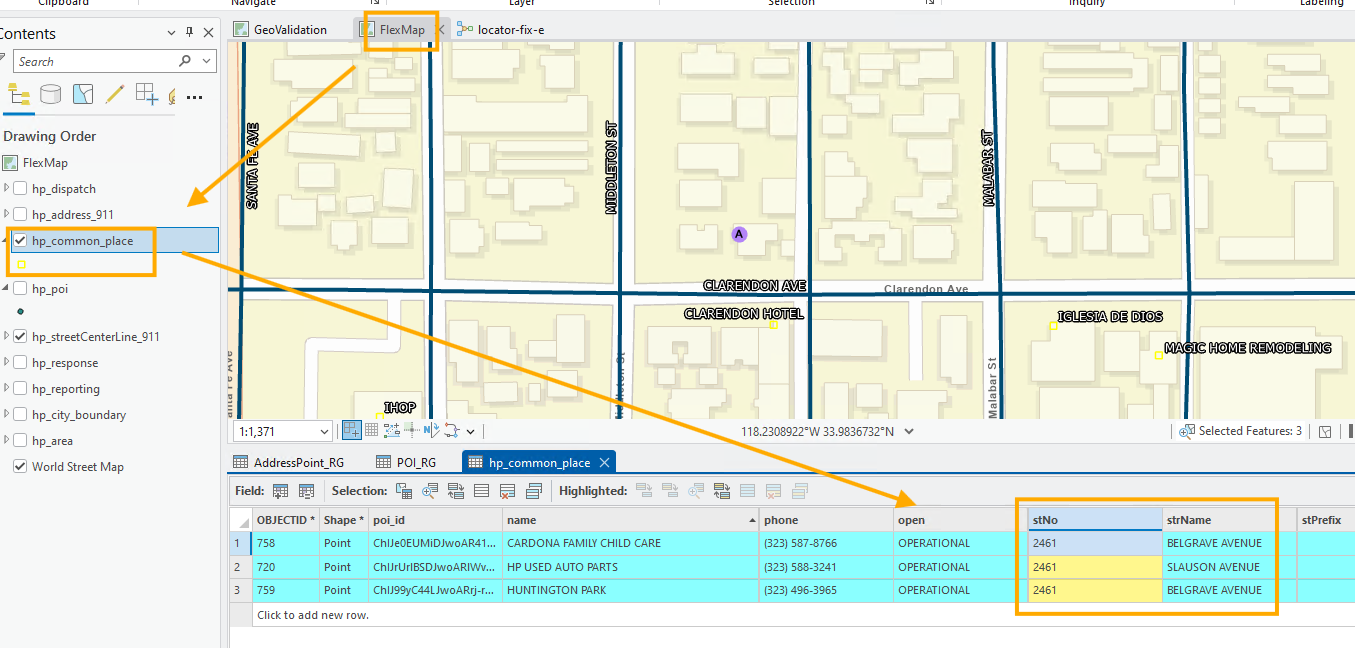
FlexMap,
POI layer, I also delete this wrong POI named middleton school, no more in POI layer
Step 4.
POI layer in geoValidation map responsible for
when you geovalidate such as type address,
POI layer in FlexMap, responsible for showing POI Address on FlexMap only, not responsible for GeoValidation, it is seperate from GeoValidation.
In theory, after I fix above 2 place, should not more wrong POI
However, Flex user still see 2461 attach to middleton school.
The reason is because of flex special design.
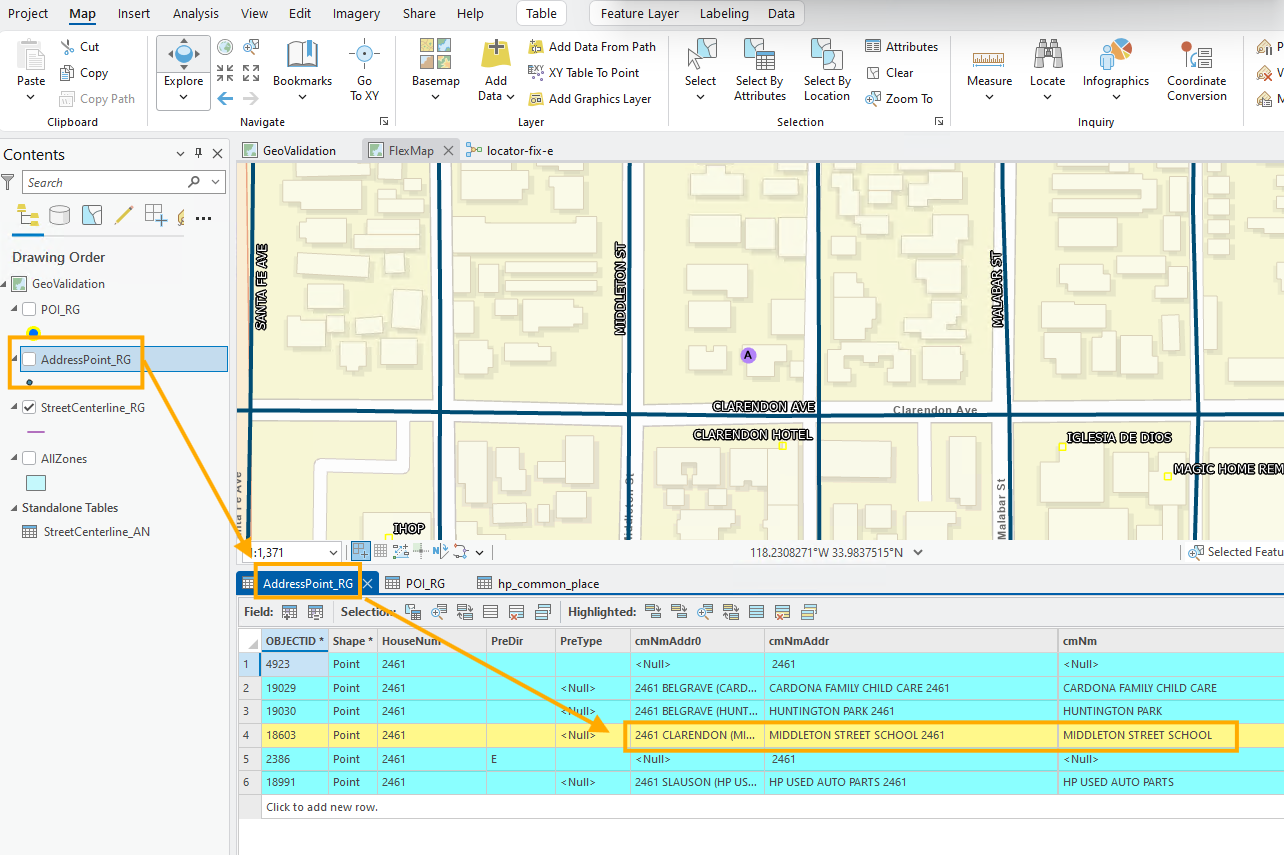
Address layer in GeoValidation also have a extra copy of POI,
see here it still showing 2461 is middleton school.
This also need fix.
Step 5.
Note, historical caller report, that officer input before fix wrong address, will still showing wrong address.
Arcgis can NOT modify what officer input historically.
If officer create a new report, wrong address will be gone.
But historical caller report still showing wrong address.
Only officer can modify caller report, to fix historical wrong address.
GIS can only make sure future report will use correct address, but not be able to fix historical record.
So wrong address will remain wrong in historical record.
New report will use correct address.
Step 6.
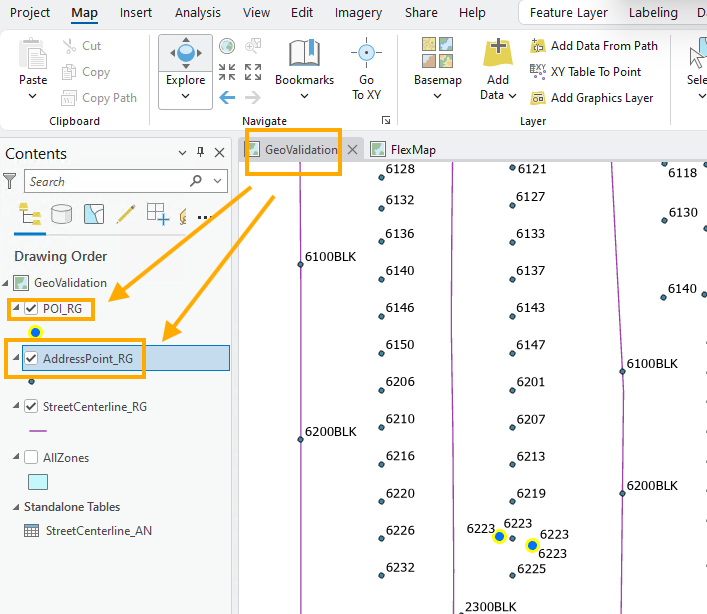
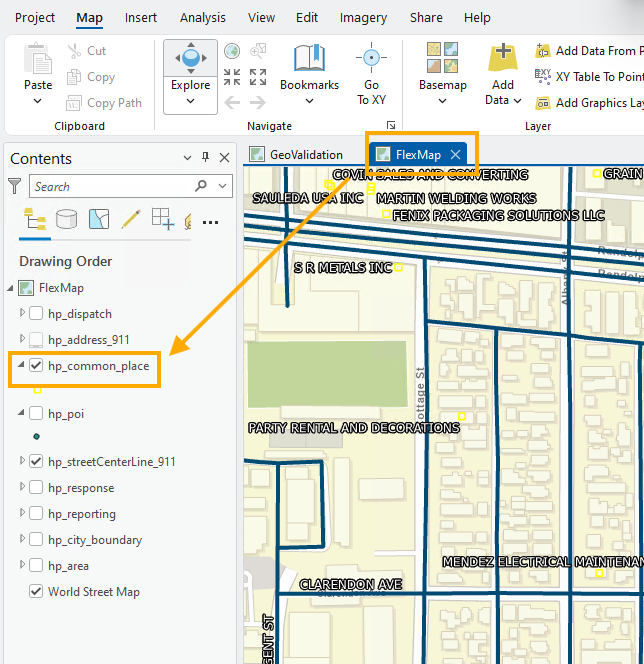
To delete 1 POI, must delete in these 2 layer for same POI.
Step 7.
3rd place need delete POI is here
Step 8.
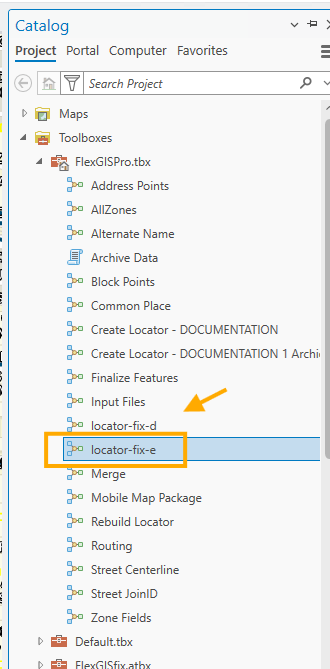
Now rebuild locator,
D, E both same, if D locator is active in use in Flex,
You should update E,
Step 9.
because locator does not allow duplicate name,
to re-run this locator use new updated address and POI
you have to use different locator name
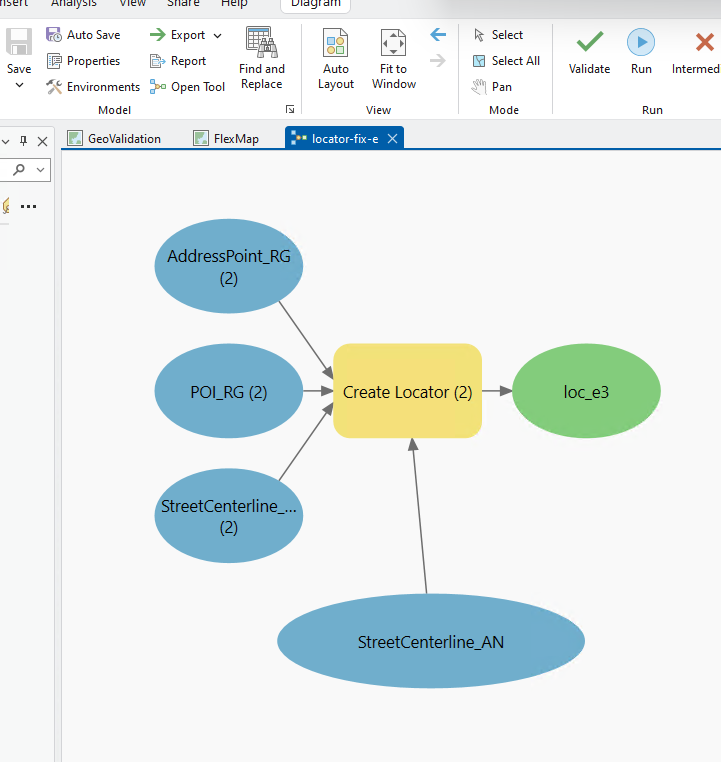
existing is loc_e3,
you should use loc_e4 for new one.
NOTE, only green oval rename to loc_e4 is NOT enough,
yellow box create locator, open it, there is also a locator file path need to update to loc_e4 as well.
Step 10.
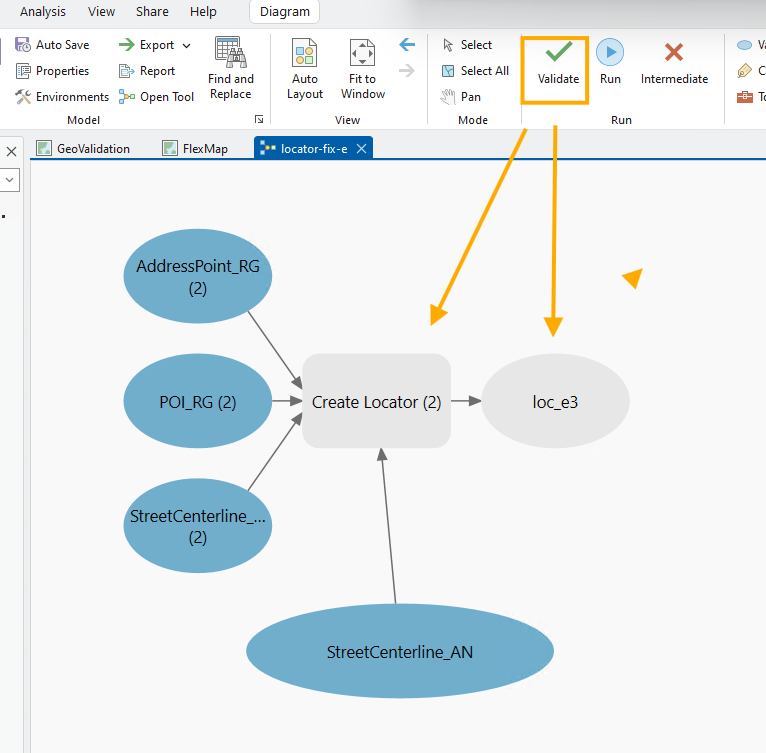
If you don't update yellow box create locator,
open it, there is also a locator file path need to update to loc_e4
You just click validate, it will grey out both yellow and green, means something wrong, you can't run it
Step 11.
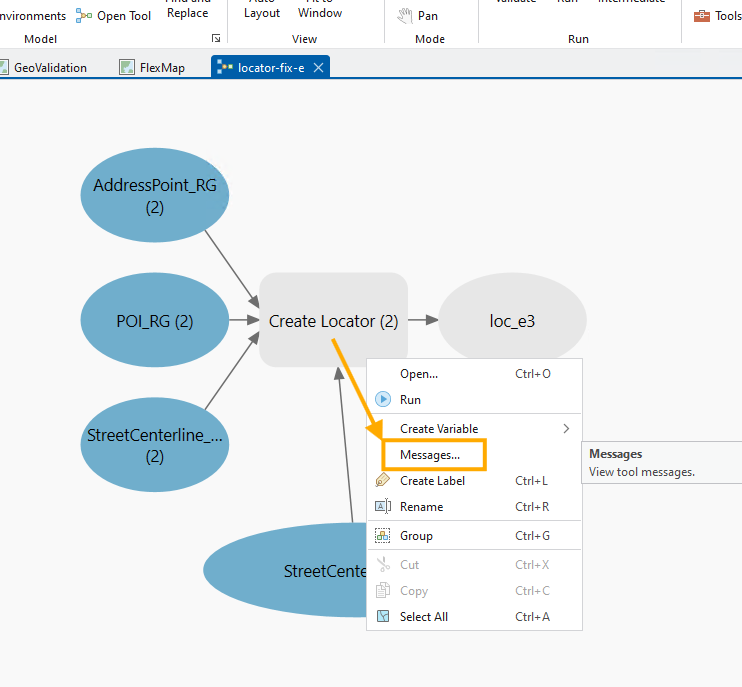
to know what is wrong, you right click grey component,
select "message"
Step 12.
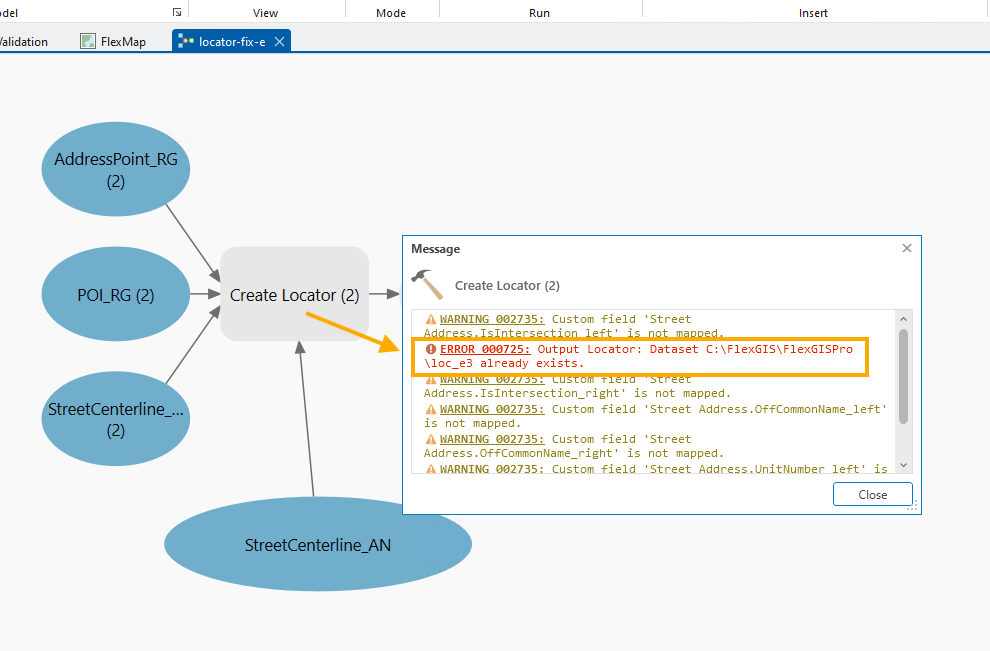
duplicate name is not allowed. to fix it, edit locator file path
Step 13.
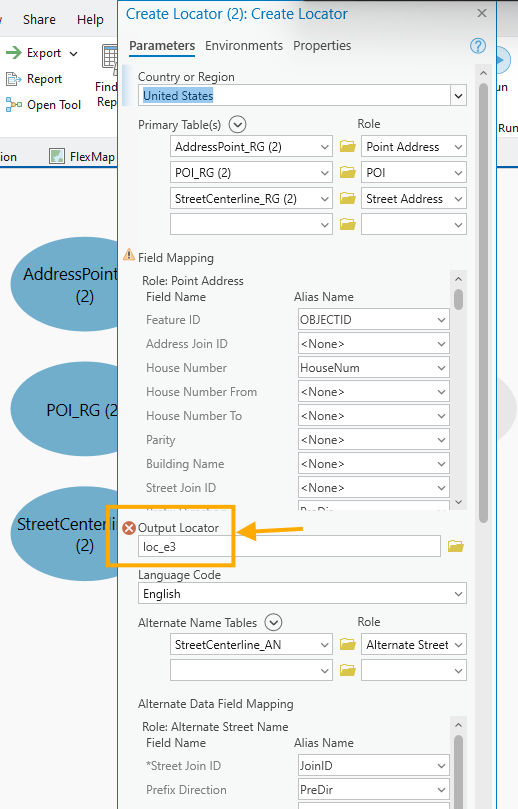
duplicate name is not allowed. to fix it, edit locator file path
update it to loc_e4
Step 14.
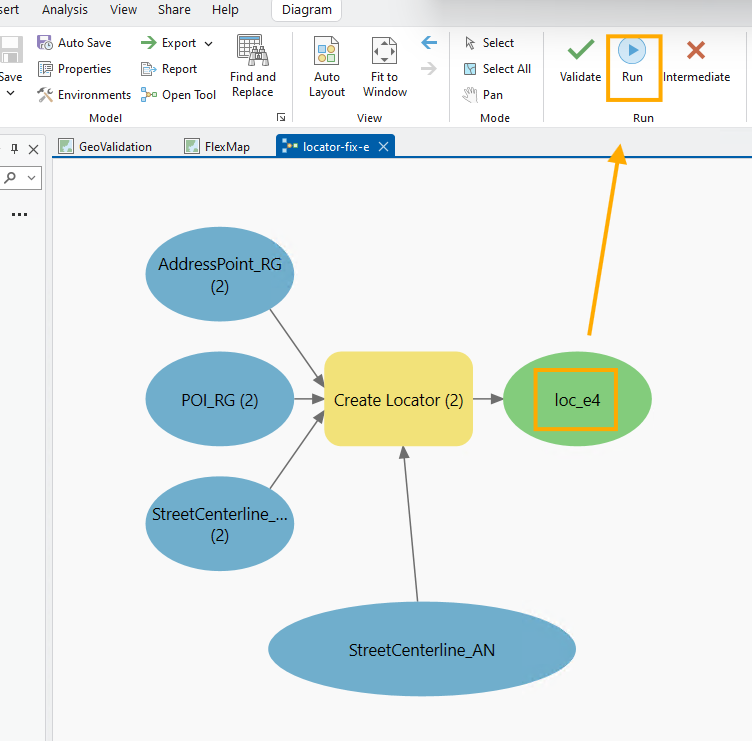
after update yellow box, green oval will automatically update to loc_e4.
now it is ready to run
Step 15.
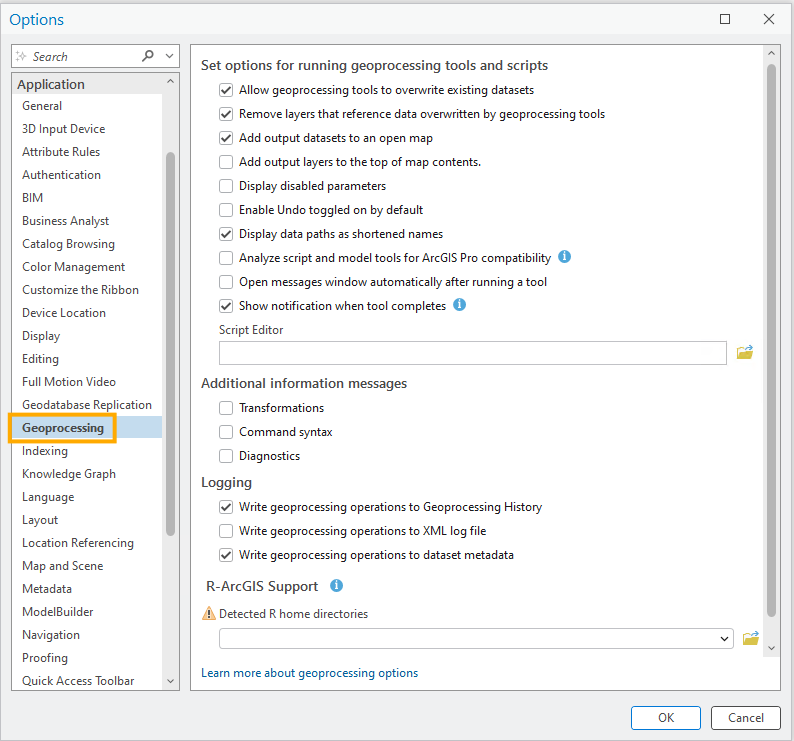
project > options > geoprocessing tab,
1st, check box, allow overwrite is checked, means it allow use duplicate locator name.
But actually still get error is because loc_e3 was locked when publish to arcgis server.
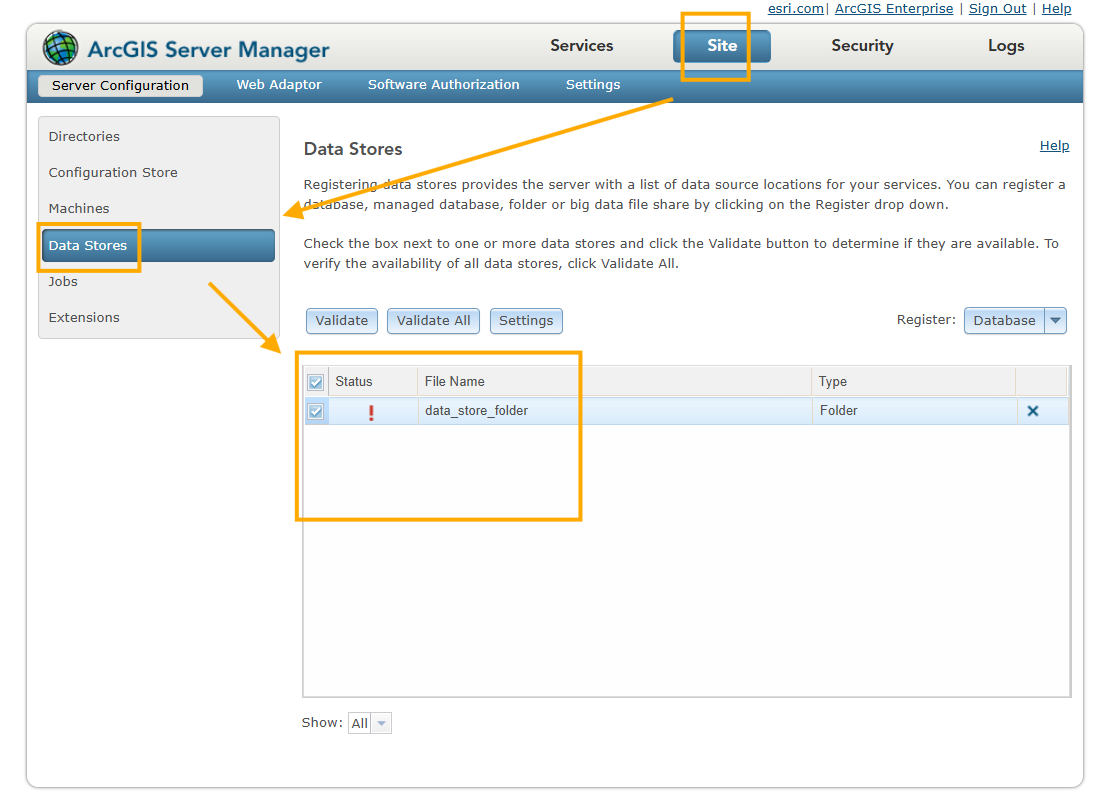
This is because of this FlexGIS folder is registered folder in arcgis server.
Unless you don't registar FlexGIS folder on arcgis server, after publish locator, loc_e3 will not be lock,
then you can overwrite loc_e3, without update to loc_e4.
Step 16.
This is folder path, to see wether this path is registared by arcgis server,
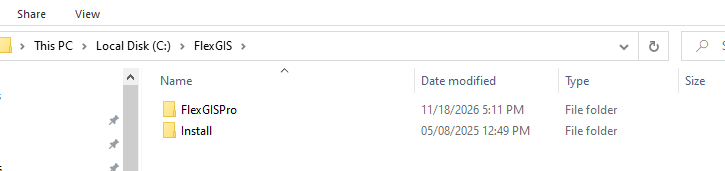
Step 17.
to see wether this path is registared by arcgis server,
it is NOT, flexGISpro folder is NOT registared by arcgis server,
in theory, when you publish locator to arcgis server,
it will copy locator to arcgis server folder.
Locator work path folder should not be this C:\FlexGIS\FlexGISPro
If you do registar folder, then work path folder will be C:\FlexGIS\FlexGISPro
Now, nothing , no folder registared.
Step 18.
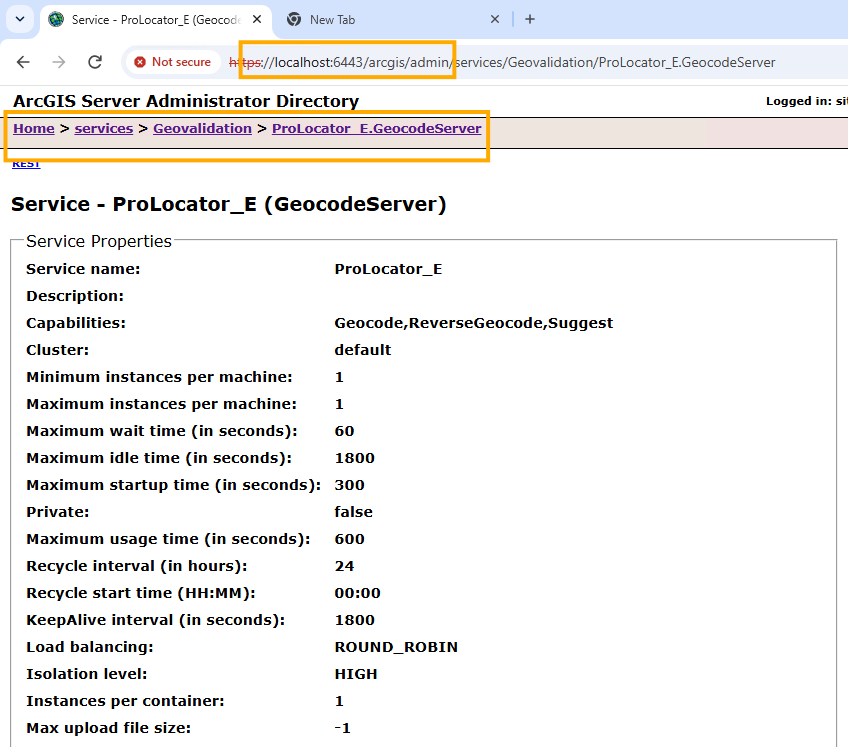
https://localhost:6443/arcgis/admin/
Step 19.
locator parth is not local C:\FlexGIS\FlexGISPro,
in theory, arcgis server should not lock local locator file loc_e3.
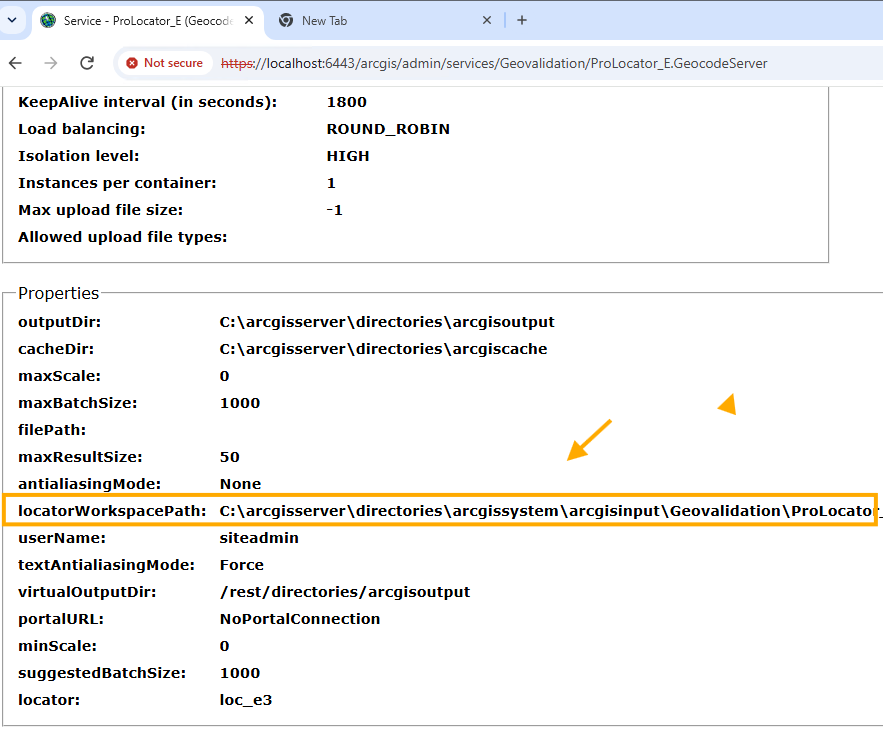
Step 20.
for some reason, loc_e3 should NOT have lock loz file, but it does,
this cause, you can not overwrite loc_e3,
you have to use loc_e4
Step 21.
Step 22.
Step 23.
Step 24.
Step 25.
Step 26.
Step 27.
Step 28.
Step 29.