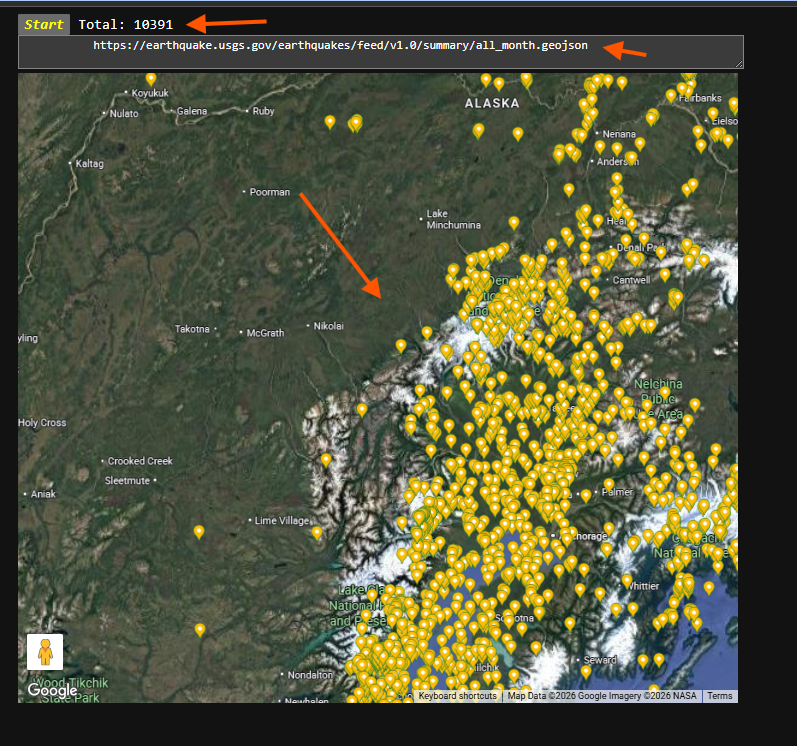
GeoJSON is a fundation format for Web based GIS platform
Short answer:
ESRI can't use GeoJSON
Long story:
1). Economically:
GeoJSON is not invented by ESRI, it is invented by another company Mapbox.
To prevent money flow to other company, esri natually allergic to GeoJSON.
Even Google, Apple, Microsoft, Mapbox etc.
all others use GeoJSON as their fundation.
All of them combined market share rate is still far way lower than ESRI.
ESRI dominate today's GIS market, they can say NO on their behalf.
2). Technically:
GeoJSON only have 1 coordinate system which is WGS1984.
ESRI's product line from desktop to web,
can handle thousands of coordinate system.
ESRI's counterpart to GeoJSON (web based GIS) is
their own format named EsriJSON.
EsriJSON has a spatial reference attribute named WKID (well-know-id)
where you can specify to any existing coordinate system.
GeoJSON have no WKID attribute
since it always default to single one coordinate system WGS1984.
GeoJSON unit is always degree,
a number in geojson for example 89.34
is always means 89.34 degree latitude or longitude
The number 89.34 in EsriJSON could means
Meter or US-foot or Degree
or what ever unit depends on coordinate system WKID attribute specified.
In EsriJSON, if WKID specified is state plan coordinate system,
then 89.34 will means 89.34 US-foot easting or northing from
that state plan zone's center reference point.
If your data is in ESRI's format,
you can't directly use other company's GIS product
because of formate incompatible.
This will economically benefit ESRI.
Final thought:
Current setup is OF COURSE on behalf of ESRI,
but
Is this on behalf of YOU?
maybe NOT
USGS publish current month earth quake in geojson format, how are you going to look at it?
Step 1.
copy this usgs earth quake geojson file path
https://earthquake.usgs.gov/earthquakes/feed/v1.0/summary/all_month.geojson
Step 2.
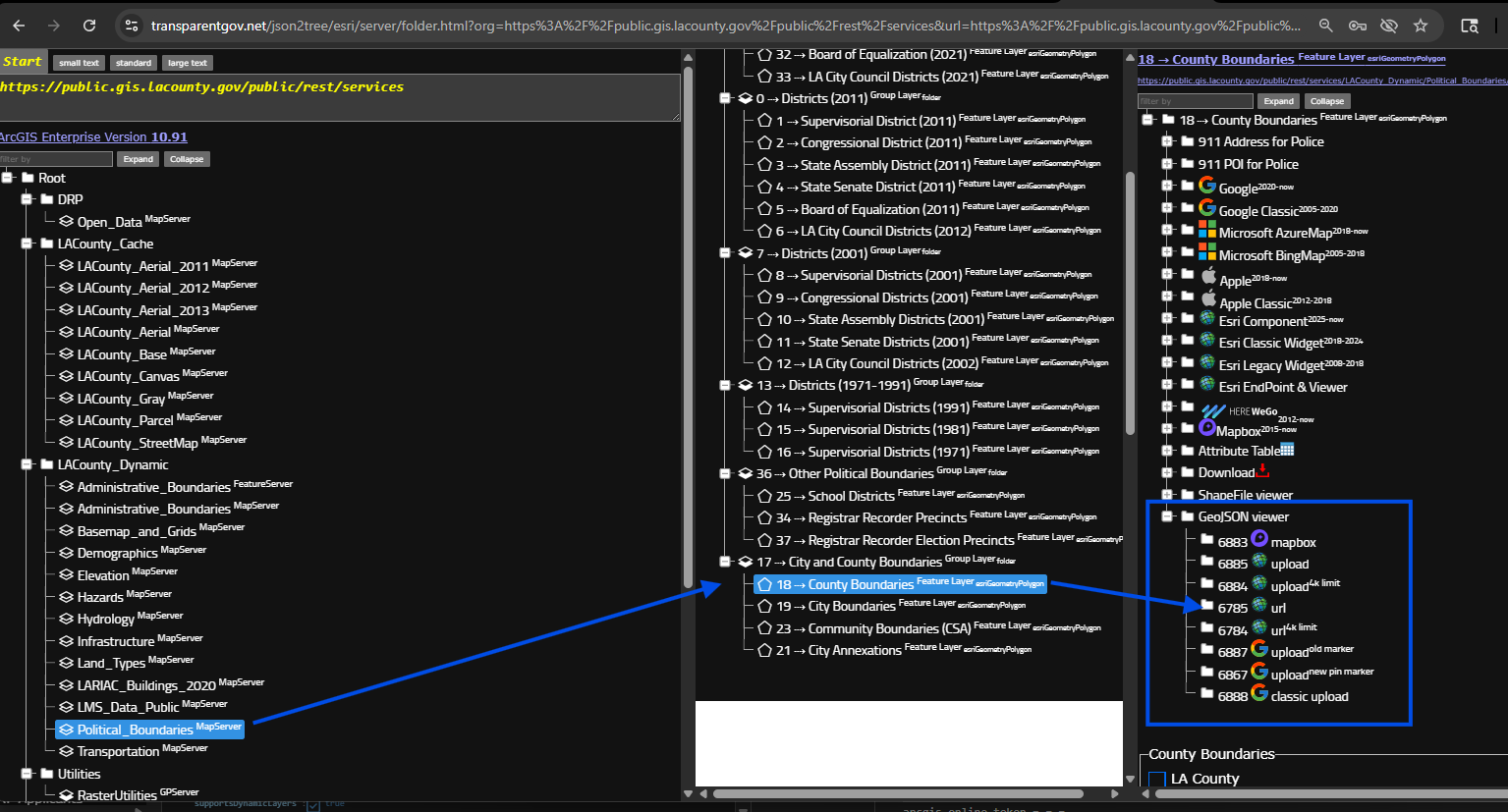
select any layer is fine, does not matter which layer,
but looking for blue box, all these model can load geojson file on map.
If your geojson file is remotely a URL link path, select model "url"
otherwise, your geojson file is physically on your hard drive, select model "upload",
https://transparentgov.net/json2tree/esri/server/folder.html?org=https%3A%2F%2Fpublic.gis.lacounty.gov%2Fpublic%2Frest%2Fservices&url=https%3A%2F%2Fpublic.gis.lacounty.gov%2Fpublic%2Frest%2Fservices&arcgis_online_token=&timeout=9000&select_folder=18&select_layer=18&select_folder_text=Political_Boundaries+%3Csup%3EMapServer%3C%2Fsup%3E&select_layer_text=18+%26%23x21E2%3B+County+Boundaries+%3Csup%3EFeature+Layer%3Csub%3E+esriGeometryPolygon%3C%2Fsub%3E%3C%2Fsup%3E
Step 3.
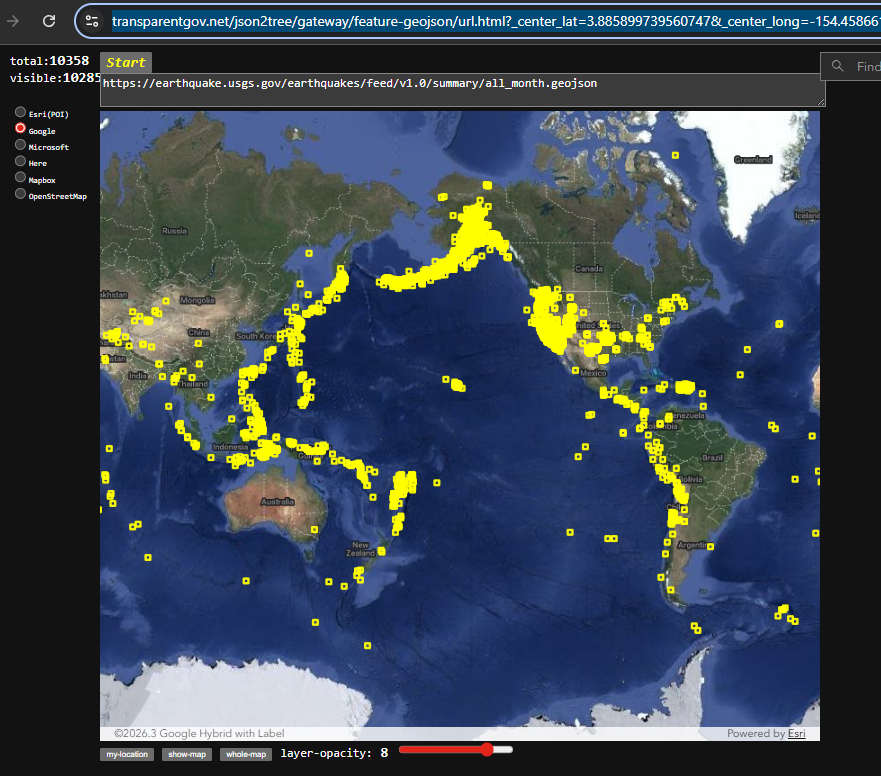
past geojson url here, click start button
Done.
https://transparentgov.net/json2tree/gateway/feature-geojson/url.html?_center_lat=3.885899739560747&_center_long=-154.45866197152353&_center_zoom=2&panto=0&url=https%3A%2F%2Fearthquake.usgs.gov%2Fearthquakes%2Ffeed%2Fv1.0%2Fsummary%2Fall_month.geojson
Step 4.
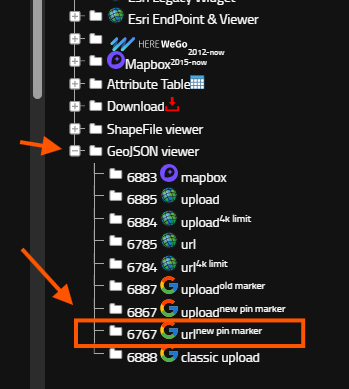
google map
Step 5.
https://transparentgov.net/json2tree/gateway/google-geojson/url.html?center_lat=61.96886349881883¢er_long=-150.83575949683674¢er_zoom=8&panto=0&url=+++++++++++https%3A%2F%2Fearthquake.usgs.gov%2Fearthquakes%2Ffeed%2Fv1.0%2Fsummary%2Fall_month.geojson