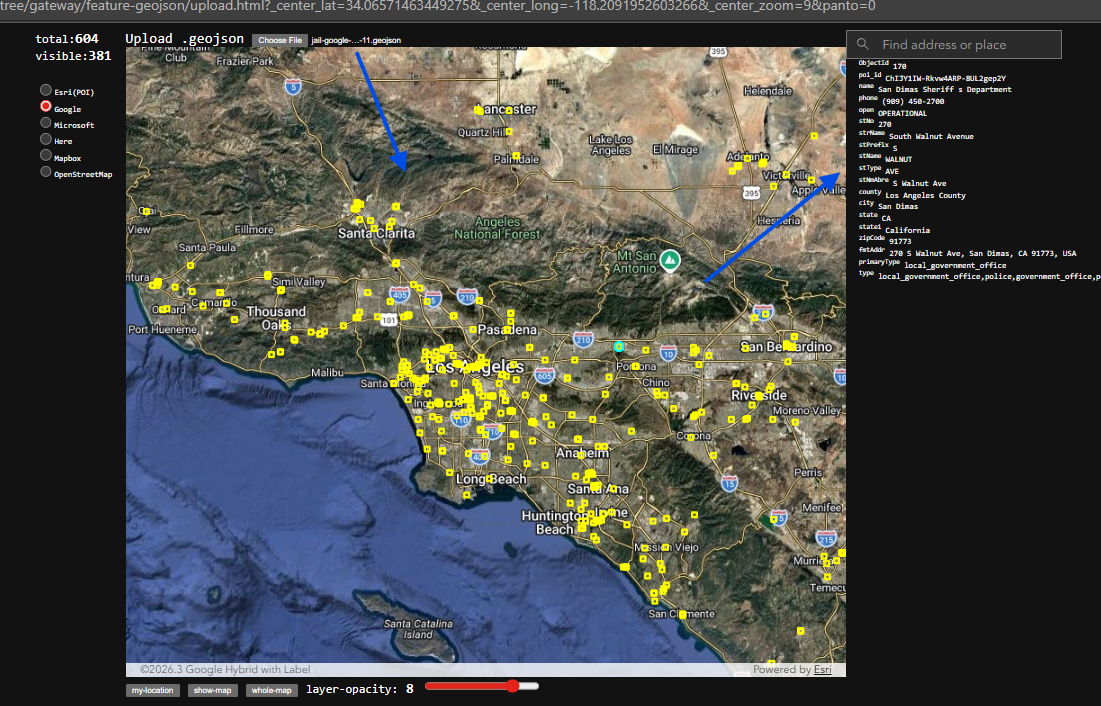
USGS publish current month earth quake in geojson format, how are you going to look at it?
Step 1.
copy this usgs earth quake geojson file path
https://earthquake.usgs.gov/earthquakes/feed/v1.0/summary/all_month.geojson
Step 2.
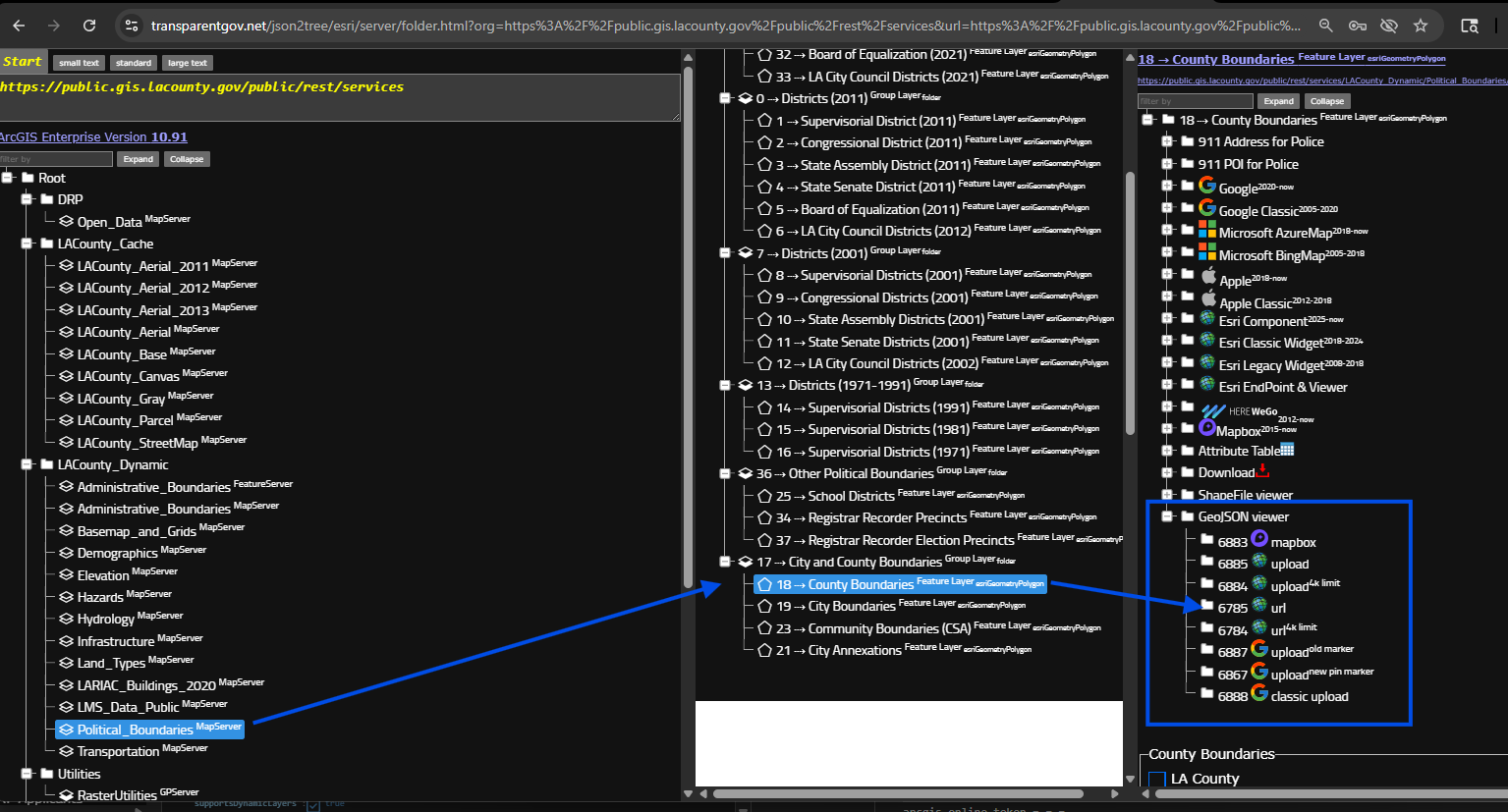
select any layer is fine, does not matter which layer,
but looking for blue box, all these model can load geojson file on map.
If your geojson file is remotely a URL link path, select model "url"
otherwise, your geojson file is physically on your hard drive, select model "upload",
https://transparentgov.net/json2tree/esri/server/folder.html?org=https%3A%2F%2Fpublic.gis.lacounty.gov%2Fpublic%2Frest%2Fservices&url=https%3A%2F%2Fpublic.gis.lacounty.gov%2Fpublic%2Frest%2Fservices&arcgis_online_token=&timeout=9000&select_folder=18&select_layer=18&select_folder_text=Political_Boundaries+%3Csup%3EMapServer%3C%2Fsup%3E&select_layer_text=18+%26%23x21E2%3B+County+Boundaries+%3Csup%3EFeature+Layer%3Csub%3E+esriGeometryPolygon%3C%2Fsub%3E%3C%2Fsup%3E
Step 3.
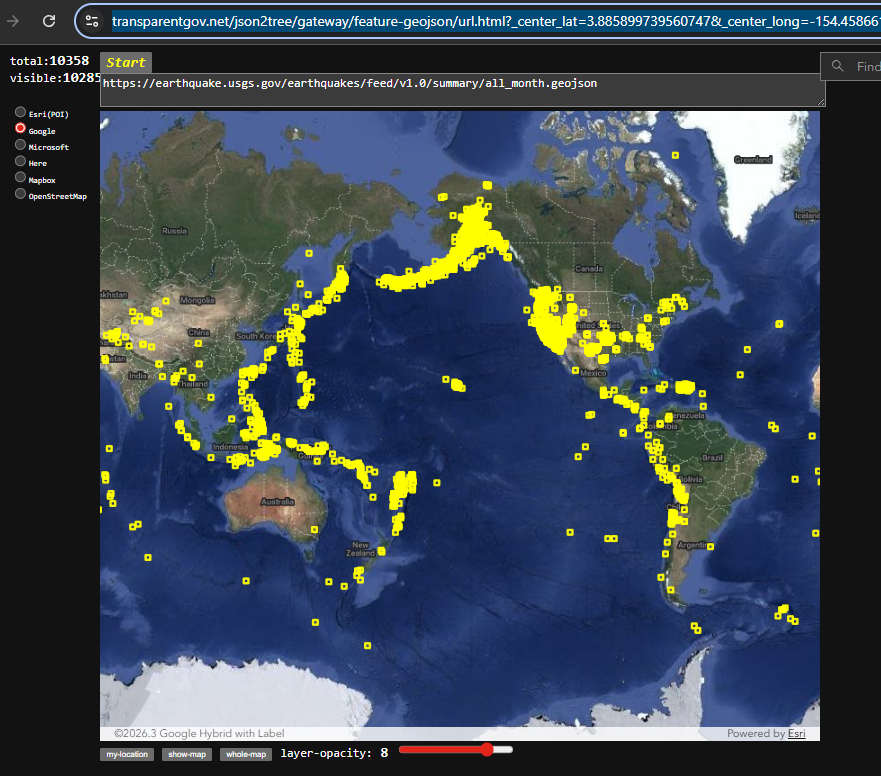
past geojson url here, click start button
Done.
https://transparentgov.net/json2tree/gateway/feature-geojson/url.html?_center_lat=3.885899739560747&_center_long=-154.45866197152353&_center_zoom=2&panto=0&url=https%3A%2F%2Fearthquake.usgs.gov%2Fearthquakes%2Ffeed%2Fv1.0%2Fsummary%2Fall_month.geojson
Step 4.
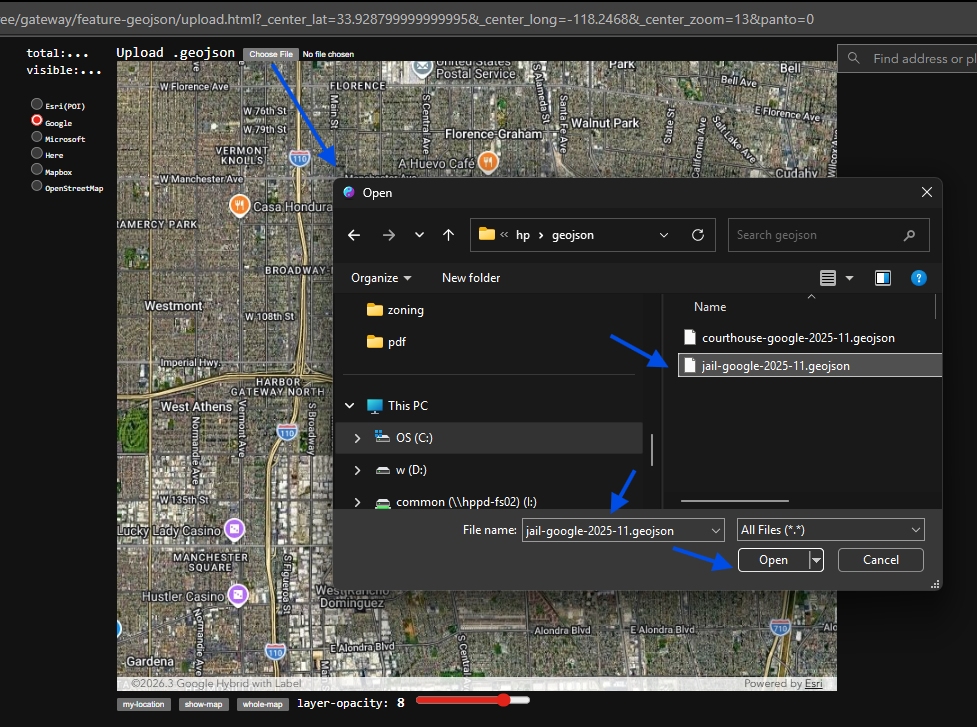
if your geojson file is physically on your hard drive, select model "upload",
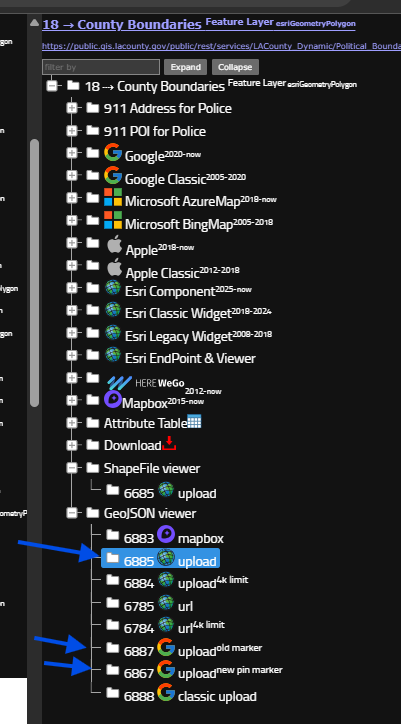
Step 5.
select your geojson file
Step 6.
Done