Step 1.
click here to create a google map (web map) on arcgis online
https://transparentgov.net/cleargov1/2070/how-to-add-google-map-to-arcgis-pro-as-webmap
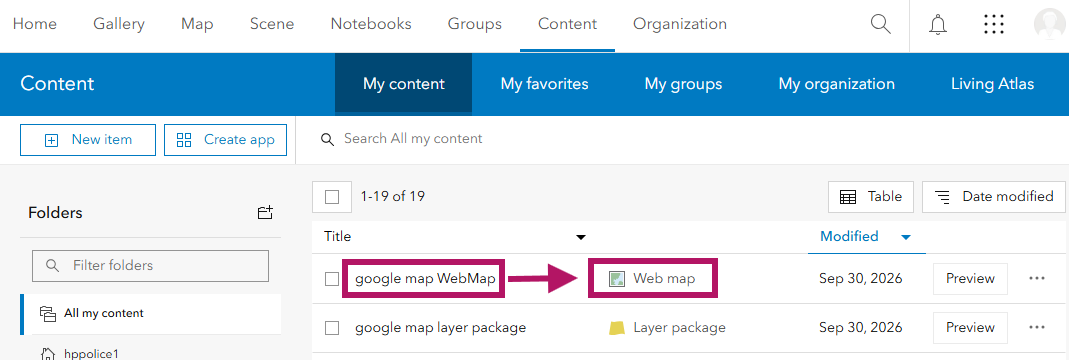
Assuming you already a google map webMap successfully created on arcgis online,
arcgis online will looks like this
Step 2.
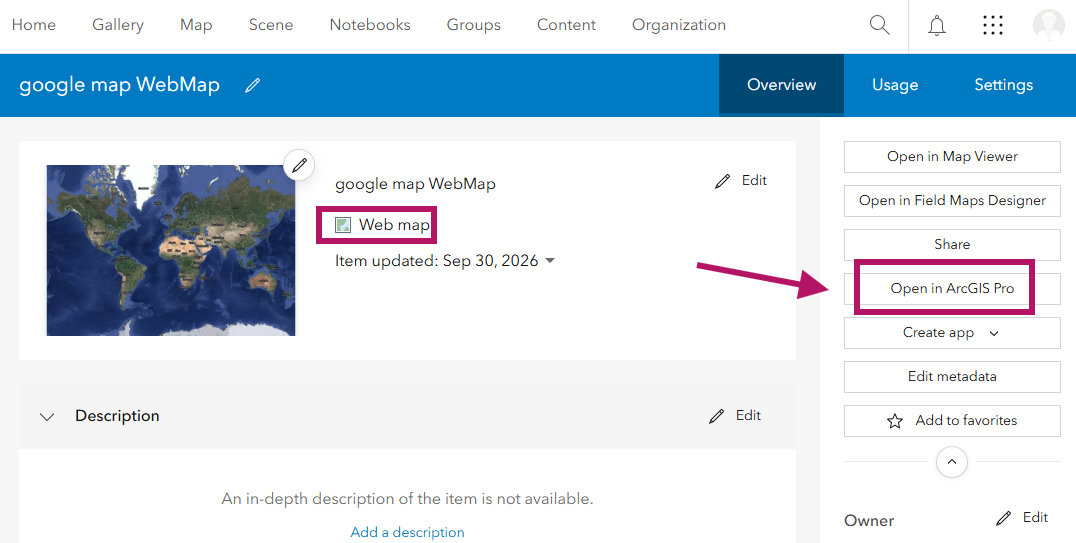
click open it
Step 3.
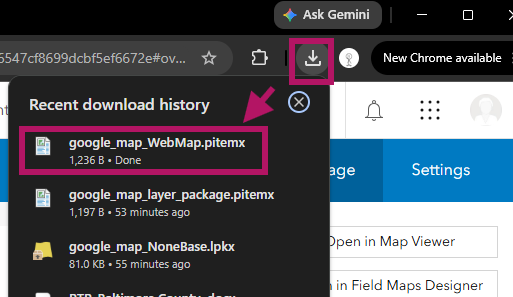
after you click, it download a file, double click to open it
Step 4.
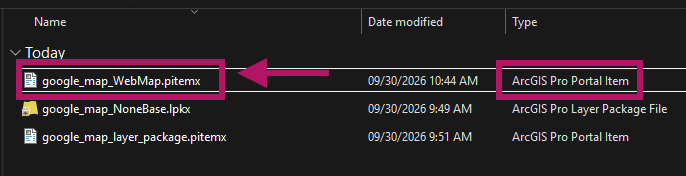
you can find it in your download folder, open it
Step 5.
arcgis pro was used to open this item file.
it actually open webMap in arcgis pro, google map is one of a layer
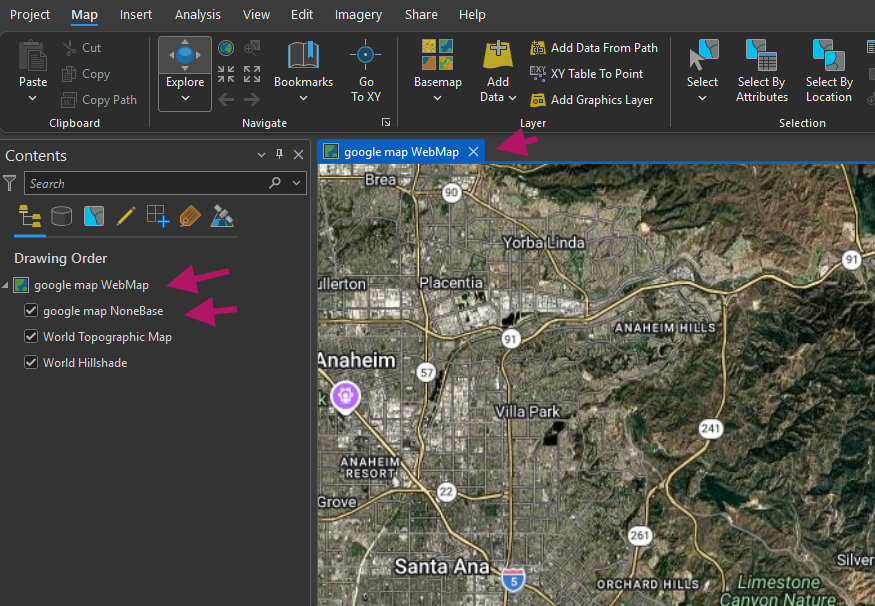
Step 6.
share as layer package and upload to arcgis online
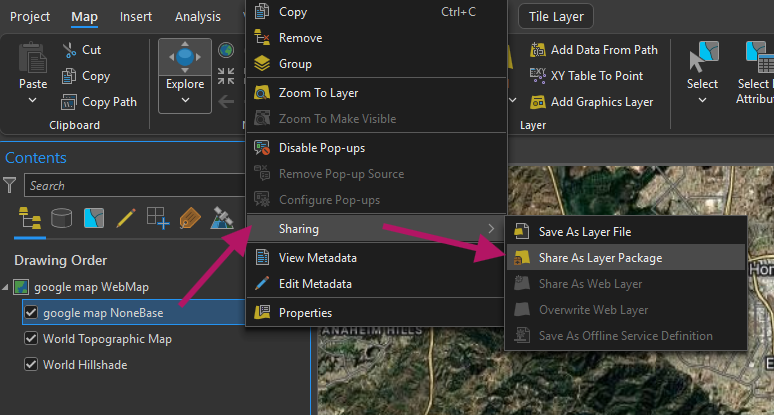
Step 7.
create and upload google map layer package to arcgis online
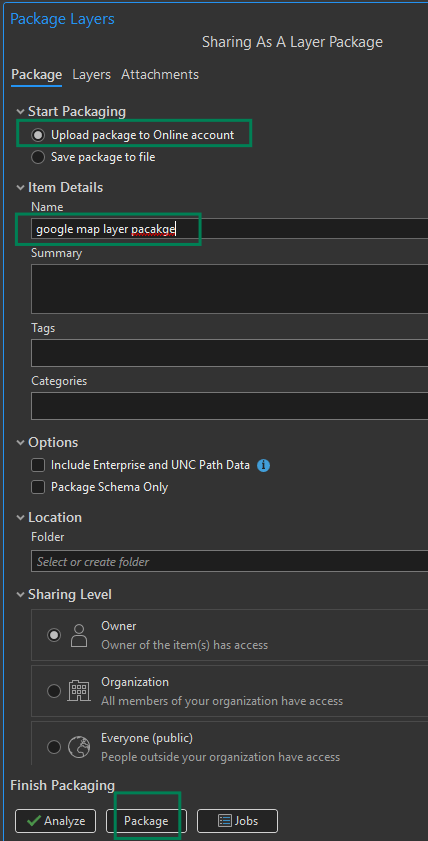
Step 8.
arcgis online, you should see it here
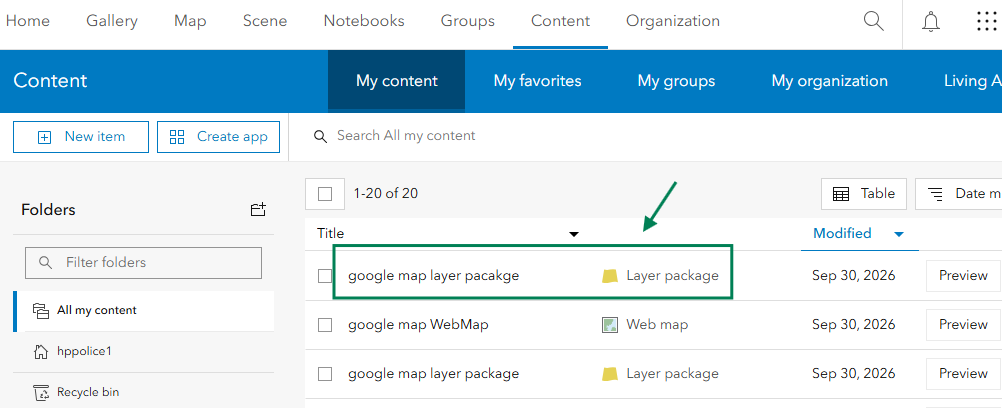
Step 9.
alternatively, you could create a layer file, then upload manually later
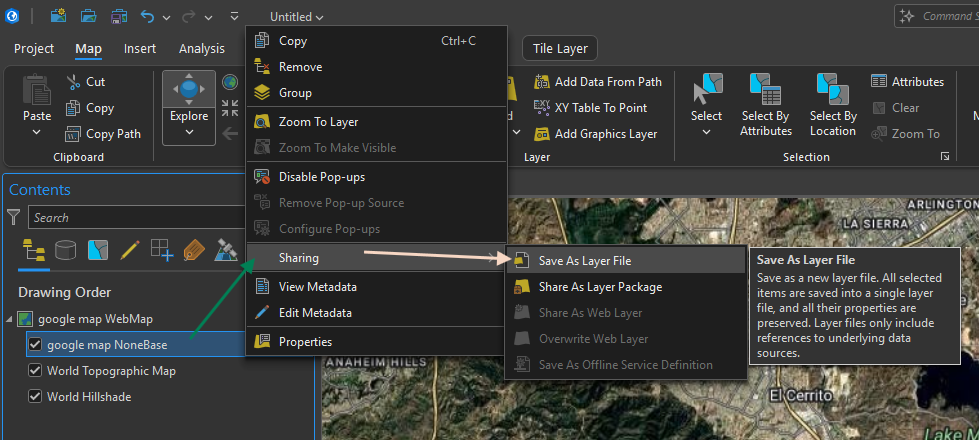
Step 10.
type layer file name, then save
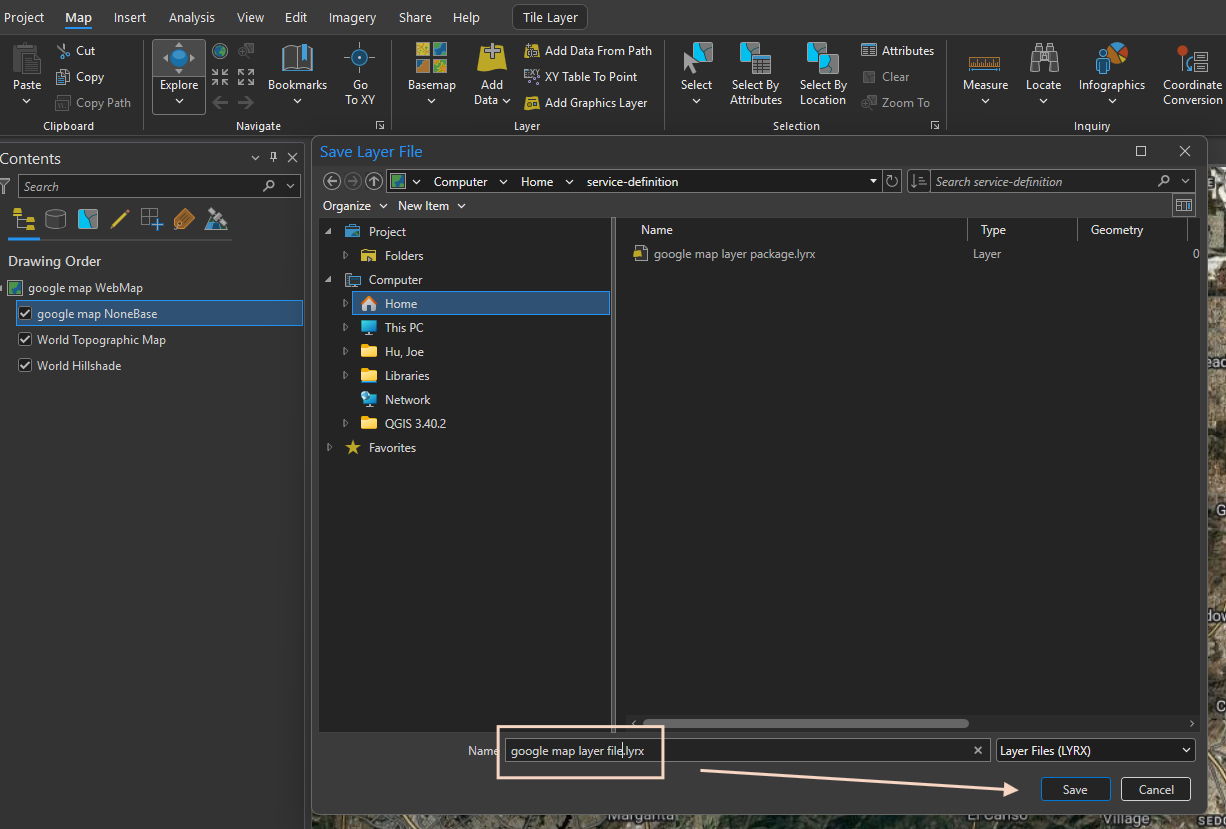
Step 11.
here is google map layer file, you just saved

Step 12.
go to arcgis online, click new item
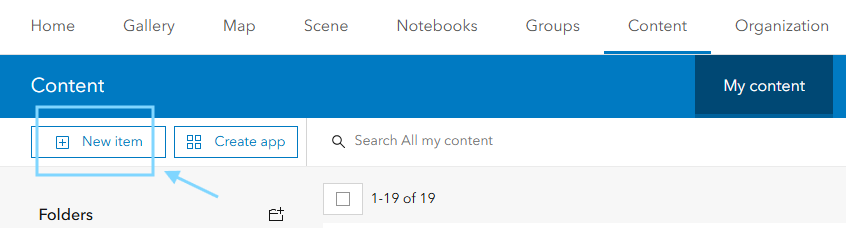
Step 13.
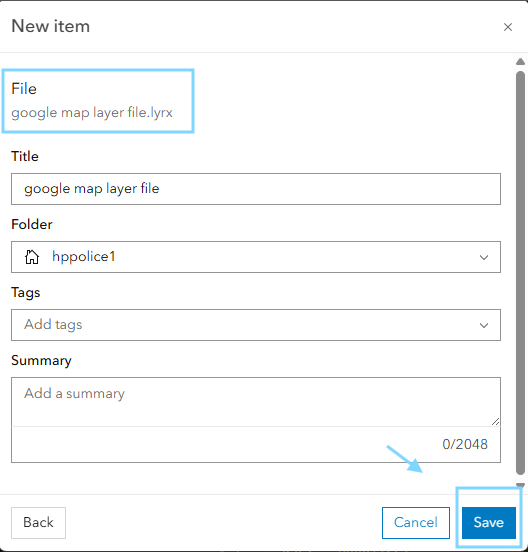
drag drop google map layer file or click your device to select it upload here
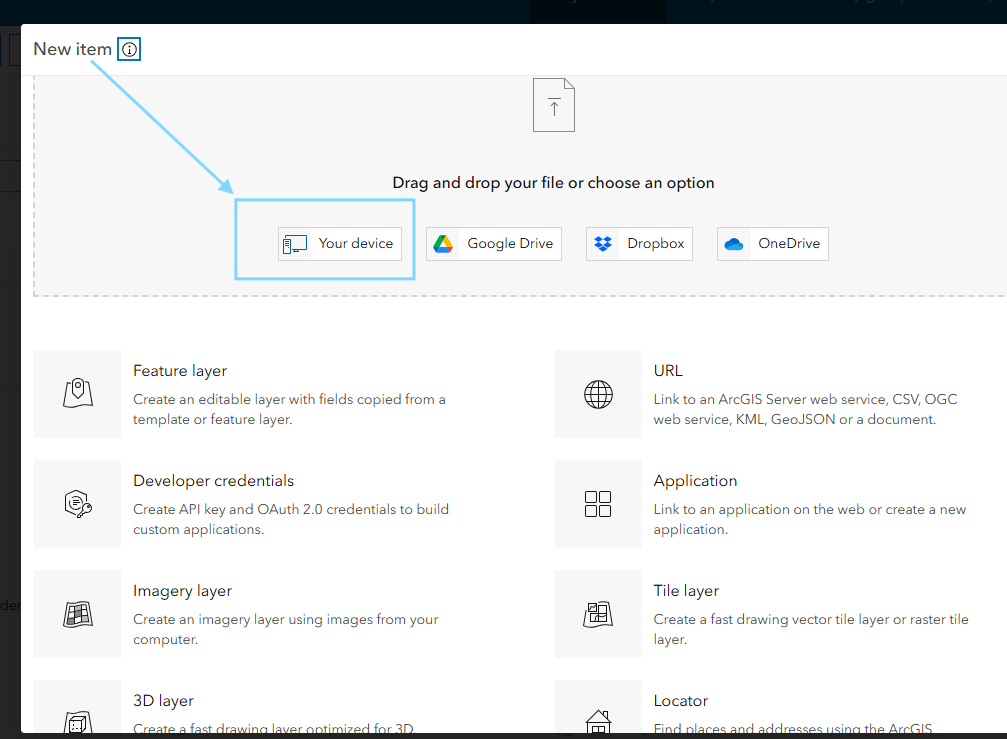
Step 14.
click save
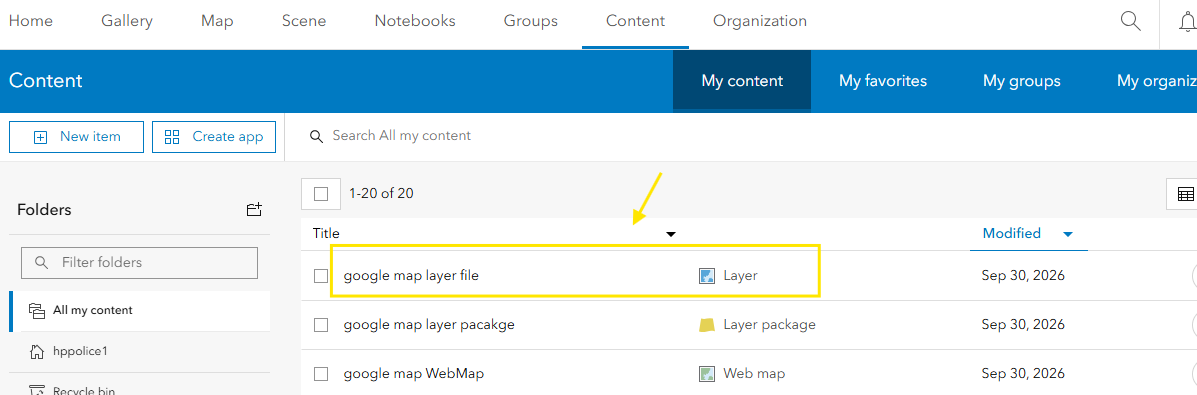
Step 15.
google map layer file has been upload and saved at arcgis online
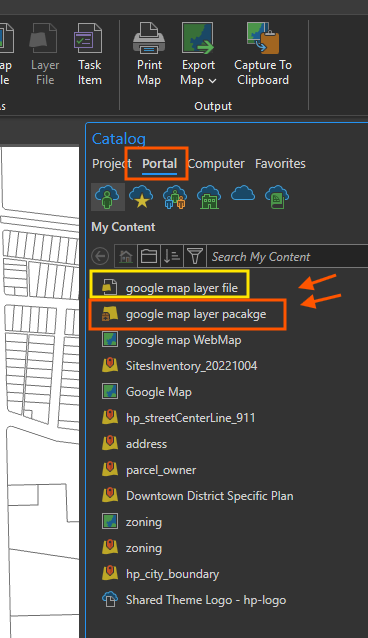
Step 16.
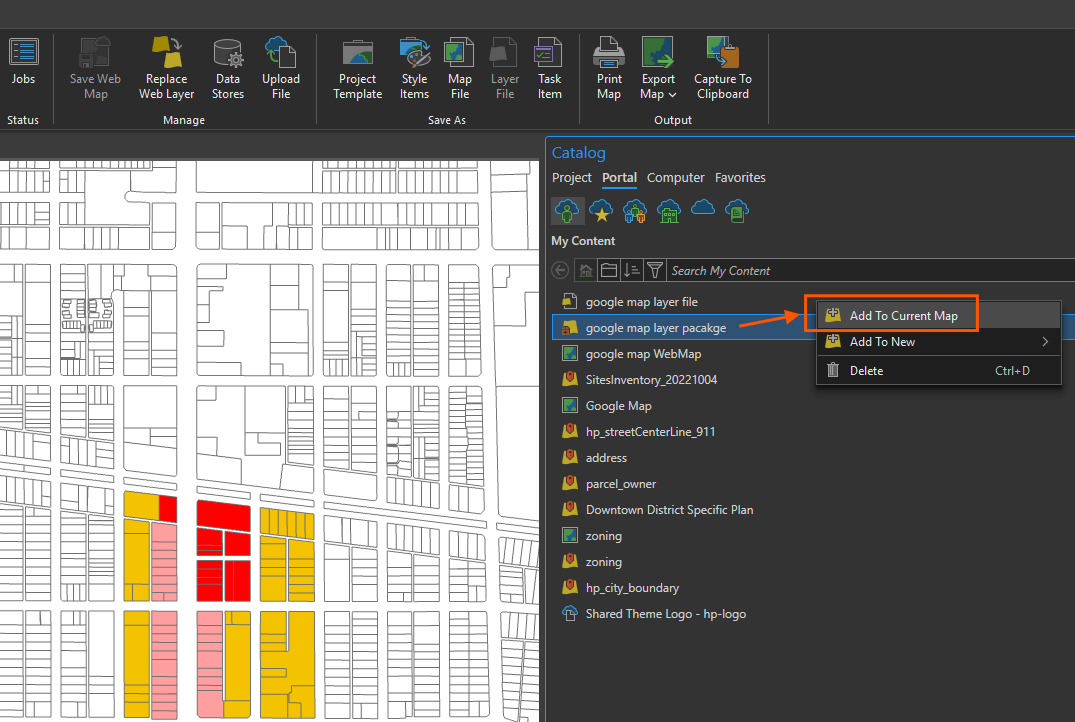
arcgis pro, open portal tab, you will see both google map layer file, and google map layer package
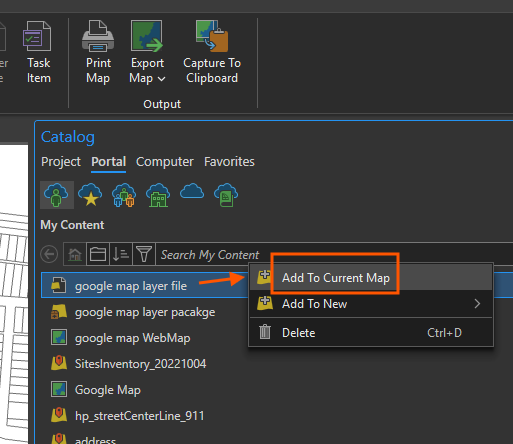
Step 17.
right click google map layer, add to current map
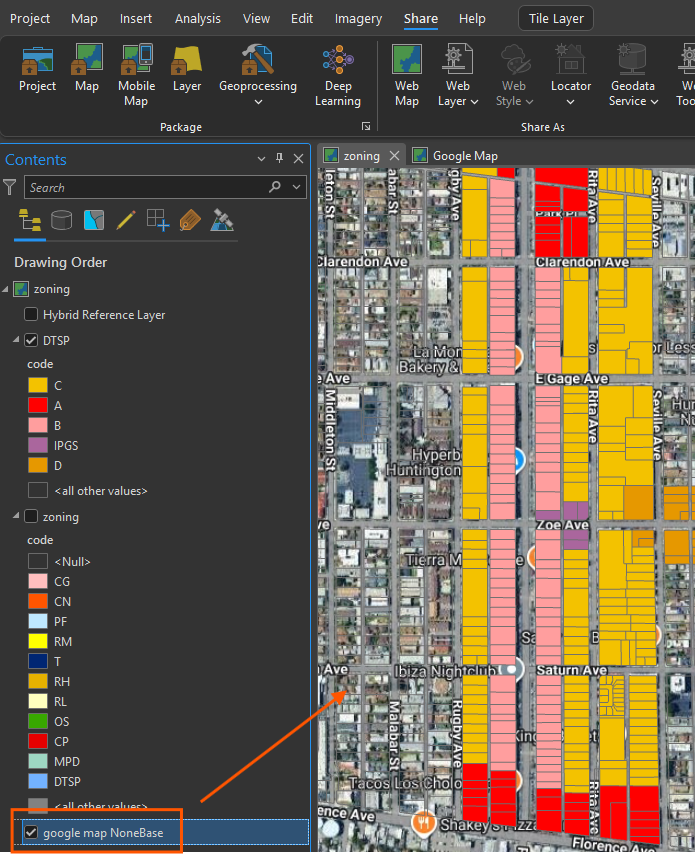
Step 18.
final result, google map successfully added to existing zoning map.
Step 19.
alternatively, you can do the same with layer package file
Step 20.
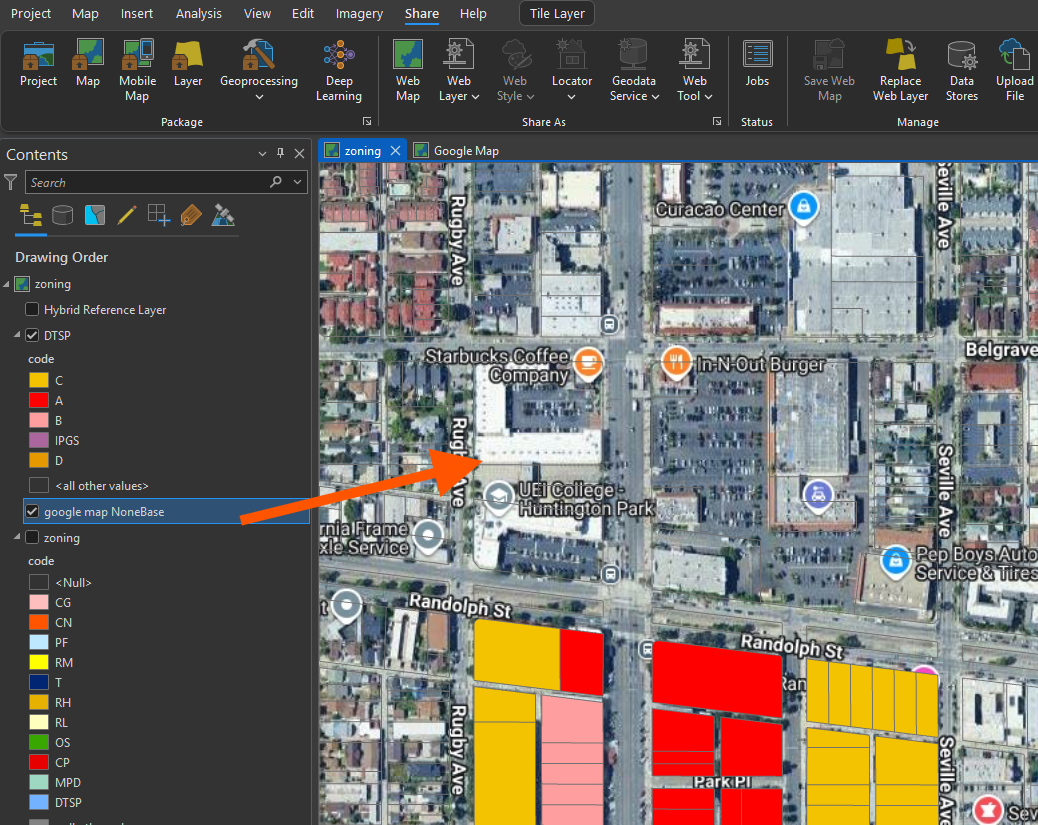
both layer file, layer package file can add google map as single layer to existing current map.
Step 21.
Step 22.
Step 23.
Step 24.
Step 25.
Step 26.
Step 27.
Step 28.
Step 29.