Step 1.
read here to add google microsoft mapbox near map manually to arcgis pro
https://transparentgov.net/cleargov1/2072/google-microsoft-nearmap-openstreet-mapbox-arcgis-direct
assume you already create these layers in arcgis pro.
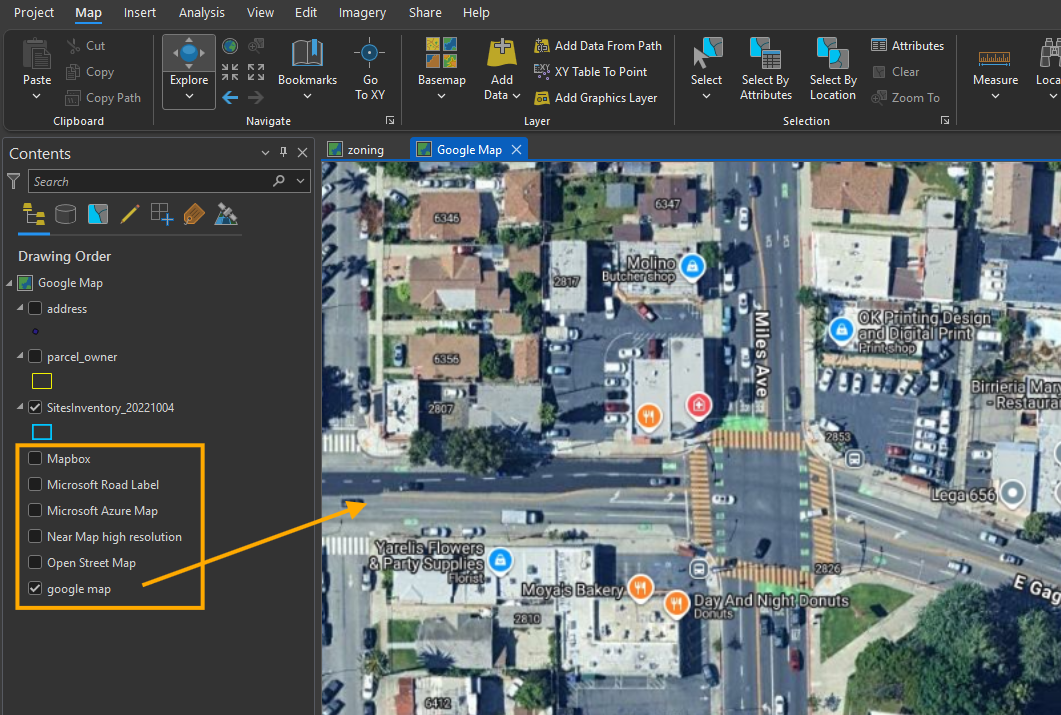
Step 2.
share layer as layer file, or layer package both works. only difference is layer package is automatically upload to arcgis online. Layer file, you have to save on your hard drive, then menually upload item on arcgis online.
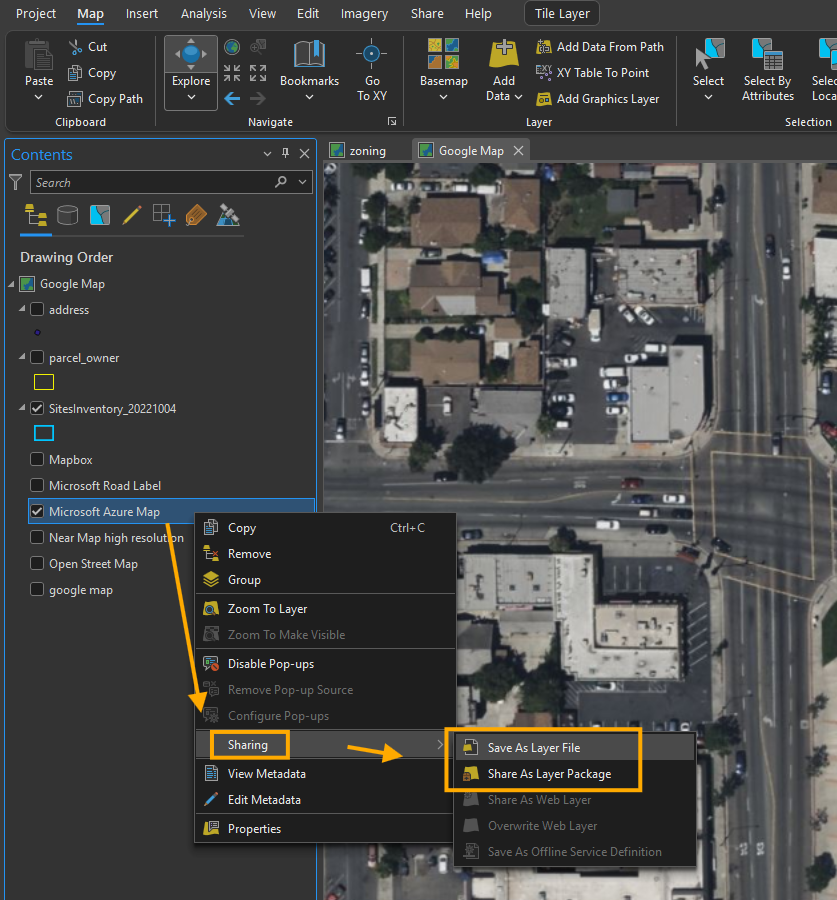
Step 3.
This is share as layer package, will automatically upload to arcgis online.
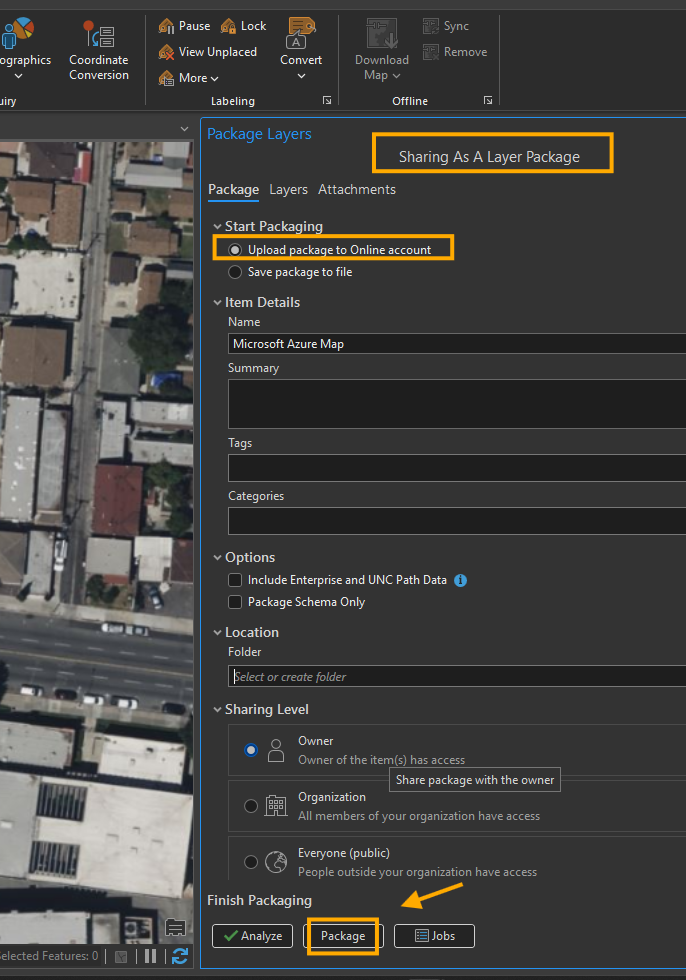
Step 4.
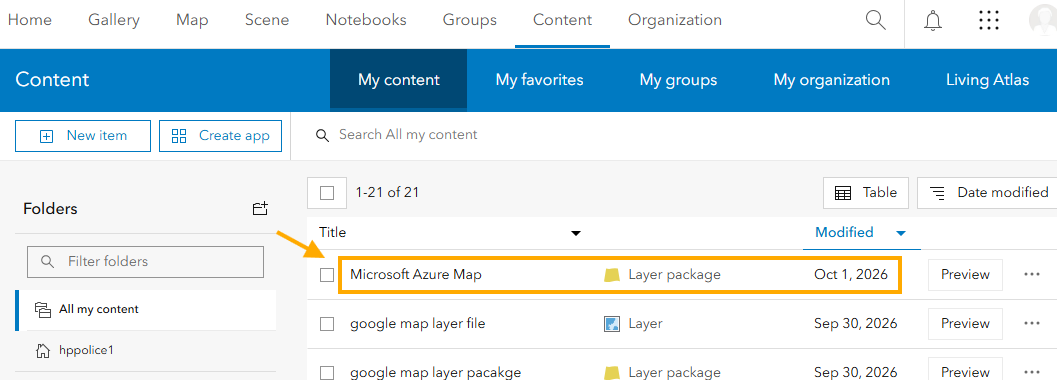
Step 5.
if share as layer file, you have to save it on hard drive, then upload layer file to arcgis online later
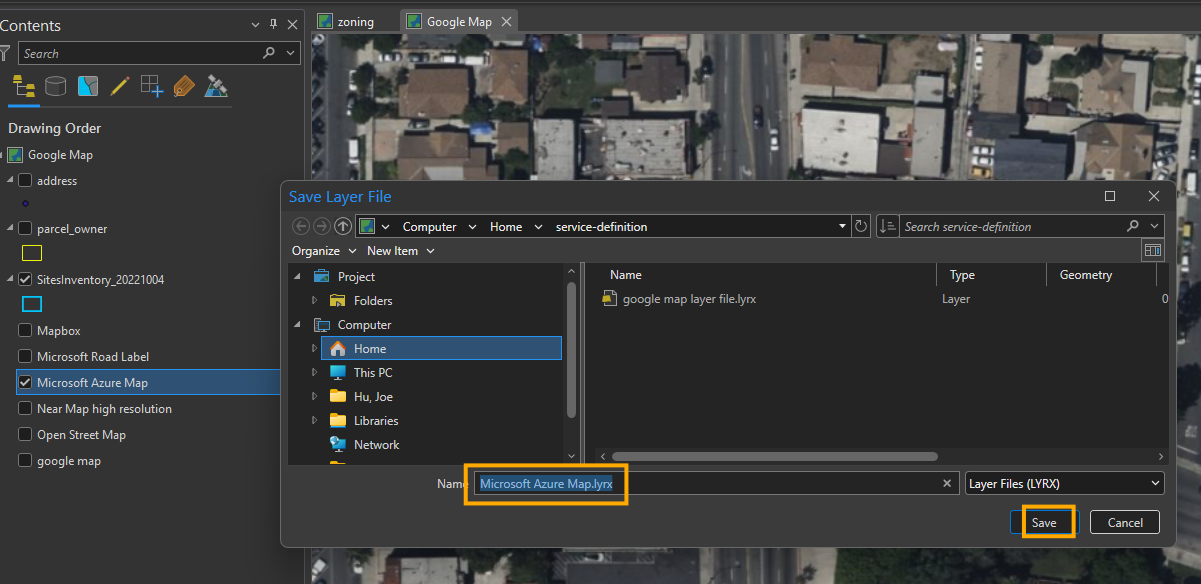
Step 6.
upload layer file to arcgis online
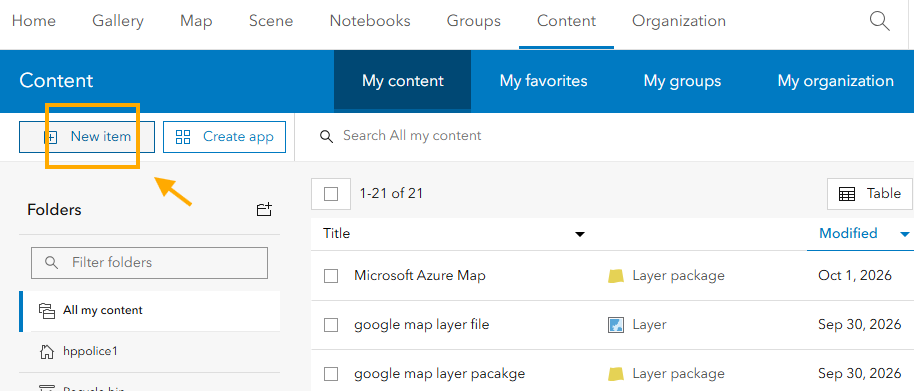
Step 7.
drag drop layer file to here
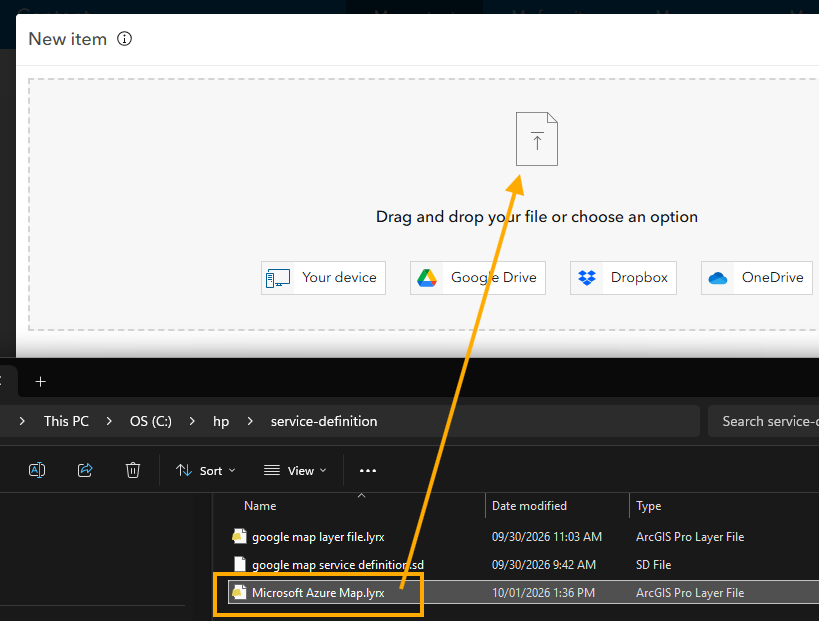
Step 8.
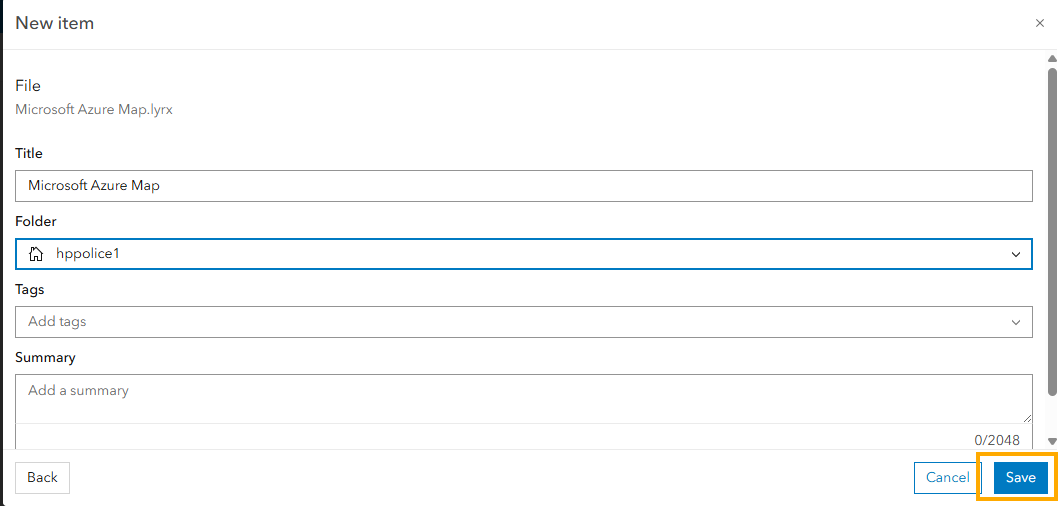
Step 9.
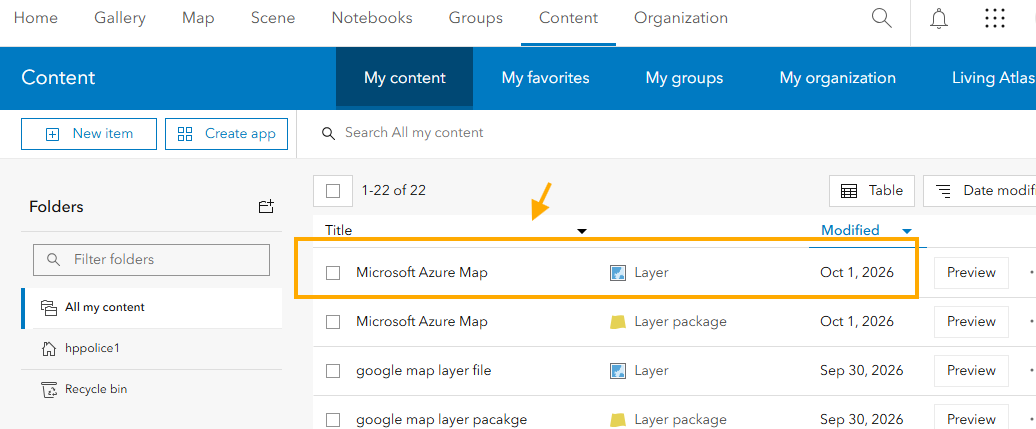
Step 10.
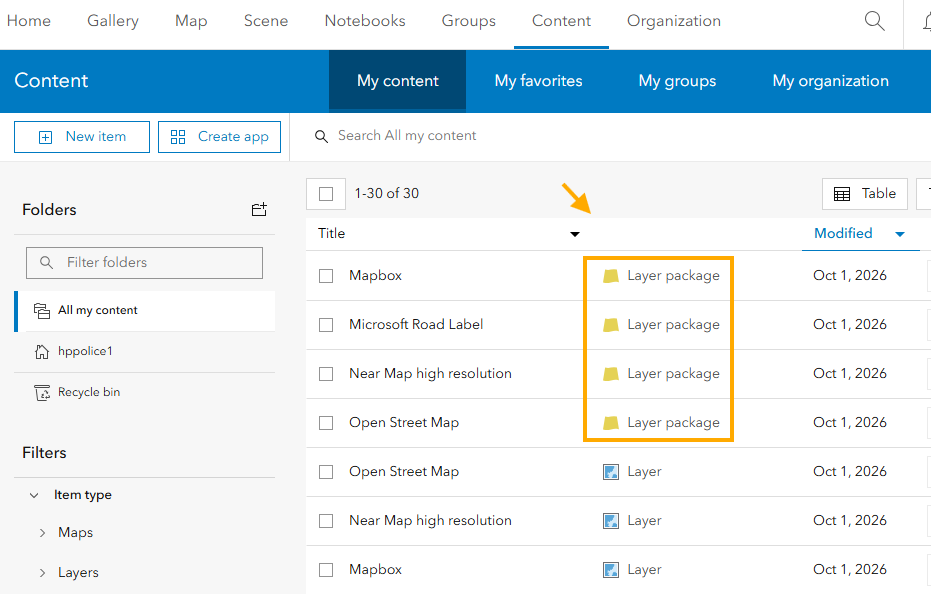
microsoft map is on arcgis online, from arcgis pro, you can see both layer, layer-package
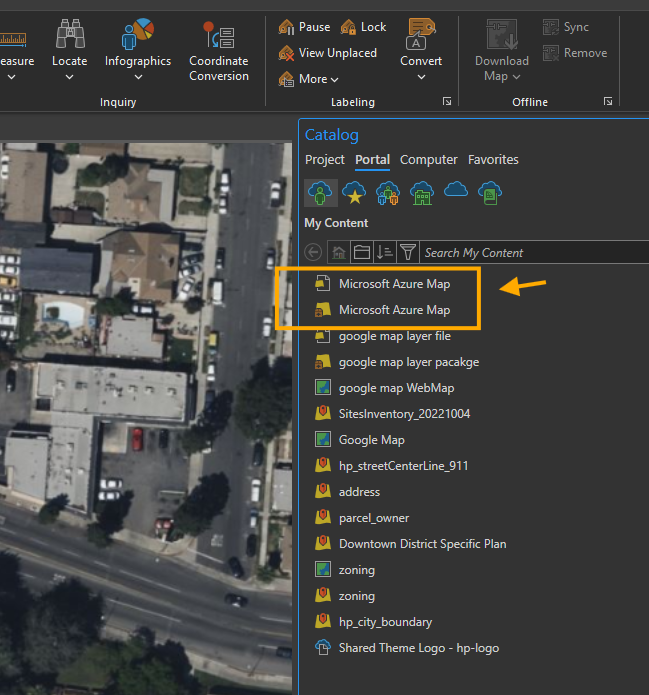
Step 11.
both layer package and layer file can be add to current map.
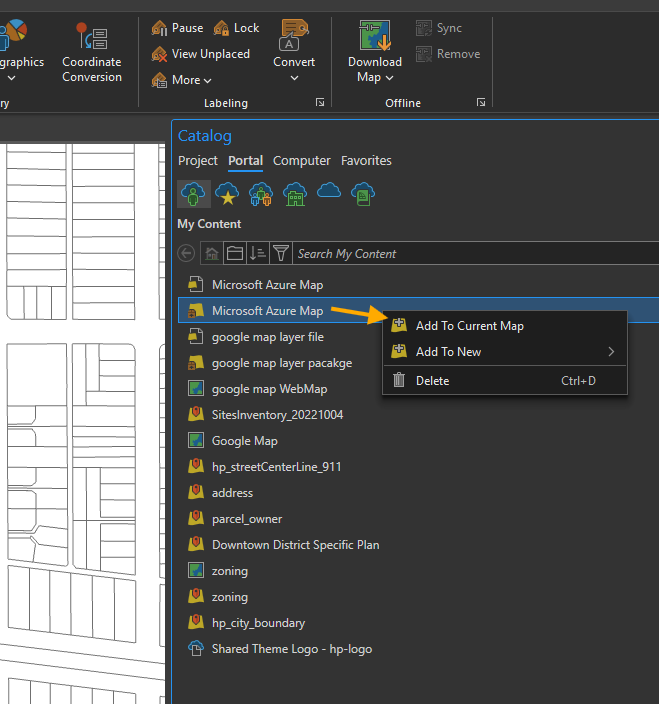
Step 12.
do the same thing on other maps, 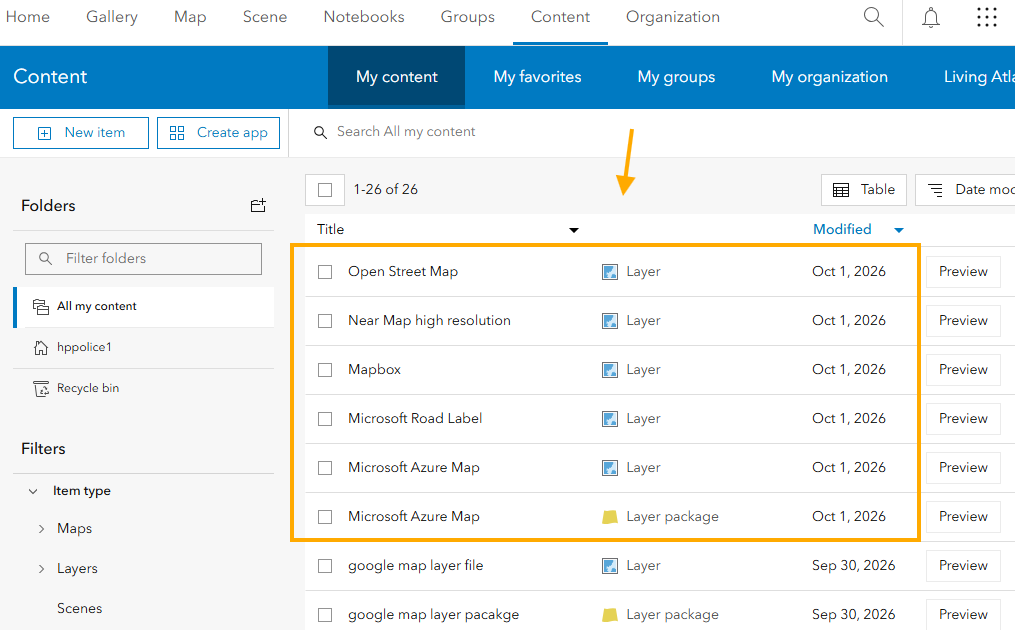
Step 13.
Step 14.
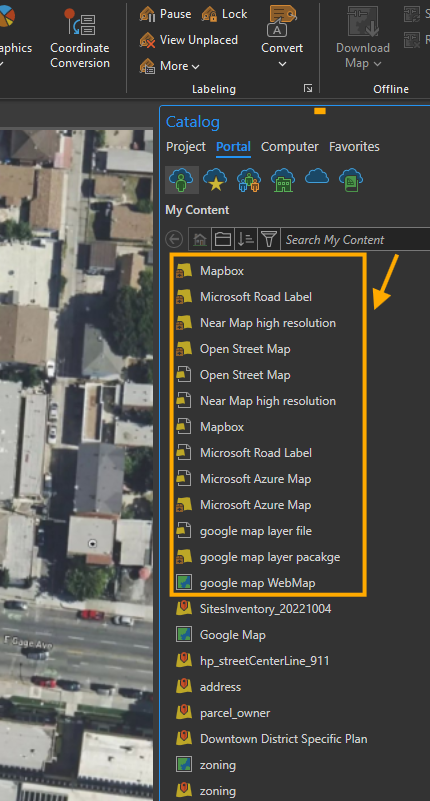
arcgis pro,all other maps are available now
Step 15.
Step 16.
Step 17.
Step 18.
Step 19.
Step 20.
Step 21.
Step 22.
Step 23.
Step 24.
Step 25.
Step 26.
Step 27.
Step 28.
Step 29.